

SMS Template Failure Automated Report
The SMS Template Failure Automated Report feature allows you to automatically receive reports through email for SMS messages that failed due to template-related issues.
This report is specifically relevant in countries where authorities require SMS templates to be registered and SMS text to be validated against those templates (for example, DLT in India).
After successfully enabling the SMS Template Failure Automated Report in Kaleyra platform, you will receive an email notification to the configured email address with an option to download the SMS template failure automated report.
Using the SMS Template Failure Automated Report, you will receive an email with the report every 60 minutes covering the last hour. Each report includes details such as ENTITY ID, MOBILE, SENDER, CREATED, STATUS, STATUS TRACE, TEMPLATE ID, and MESSAGE.
Sample SMS Template Failure Automated Report
The following is a sample SMS template failure automated report:
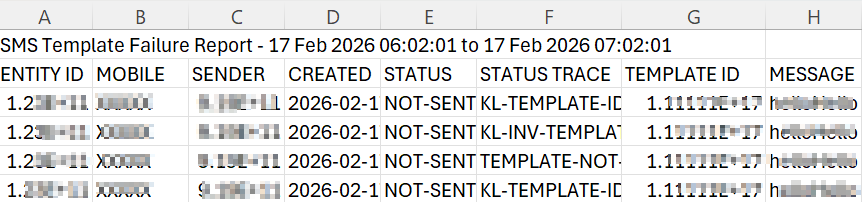
The SMS template failure automated report contains the following details:
| Column | Description | Example |
|---|---|---|
| ENTITY ID | Displays the Entity ID associated with the SMS request. | 1.23XXXXXX |
| MOBILE | Displays the recipient's mobile number to which the SMS was sent. | +91XXXXXXXXXX |
| SENDER | Displays the sender ID used to send the SMS. A Sender ID is the name or number displayed in the recipient's messaging application. | KALEYRA |
| CREATED | Displays the date and time when the SMS request was created. | 2026-02-17T07:00:37Z |
| STATUS | Displays the SMS message delivery status returned by the SMS MT Status API. | NOT-SENT |
| STATUS TRACE | Displays the status trace codes you would receive when requesting SMS MT Status. | TEMPLATE-NOT-FOUND |
| TEMPLATE ID | Displays the ID of the template used to send the SMS message. For more information on how to create Template, see Create Template page. | 15765XXX |
| MESSAGE | Displays the SMS message content submitted for delivery. | Your OTP is 1XXX. This is valid for 5 minutes. |
For more information about SMS status and status trace codes, see SMS Status and Status Trace Codes.
Enable and Configure SMS Template Failure Automated Report
To enable and configure the SMS template failure automated report, perform the following steps:
-
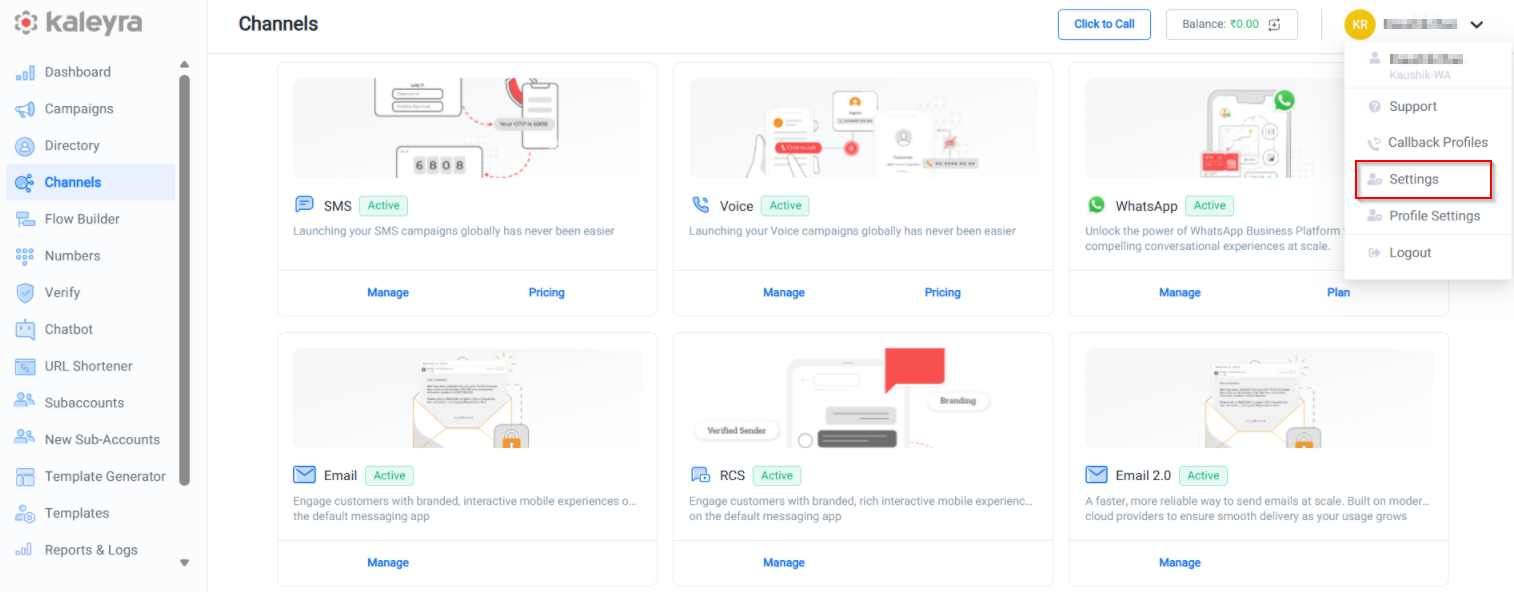
Log in to your Kaleyra platform.
-
On the top-right of the page, click the User Profile drop-down and then click Settings.
-
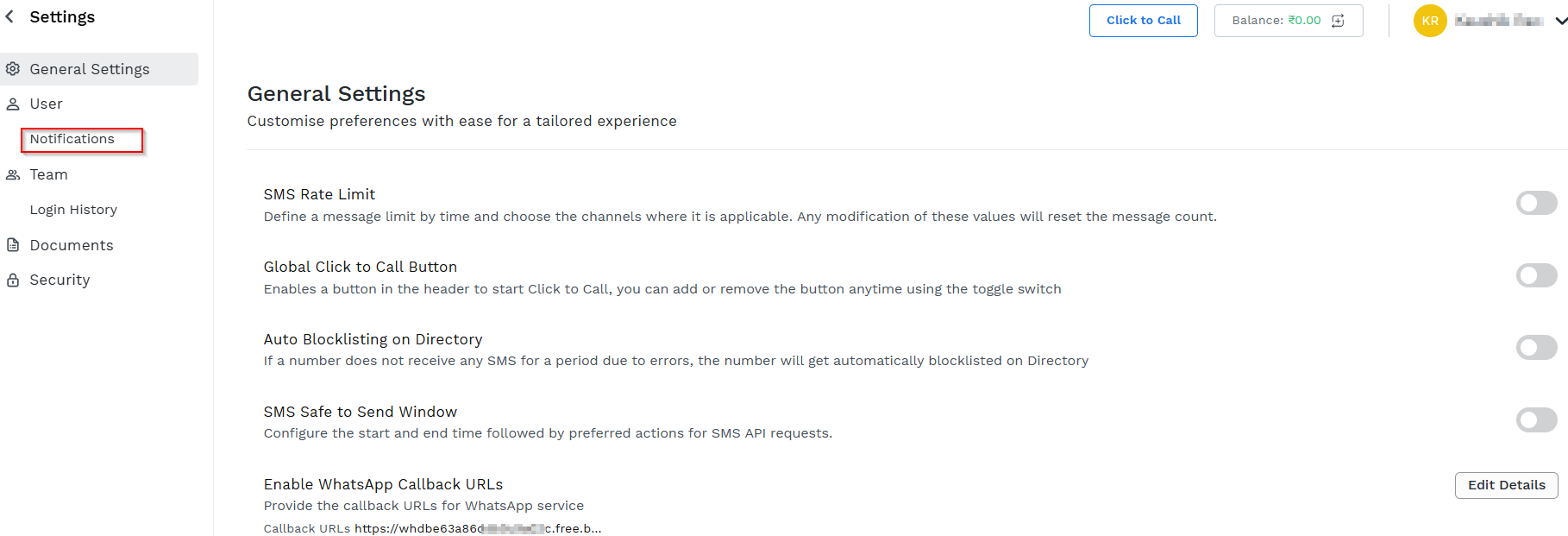
Click Notifications in the left pane.
The Notifications tab appears.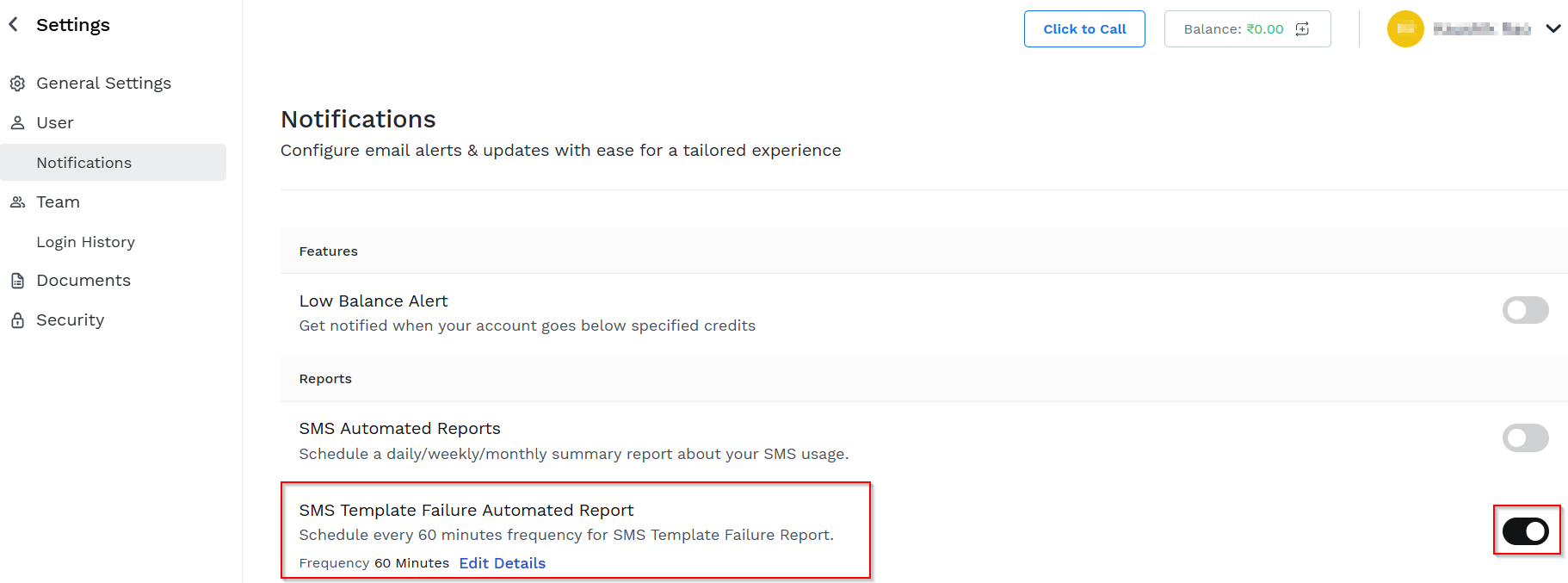
- Toggle SMS Template Failure Automated Report and then click Edit Details.
The SMS Template Failure Automated Report pop-up appears.
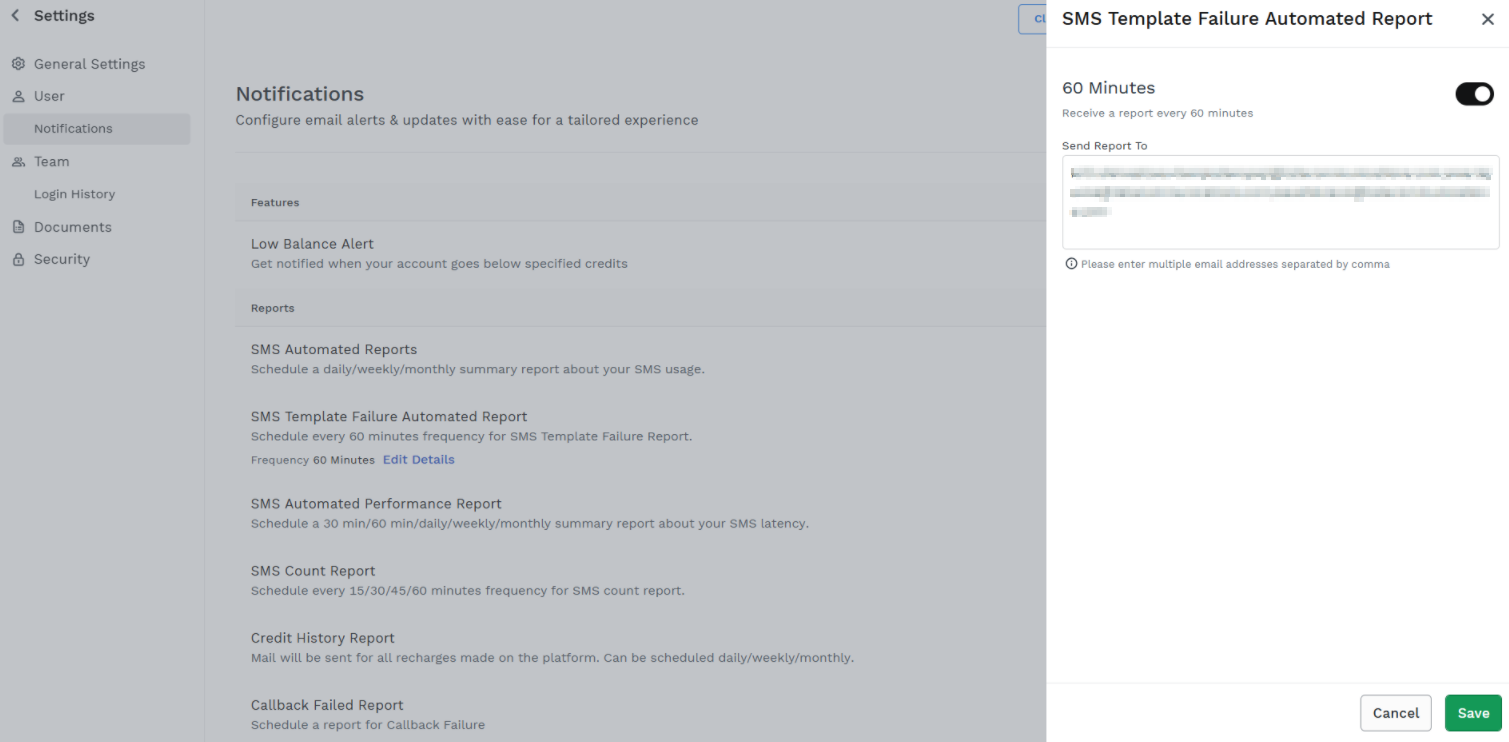
- Select 60 Minutes to receive an email notification after every 60 minutes, with the option to download the attached SMS template failure automated report.
- In the Send Report To field, enter one or more email addresses of the recipients to receive the SMS template failure automated report.
Notes:
- By default, the account owner’s email address is present.
- At least one email address is required to save the configuration.
- You can add multiple email addresses separated by a comma. For example - [email protected],[email protected].
- Click Save.
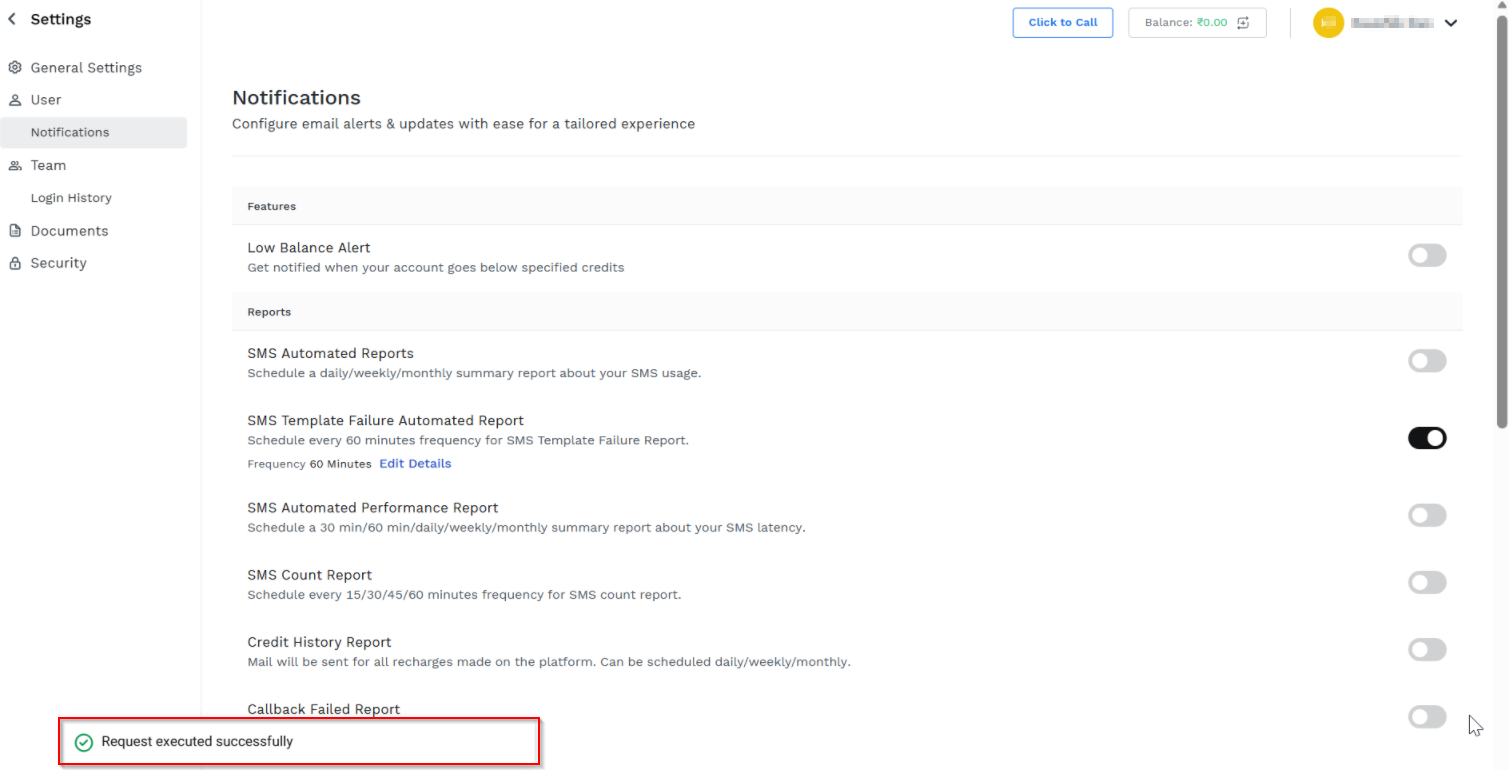
A confirmation message "Request executed successfully" appears.
Notes:
- Click Edit Details to modify the SMS Template Failure Automated Report setting. You can modify the frequencies and email addresses of SMS template failure automated report.
- To stop receiving email notifications, disable the SMS Template Failure Automated Report toggle.
Updated about 1 month ago