

Download and Regenerate Report
You can download the WhatsApp campaign reports and if report file is not more available for download, you have the option to regenerate the report too. The WhatsApp campaign report shows the delivery statuses of all the messages sent to the contacts in the WhatsApp campaign.
For more information on the campaign report, see WhatsApp Tabular Report.
To download and regenerate the report, perform the following steps:
- Sign in to your Kaleyra platform.
The Business communications page appears.
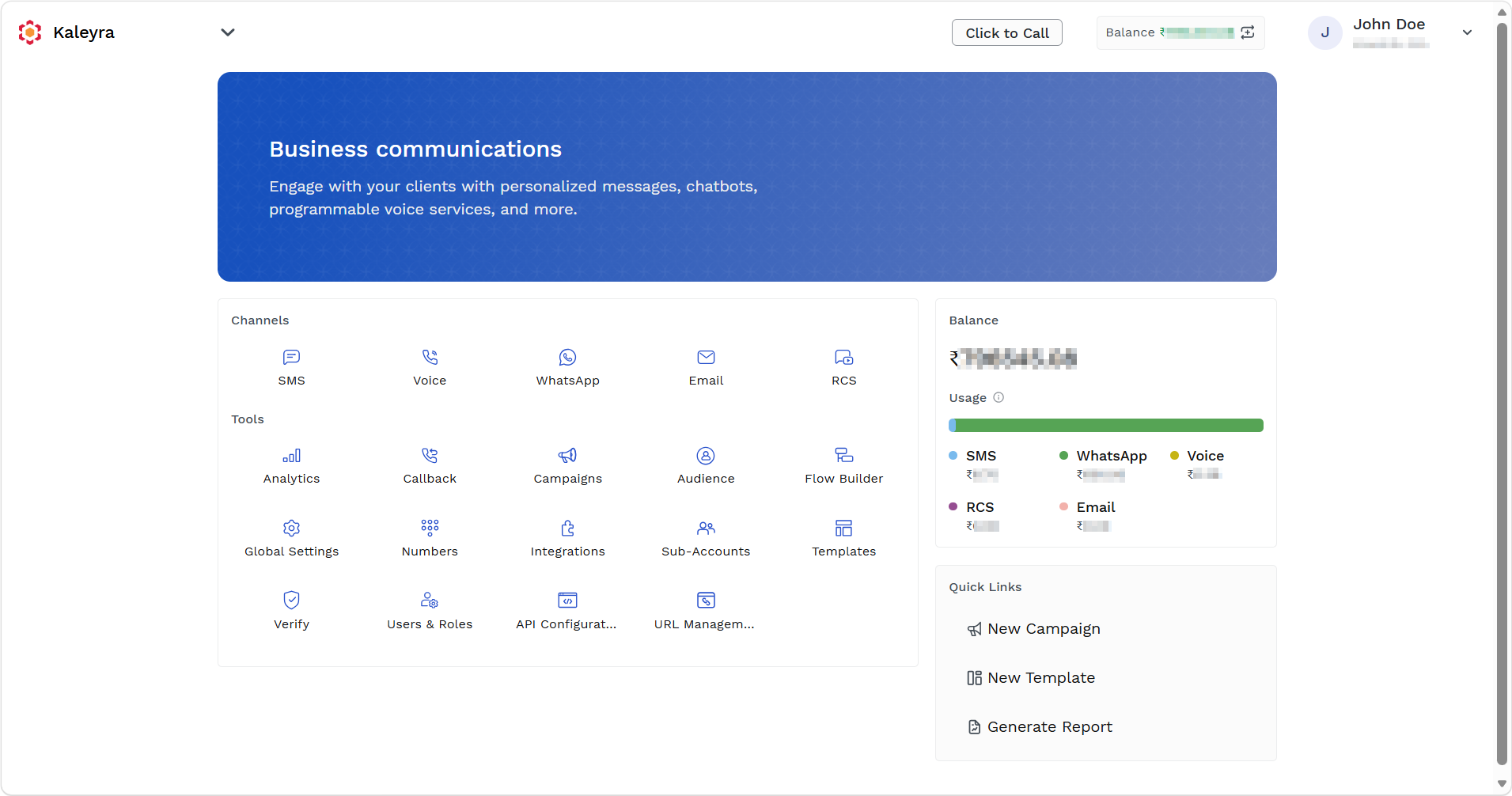
- On the Tools section, click Campaigns.
The Campaigns page appears.
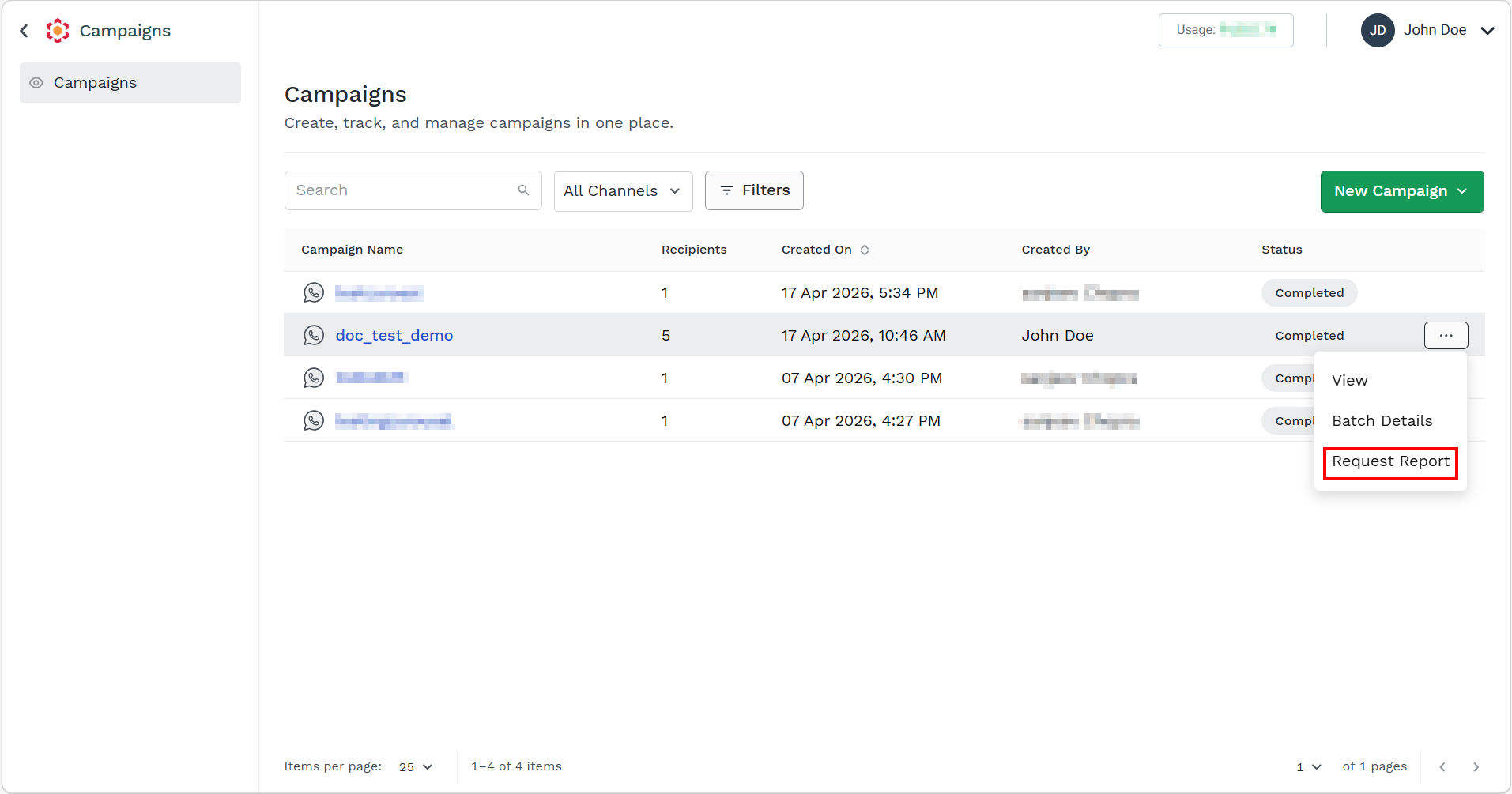
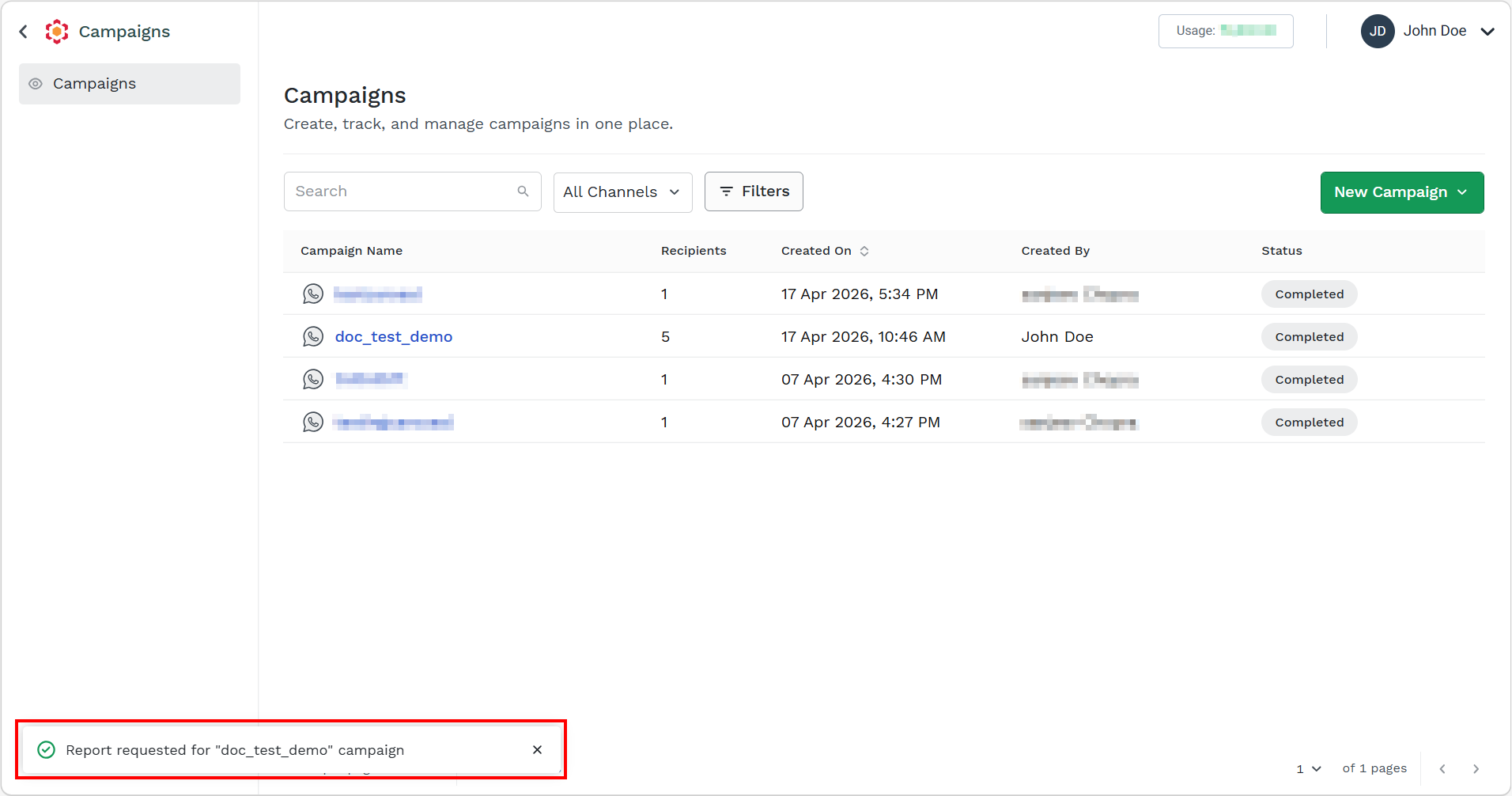
- Hover over the campaign and ellipsis icon appear. Click the ellipsis icon and then select the Request Report option.
The confirmation message appears.
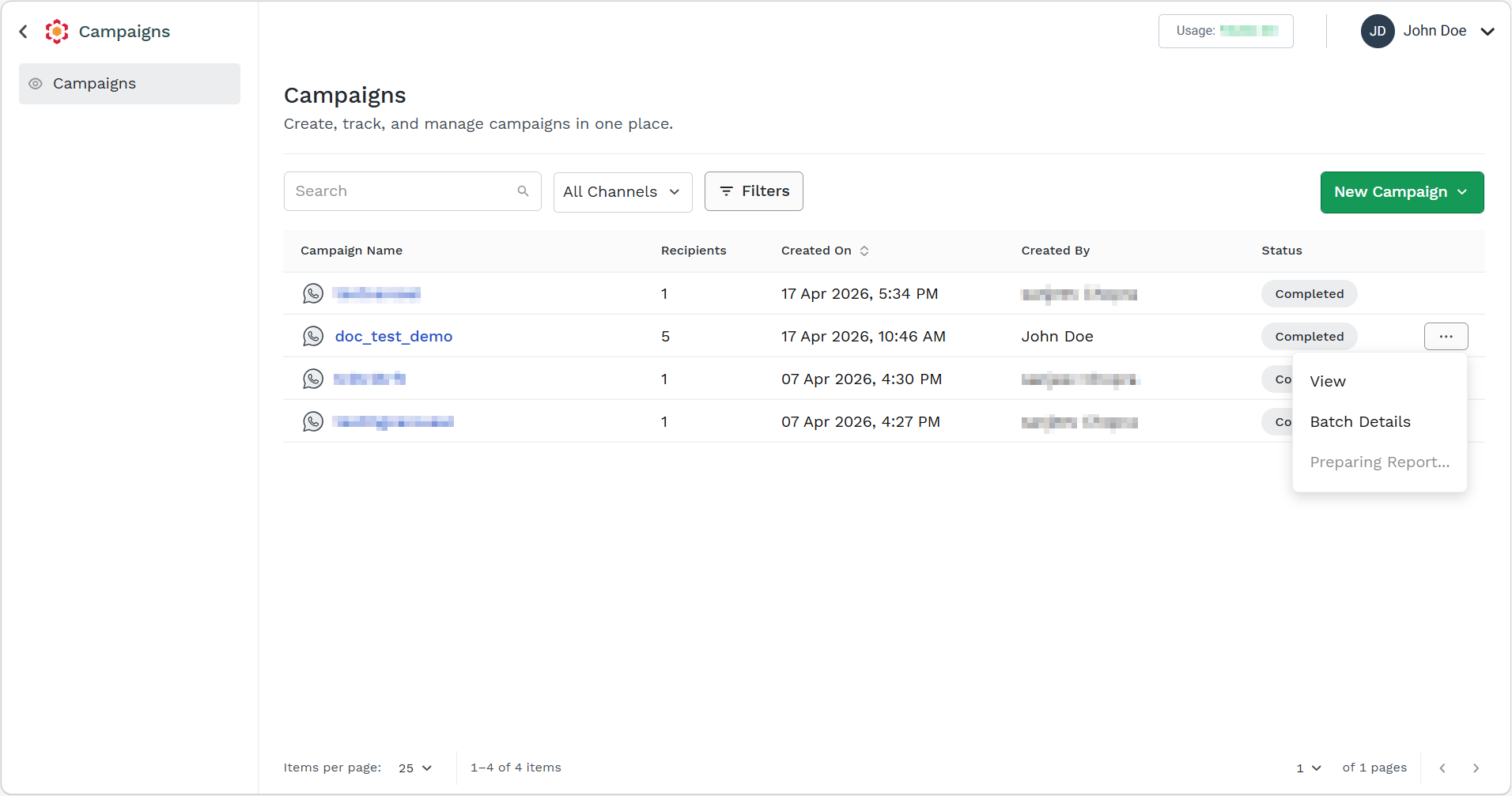
Once the campaign report is requested successfully, then the status changes to Preparing Report.... Preparing Report... will be visible till the report is ready to be downloaded.
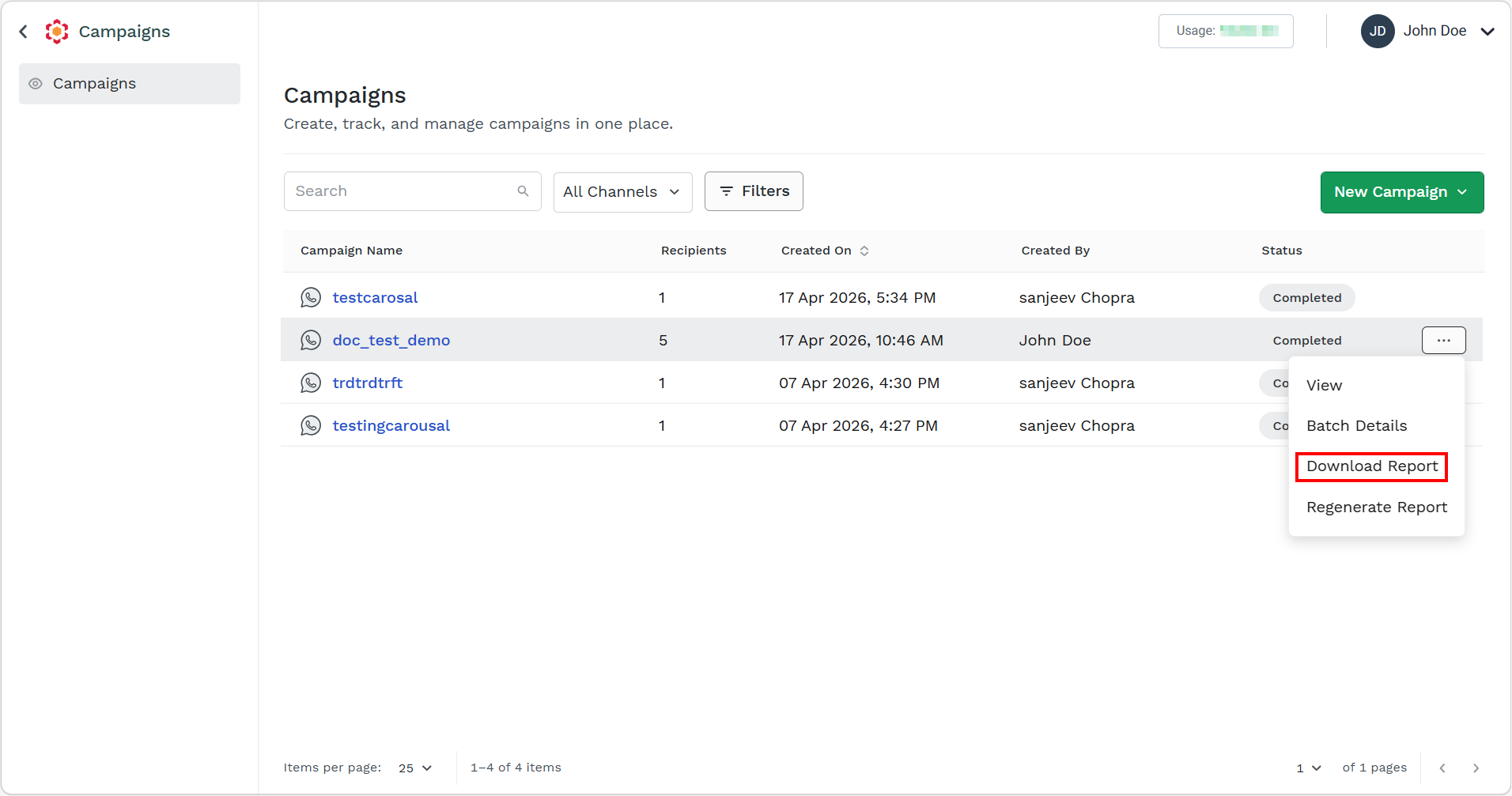
After the report is prepared you have the option to Download and Regenerate Report.
Notes:
- Time to generate a report is based on the end-users' contact numbers in the campaign.
- You can download the same report multiple times.
- If no records are found for the campaign that you requested a report for, Records Not Found will appear in the campaigns listing page action menu for that campaign.
- It is recommended to complete the report generation process if you have already requested. If you want to regenerate the report, click the Regenerate Report option.
- Click the Download Report option.
The confirmation message appears.
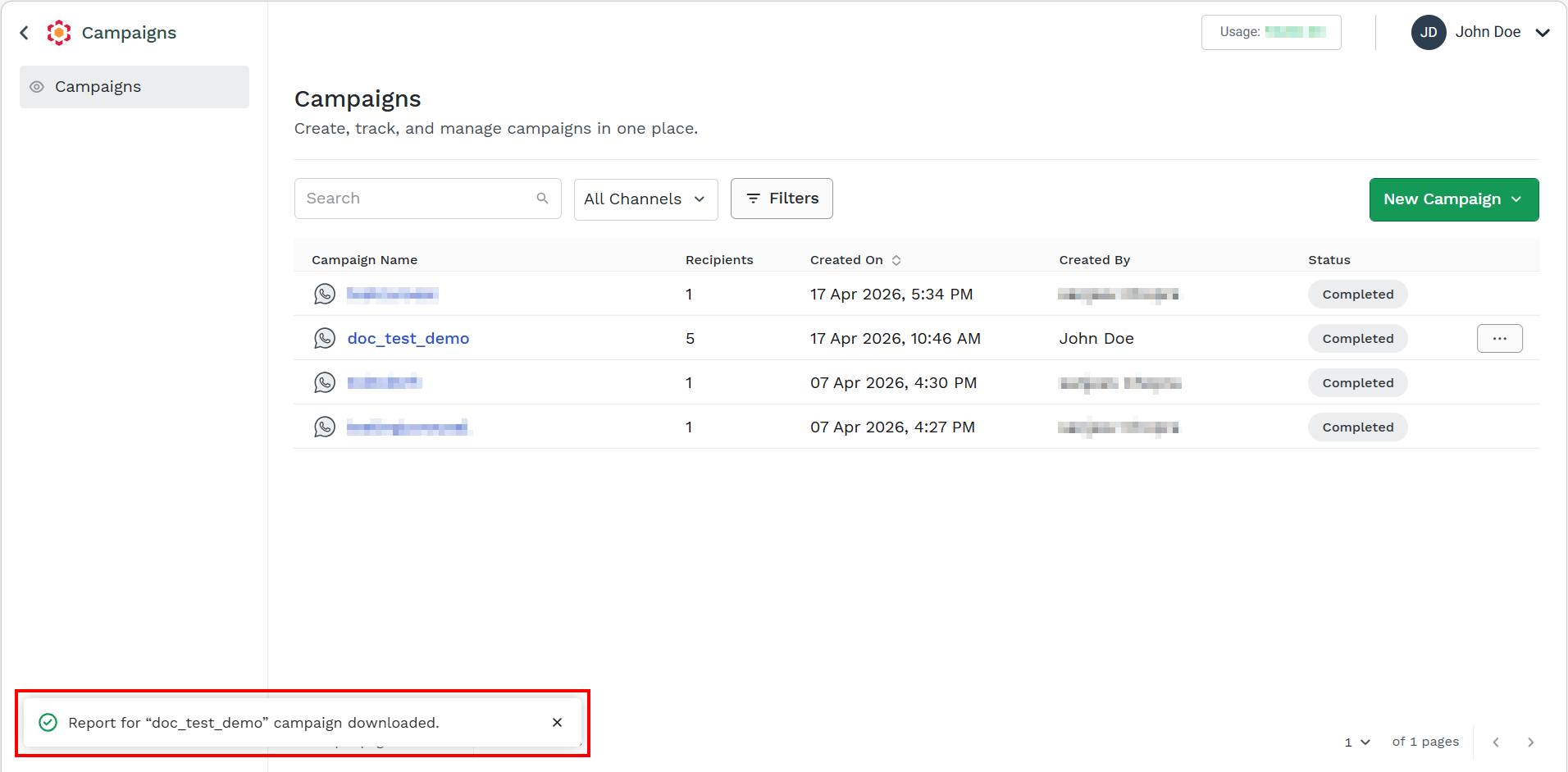
You can access the report from your Browser's recent downloads extension or navigate to your local downloads folder. The report gets generated in a zipped folder. Open the zipped folder. For more information on the campaign report, see WhatsApp Tabular Report.
Updated 5 days ago