

Disable a Callback Profile
You can disable a callback profile. After you disable the callback profile, you will no longer receive callback responses for campaign messages. For the disabled callback, you have only the option to edit, delete, and enable the callback.
To disable a callback profile, perform the following steps:
-
Sign in to your Kaleyra platform.
-
On the User Profile settings drop-down list, select the Callback Profiles option.
The Callback Profiles page appears.
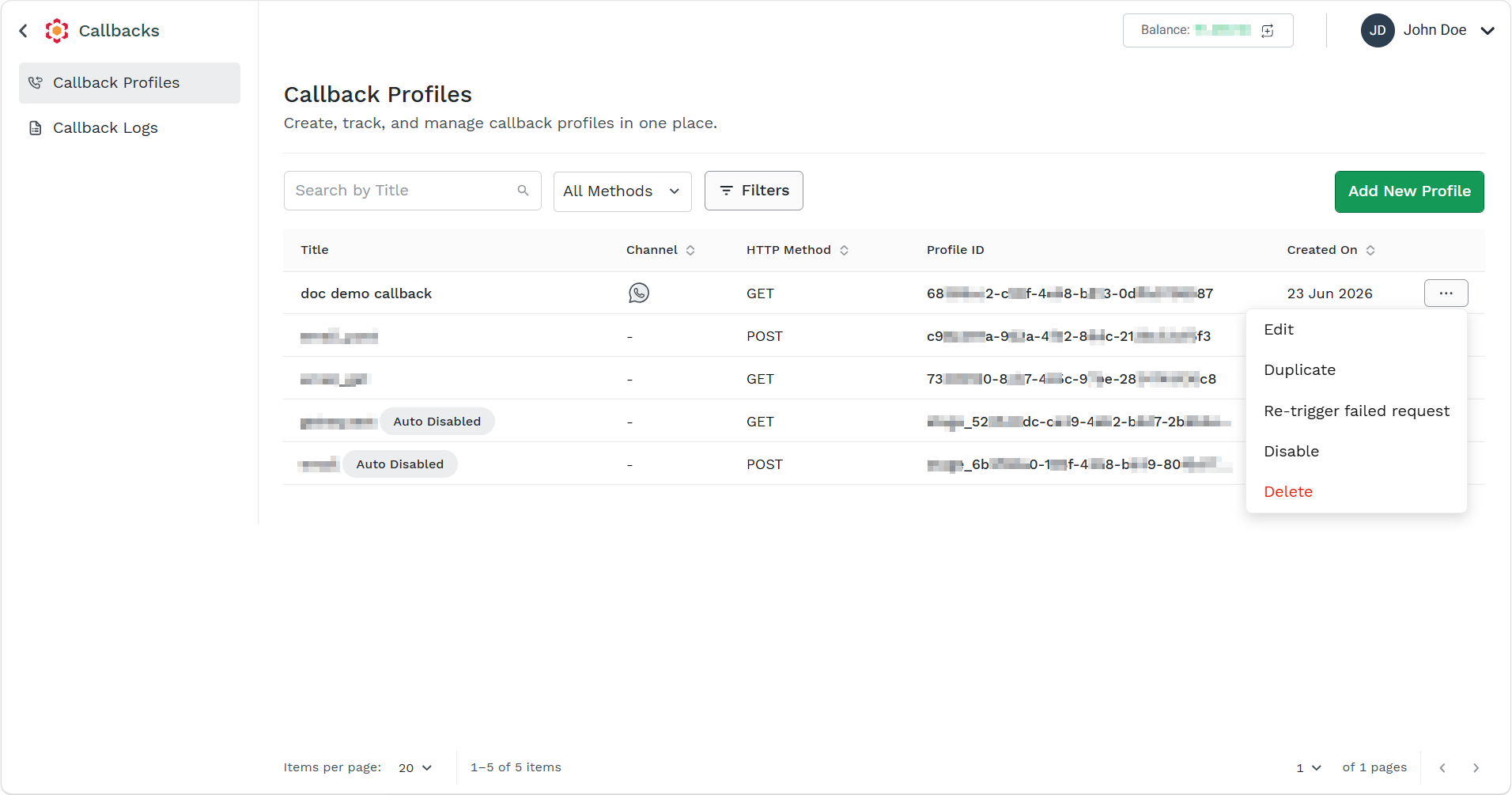
- Click the ellipsis icon corresponding to the callback profile and select the Disable option.
The Disable Callback pop-up appears.
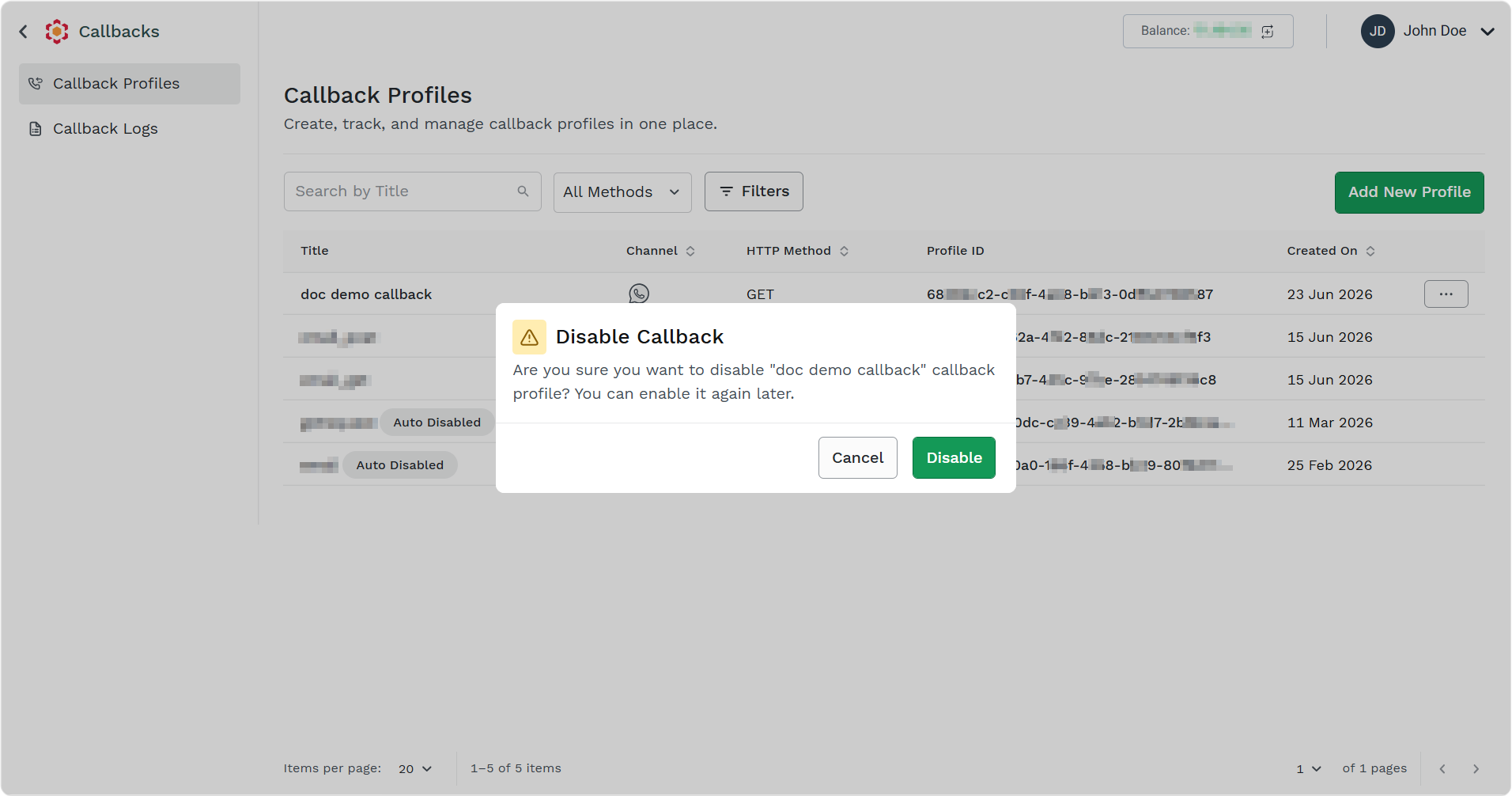
- Click the Disable button.
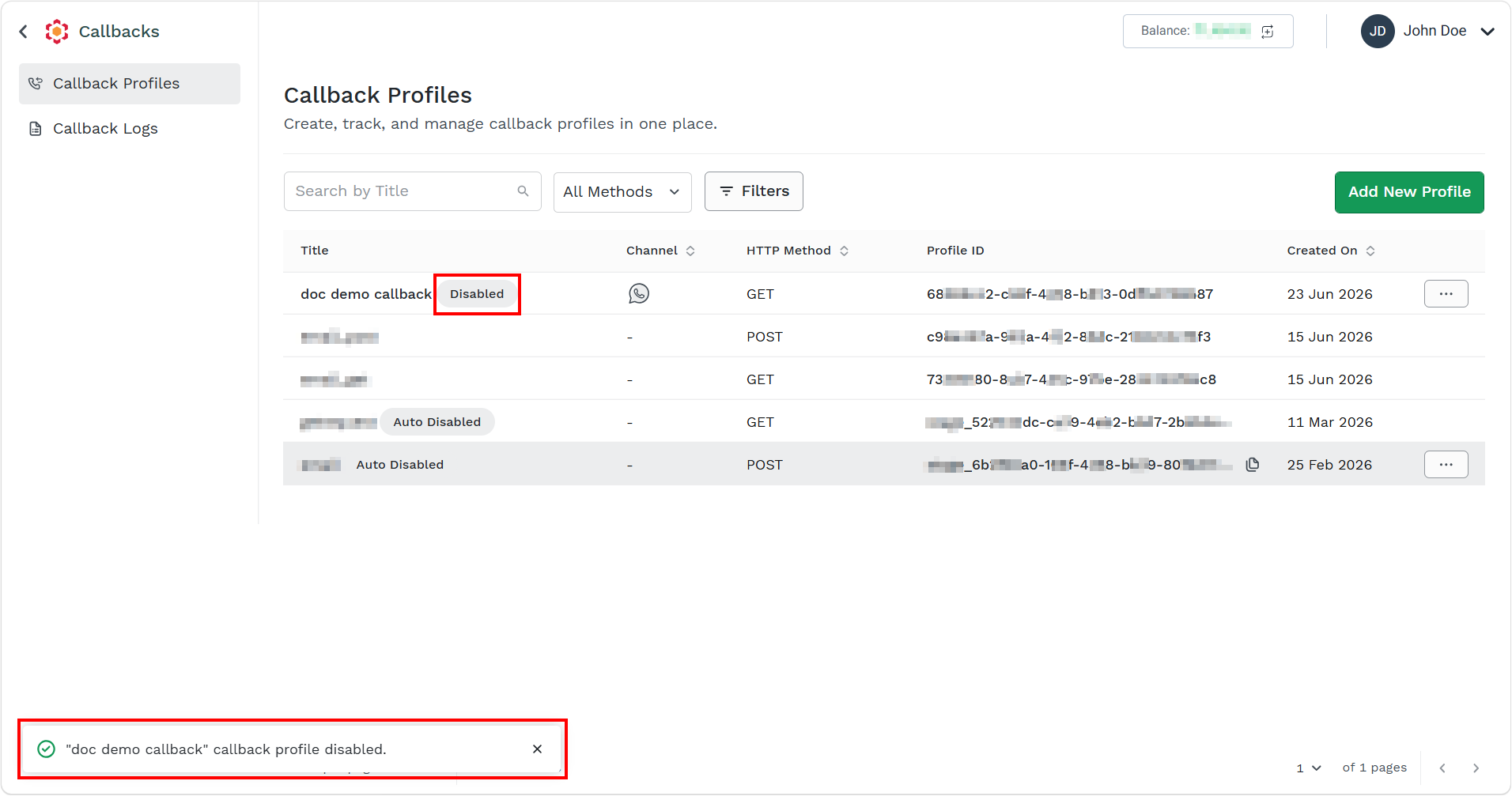
The confirmation message callback profile disabled appears.
Updated 3 months ago
Did this page help you?