

Prepaid Billing Overview
The overview page allows you to view your prepaid wallet and manage top-up options.
You have the following options on the overview page:
- View prepaid balance
- Add credit balance
- Set auto debit from linked card
To view prepaid balance, add credit, and set auto debit from your linked card, perform the following steps:
- Sign in to your Kaleyra platform.
- On the left menu bar, click the Billing option.
The Billing Overview page appears.
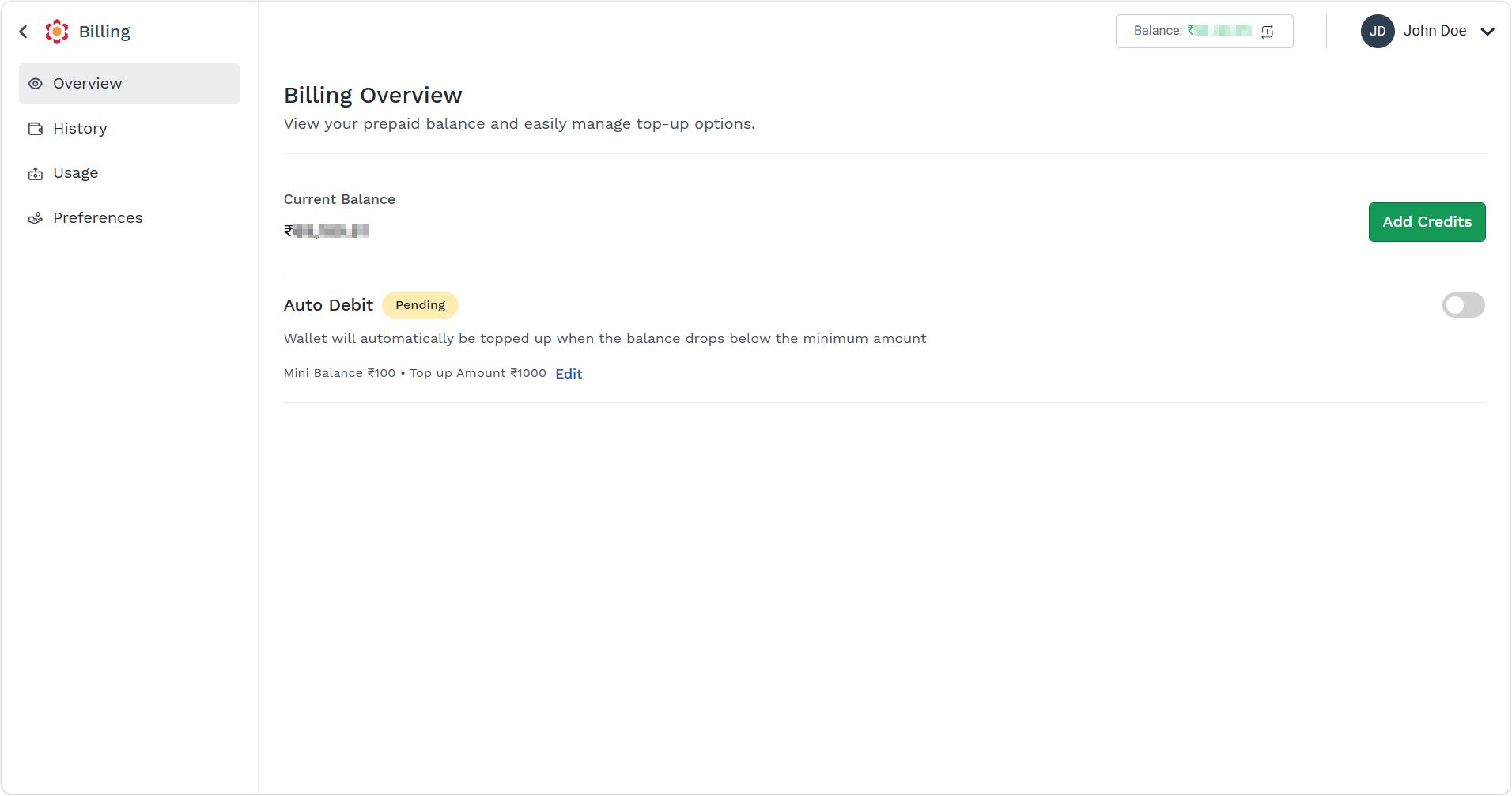
- The following options are available:
- Current Balance - Displays the current available wallet of your prepaid account. Wallet decreases every time a service is used.
- Add Credits - Allows you to recharge your prepaid account. For more information, see Add Credit to Kaleyra Prepaid Account.
- Auto Debit - Your wallet automatically gets topped up when the available amount reaches a configured value. For more information, see Auto Debit to Kaleyra Prepaid Account.
Updated about 2 months ago
Did this page help you?