

View WhatsApp Campaign Details
You can view the campaign details and preview message if you have enabled Show Preview while launching the campaign. You can view the campaign details in submitted, scheduled, in progress, failed, cancelled, completed, or deleted stages.
To view the campaign details, perform the following steps:
- Sign in to your Kaleyra platform.
The Business communications page appears.
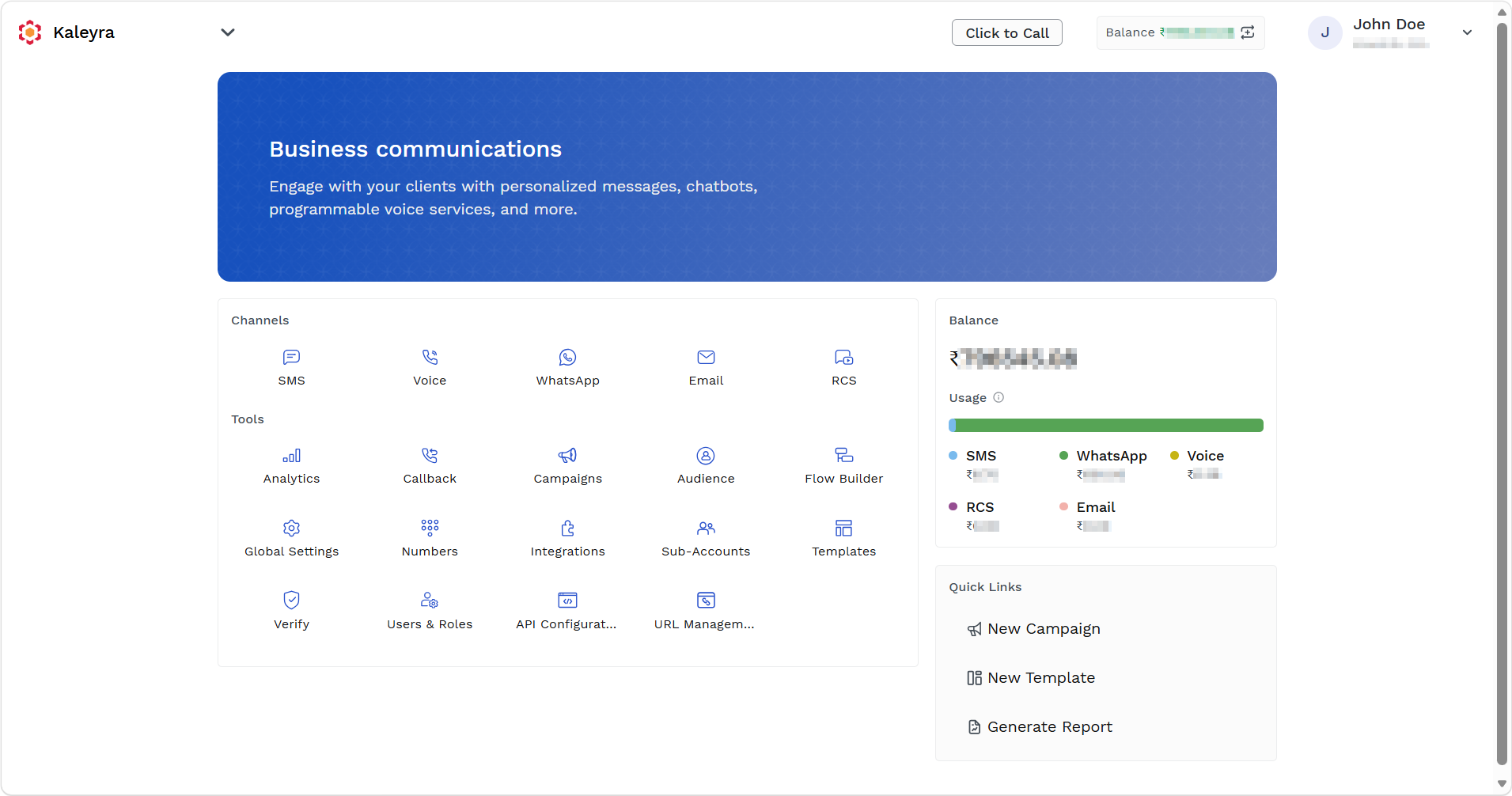
- On the Tools section, click Campaigns.
The Campaigns page appears.
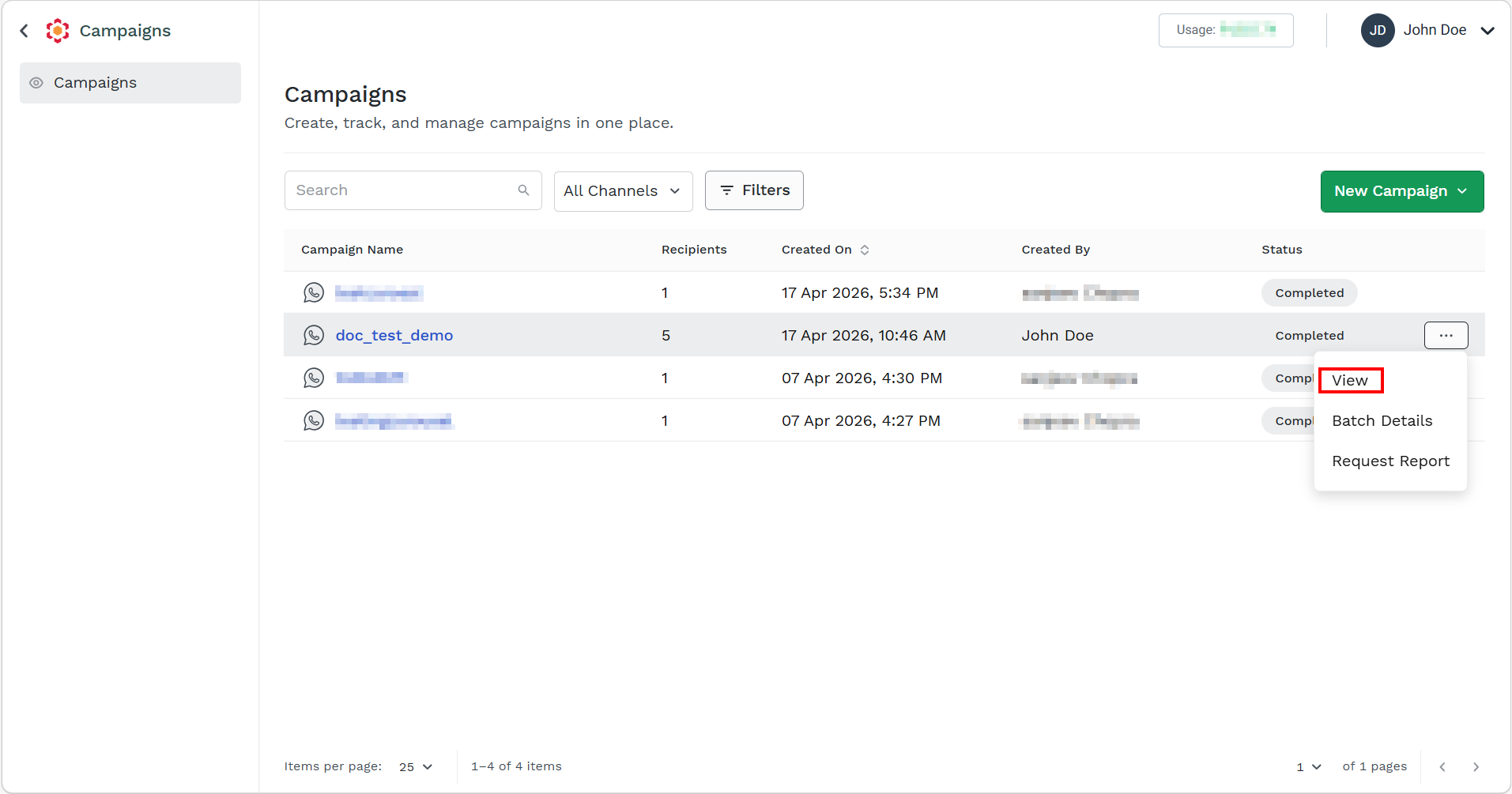
- Hover over the campaign and ellipsis icon appear. Click the ellipsis icon and then select the View option.
The Campaign Details tab appears with its status appears.
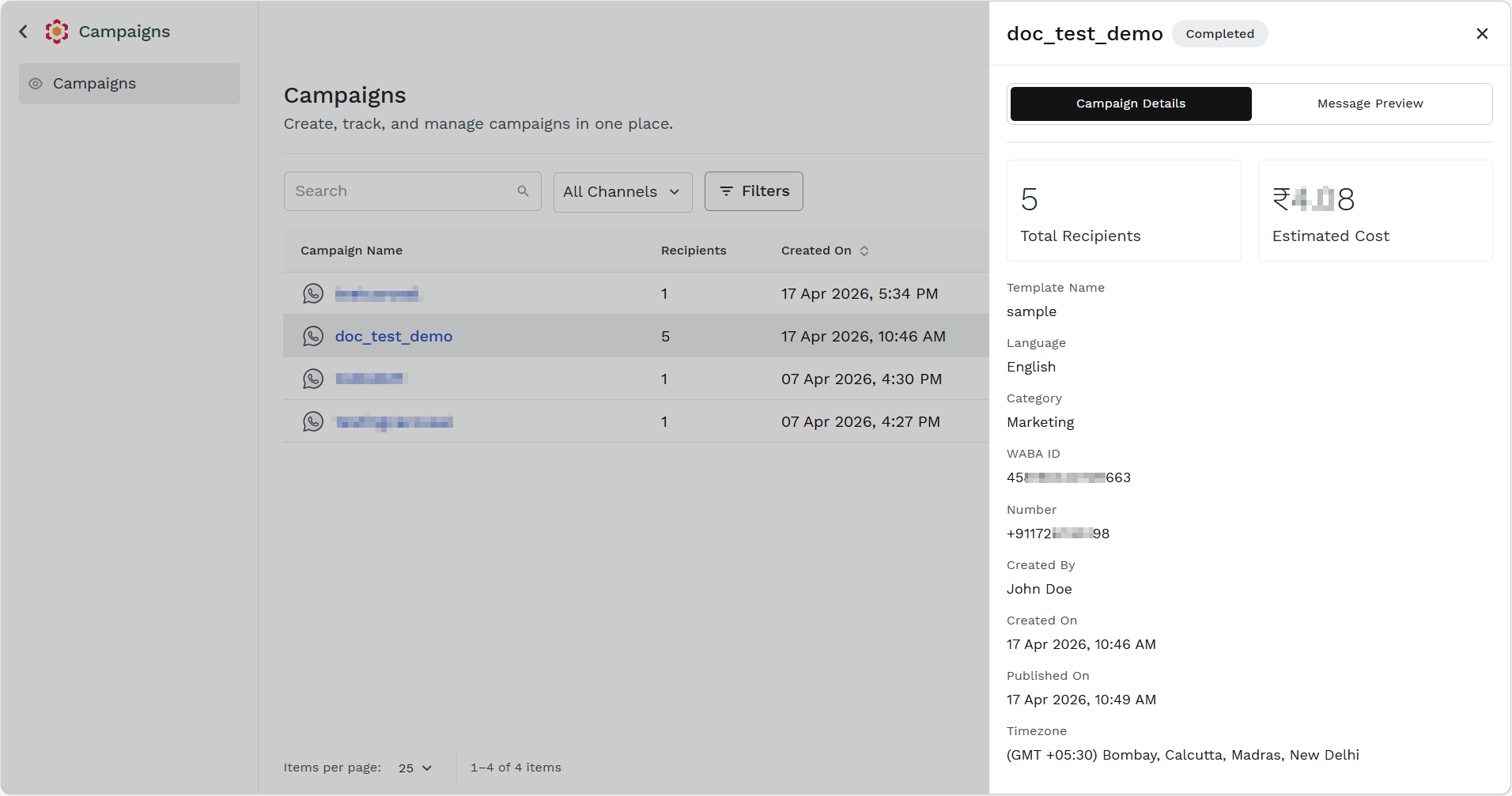
You can view the following details:
- Total Recipients
- Estimated Cost
- Template Name
- Category
- WABA ID
- Number
- Created By
- Created On
- Published On
- Timezone
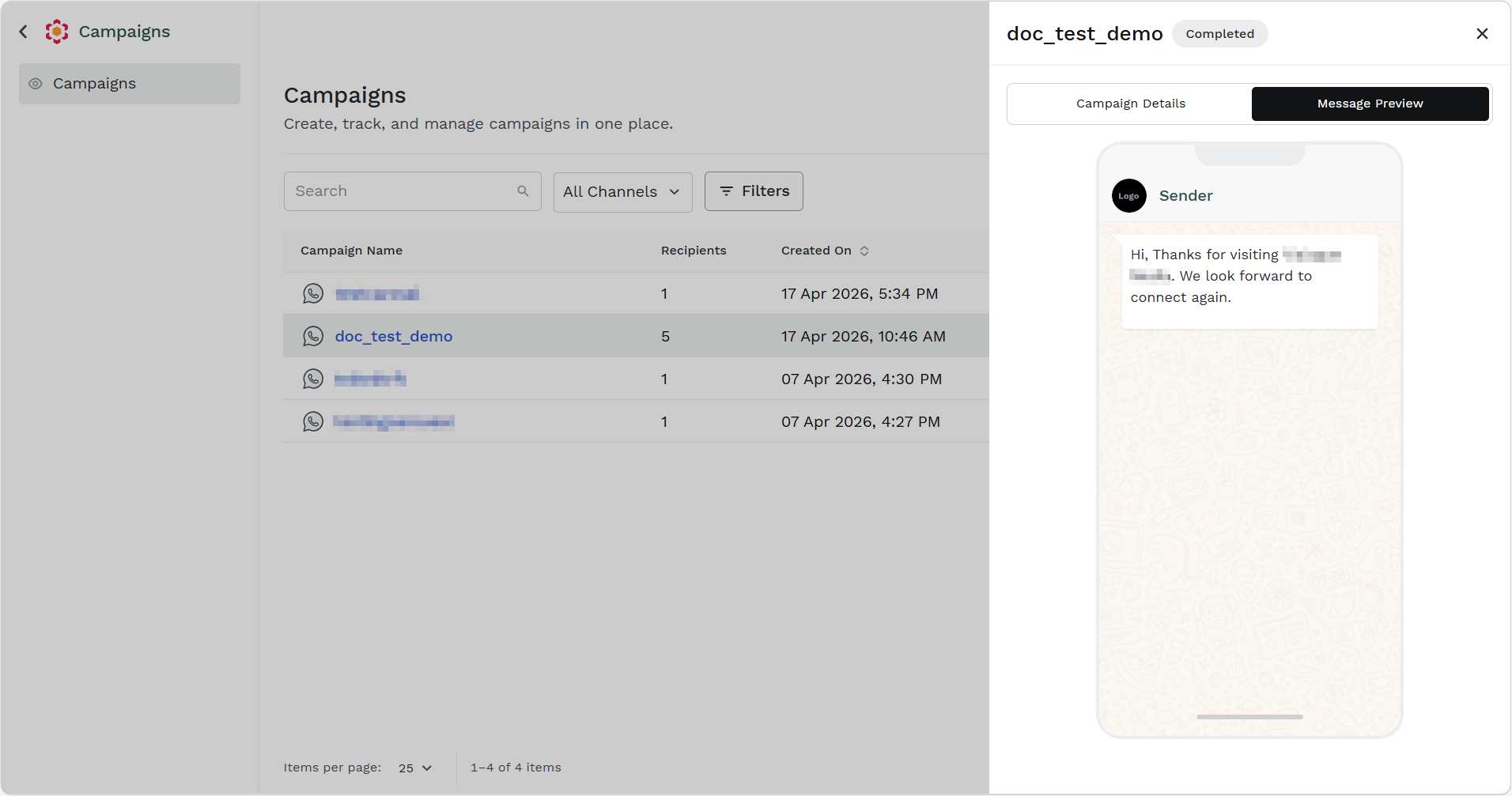
- Click the Message Preview tab.
The Message Preview details appear. You can preview the message that will appear to your end-users.
Updated 6 days ago
Did this page help you?