

Copy Paste the Contacts
The Copy Paste contacts option allows you to quickly add recipients to a campaign by manually entering contact numbers or by copying and pasting a list of phone numbers into the input field. This option is useful for small or medium-sized campaigns where contacts do not need to be uploaded through a file or selected from an existing directory and when no message personalization is required.
Notes:
- This method is not recommended for large campaigns. If you have more than 100 contacts, use a CSV or Excel file to import your contacts.
- The maximum number of contacts supported in the Copy and Paste Contacts input field is 400,000.
To manually enter the contacts or copy and paste the list of phone number, perform the following steps:
- Follow steps 1 through 8 of Launch an RCS Campaign.
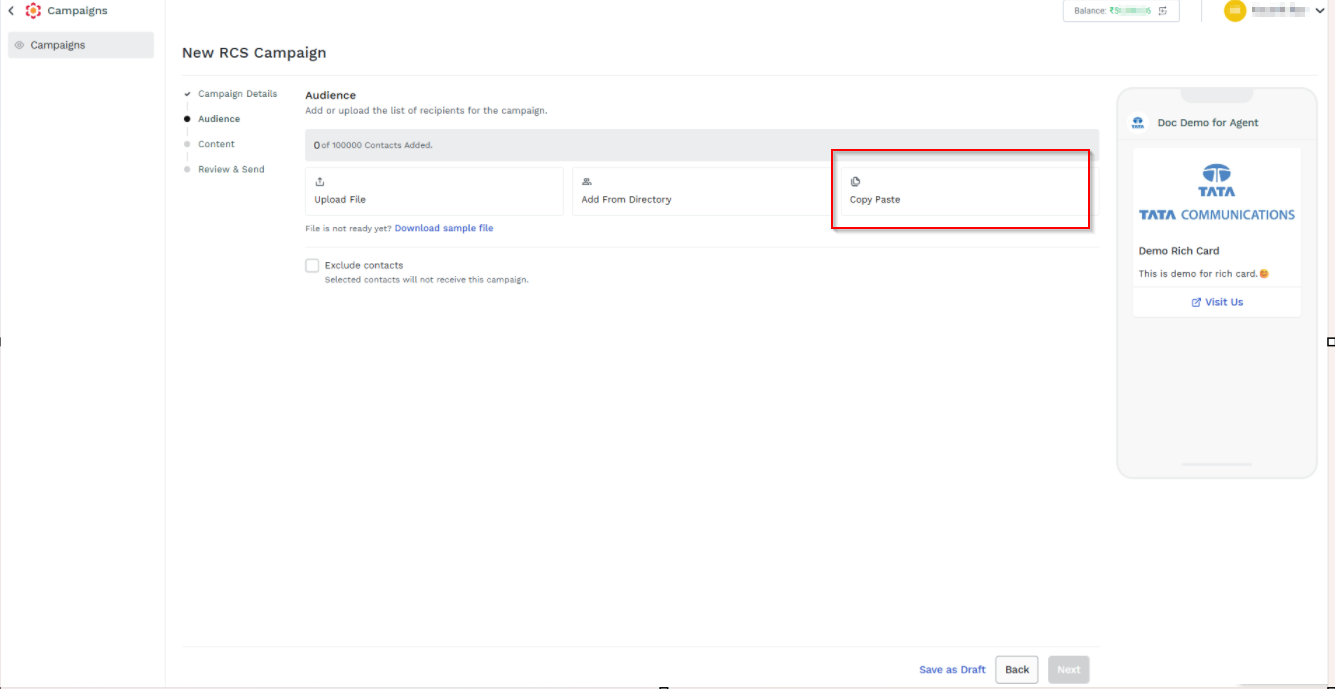
- Click Copy Paste. The Copy & Paste Contacts pane appears on the right side of the page.
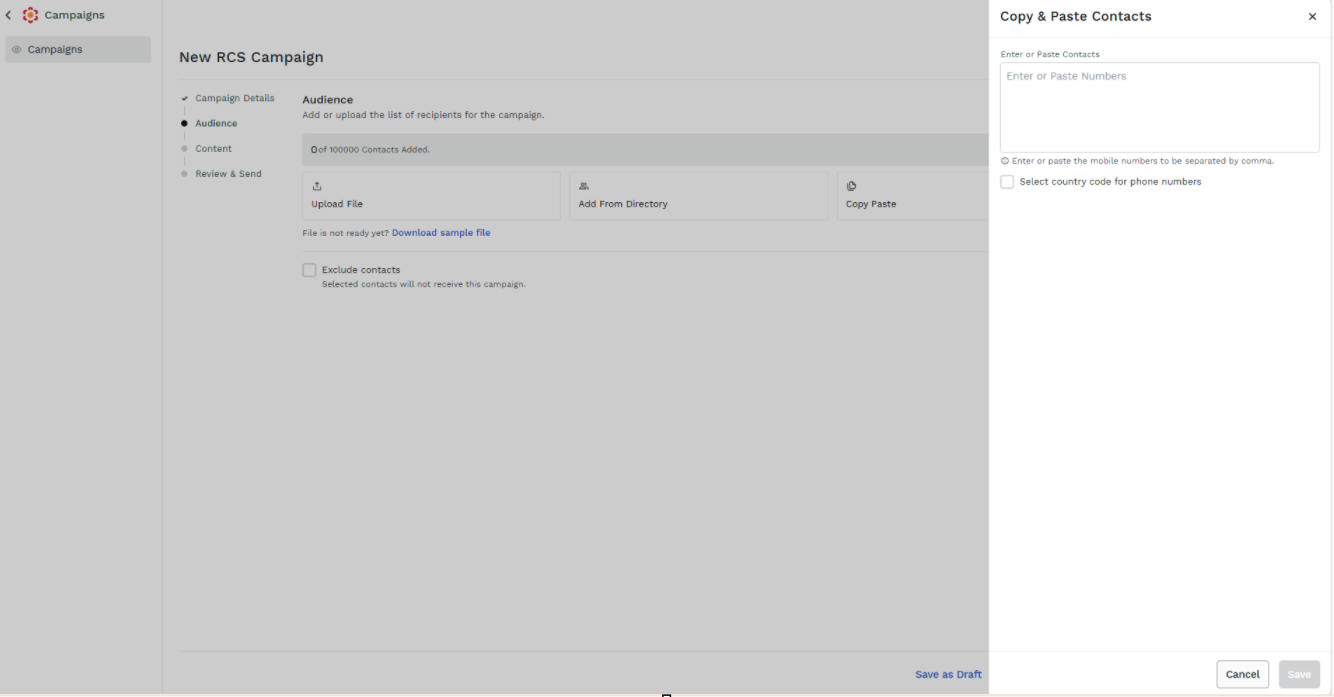
-
Perform the following:
- In the Enter or Paste Contacts field, enter the list of recipients' mobile numbers separated by comma to which you want to send the message through campaign.
- (Optional) Select the Select country code for phone numbers check box and select the country code to set it as the default.
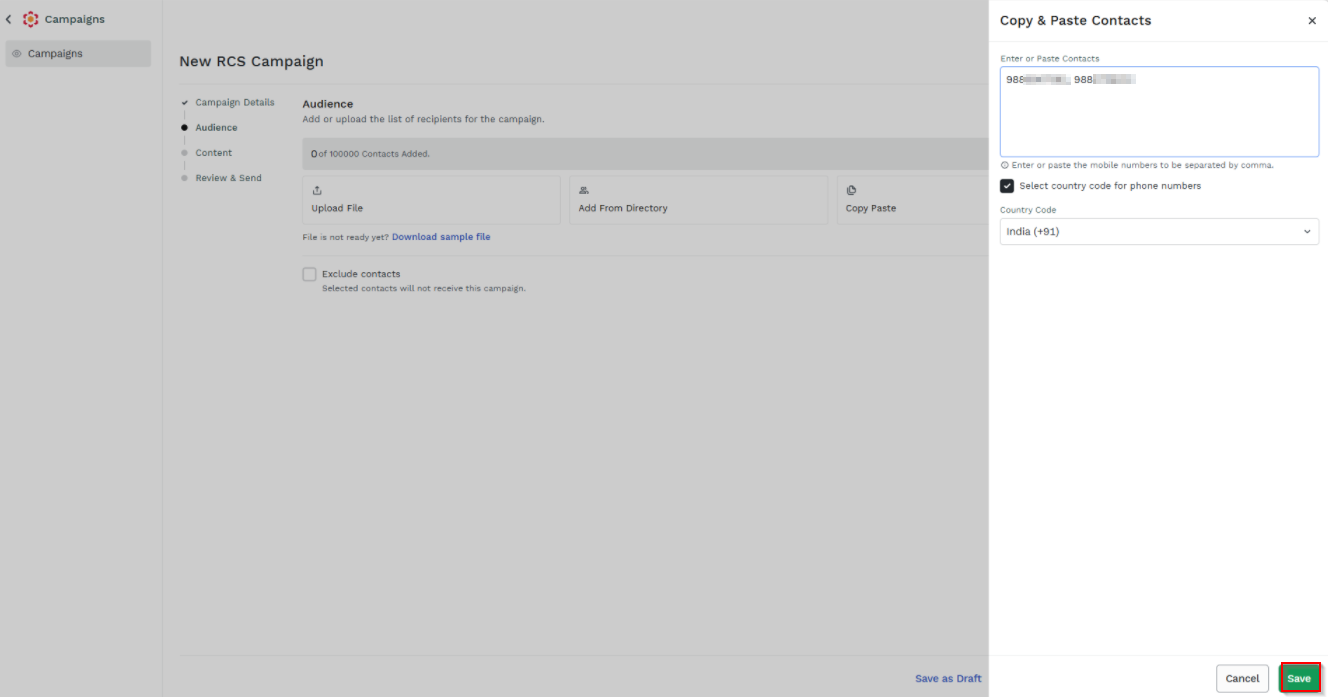
-
Click Save. The contacts are added successfully.
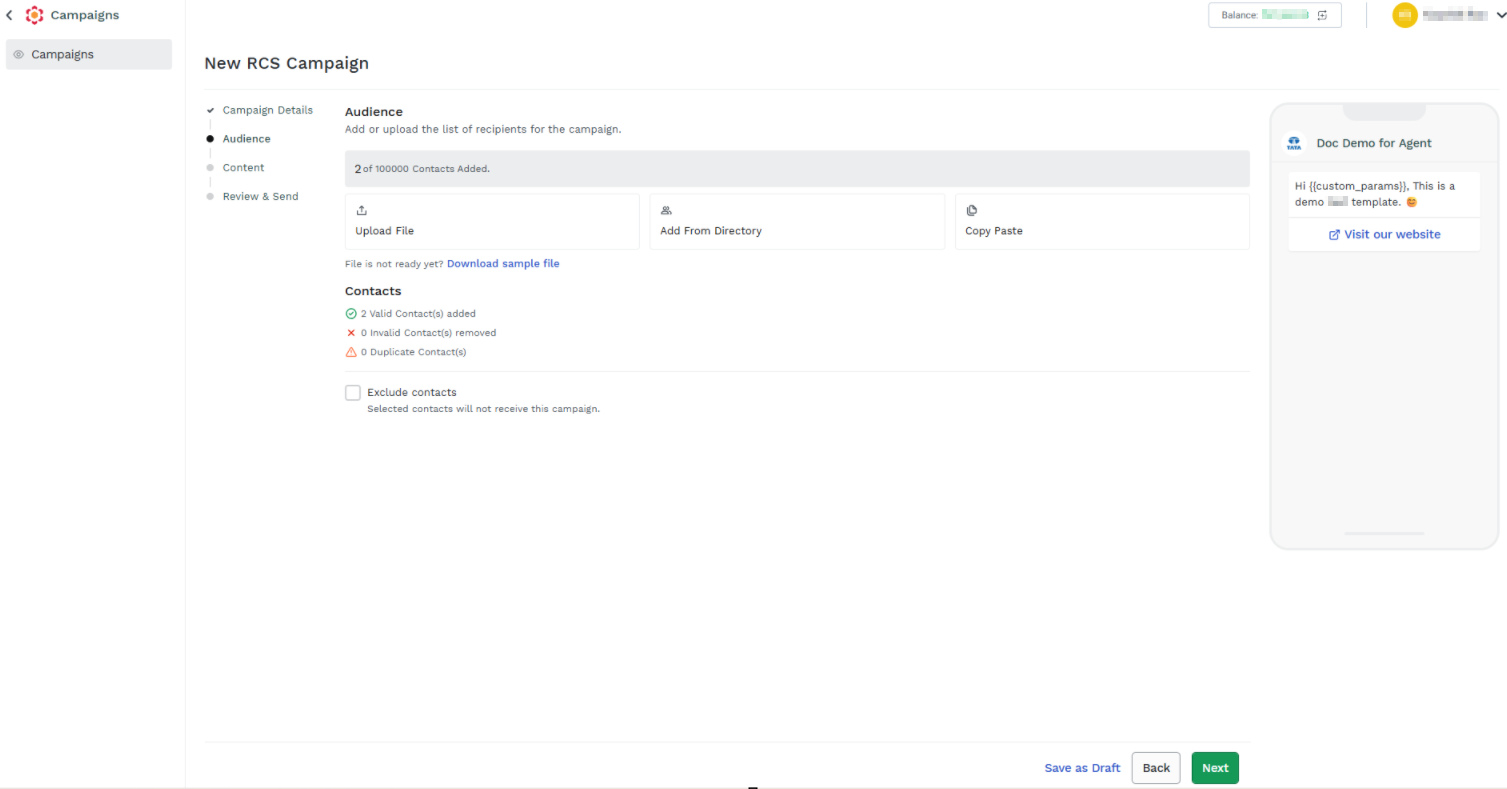
Updated about 23 hours ago
Did this page help you?