

Launch a Drafted Campaign
You can edit and launch a campaign saved as Draft. Kaleyra platform allows you to launch the campaign saved as Draft from the stage campaign has been saved.
To launch the drafted campaign, perform the following steps:
- Sign in to your Kaleyra platform.
The Business communications page appears.
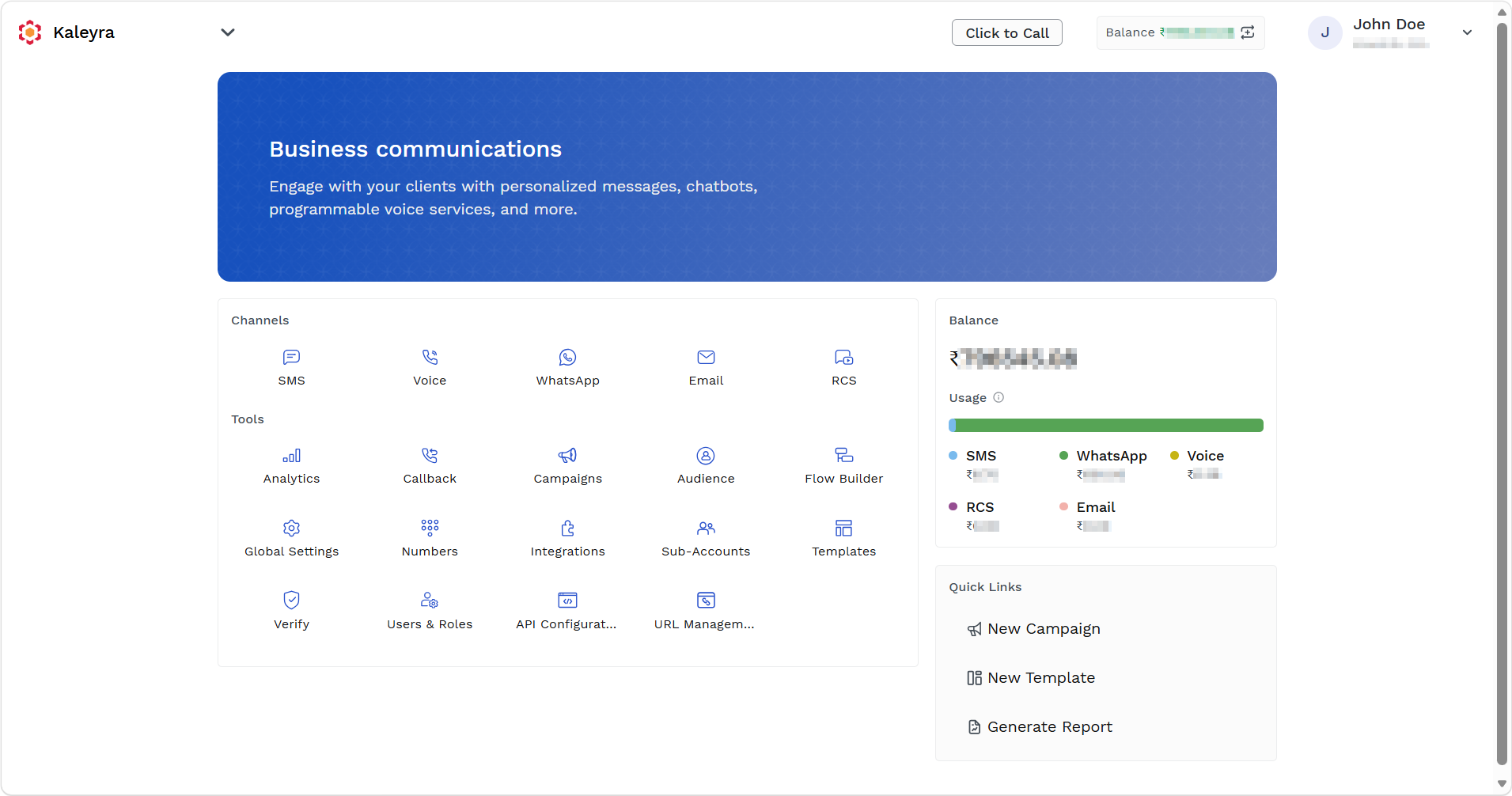
- On the Tools section, click Campaigns.
The Campaigns page appears.
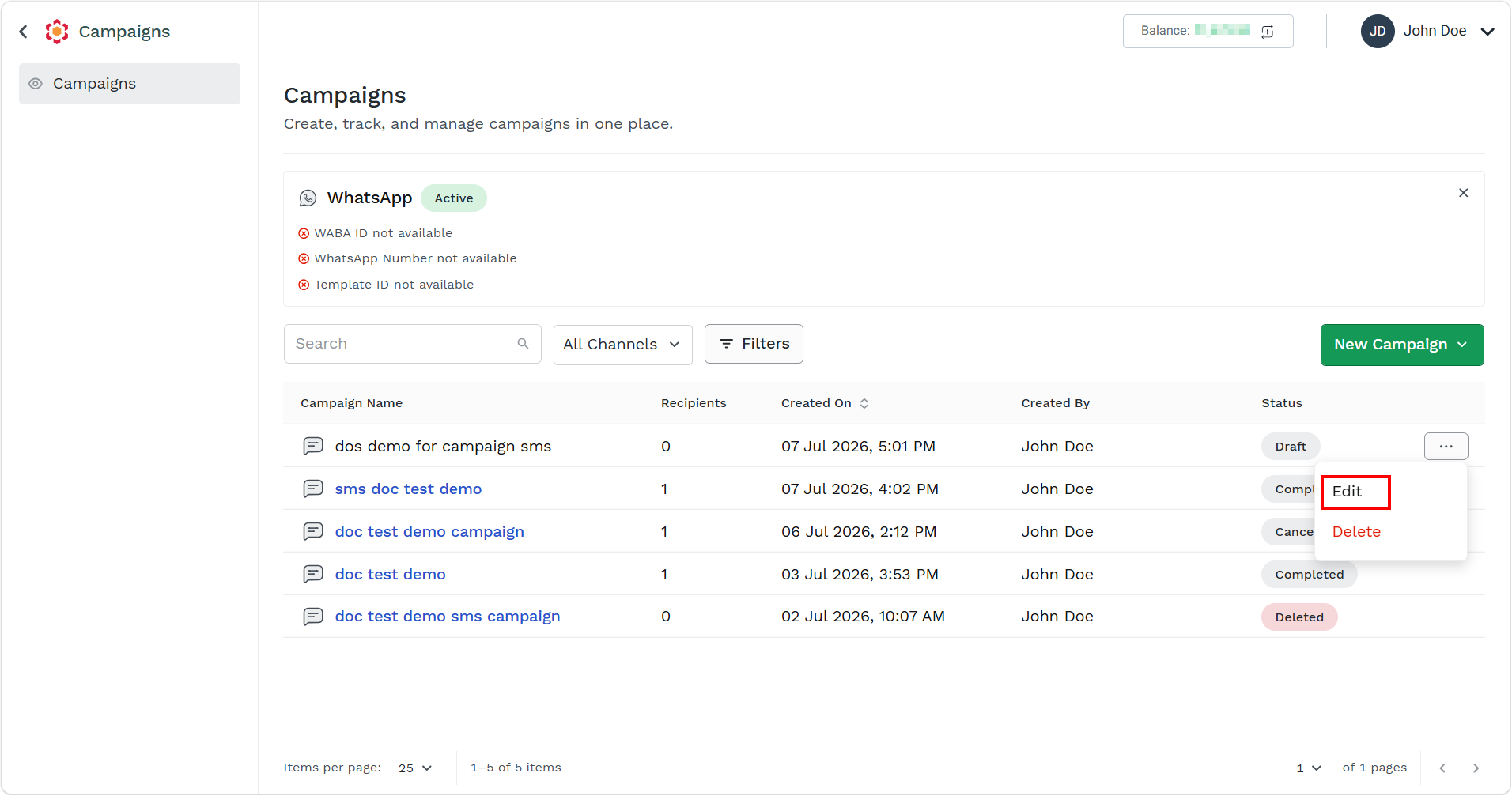
- Hover over the campaign and ellipsis icon appear. Click the ellipsis icon and then select the Edit option.
The Edit SMS Campaign page appears.
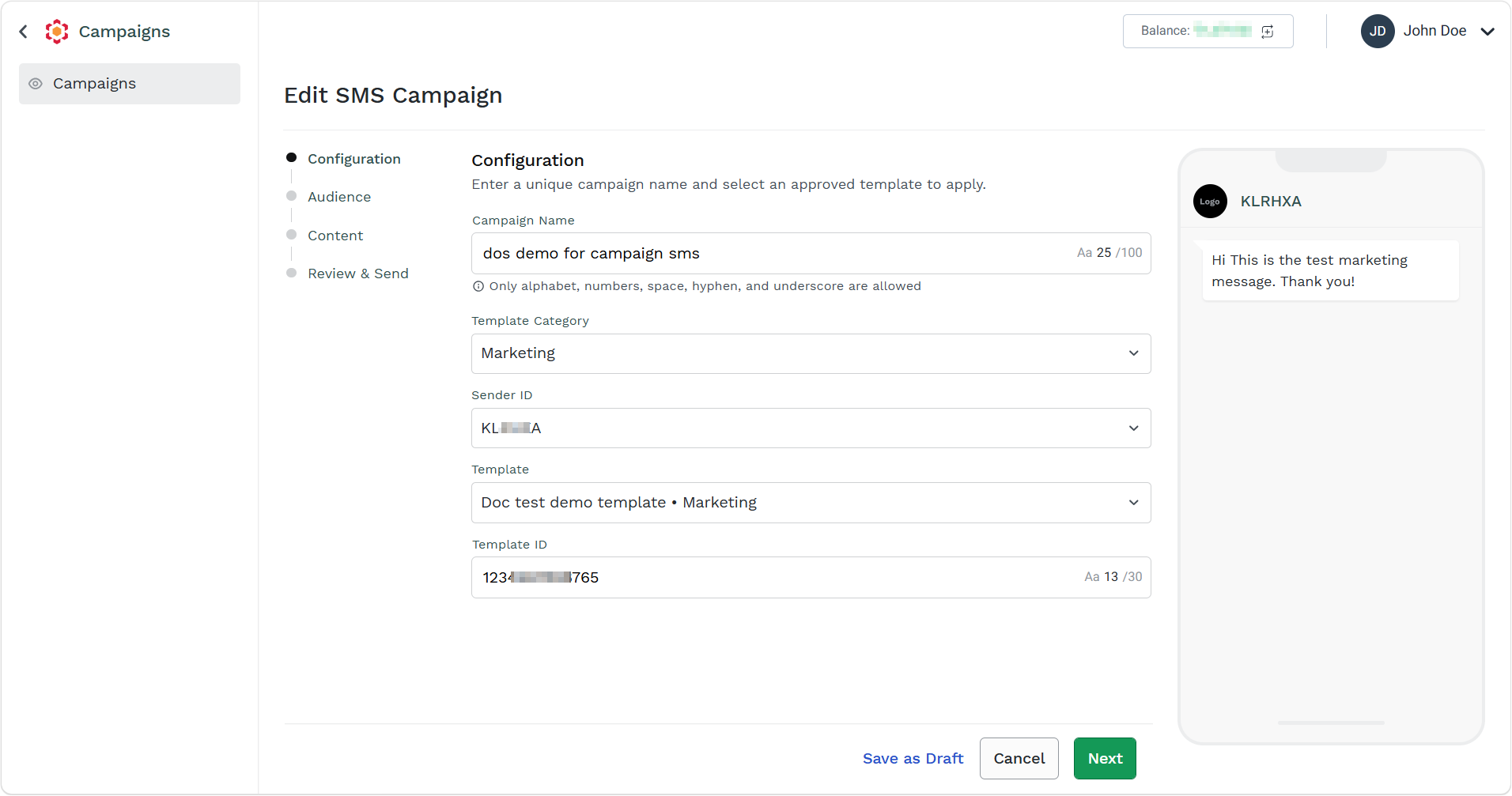
- You can edit the campaign details except the Campaign Name. For more information, follow from step 4 of Launch an SMS Campaign.
Updated 19 days ago
Did this page help you?