

Login History
The Login History page shows the login history of the team members of the account.
To view all the login history of the team members, perform the following steps:
- Log in to your Kaleyra Platform.
-
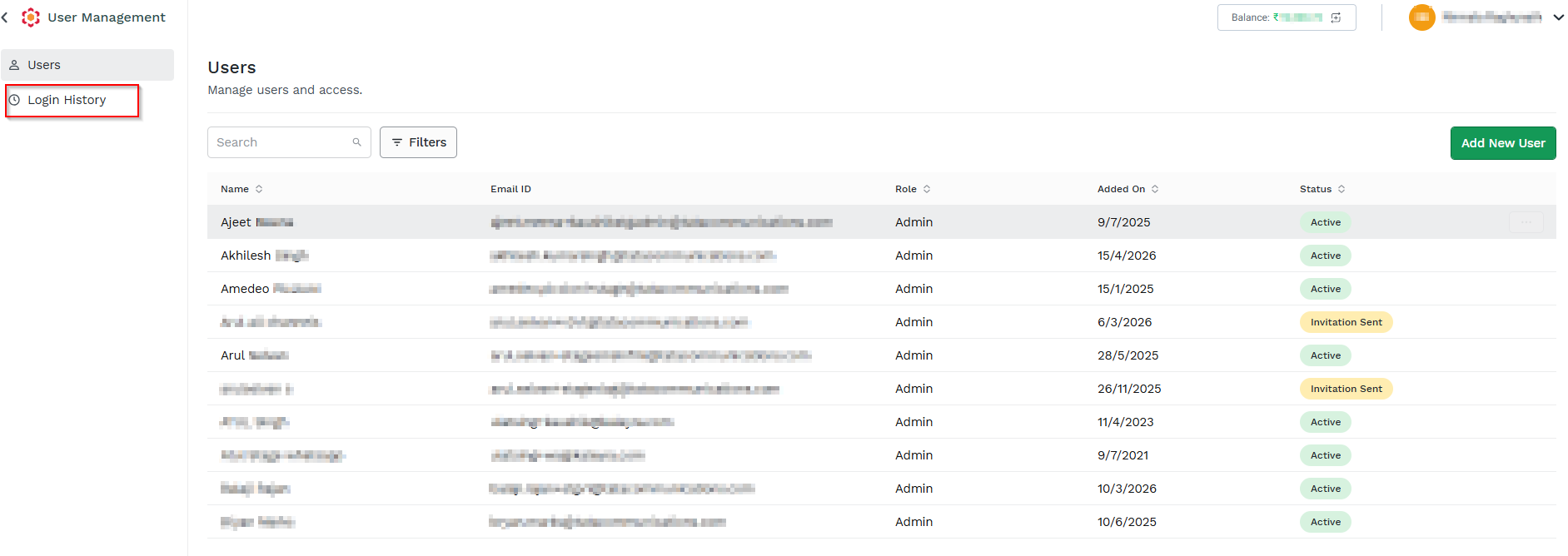
On the left navigation bar, click User Management tab. The Users listing page appears.
-
On the left navigation bar, click Login History. The Login History page appears.
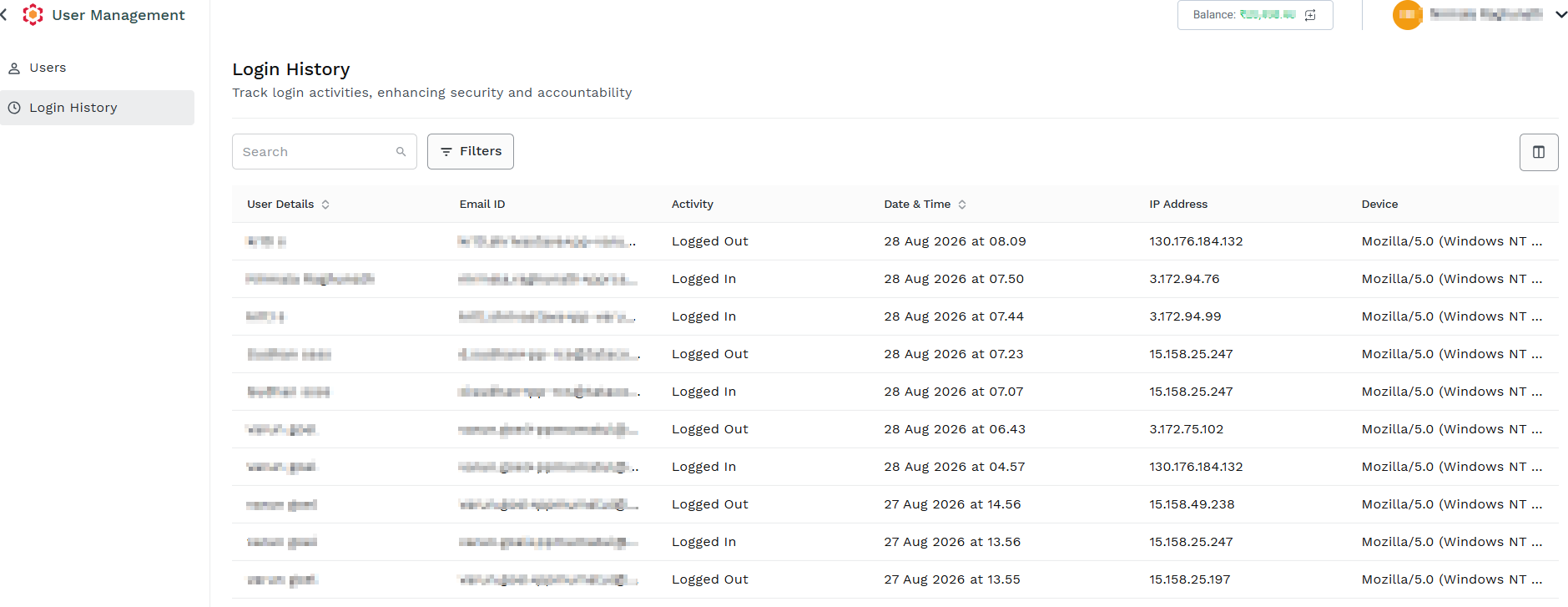
The Login History page includes:
Field Description User Details Displays information about the team member who performed the login activity, such as their name or user details. You can sort this column in ascending or descending order. Email ID Displays the email address associated with the team member's account that was used for the login activity. Activity Indicates the type of login-related activity performed by the user, such as a successful login or other authentication activity. Date & Time Shows the exact date and time when the login activity occurred. This column can be sorted in ascending or descending order. IP Address Displays the IP address from which the team member accessed the Kaleyra Platform. This can help identify the network or location associated with the login. Device Information Displays information about the device used to access the platform, such as the device type, operating system, or browser details.
Updated about 1 month ago
Did this page help you?