

Activate MM Lite
The Activate MM Lite feature allows you to enable Marketing Messages Lite for a business account (BM ID). The MM Lite Status in Business Profile Information indicates whether the feature is currently Active or Inactive.
To activate the MM Lite feature, perform the following steps:
-
Sign in to your Kaleyra Platform.
The Channels page appears.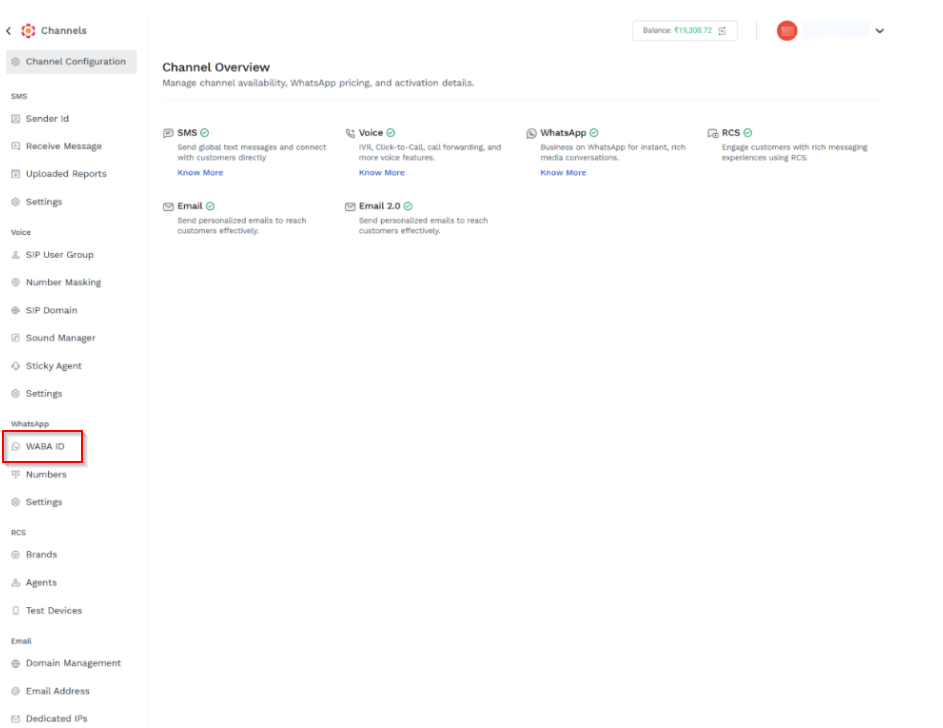
- On the left navigation bar from the WhatsApp section, click WABA ID.
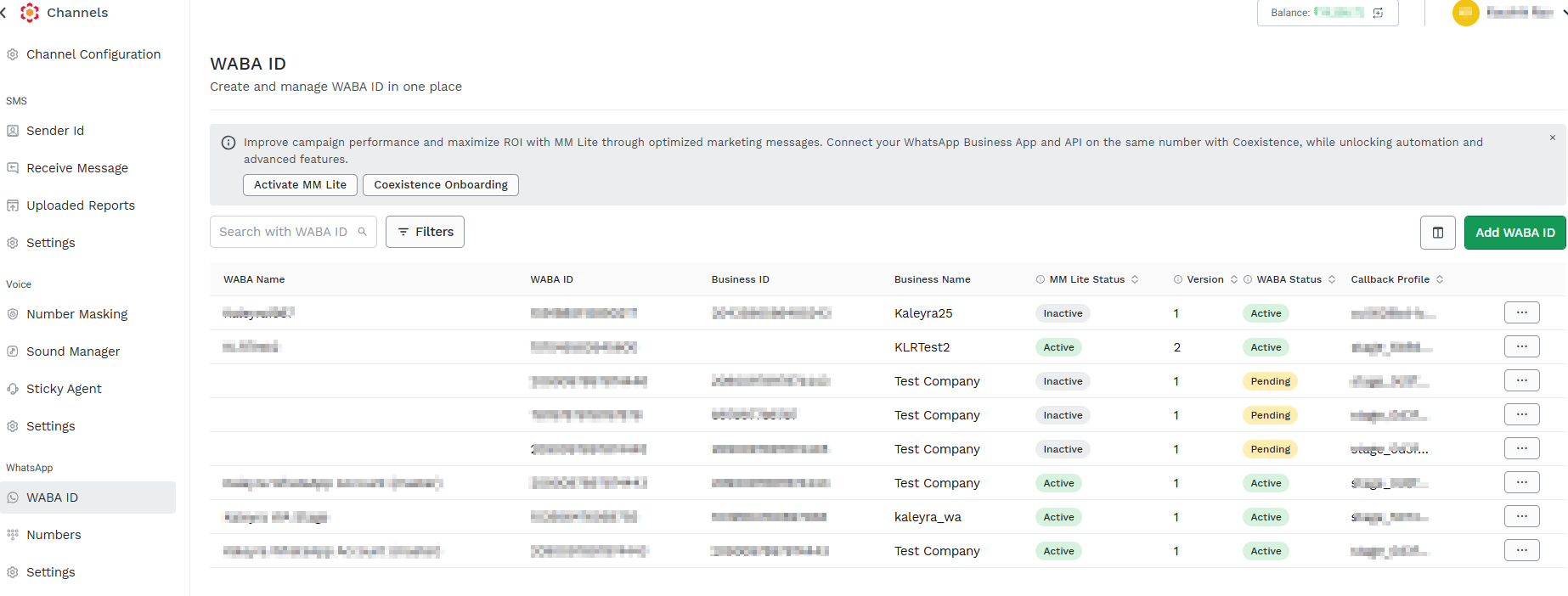
The WABA ID page appears.
-
On the WABA ID page, click Activate MM Lite. The MM Lite Embedded Sign up pop-up appears.
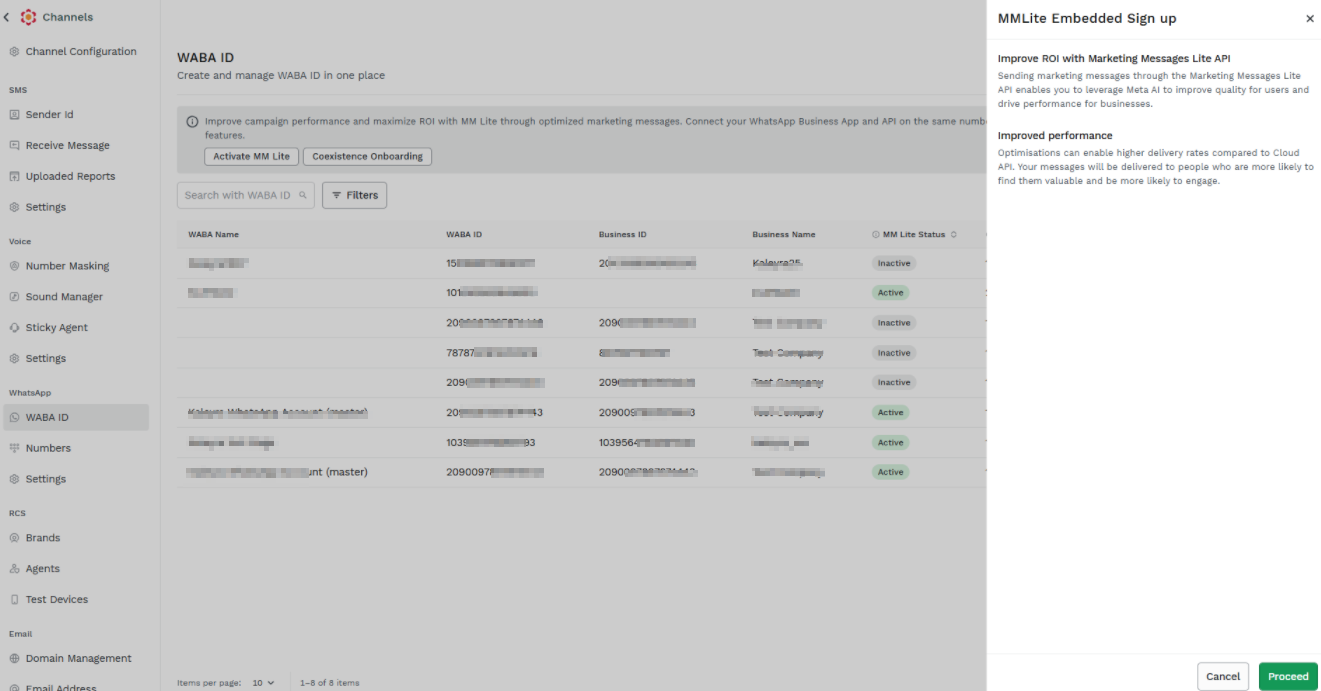
4. Click Proceed.
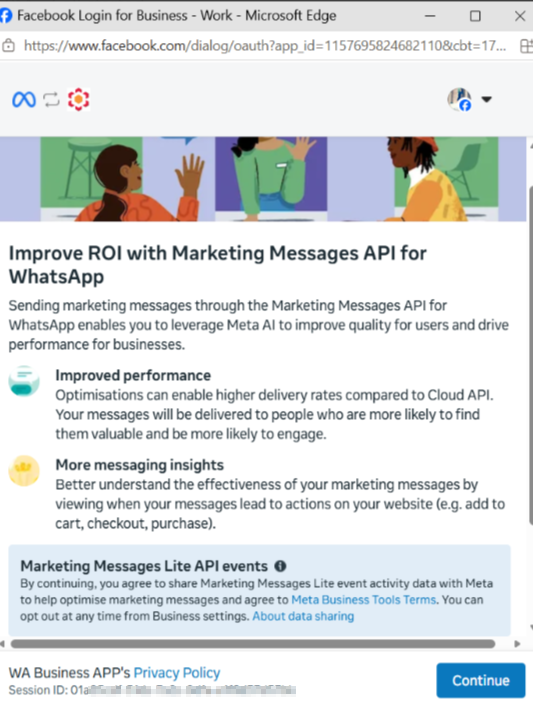
5. Click Continue.
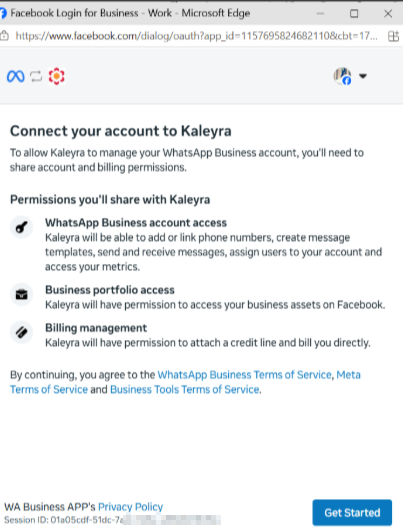
6. Click Get Started.
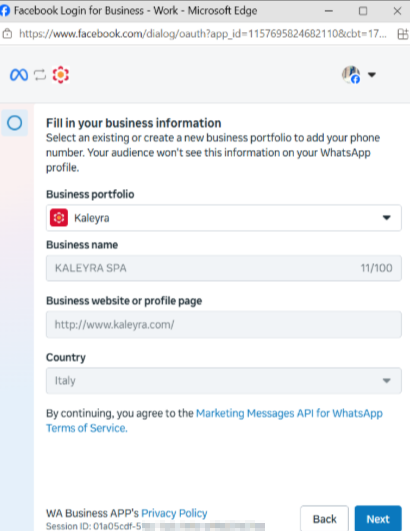
7. Click Next.
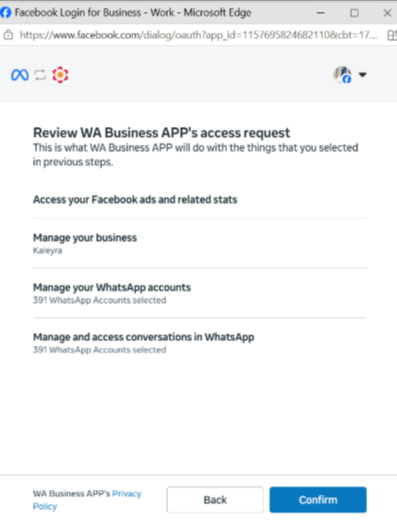
8. Click Confirm. A request will be sent to your business manager account which needs to be accepted in order to get started with the MM Lite feature.
Note:- MM Lite is now officially live as Marketing Message API. Only people with the admin access, would be able to check the request under their Facebook Business Manager portal.
- This request is Business Service Provider (BSP) agnostic and on BM ID level. So once the business accepts the request from any of the BSP, all the current and future WABAs are enabled or opted in for Marketing messages route (formerly MM Lite).
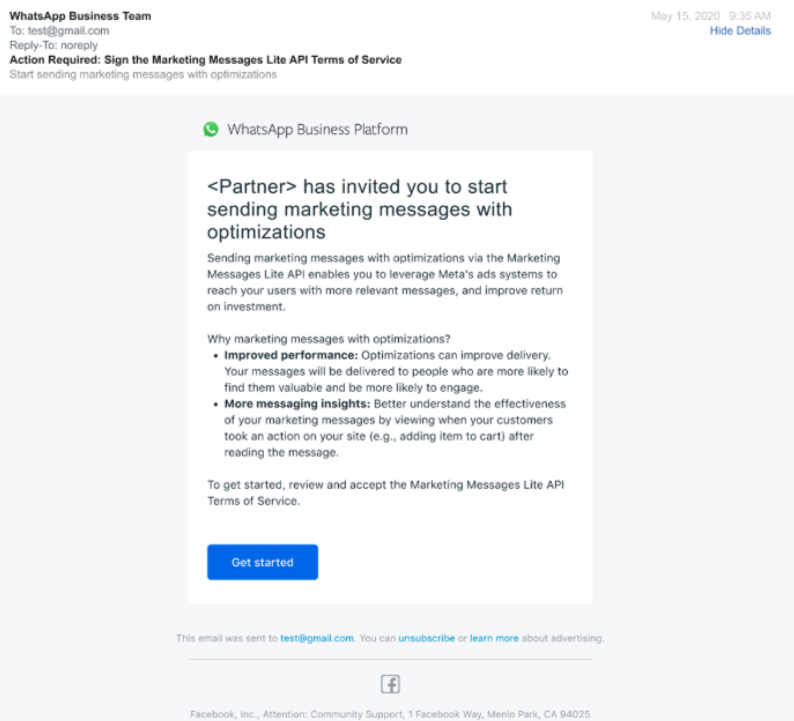
9. Businesses would see a request in BM portal with a message: “ Kaleyra SPA has invited you to start sending marketing messages with optimizations”
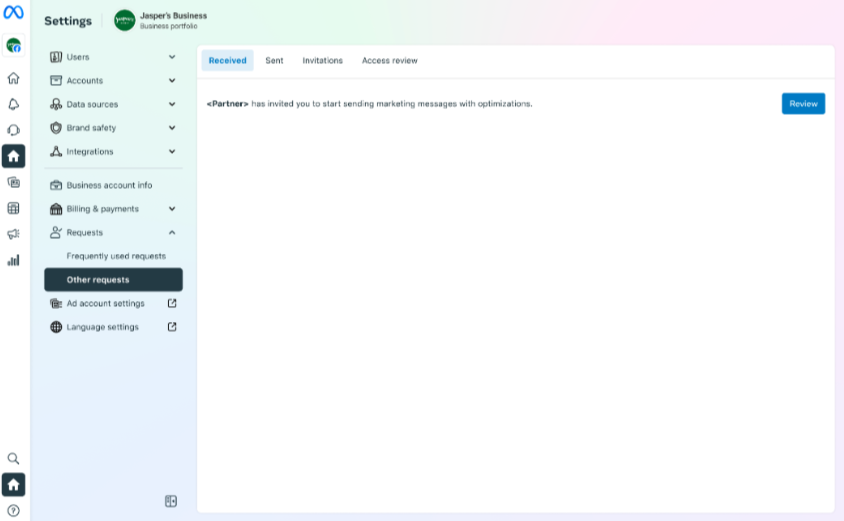
Businesses would also be notified for the MM request over email.
Updated 2 months ago