

Credit Usage Alert
The Credit Usage Alert feature allows you to get notifications via email when your Kaleyra platform credit usage reaches a given threshold. The default email address is the Kaleyra account owner's email address. However, you can add other email addresses to receive notifications as well.
It is recommended to configure a Credit Usage Alert to monitor your account's credit consumption. High credit usage can impact your available account balance and may affect the launching of campaigns if sufficient credits are not available.
Note:
- For postpaid account the Credit Usage Alert will be displayed
- The Credit Usage Alert feature is available for accounts that support credit-based usage monitoring.
To set the Credit Usage Alert, perform the following steps:
- Log in to your Kaleyra platform.
- On the top-right of the page, click the User Profile drop-down and then click Settings.
The General Settings page appears.
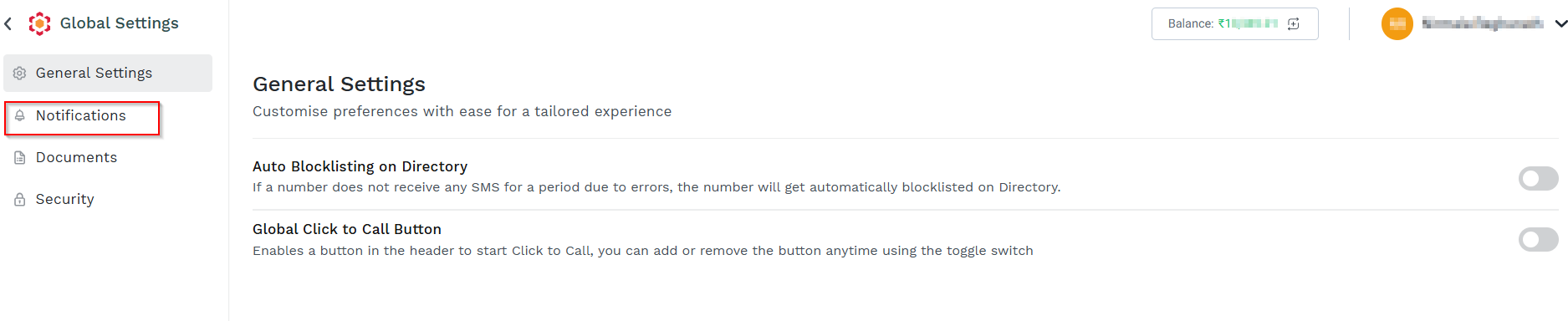
- On the left menu bar, click the Notifications.
The Notifications page appears.
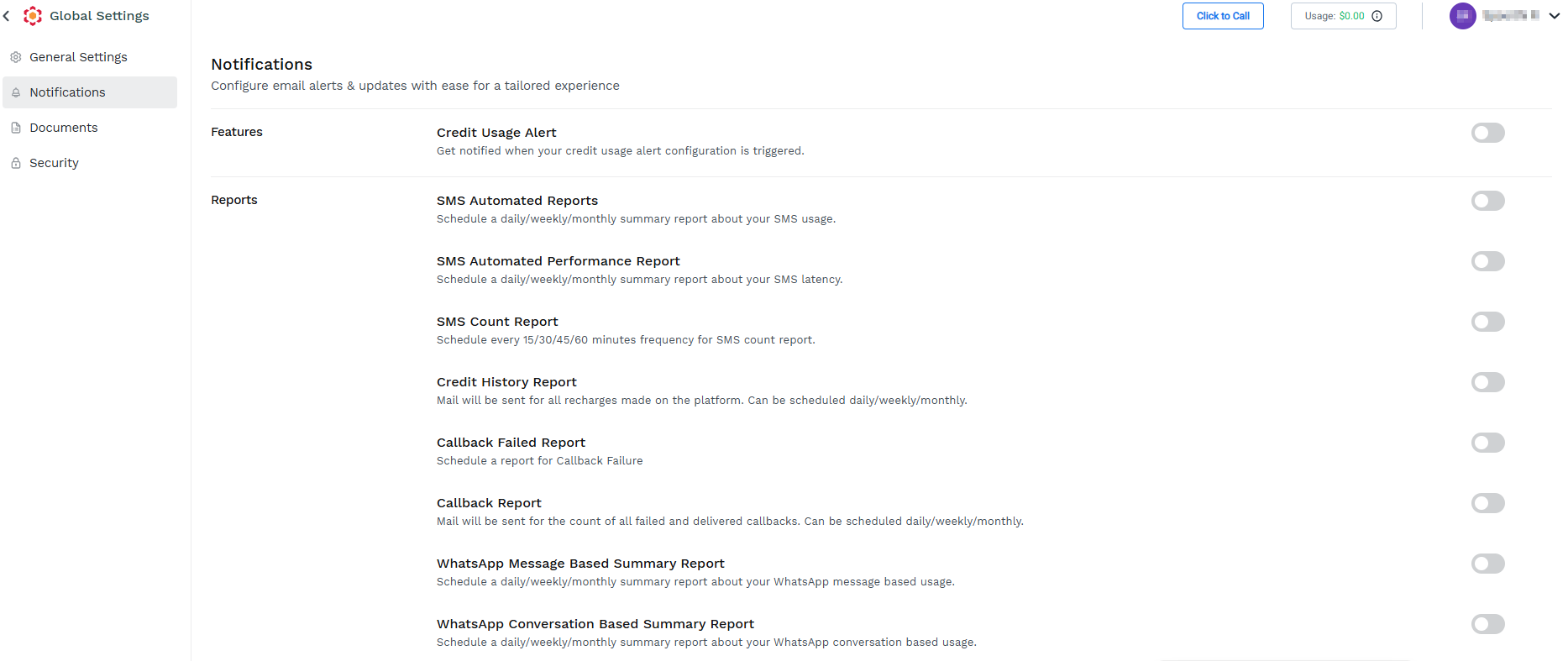
- Toggle Credit Usage Alert.
The Credit Usage Alert pane appears.
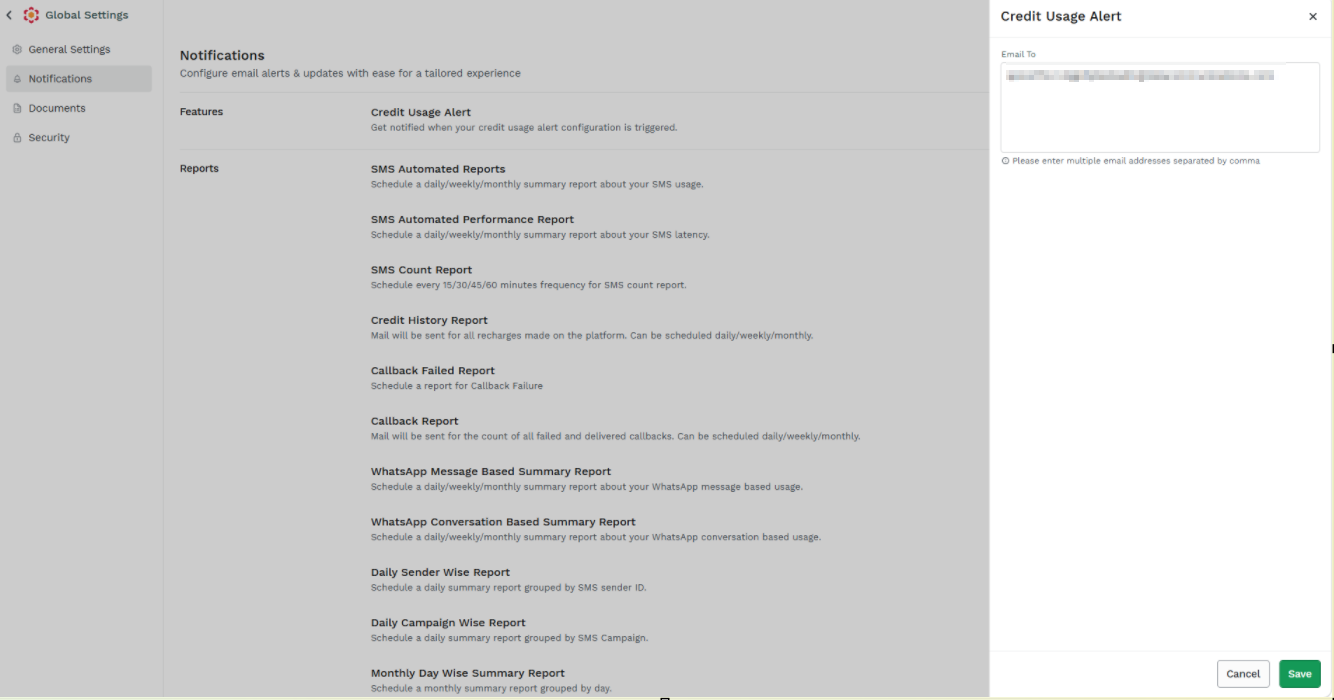
- Perform the following steps:
- In the Email To field, enter the email address to which you want to get notifications. By default, the account owner’s email address will be configured. You can add multiple email addresses separated by a comma. For example - [email protected],[email protected].
- Click Save.
The "Settings saved" message appears.

Notes:
- Click Edit Details to modify the Credit Usage Alert setting. You can modify the credit usage value and email addresses set for credit usage alerts.
- To stop receiving email notifications for the credit usage alert, toggle Credit Usage Alert and disable it.
- If you disable a previously configured Credit Usage Alert, when you re-activate it, the same configuration will be automatically applied.
Updated 22 days ago
Did this page help you?