

Delete a Campaign
You can delete a campaign only if it is in draft stage or scheduled stage.
To delete a campaign, perform the following steps:
- Sign in to your Kaleyra platform.
The Business communications page appears.
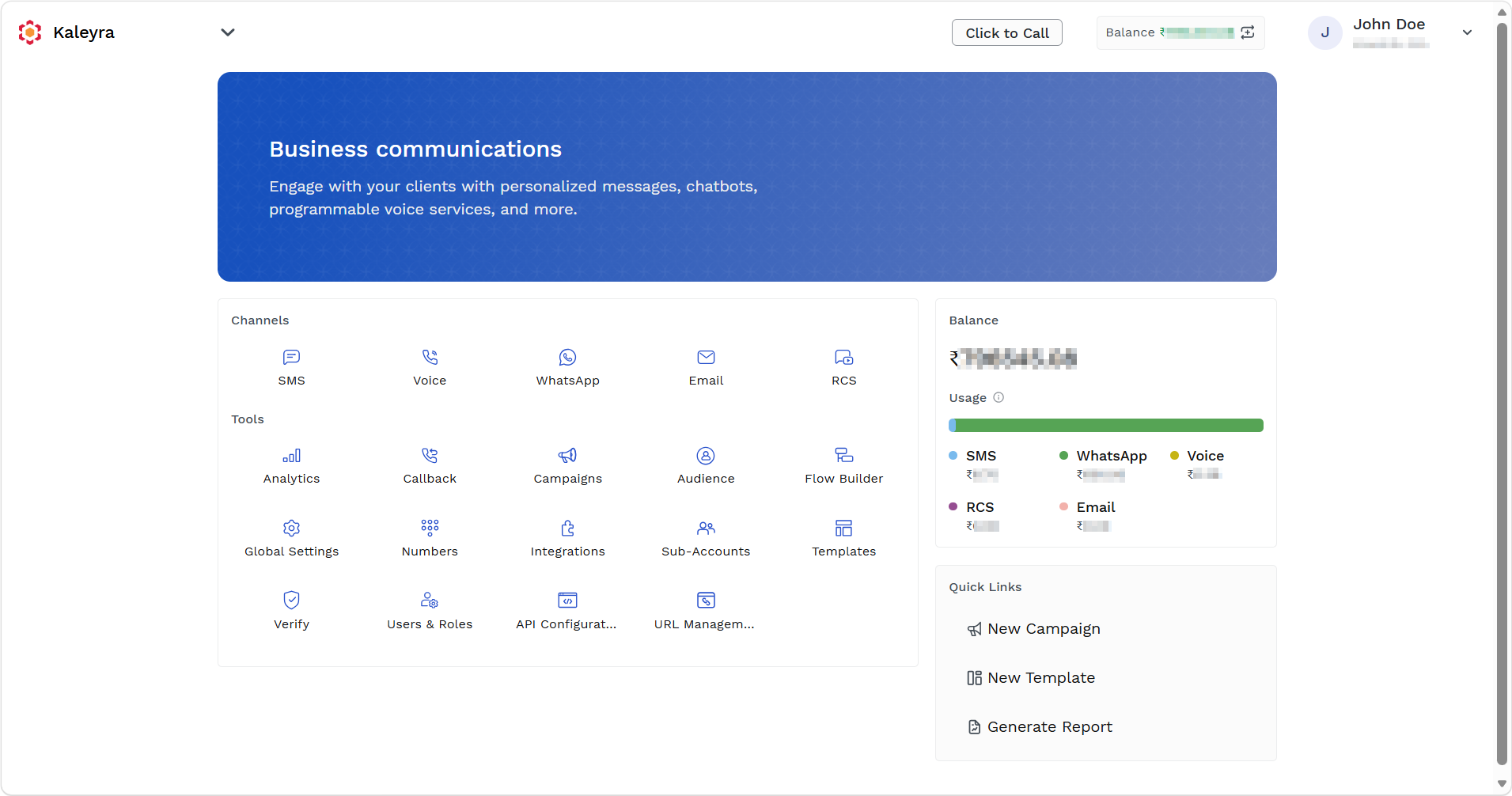
- On the Tools section, click Campaigns.
The Campaigns page appears.
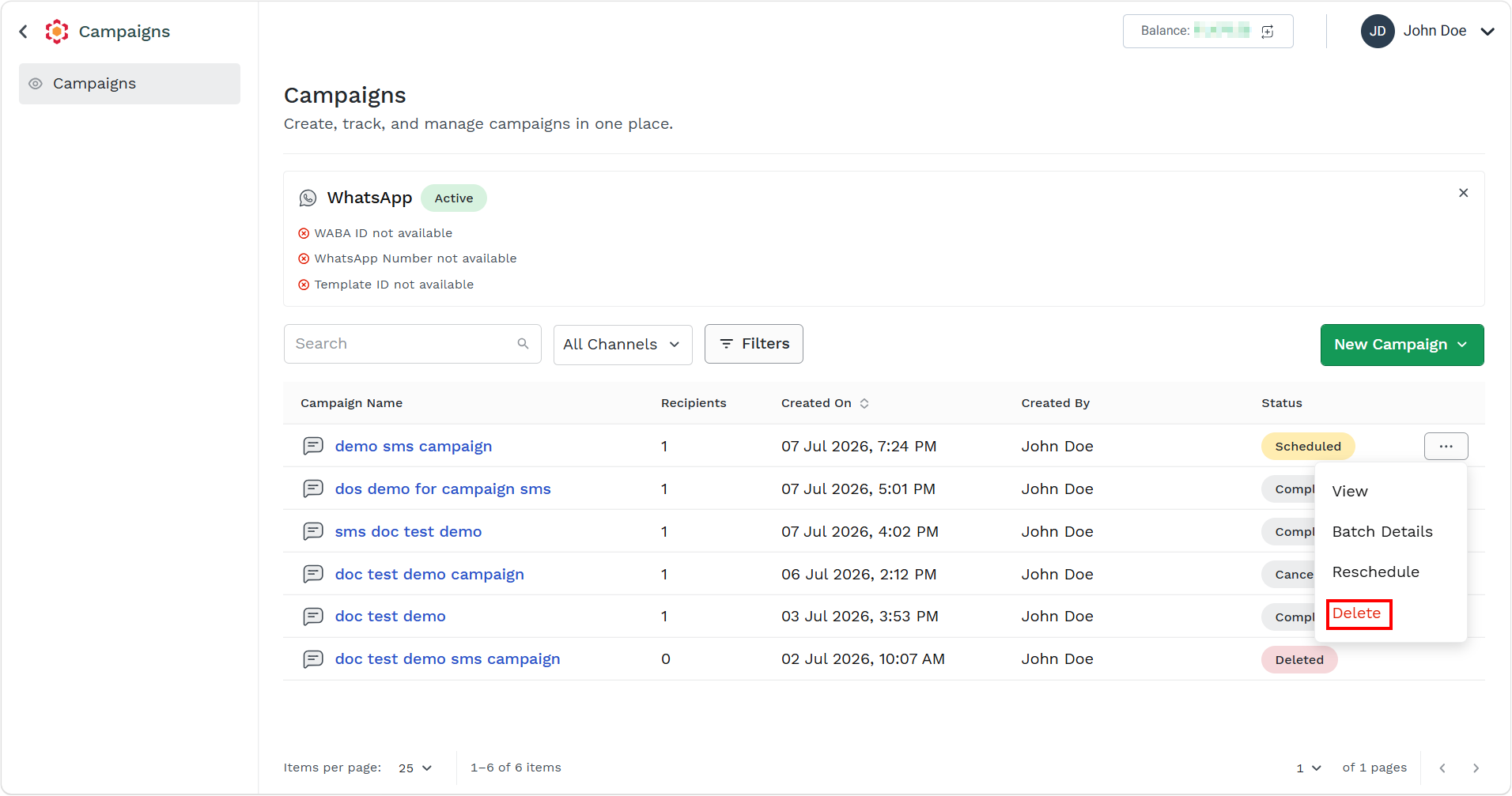
- Hover over the campaign you want to reschedule, ellipsis icon appears. Click the ellipsis icon and then select the Delete option.
The confirmation Delete campaign message appears.
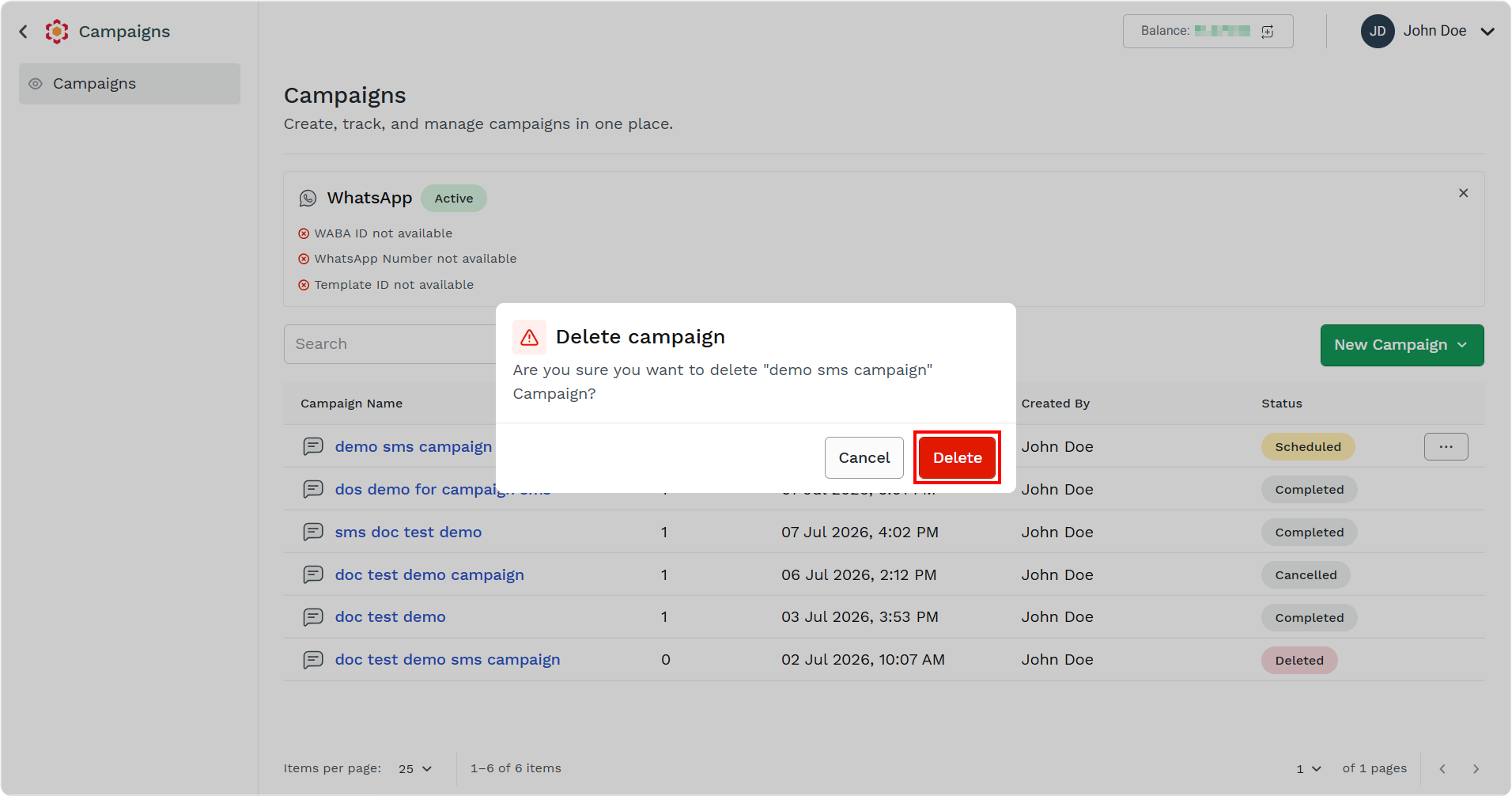
- Click the Delete button.
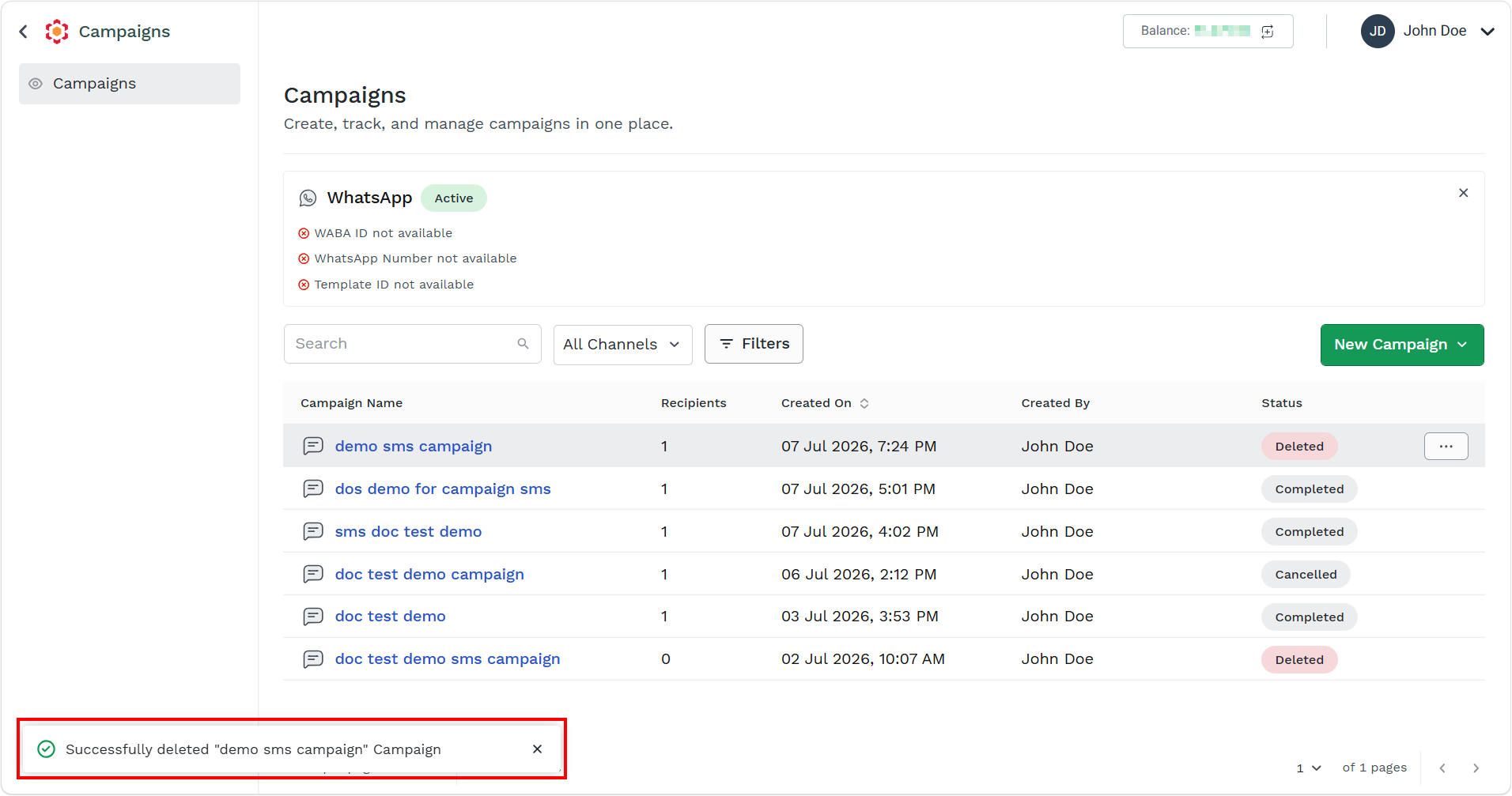
The confirmation message appears.
Updated 19 days ago
Did this page help you?