

Add Contacts from Directory
You can add the contacts saved in your directory from Kaleyra.io.
If the template chosen for the campaign contains any dynamic variable, then the contact stored in the directory shall contain the actual value to be used to personalize the message.
To add the contacts from the directory, perform the following steps:
- To add contacts, follow step 1 to step 5 of Launch a WhatsApp Campaign for V2 WABA.
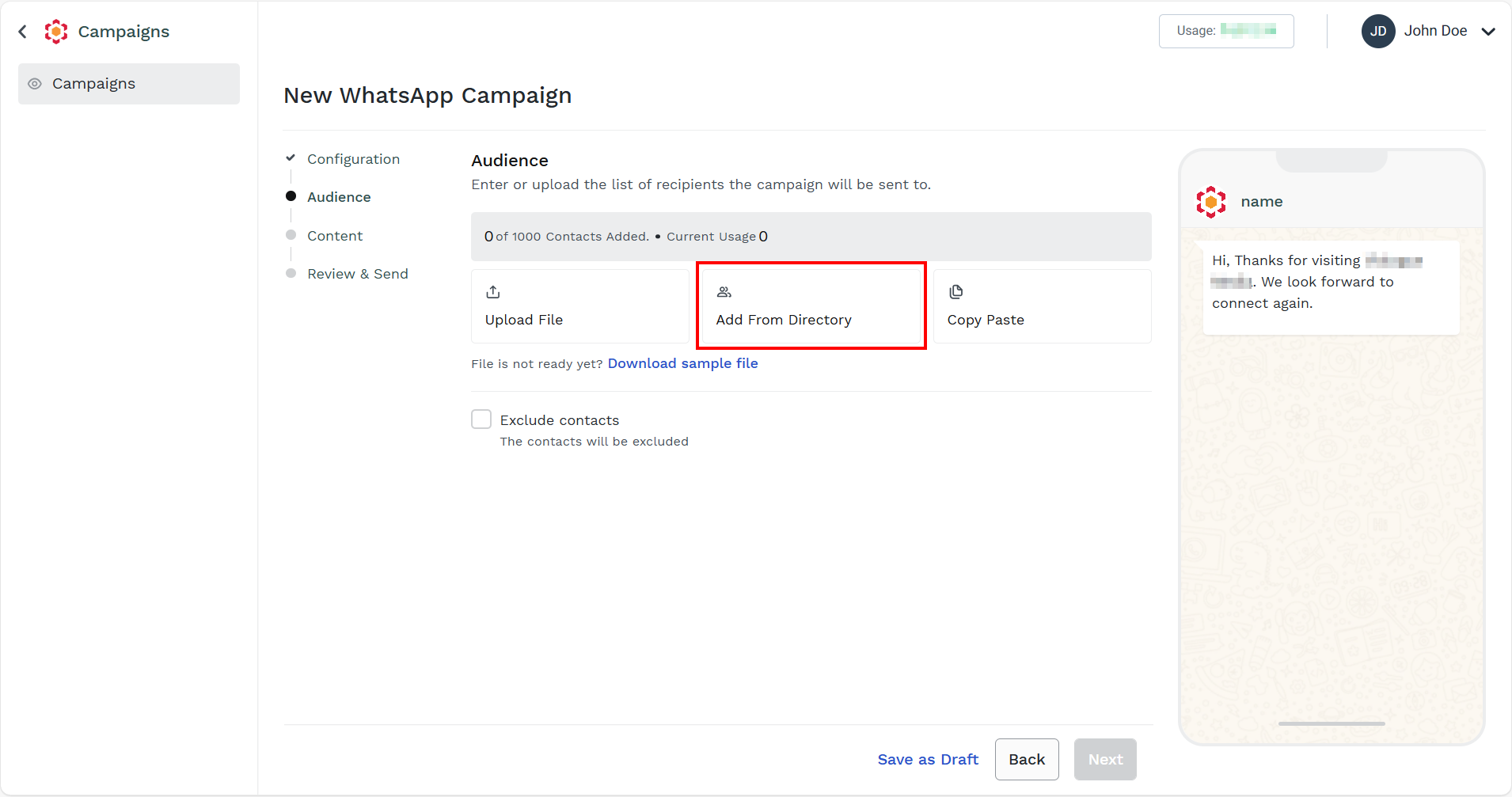
The New WhatsApp Campaigns page appears.
Note:To add contacts in the Kaleyra directory, see Contacts.
- Click Add From Directory.
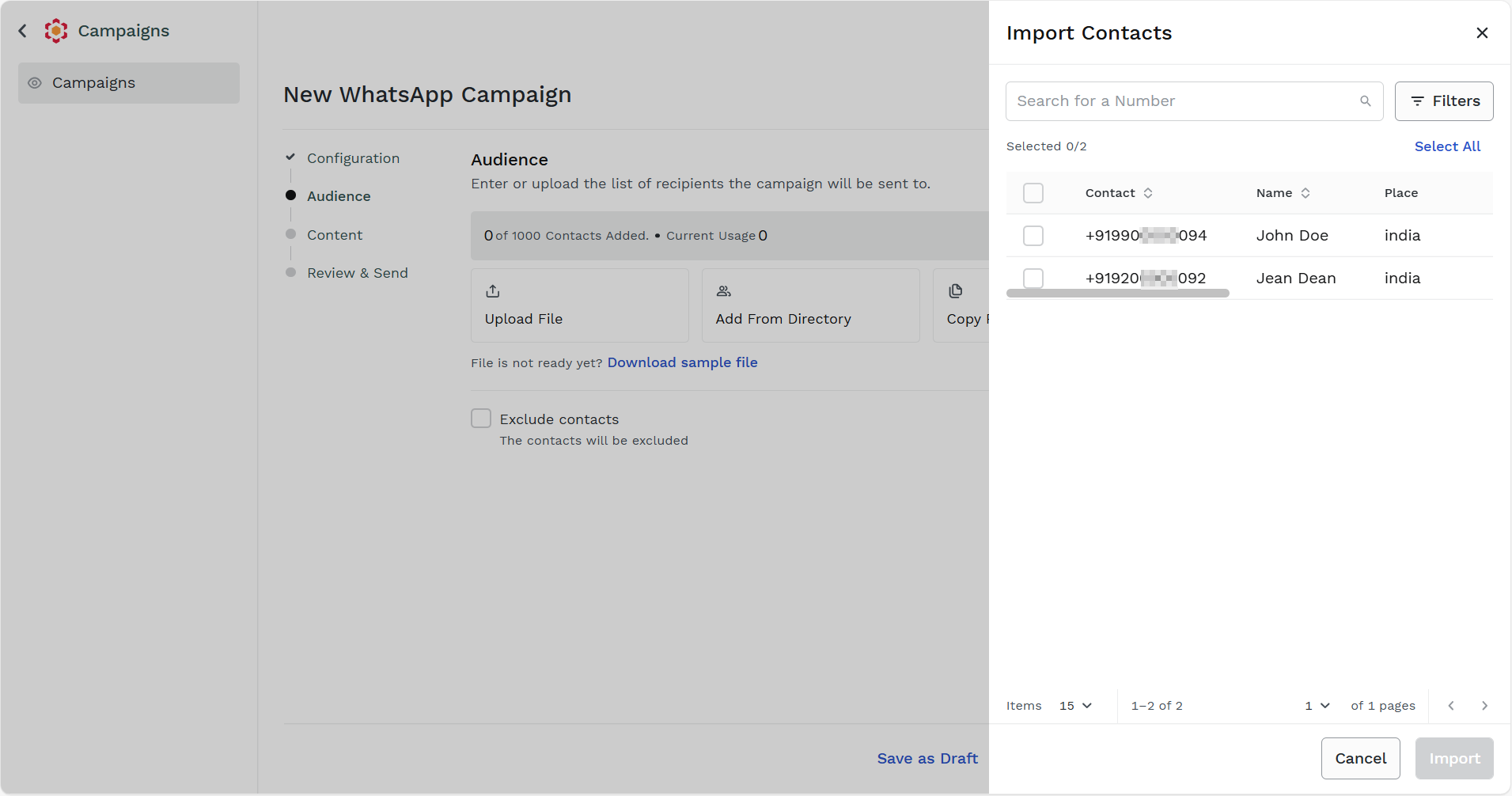
The Import Contacts pane appears on the right side of the page.
-
You can perform the following:
-
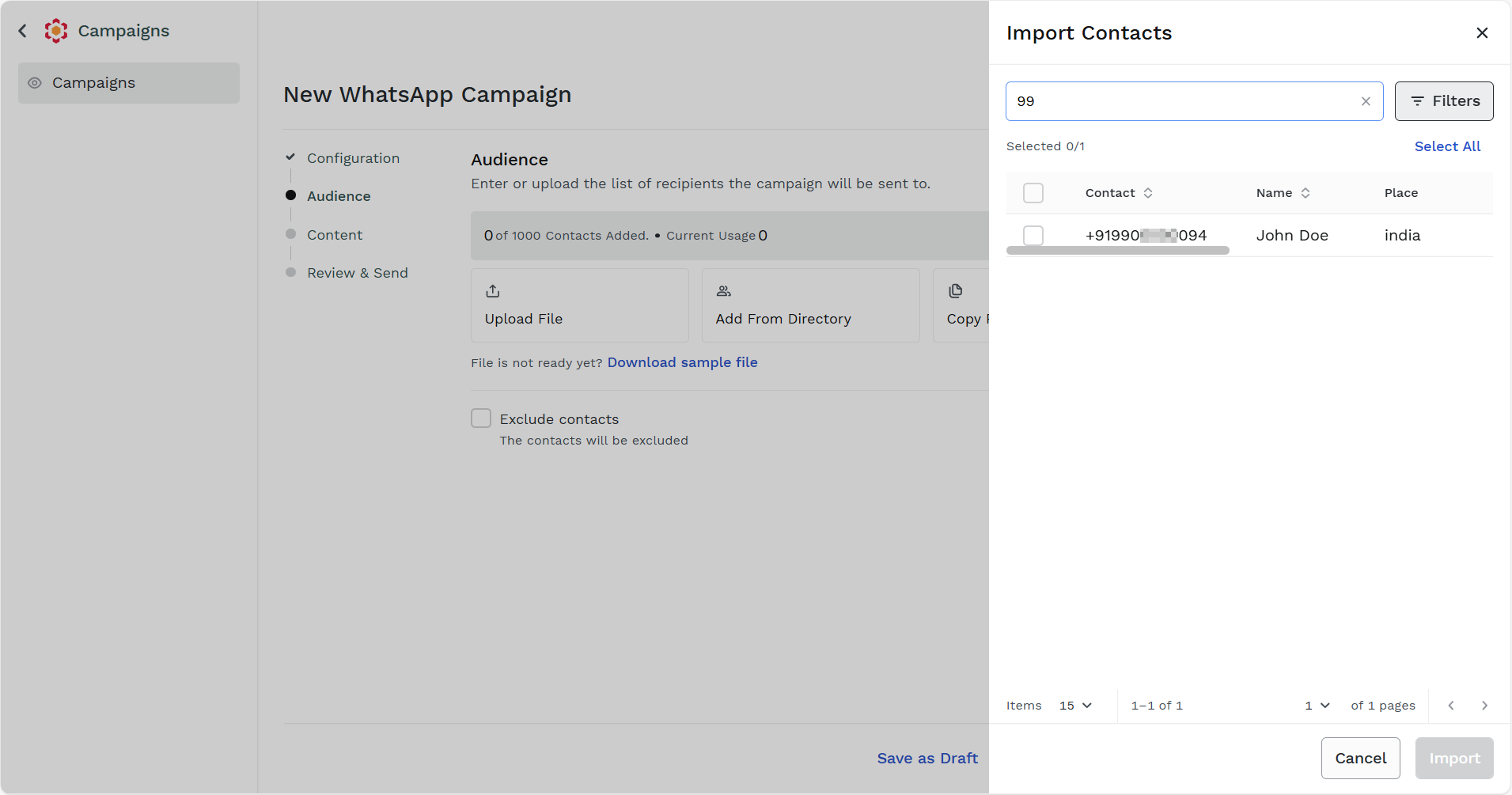
In the Search for a Number field, enter the number you want to search. Based on your key press the search results appears. Select the number. If you want to clear the search, on the Search for a Number field, click x.
-
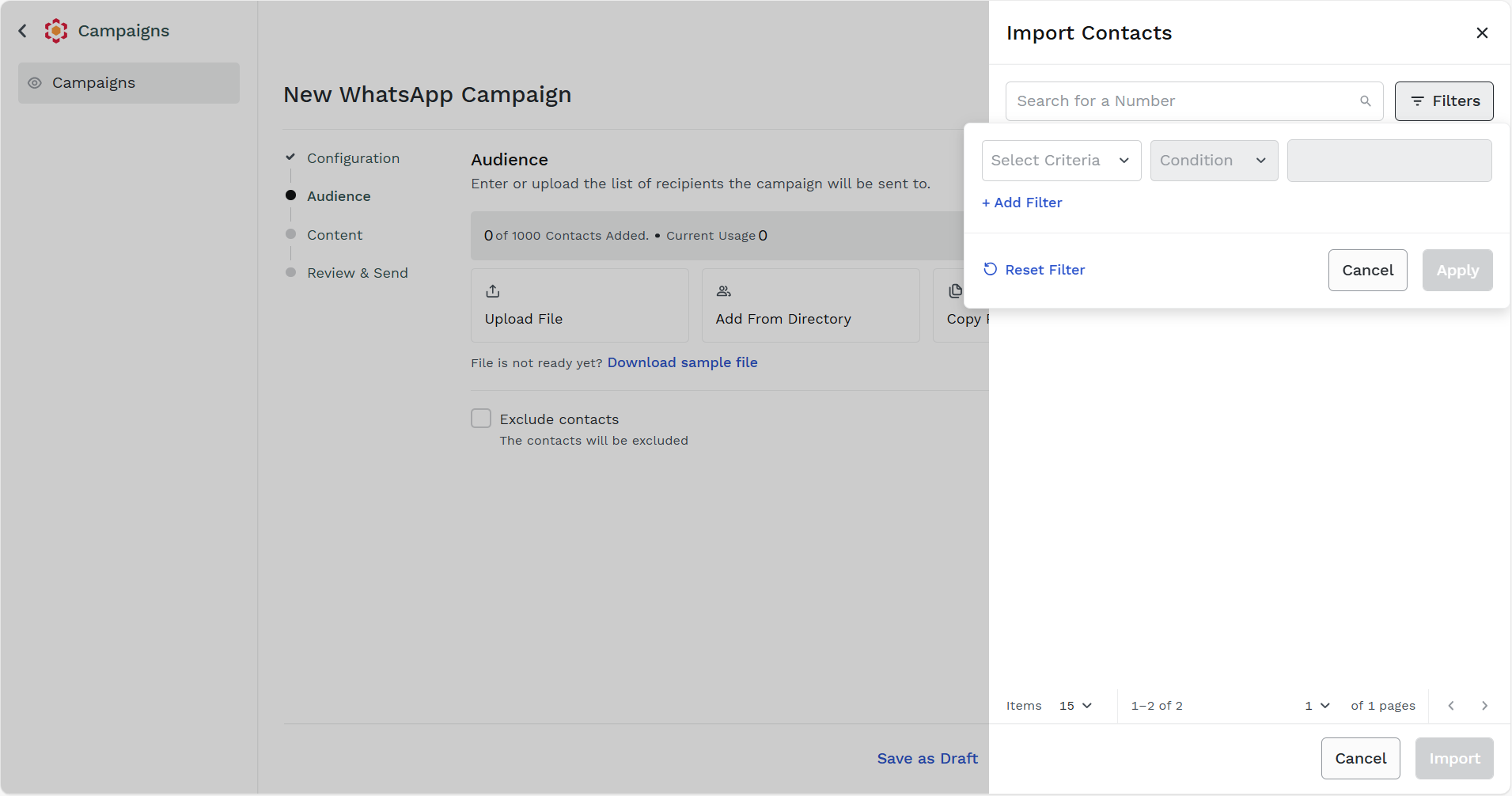
You can filter the contacts according to the contact's name and the end-users' country name. Click the Filter icon, you can filter based on the following options:
- Select Criteria - Select the criteria of filter. It can be Name or Country.
- Conditions - Select the conditions for the selected criteria. For example, Equals.
- Enter the name or country details. For example, if you have selected the criteria as Name, enter the name. If you have selected the Country criteria, enter the country name.
-
Click Select All to select all the numbers from directory.
-
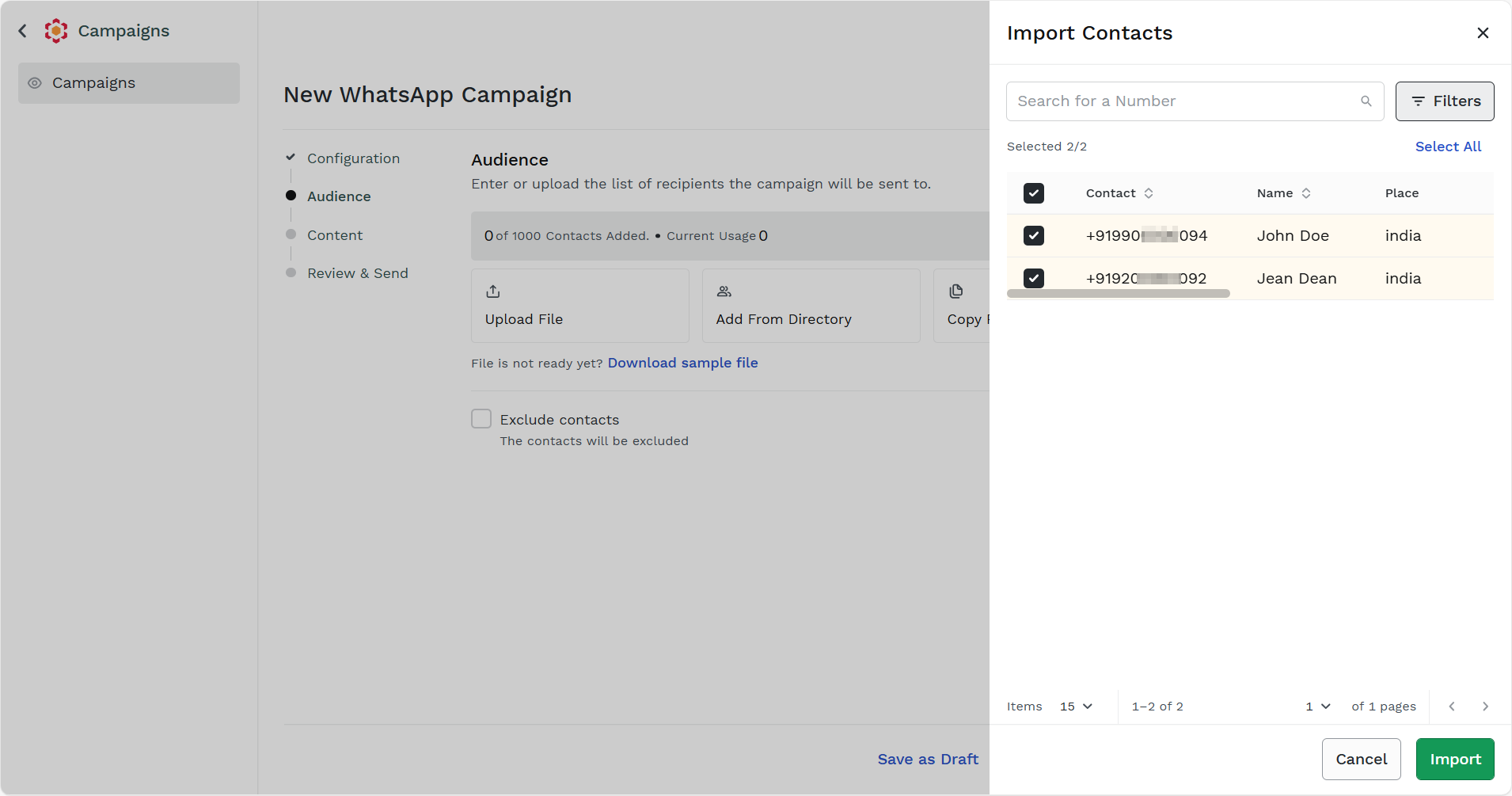
- Click Import.
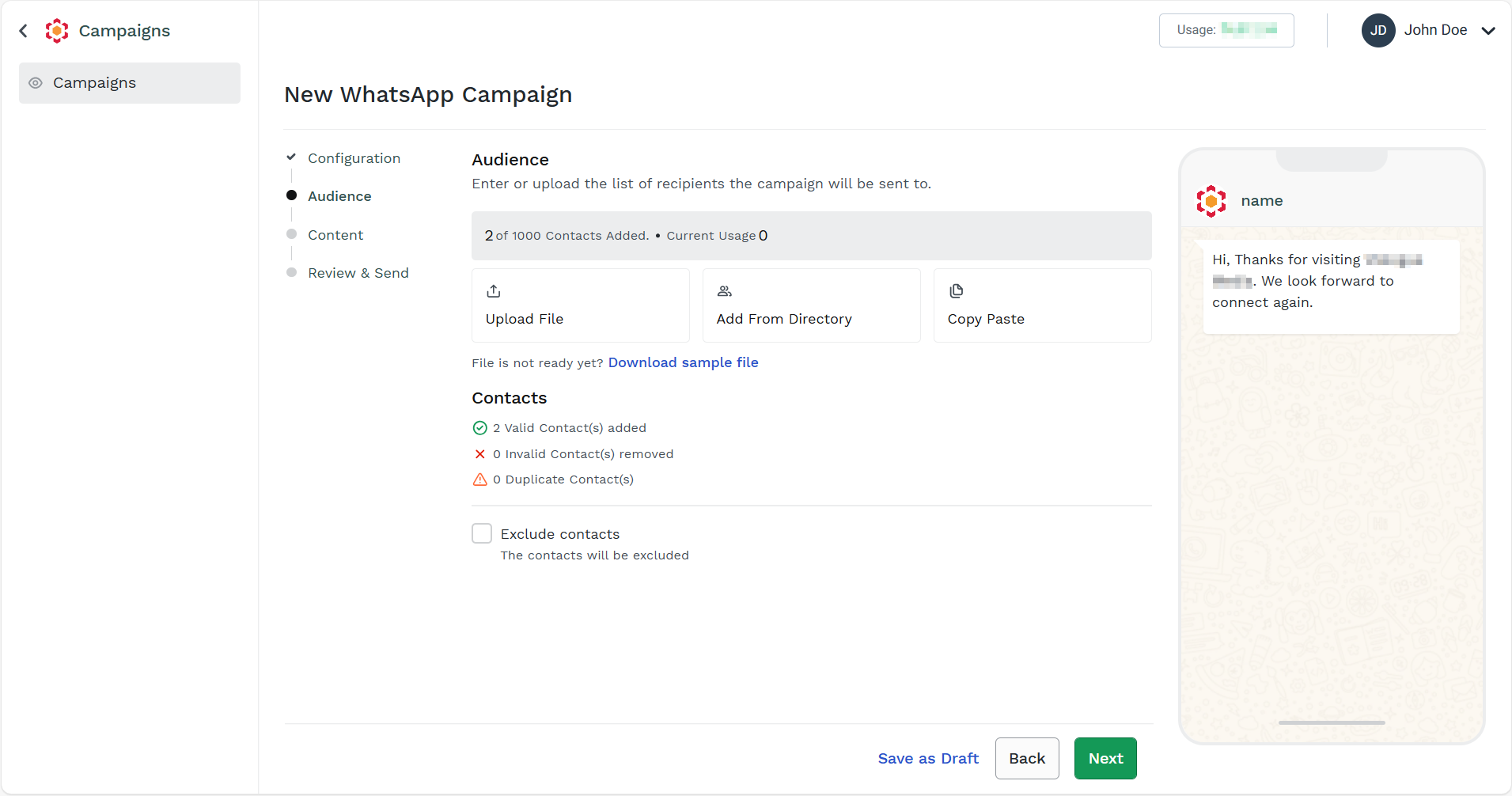
The contacts get imported.
Updated 4 days ago