

View SMS campaign details
You can view the SMS campaign aggregate information in a graphical format to know the statuses of the SMS sent to different contacts to take further action.
To view the overall campaign details in a graphical format, perform the following steps:
- Sign in to your Kaleyra platform.
- On the left navigation bar, click Campaigns.
The Campaigns page appears.
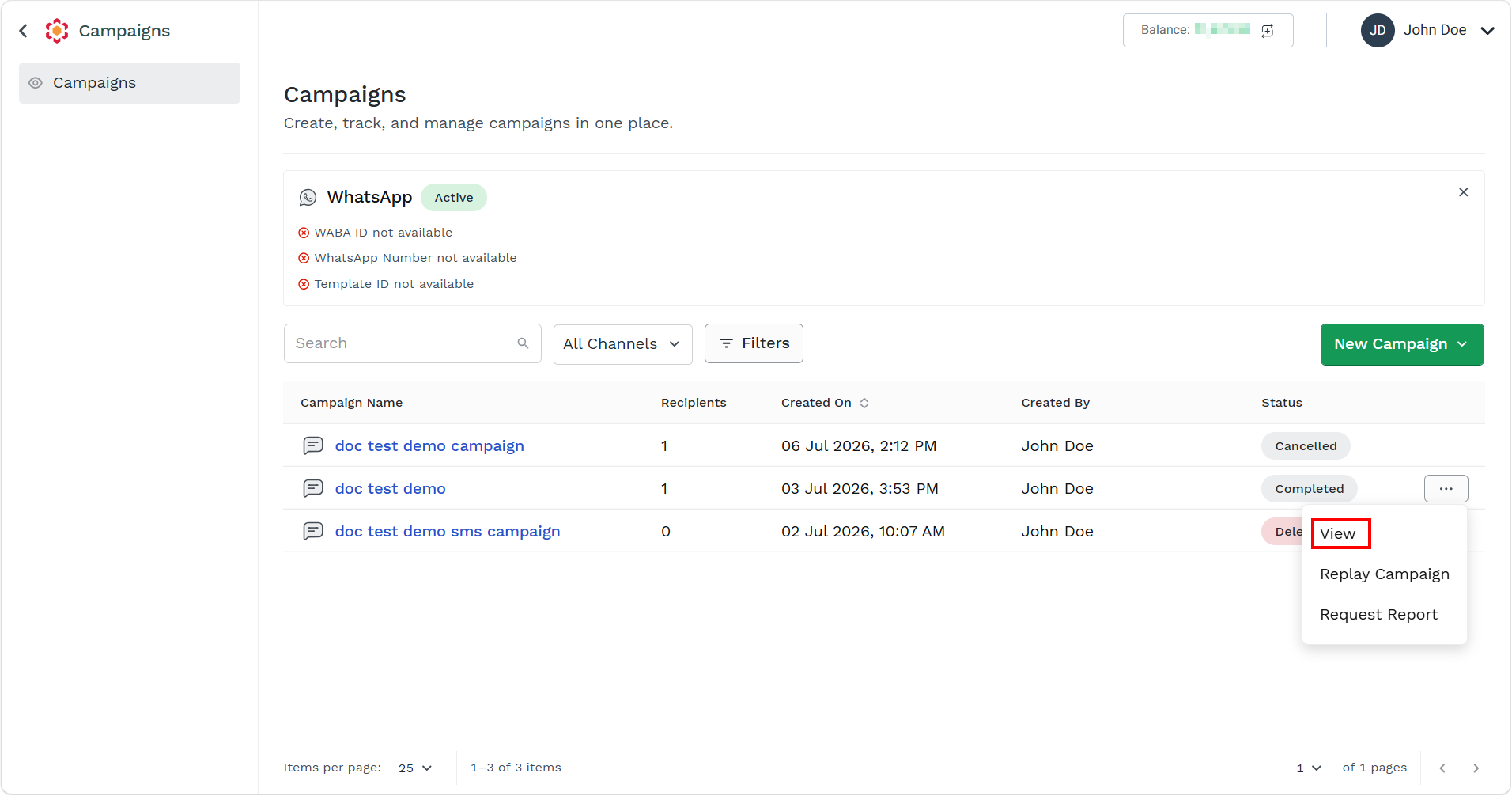
- Click on the three dots corresponding to the campaign and click View.
The campaign details pane appears on the right side of the page.
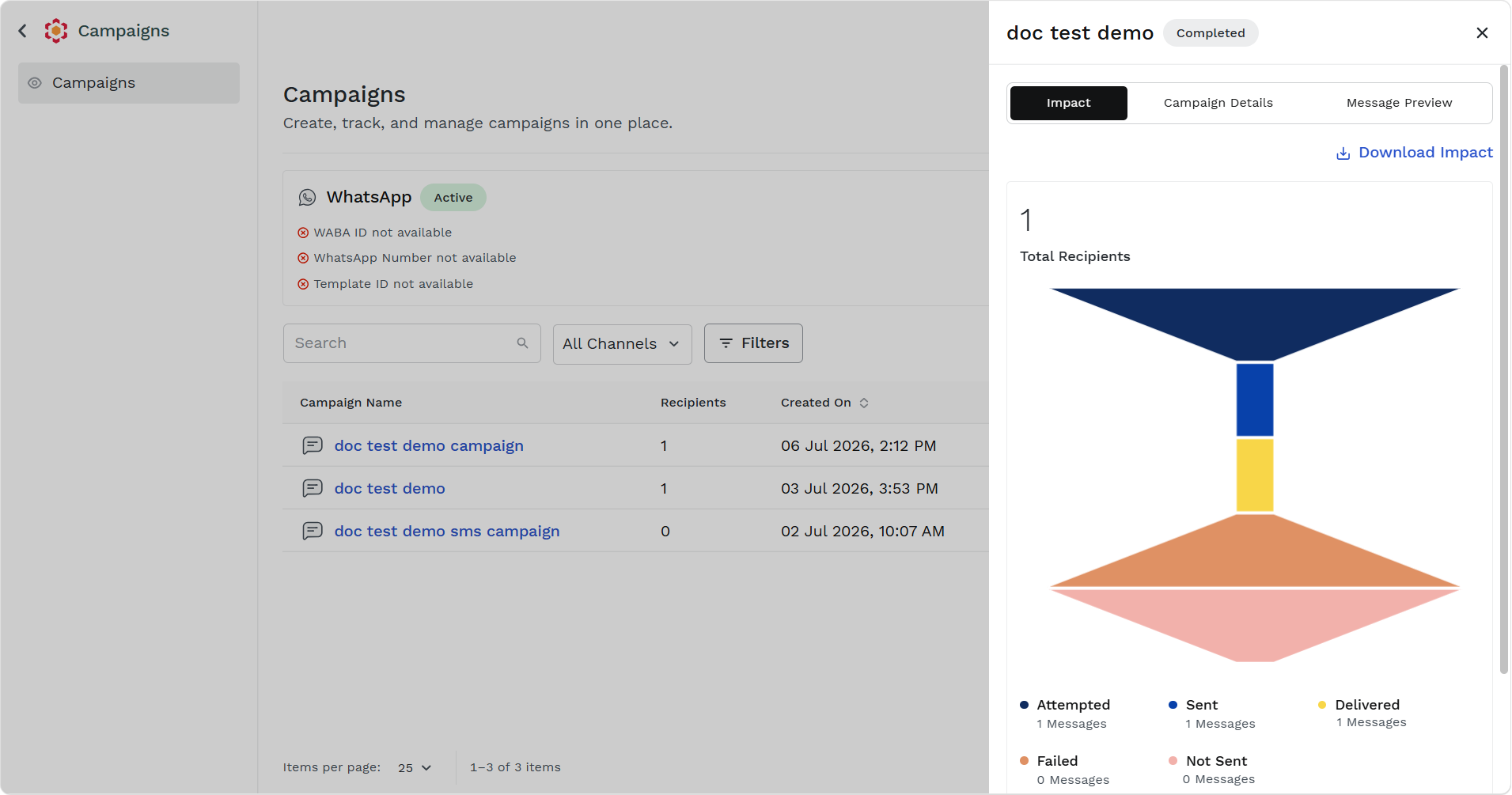
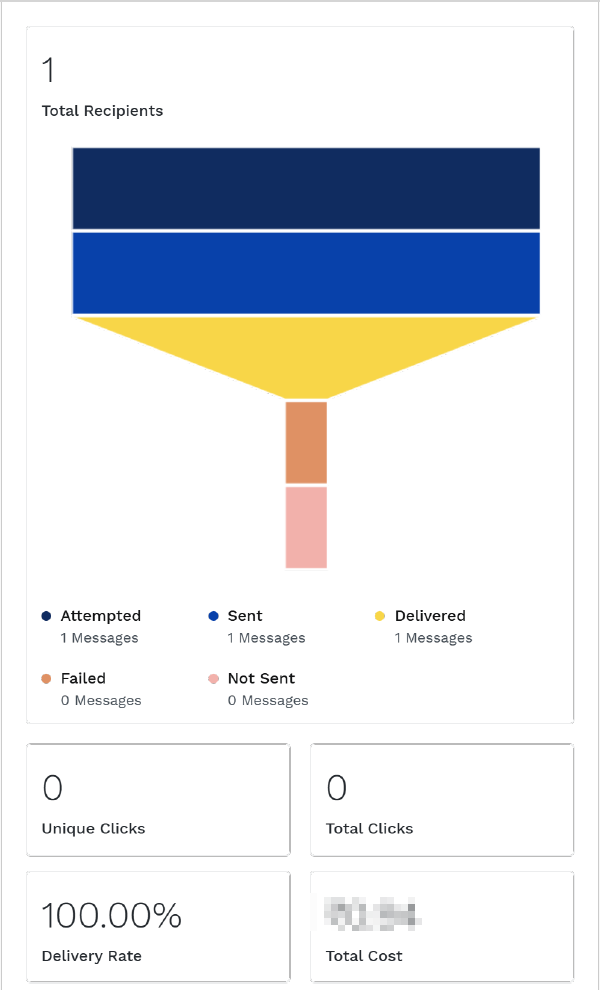
The Impact tab displays the following details:
- Total Recipients - Total number of recipients.
- Attempted - Total number of attempted messages.
- Sent - Total number of sent messages.
- Delivered - Total number of delivered messages.
- Failed - Total number of failed messages.
- Not Sent - Total number of sent messages.
- Unique Clicks - Total number of unique clicks if link is sent with message and when callback is available for messages.
- Total Clicks - Total number of clicks on link if link is sent with message when callback is available for messages.
You have the option to download the impact by clicking the Download Impact button on the top right side of the pane. Double click the downloaded impact to view the impact.
-
Click Campaign Details tab.
The campaign details appears.
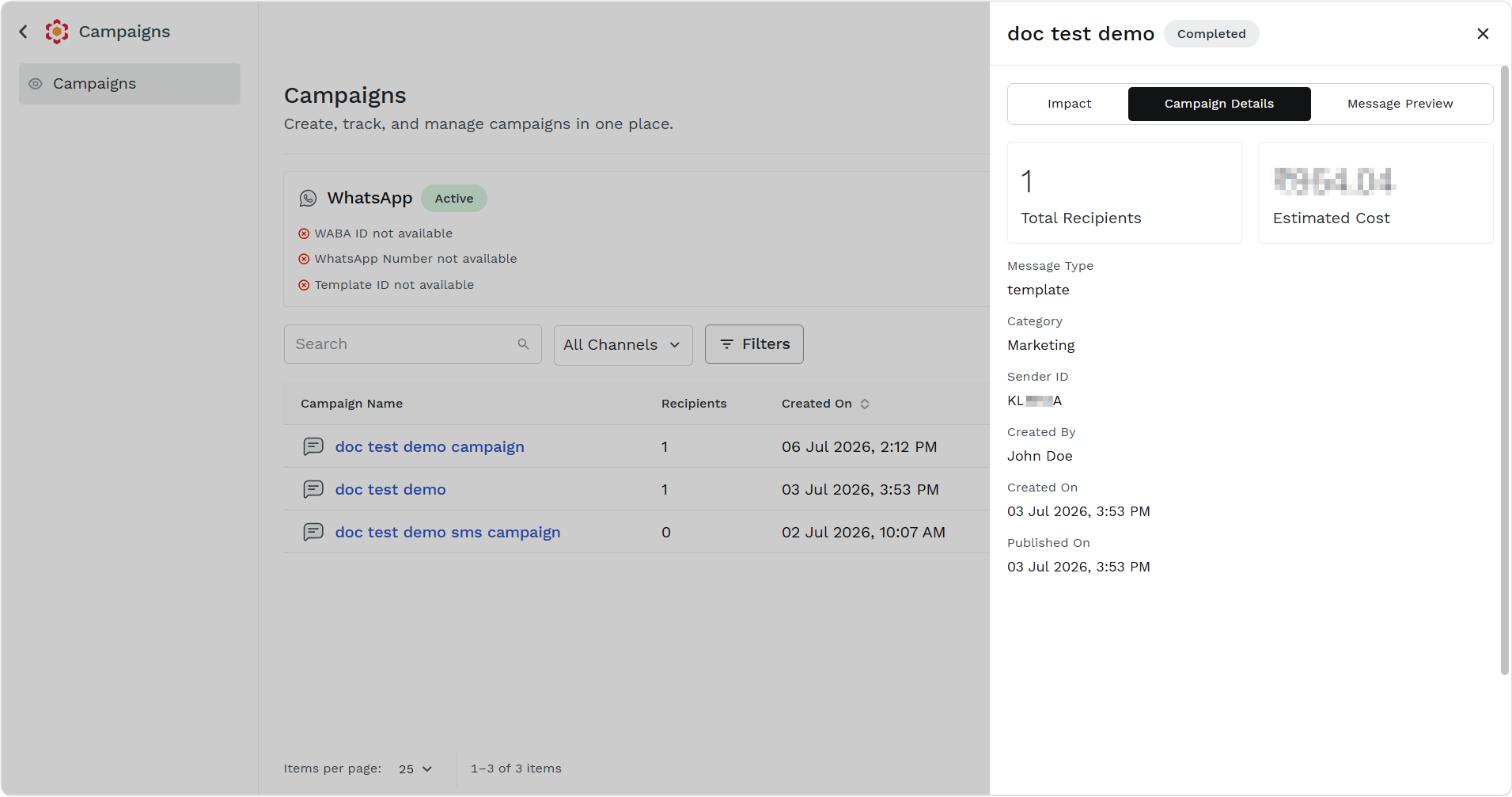
The Campaign Details tab displays the following details:
- Total Recipients - Total number of recipients.
- Estimated Cost - Total estimated cost of the SMS campaign message.
- Message Type - The message type for the SMS campaign.
- Category - The category of the SMS campaign.
- Sender ID - The Sender ID using which the SMS campaign was launched.
- Created By - The user who has launched the SMS campaign.
- Created On - The date and time when the SMS campaign was created.
- Published On - The date and time when the SMS campaign was published.
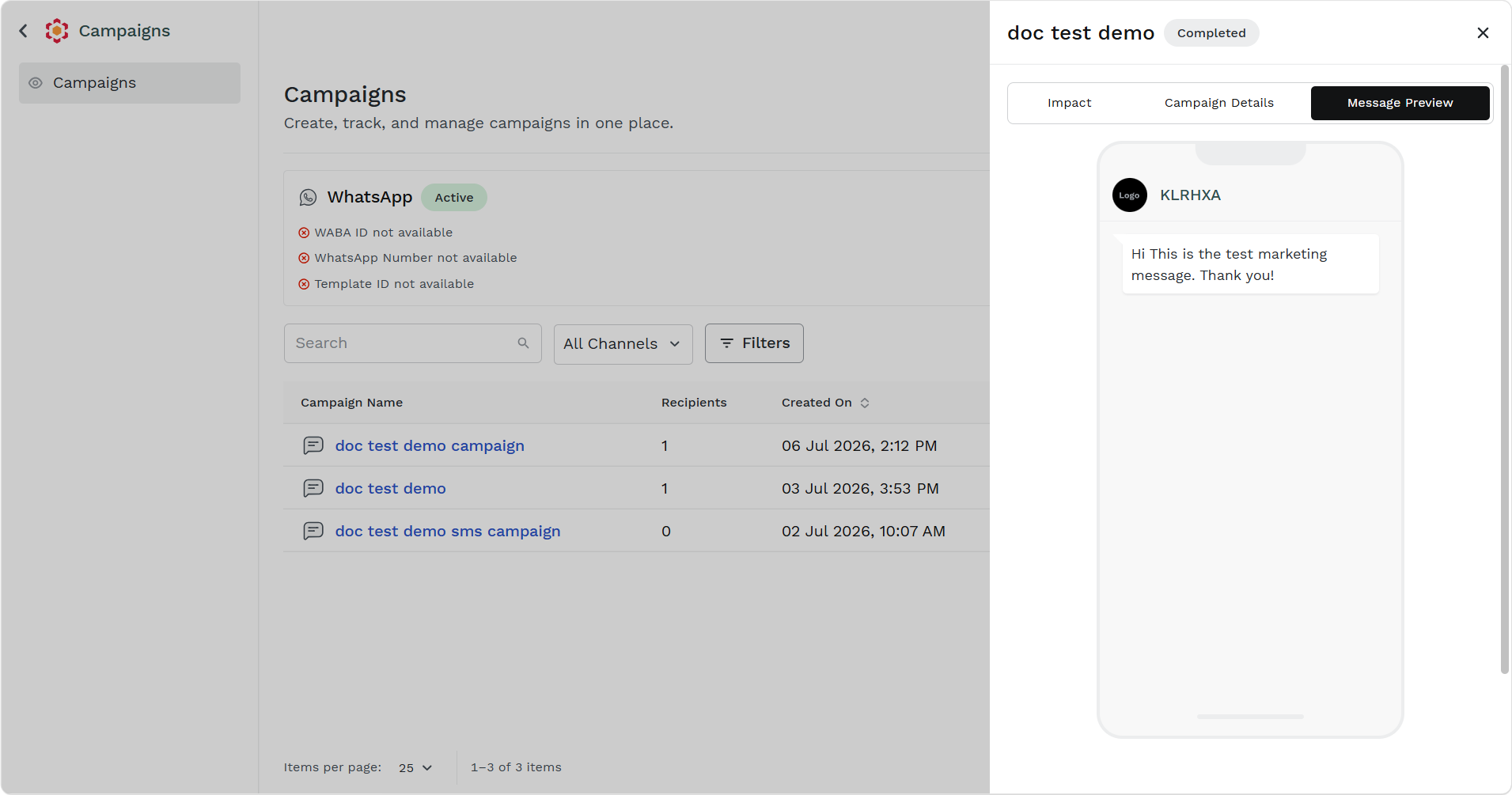
- Click the Message Preview tab.
The message preview appears.
Updated about 2 months ago
Did this page help you?