

View RCS Campaign
The View RCS Campaign functionality allows you to access and review the performance metrics of your RCS campaign directly from the Campaign Details page.
Note:
The View option is available only for Submitted and Completed statuses.
To view the RCS Campaign, perform the following steps:
- Sign in to your Kaleyra platform.
- On the left navigation bar, click Campaigns. The Campaigns listing page appears.
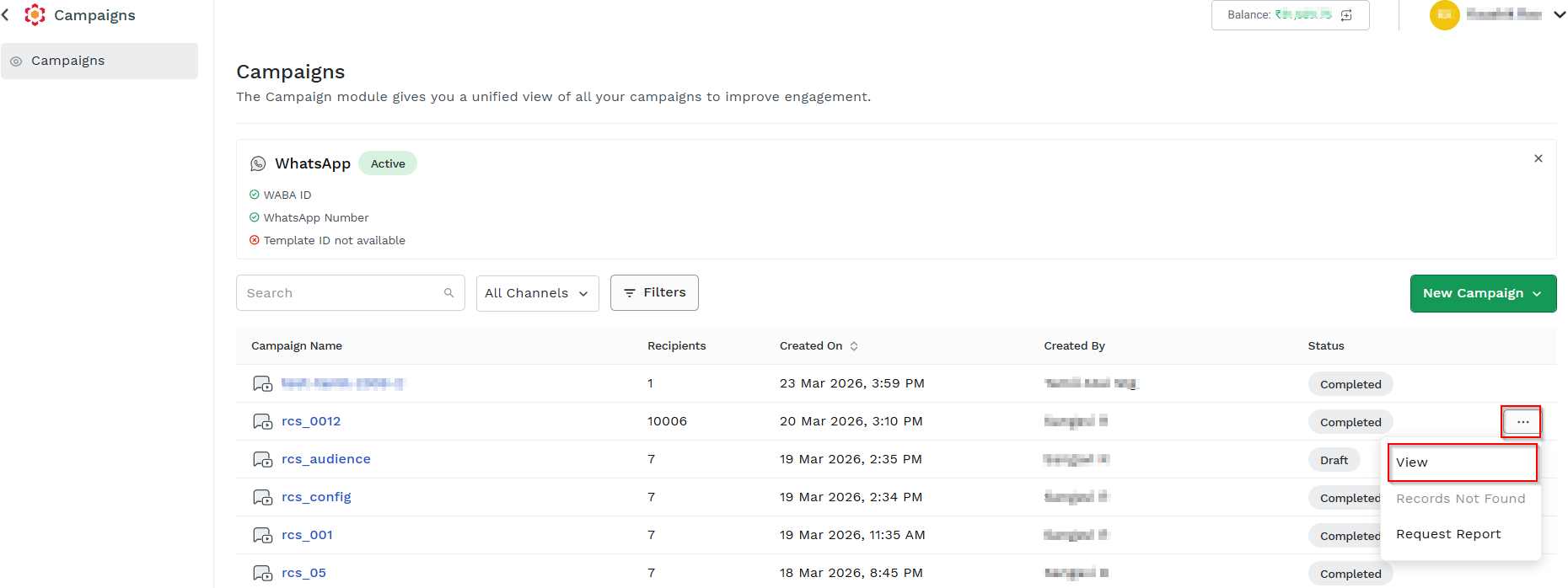
- Locate the campaign you want to view.
- On the Campaigns listing page, click the ellipsis (three dots) next to the Completed status column and click View.
The Campaign Details pop-up appears showing Total Recipients, Estimated Cost, Template Name, Template Type, Agent, Created By, Created On, and Published On.
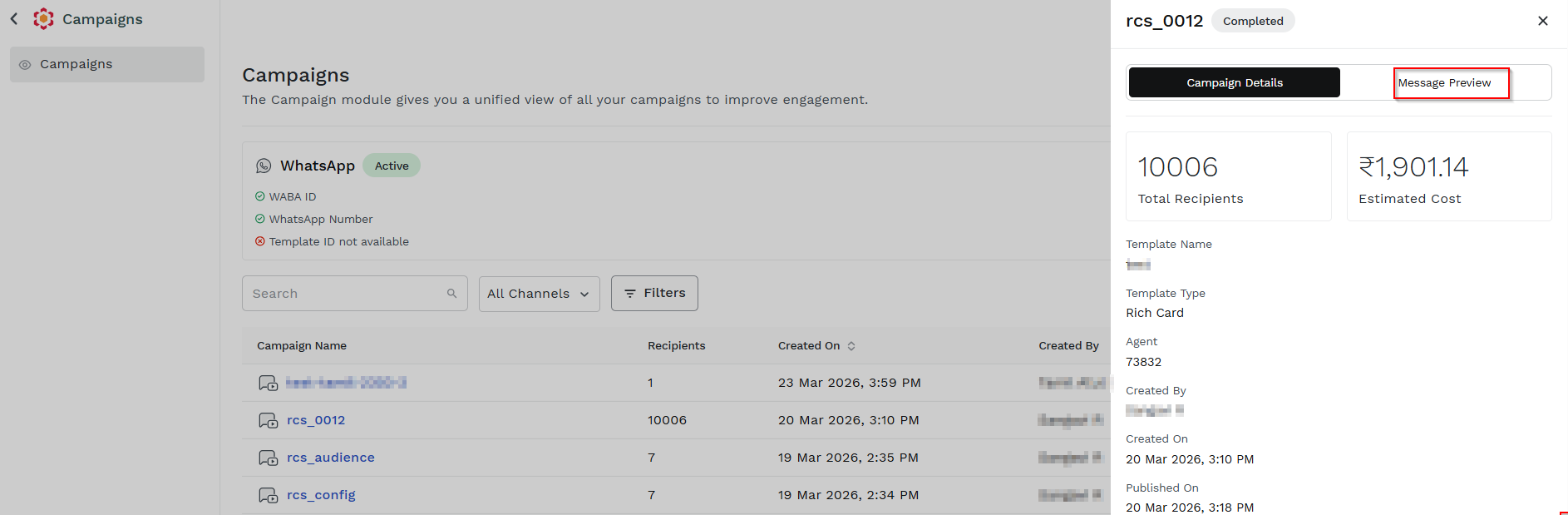
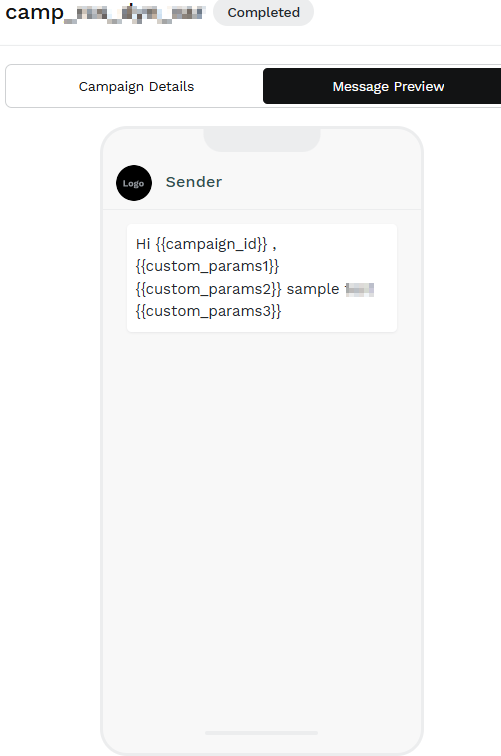
- Click Message Preview. The Phone preview appears.
Updated 2 days ago
Did this page help you?