

Set a Default Variable
You can set default values for the variables in your SMS Campaigns. The default values will be used in the message when the contact does not have a value for the variable defined in its record.
You will see an option to {*} Set Default Value in the text editor ONLY when the message body includes at least one dynamic variable. Variables identified using the @ or symbol will be eligible to set default values.
To set default values, perform the following steps:
-
Follow step 1 to step 8 of Launch an SMS Campaign.
The New SMS Campaign page appears.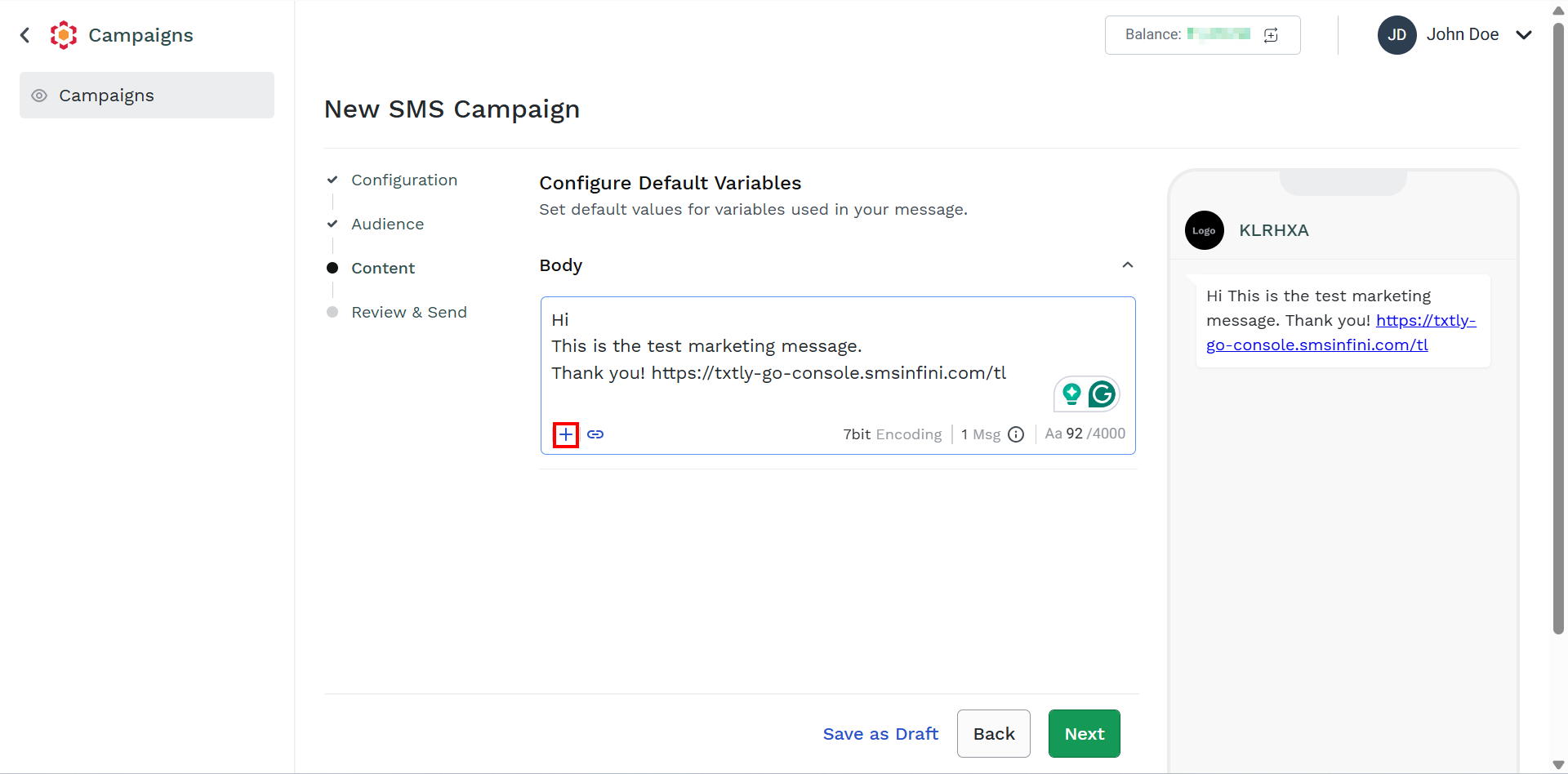
-
On the Body field, click the + icon.
The Variable `1` field appears.
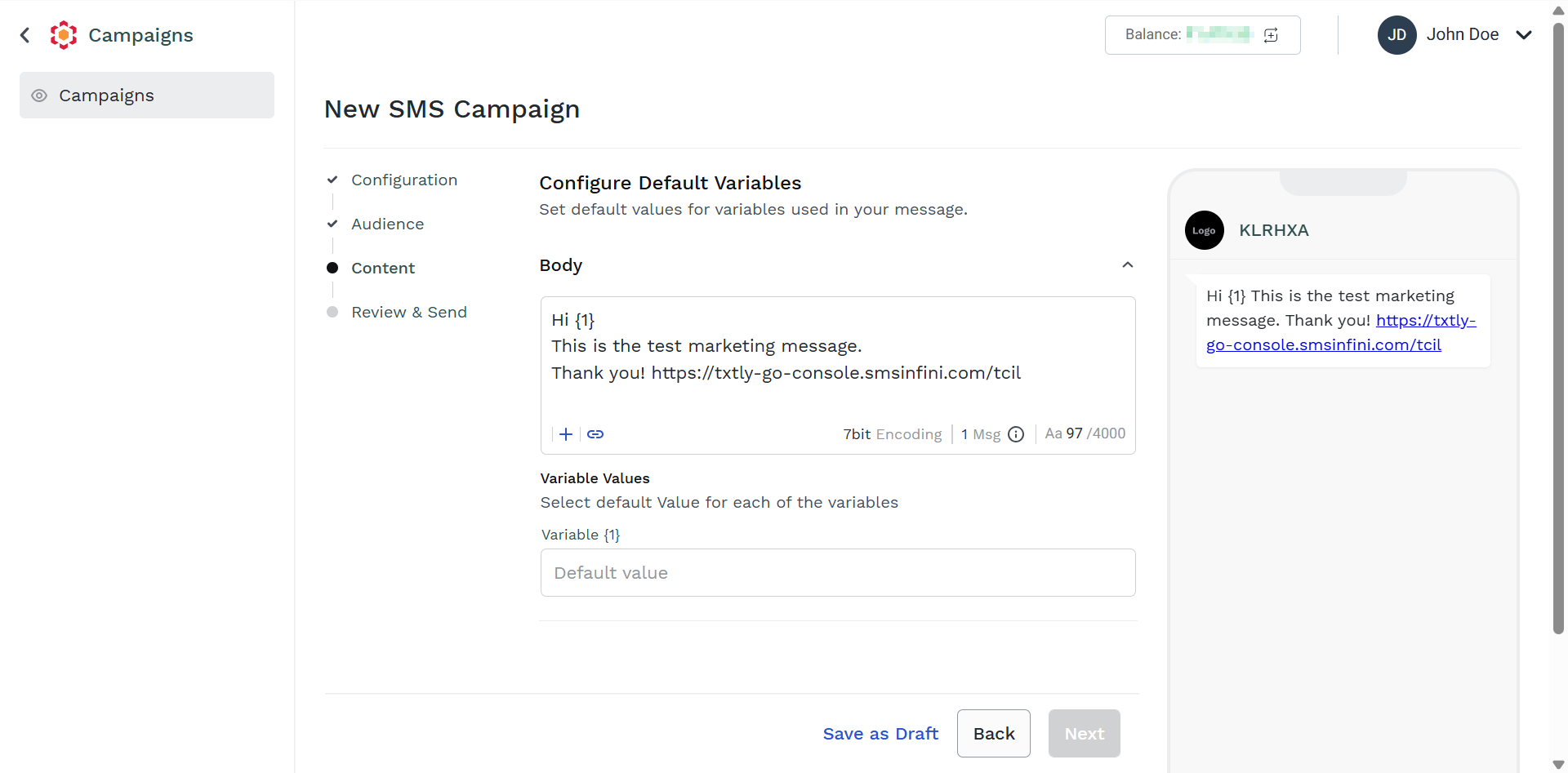
The Set Default Value page appears listing all the dynamic variables (parameters) used in the message body.
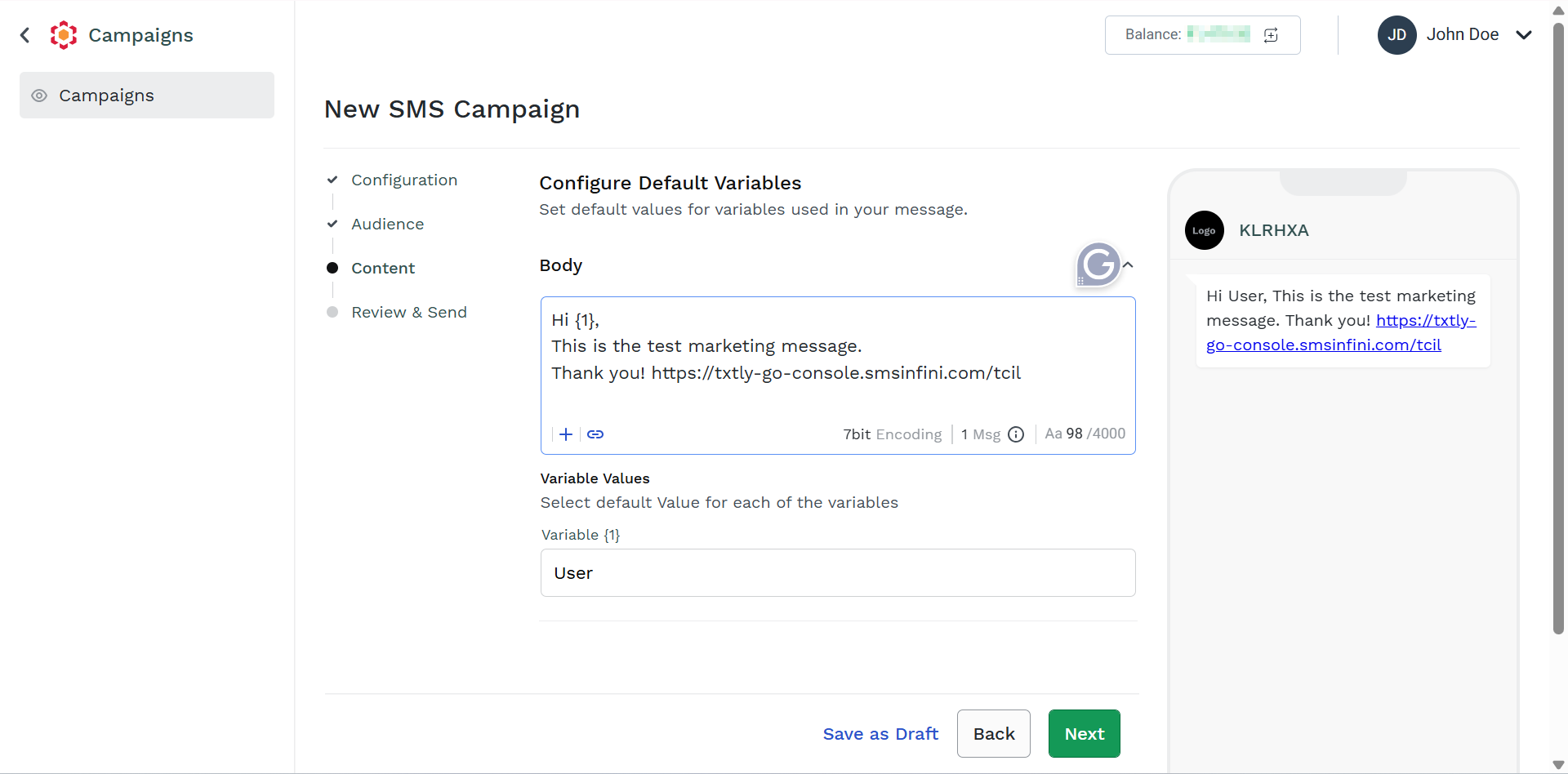
- In the Default Value field, enter the required default values to the listed parameters. The default value will be picked up in case, for a given recipient, no value to substitute the dynamic variable is found in the uploaded campaign file; this will avoid sending SMS with actual text displaying dynamic variable instead of a proper value.
Updated 3 months ago
Did this page help you?