

Schedule the Campaign
You can schedule the campaign to run at a designated time in the future. To schedule a campaign:
- Follow step 1 to step 9 of Launch an SMS Campaign.
The Review & Send step appears.
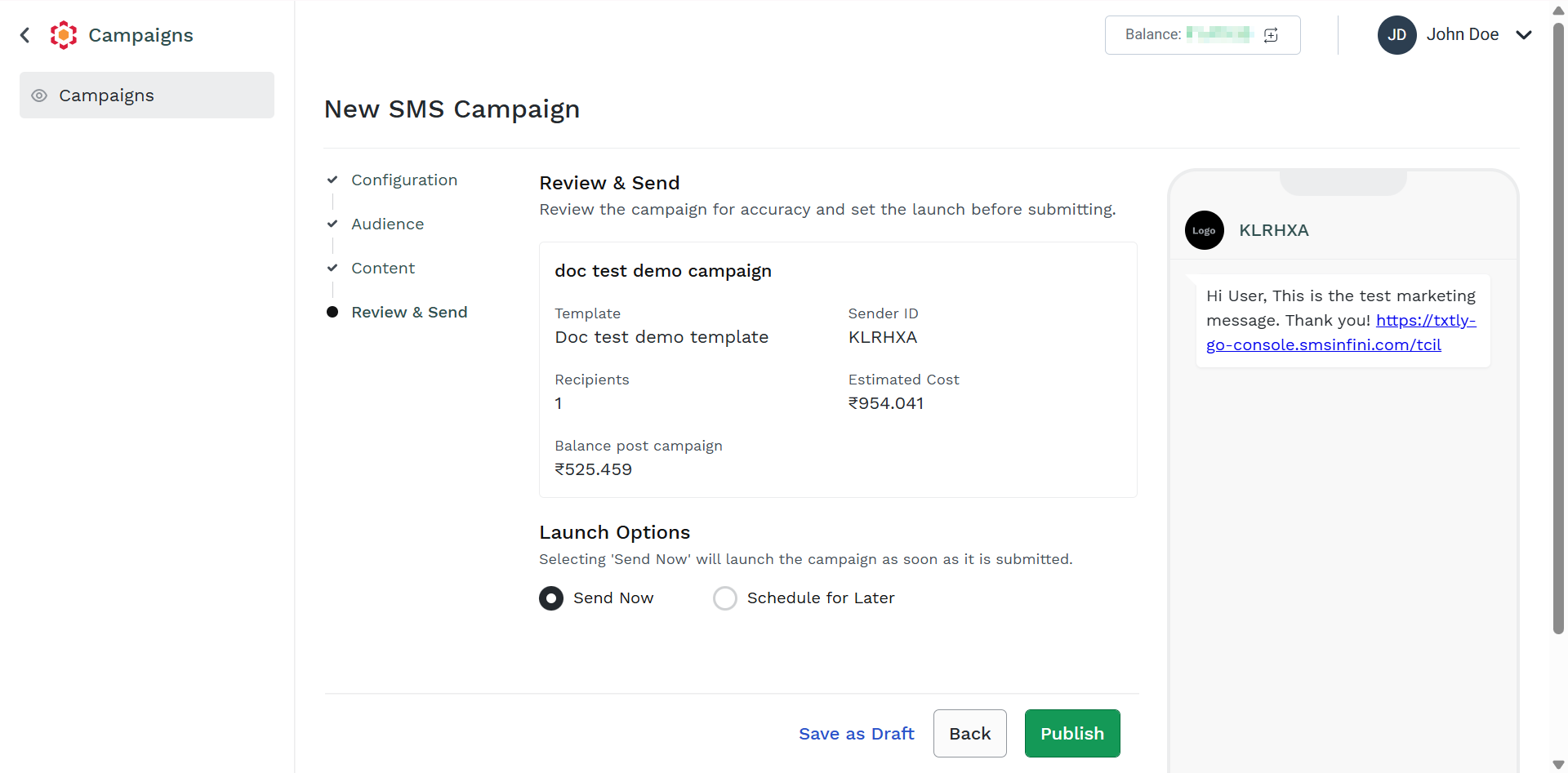
- Click the Schedule for Later.
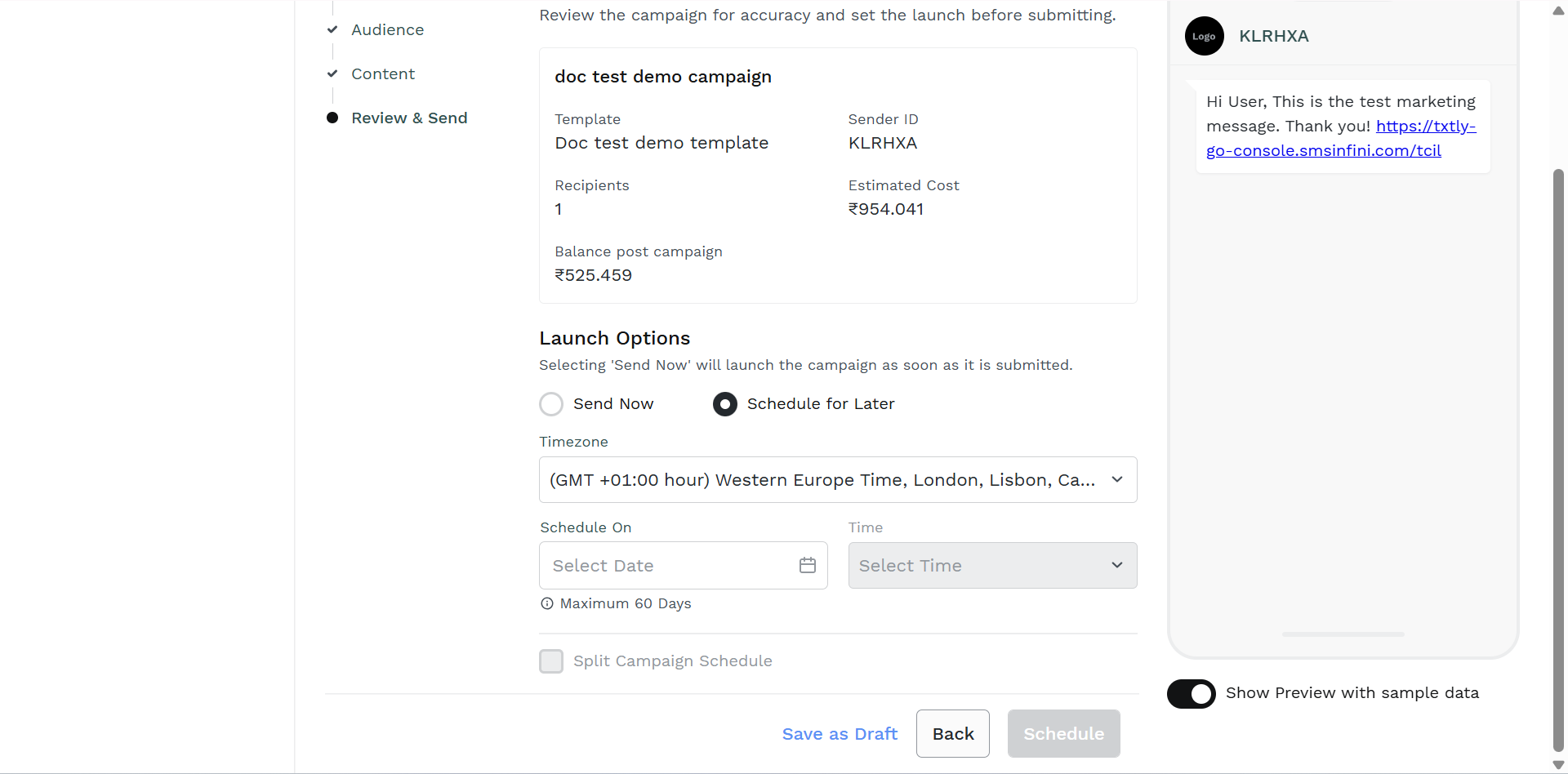
- From the Timezone drop-down list, select the timezone based on region.
- In the Schedule On field, select the date when you want to schedule using the calendar.
- In the Time field, select the time.
- (Optional) If you have more than one thousand contacts and you want to split the campaign schedule, select the Split Campaign Schedule checkbox. In the Contacts per Batch field, enter the number of contacts. From the Time Interval dropdown, select the required time interval for the split schedule.
- Click Schedule. The campaign gets scheduled.
Updated 3 months ago
Did this page help you?