

Reschedule RCS Campaign
You can reschedule a scheduled campaign before the campaign is triggered for launch.
To reschedule a campaign, perform the following steps:
- Sign in to your Kaleyra platform.
The Business communications page appears.
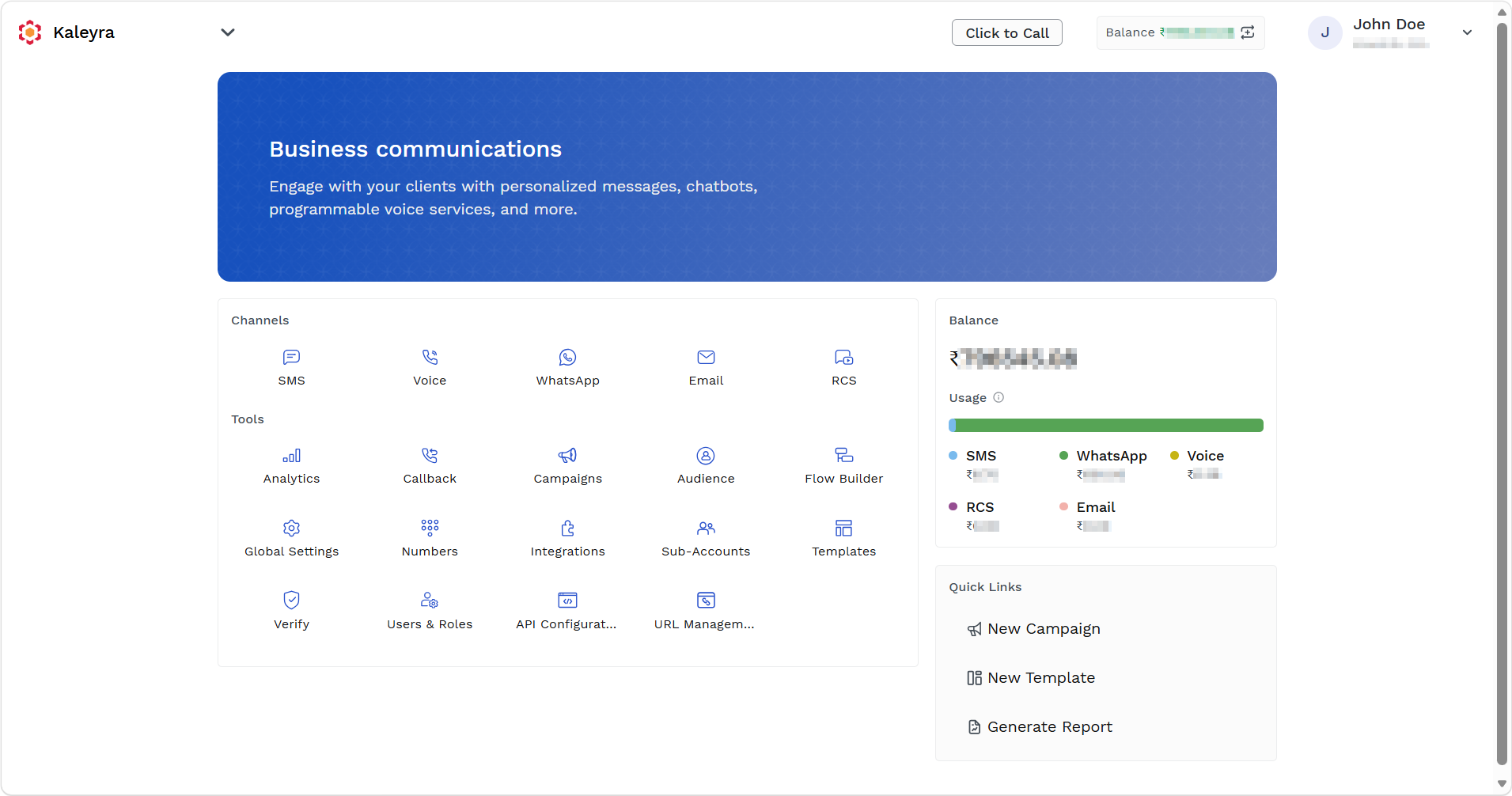
- On the left navigation bar, click Campaigns.
The Campaigns page appears.
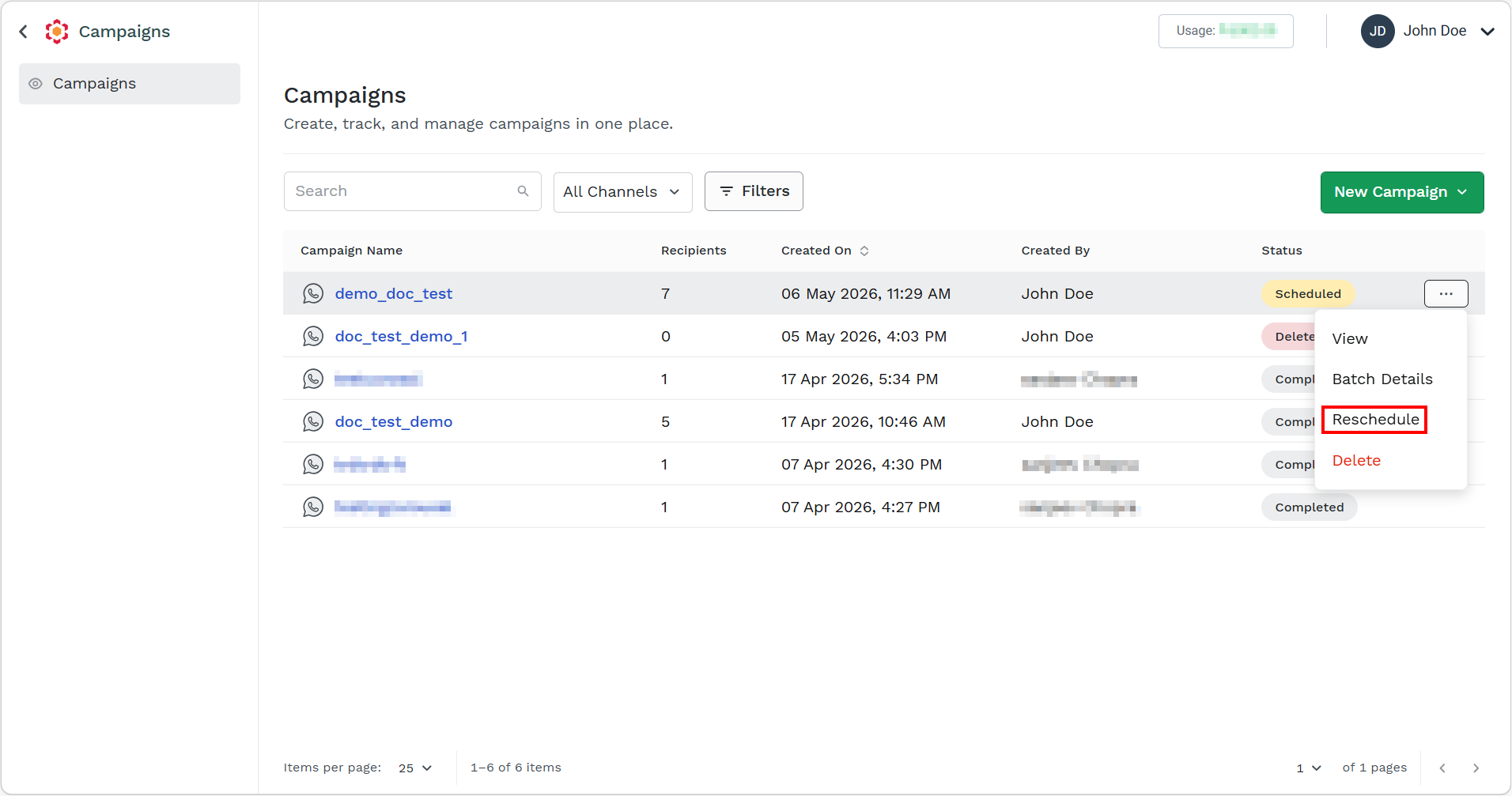
- Hover over the scheduled campaign you want to reschedule, ellipsis icon appears. Click the ellipsis icon and then select the Reschedule option.
The Reschedule Campaign pane appears on the right side of the page.
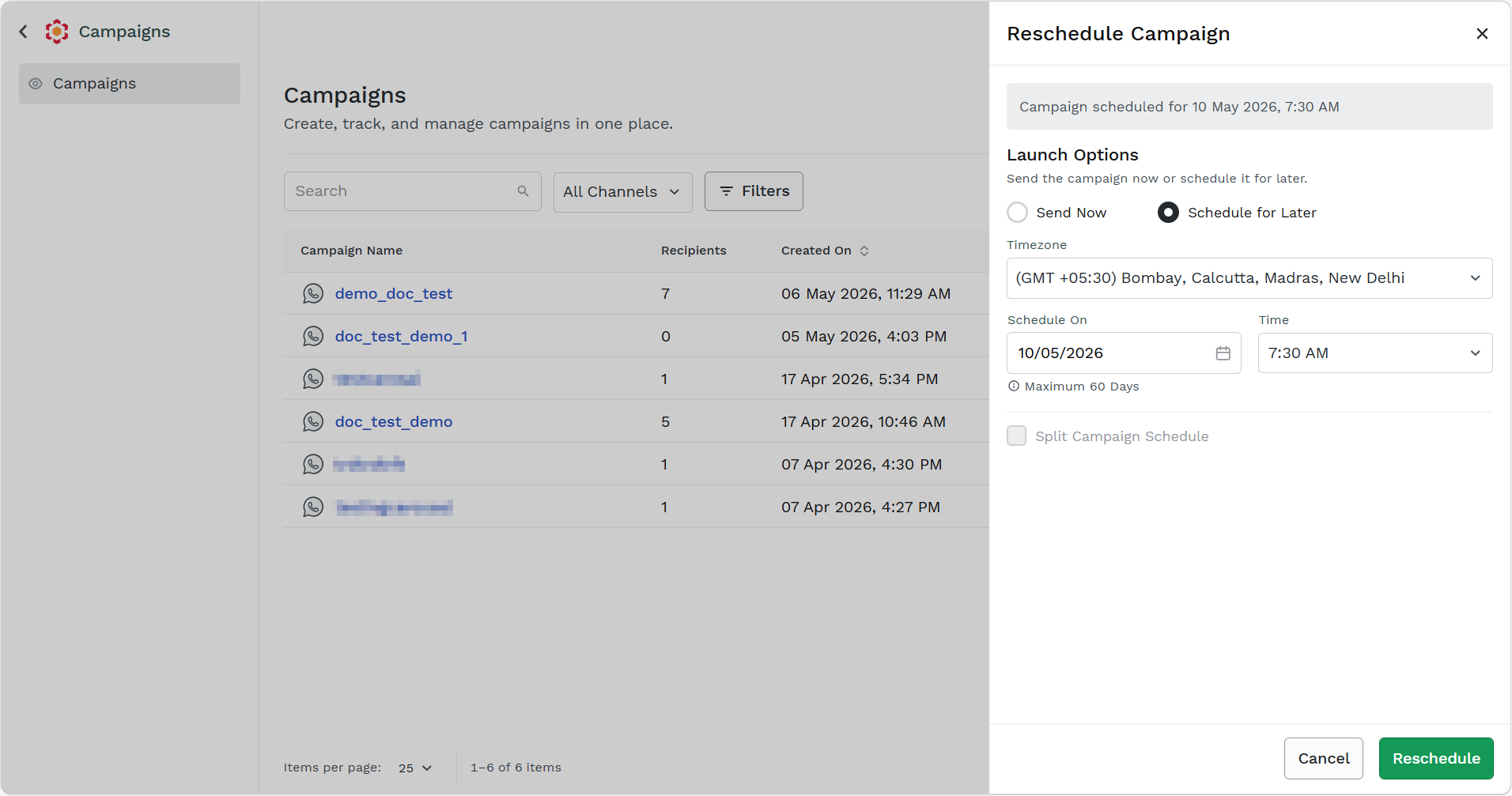
- You can select one of the following options to publish the campaign:
-
Send Now - Select send now option to request the campaign to publish now.
-
Schedule for Later - Select schedule for later option to request the campaign to publish later. If you are selecting the Schedule for Later option, then perform the following steps:
a. Click the Timezone drop-down field and select the time-zone where you want to send the campaign messages.
b. Click the Scheduled On calander icon, select the date when you want to launch the campaign. You can select any date in the next 60 days from the current date.
c. Click the Time drop-down field and select the time when you want to schedule the campaign.
-
d. Select the Split Campaign Schedule checkbox to split the campaign to different schedules. For more information, see Add Contacts in Batch for RCS Campaign. You can view the contacts number in batch. For more information, see View Batch Details.
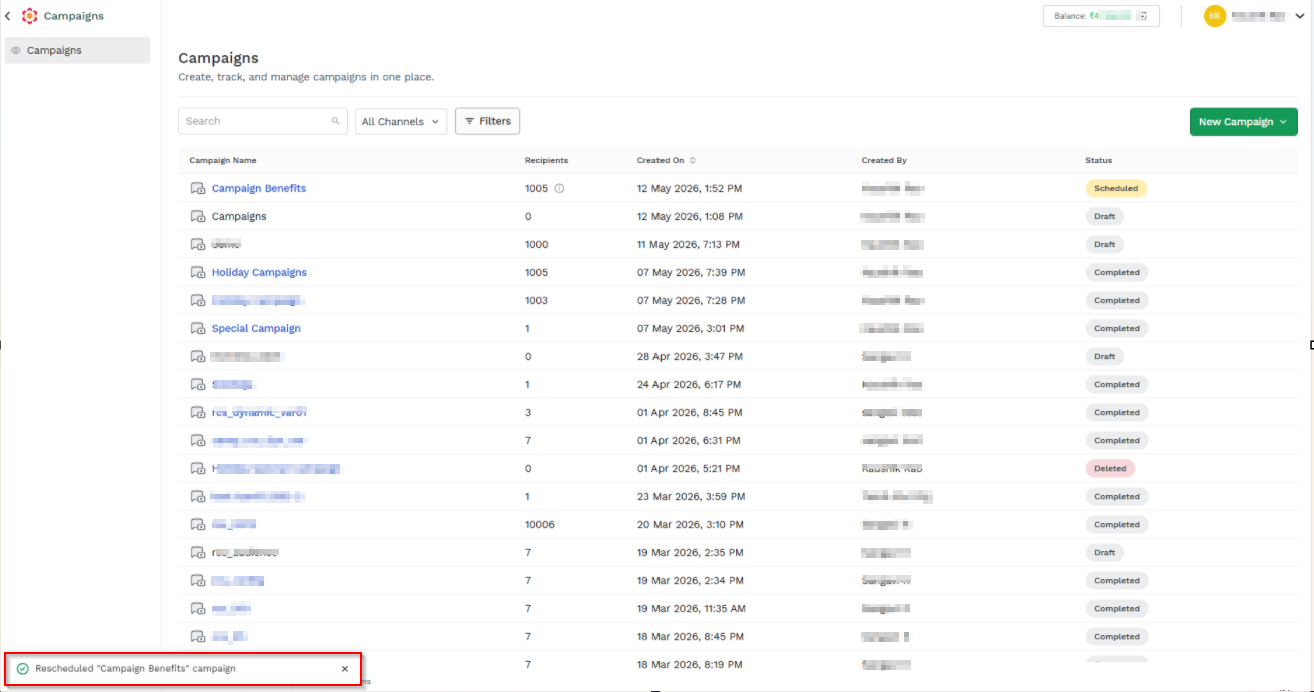
- Click Reschedule.
The confirmation message appears.
Updated 5 months ago