

Download File with Bulk Shortened URLs
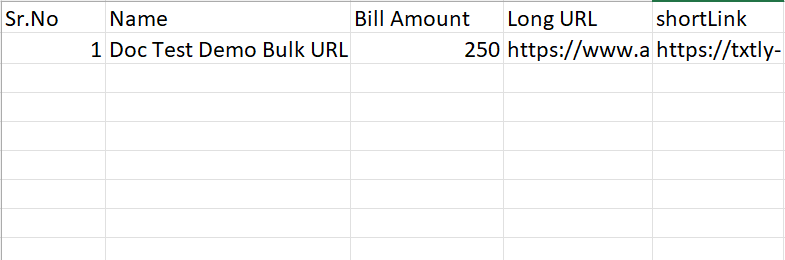
After the file with multiple shortened URLs is approved, you can download the file from the Kaleyra platform. The file contains the following details:
- all the columns of the originally uploaded file
- a new column called "shortLink" providing the short URL associate to each uploaded long URL
To download a file with bulk shortened URLs, perform the following steps:
- Log in to your Kaleyra account.
- On the left menu bar, click URL Shortener.
The Single URL tab detail appears.
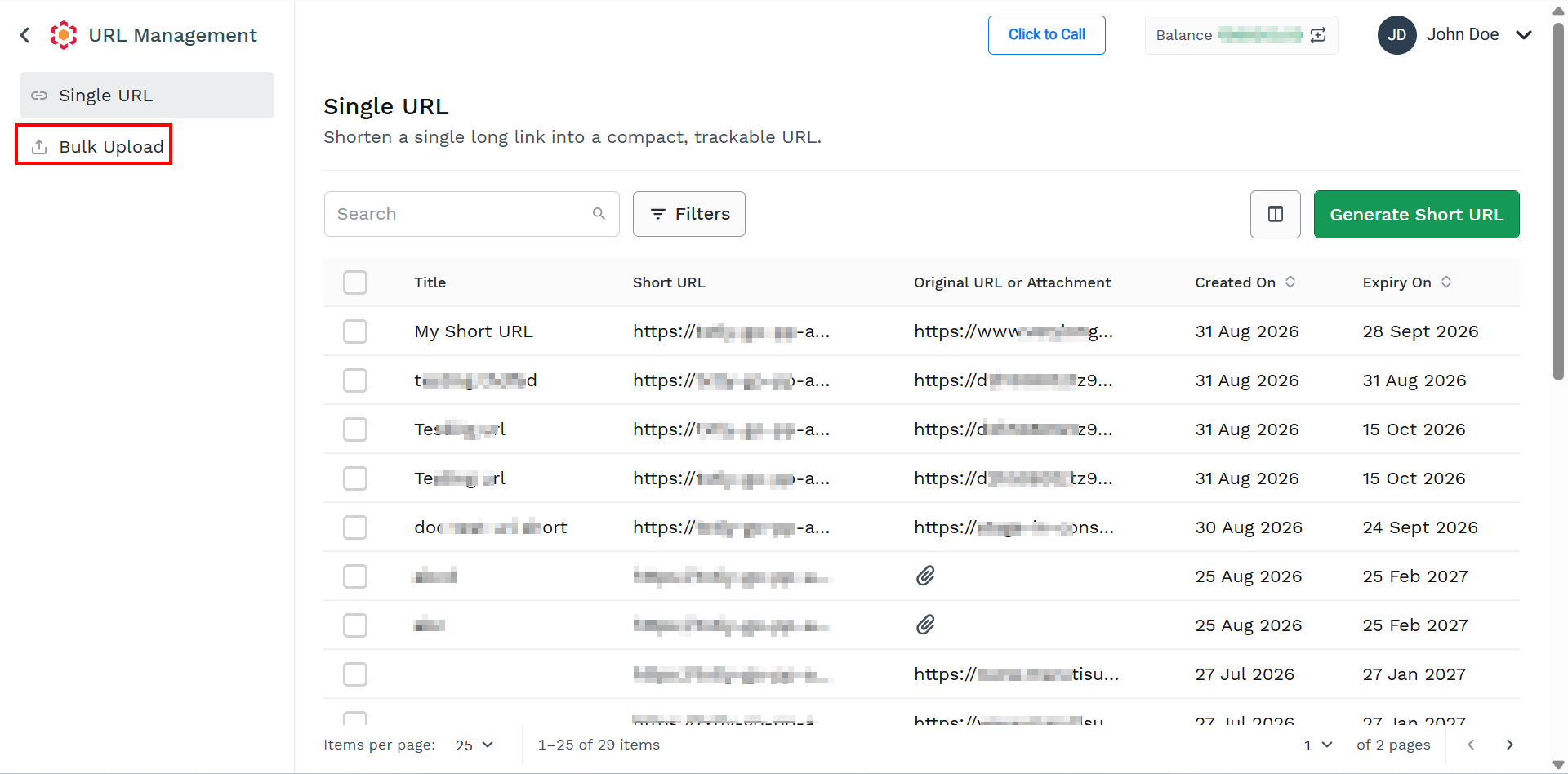
- Click Bulk Upload.
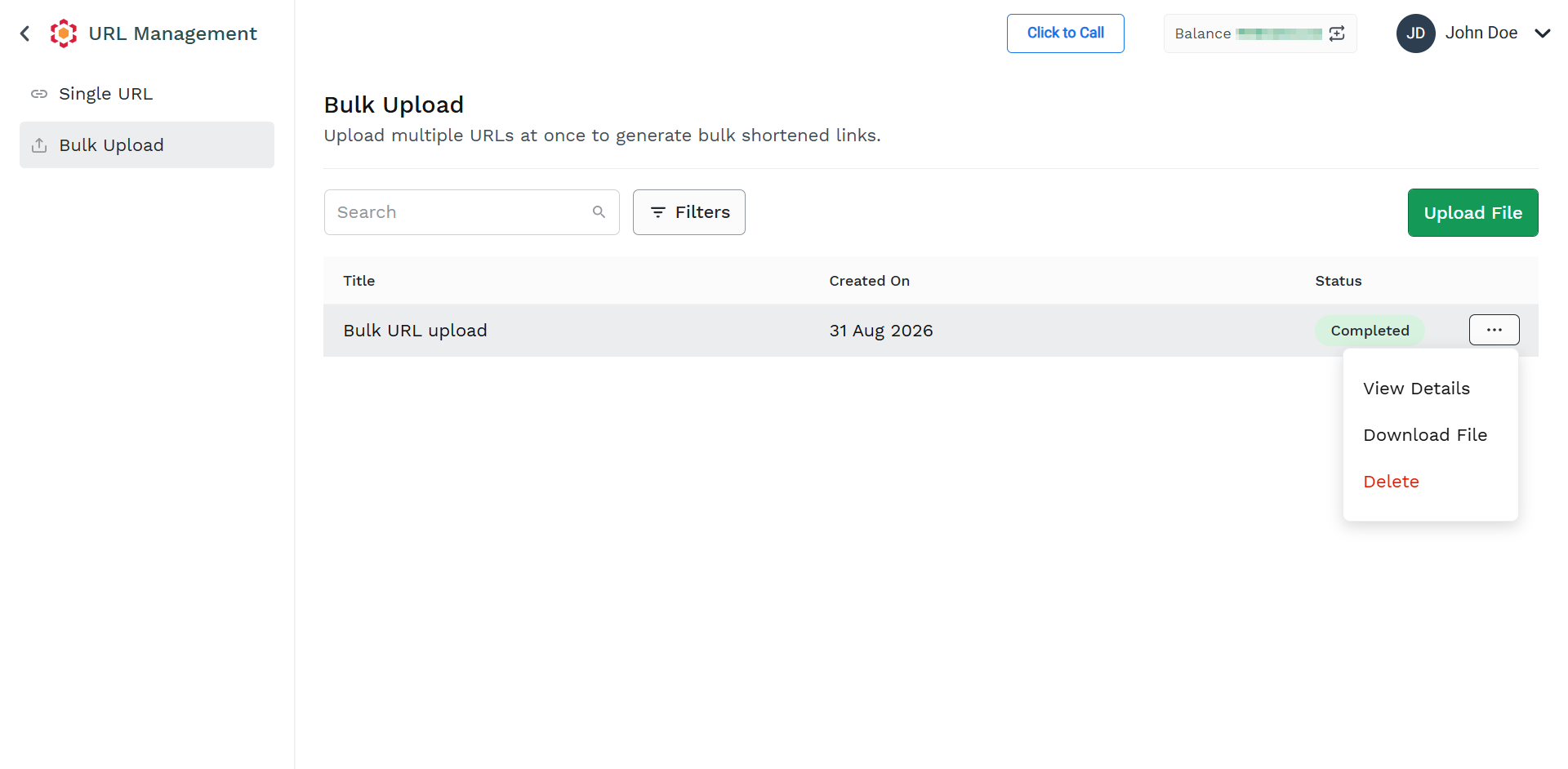
The Bulk Upload tab details appear.
-
Hover over the bulk upload file you want to download. Click the ellipsis (three dots), and a list of options appears, and click Download file.
The file gets downloaded in the mapped folder and the confirmation message Request successfully executed appears.
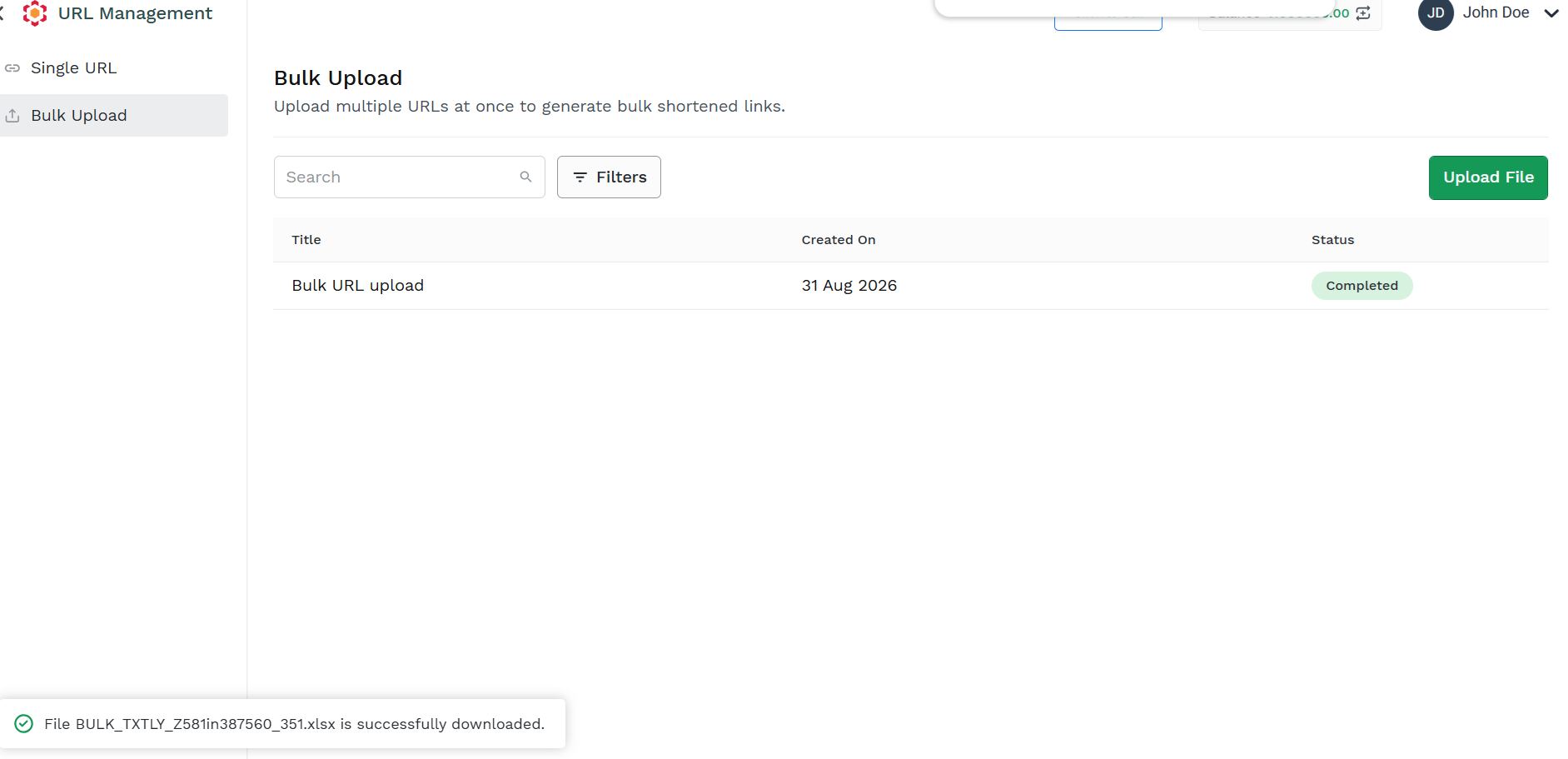
- Browse the mapped folder and open the downloaded file to view the details. Sample downloaded file.
Updated 2 months ago
Did this page help you?