

Edit SMS Template
The Edit option allows users to modify an existing SMS template's detail before it is used for messaging campaigns or API traffic.
To edit the template, perform the following steps:
- Follow step 1 to step 3 of Send SMS Template for Approval.
The SMS page appears.
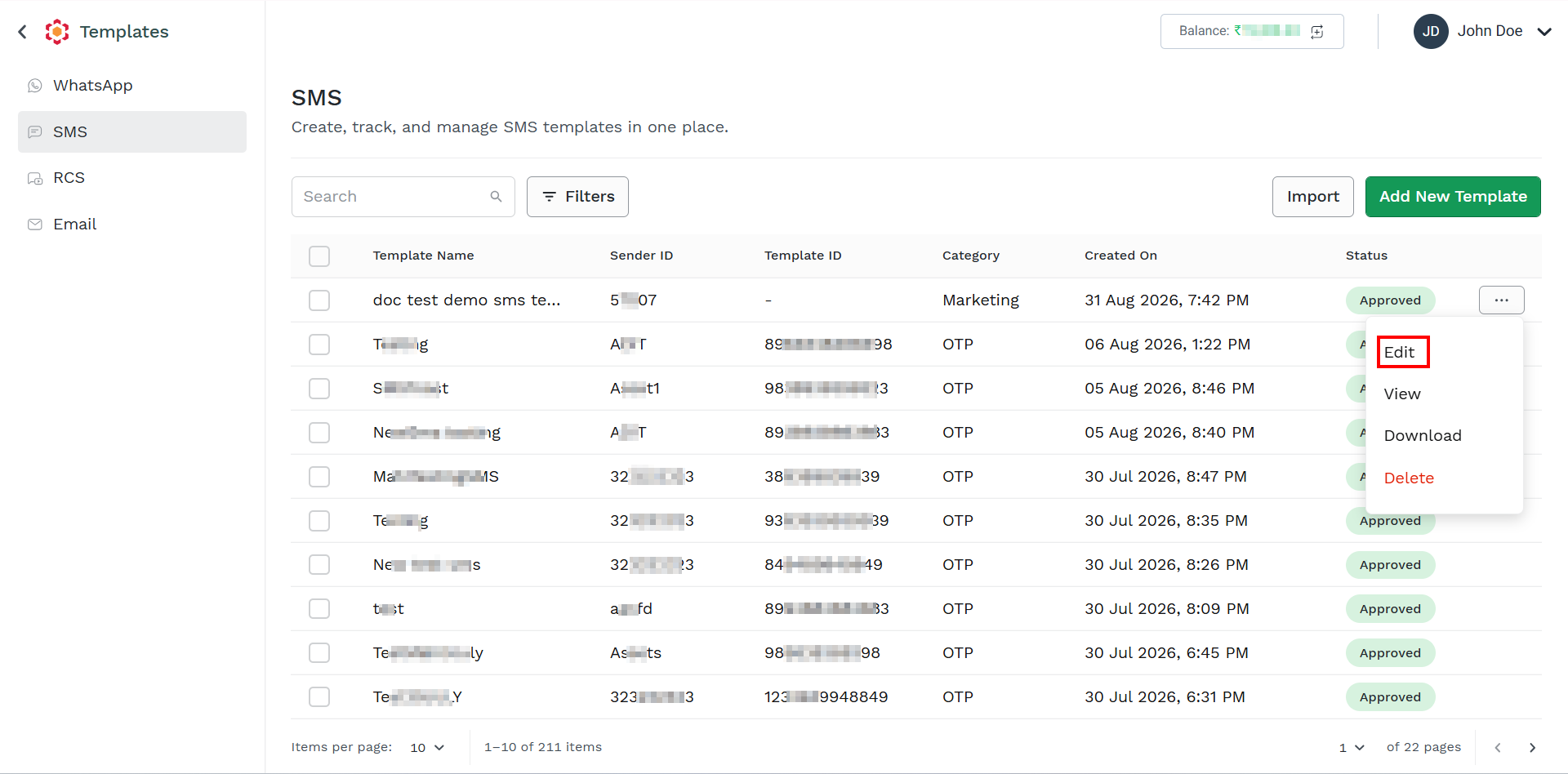
- Click the ellipsis icon the right side of the template you want to edit and then click the Edit option.
The Setup step appears.
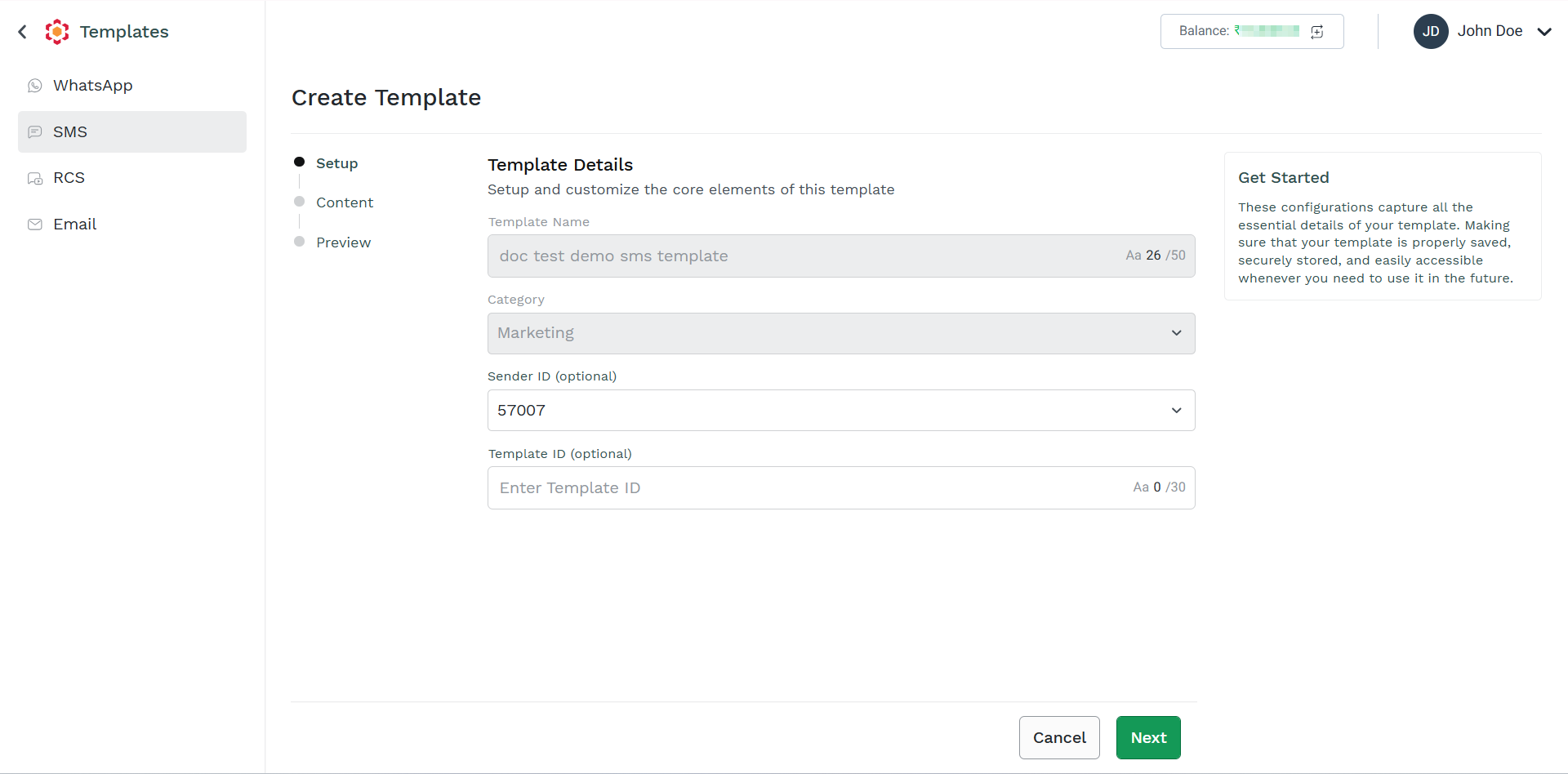
- Edit the following details:
- (Optional) In the Sender ID field, click the arrow next to the Sender ID field to view the list of your Sender ID. Select the Sender ID. For more information on creating a sender ID, see the Create Sender ID page.
- (Optional) In the Template ID field, enter the Template ID. This is the template ID from the DLT Platform. This field is mandatory only for businesses based in India.
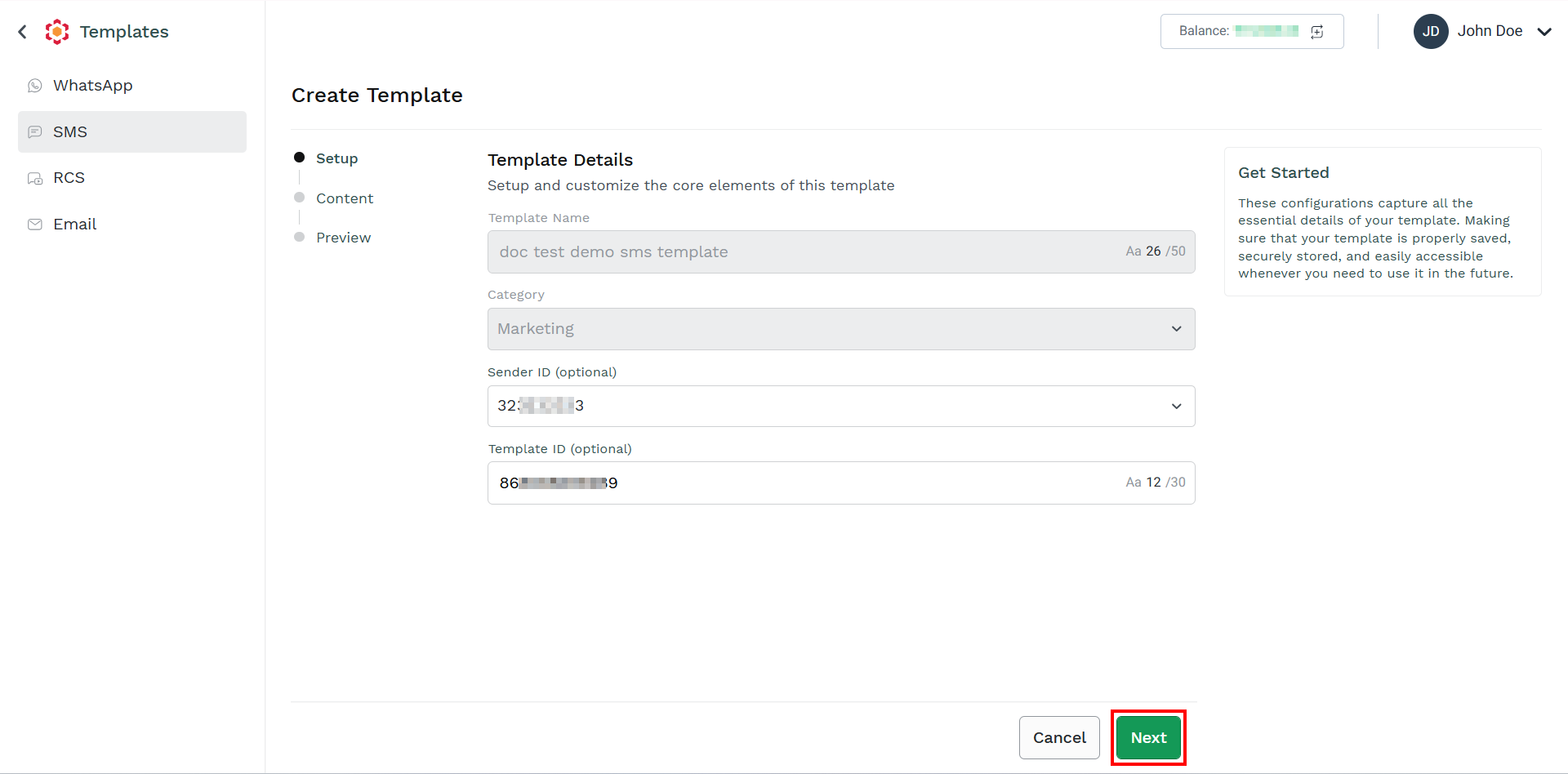
- Click Next.
The Content step appears.
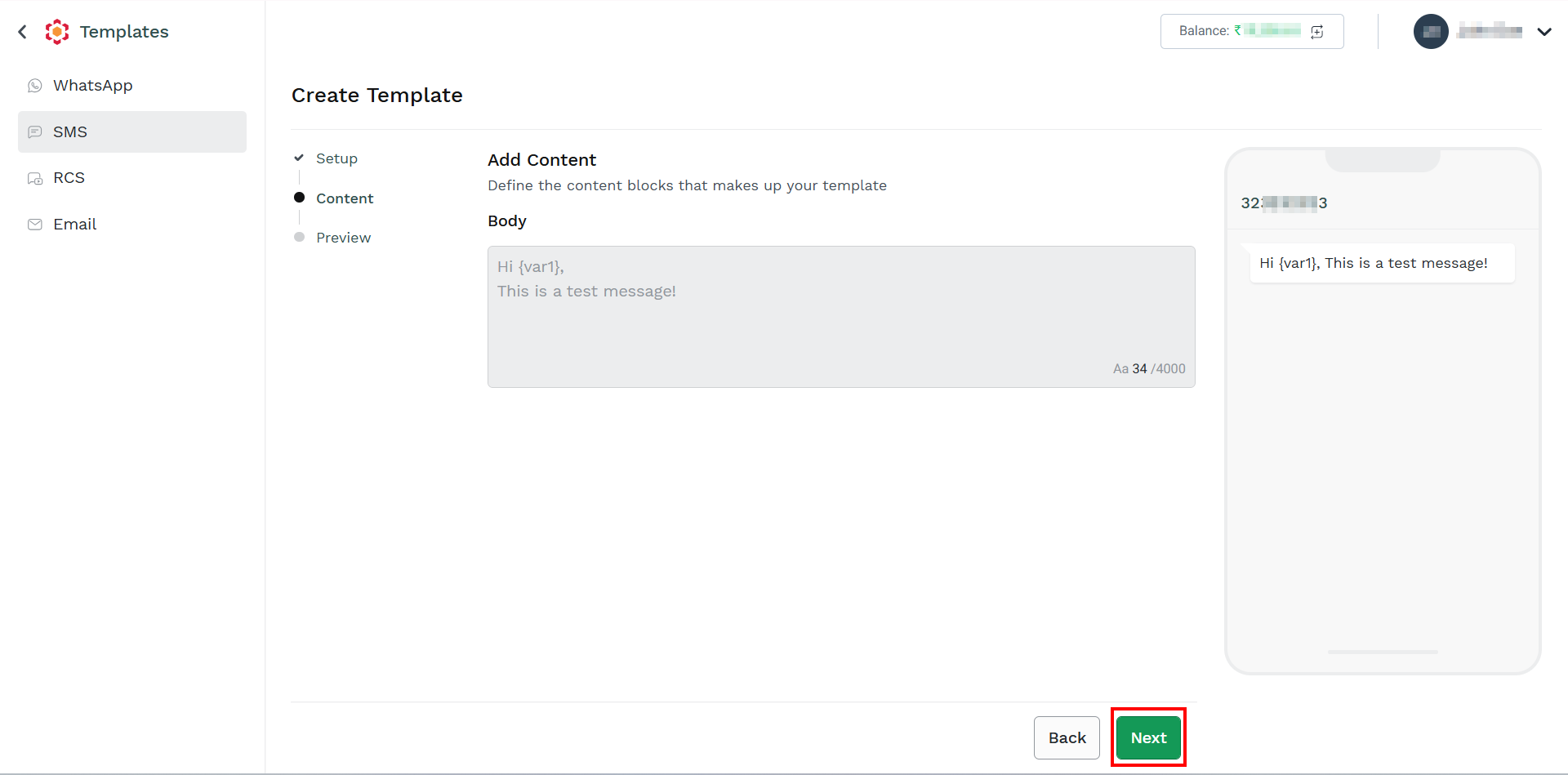
- Click Next.
The Preview step appears.
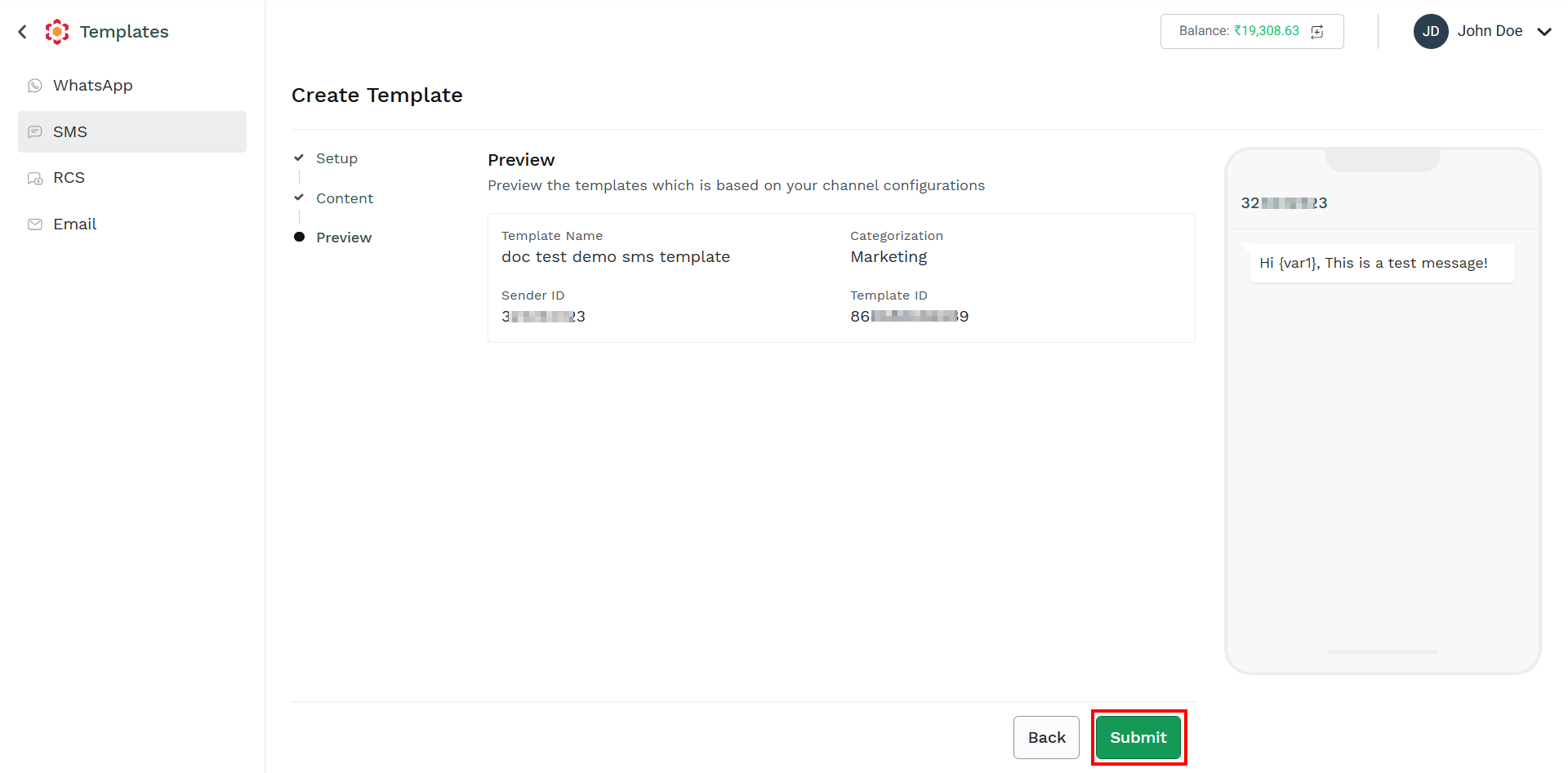
- Click Next.
The confirmation message appears.
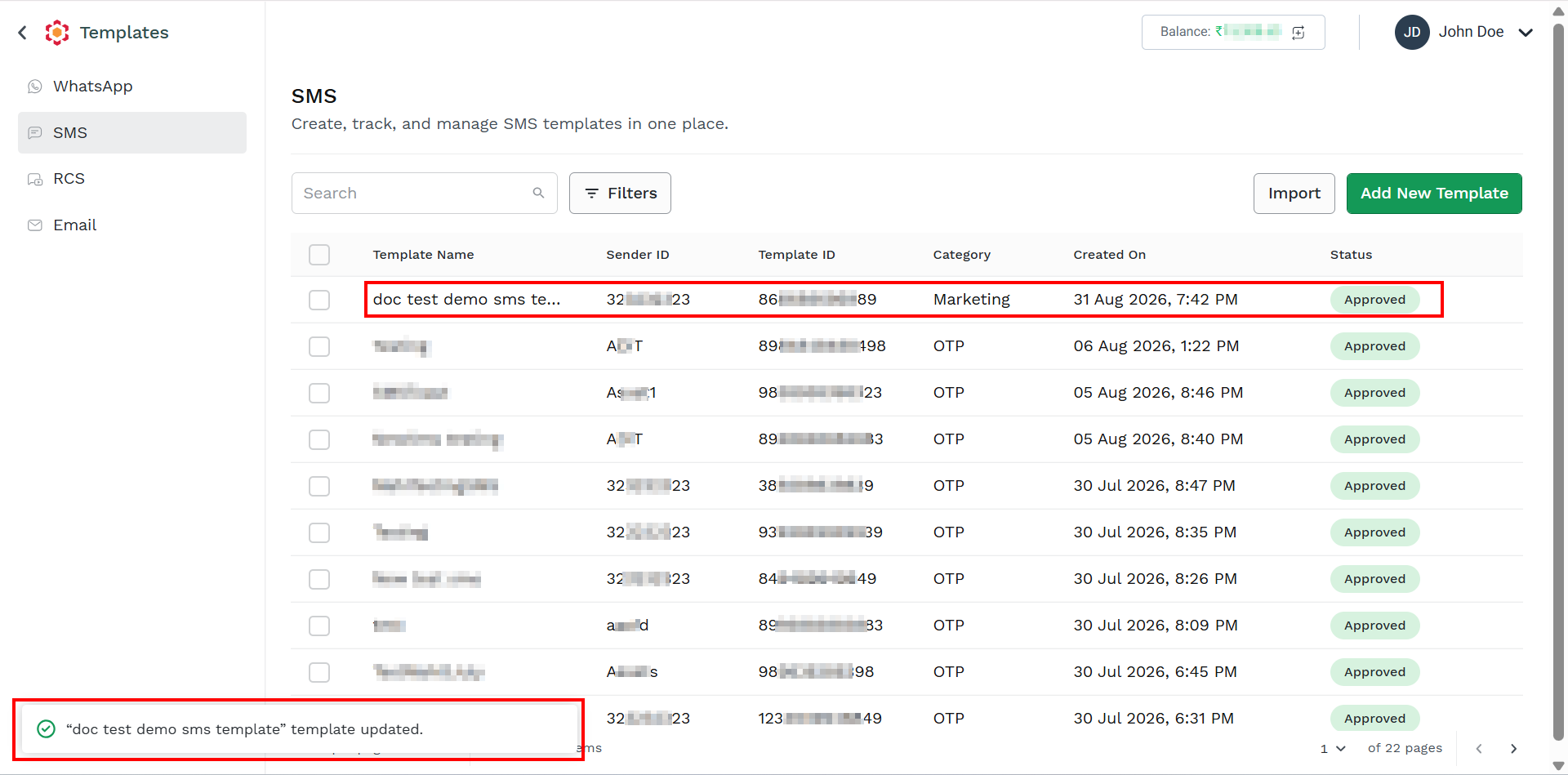
Updated 2 months ago
Did this page help you?