

Add and Manage Domain
You can add and manage your registered domain in the Kaleyra platform.
Note:
The domain should be purchased and owned by you from any domain provider.
To add and manage a domain, perform the following steps:
- Sign in to your Kaleyra platform. The Channels page appears.
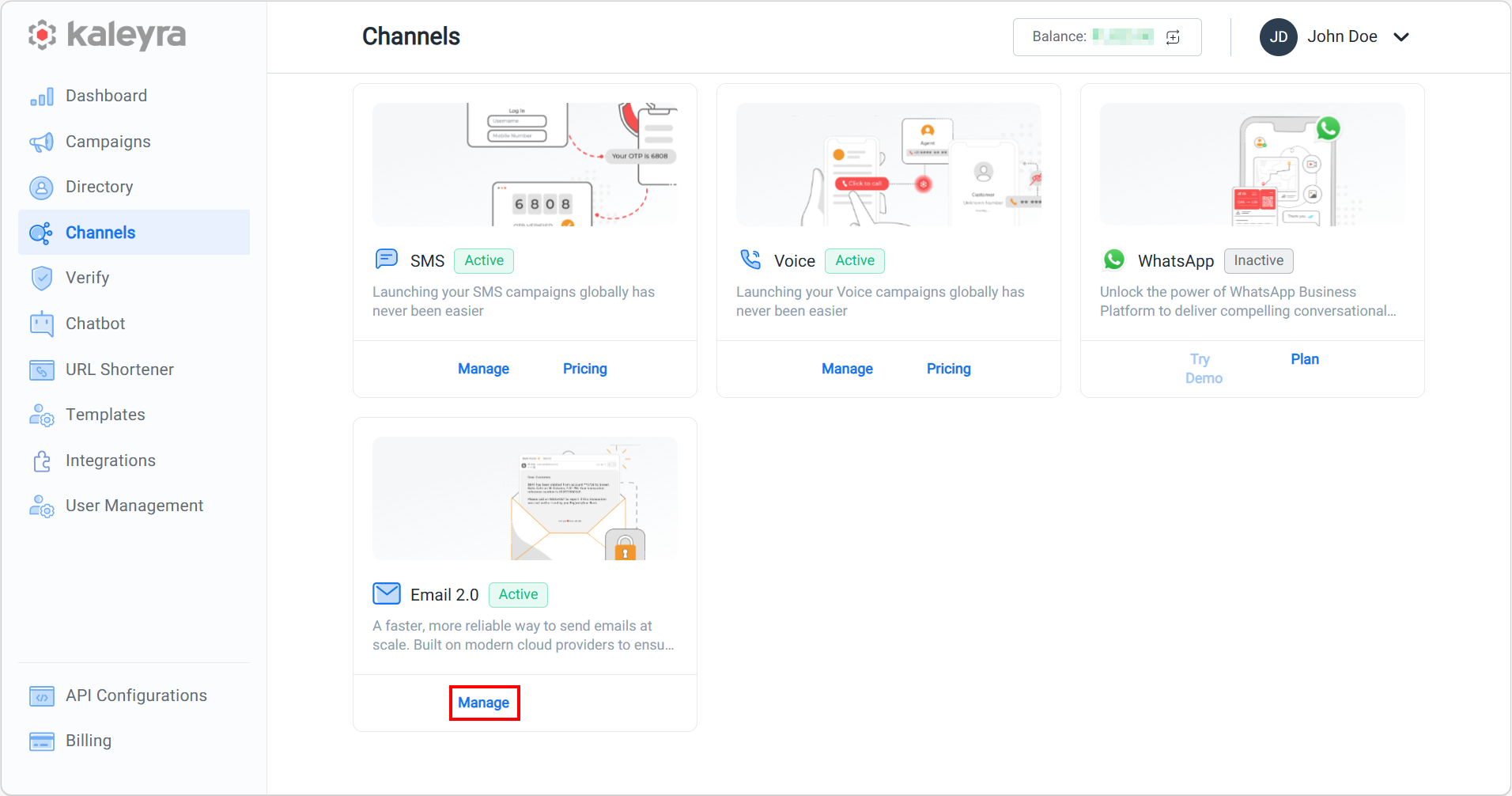
- On the Email 2.0 card, click Manage.
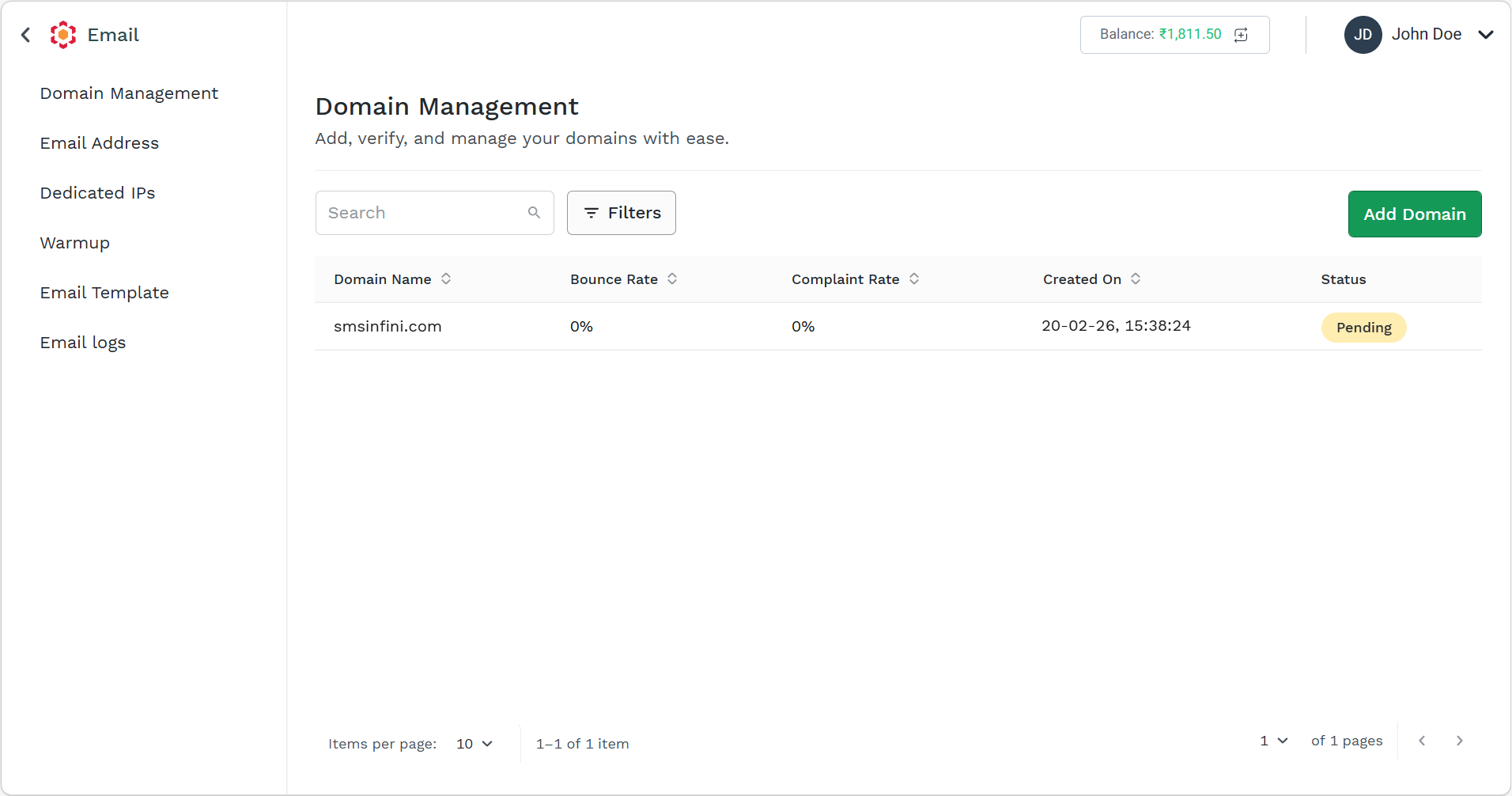
The Domain Management page appears.
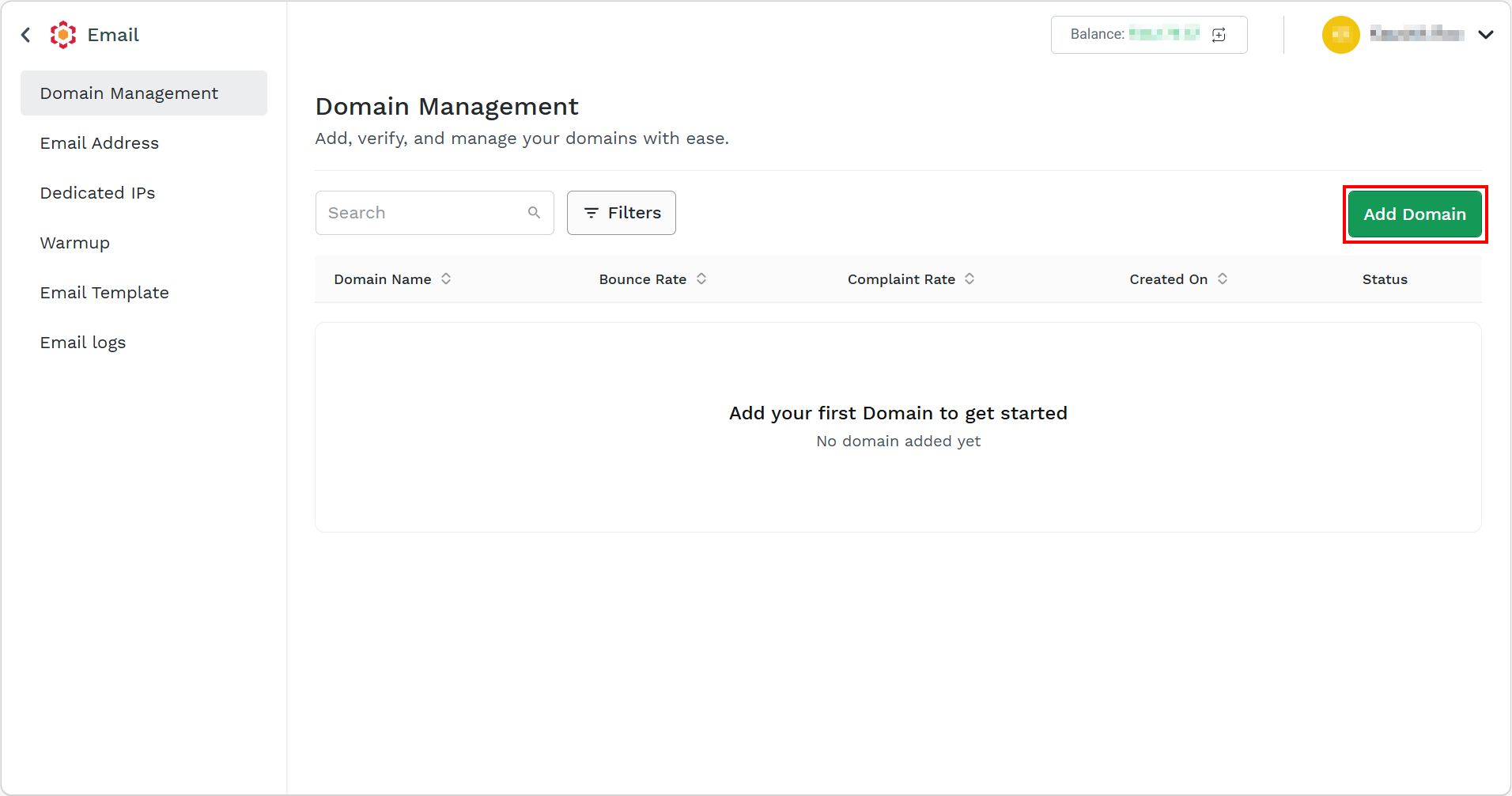
- Click the Add Domain button.
The Add Domain pane appears on the right side of the page.
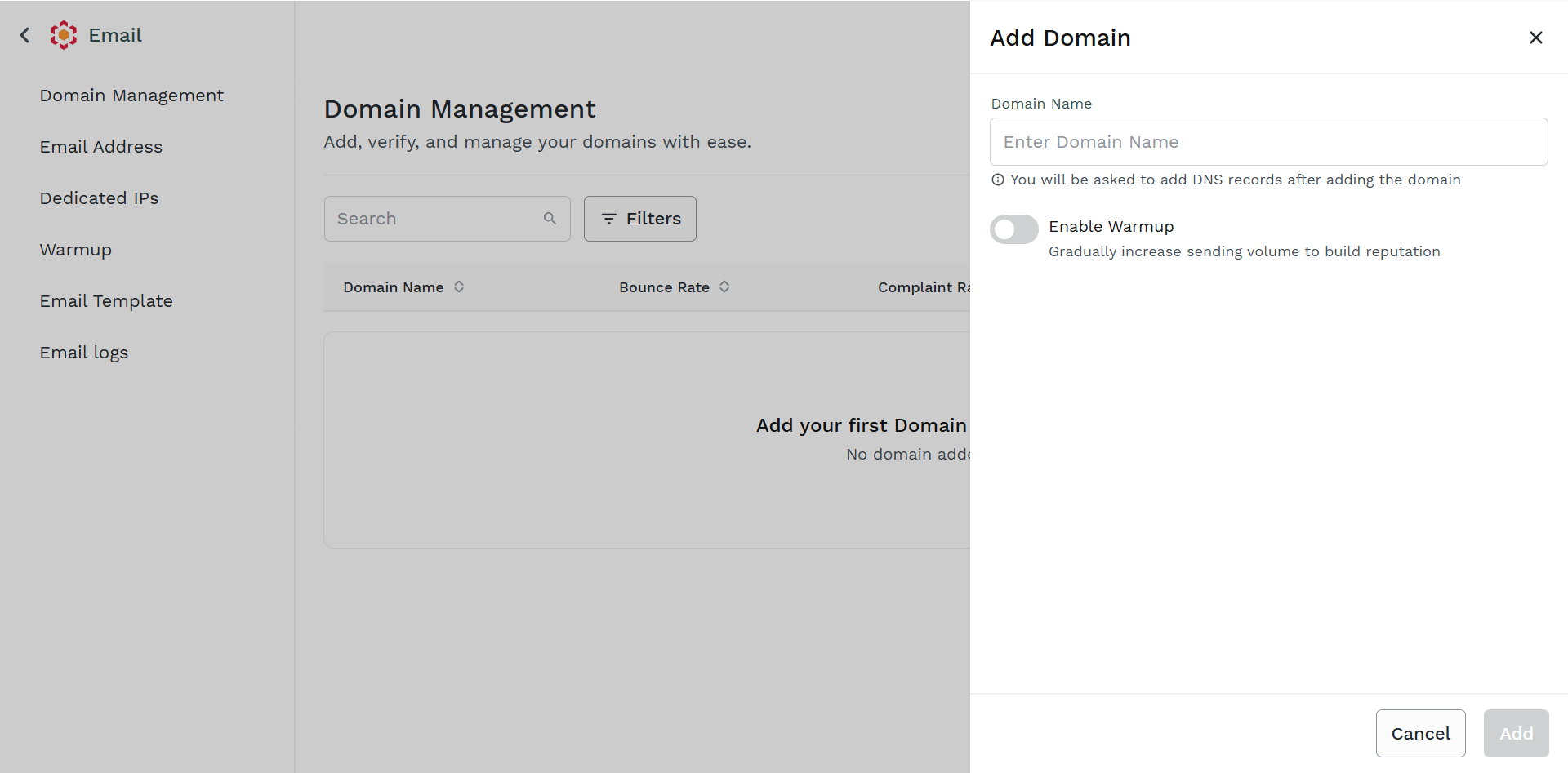
- In the Domain Name field, enter the registered domain name.
Note:
- Your domain will be verified only after successful configuration of DNS details from the Kaleyra platform to your domain provider and then it will be verified using the verification steps by Kaleyra. For more information, see Configure DNS to Domain Provider.
- (Optional) To enable warmup for your domain, toggle the Enable Warmup.
Note:
- Email warmup is a process used to gradually build trust and reputation for a new or previously inactive email domain, especially before sending large volumes of emails. It is meant to protect your domain to be flagged as spam, being blacklisted, or blocked by major filters and email providers. Email warmup involves slowly increment email activity over time. In Kaleyra platform, the best practices for vetting or warmup email domain are to balance email send to different email providers and increase the volume regularly that is passing from 50 emails per day compared to all of sudden 1M email will likely flag the domain as suspicious.
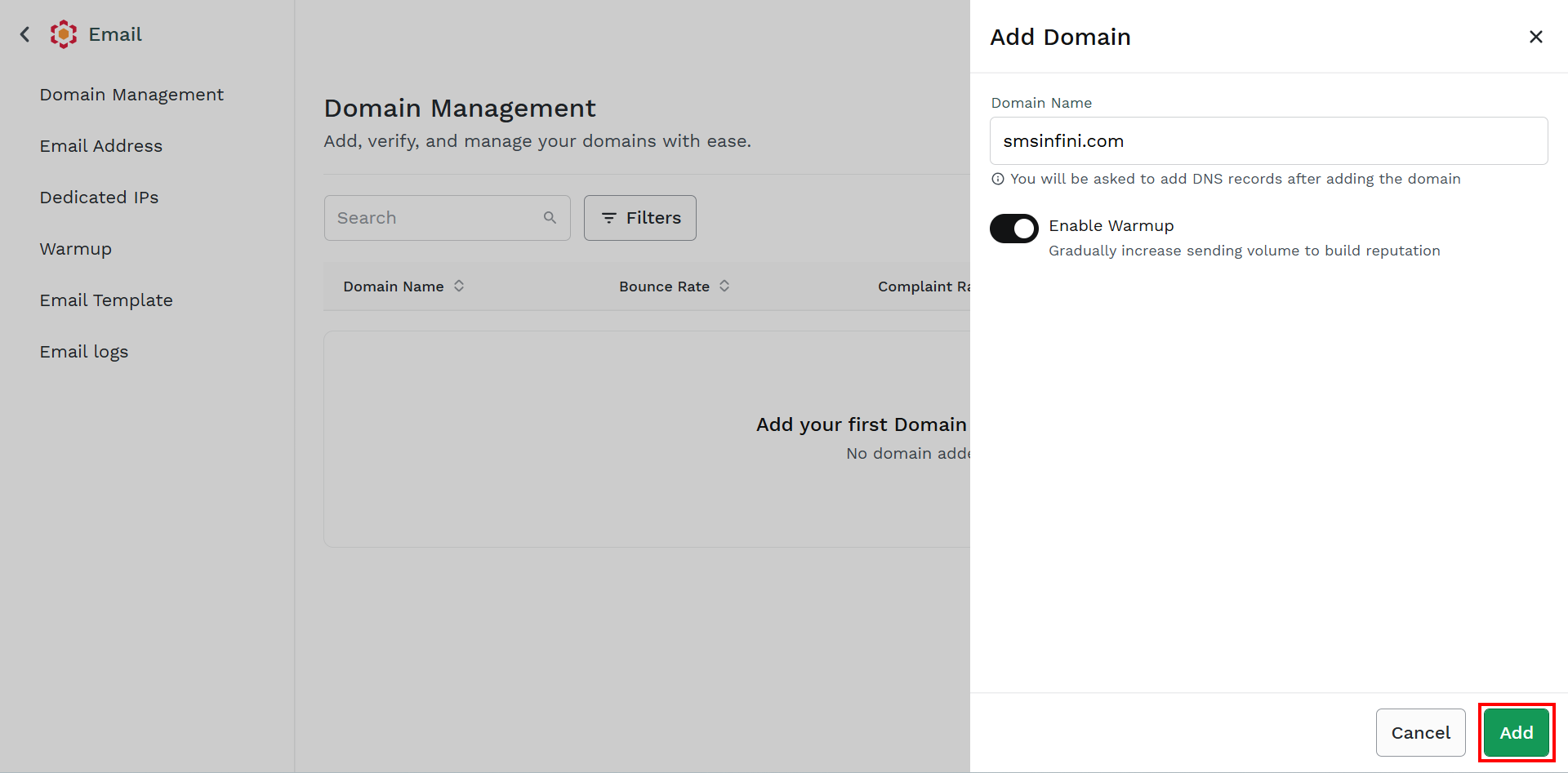
- Click Add.
The confirmation message appears and the domain gets added to the list in the Pending status.
Note:
You can check in Kaleyra platform for the status of the added domain.
After you configure the CNAME, DKIM, and DMARC, the domain gets approved. For more information, see Configure DNS to Domain Provider.
Updated about 1 month ago
Did this page help you?