

Configure DNS to Domain Provider
You have to configure DNS details from the Kaleyra platform for your domain hosted site. Adding DNS details (such as Domain ID, DMARC, DKIM, SPF, and CNAME) wherever you have hosted your domain helps in getting the domain verified. After verification, the domain can be used to send emails.
To configure DNS to domain hosted site, perform the following steps:
- Follow step 1 to step 6 of the Add and Manage Domain topic. The Domian Management page appears.
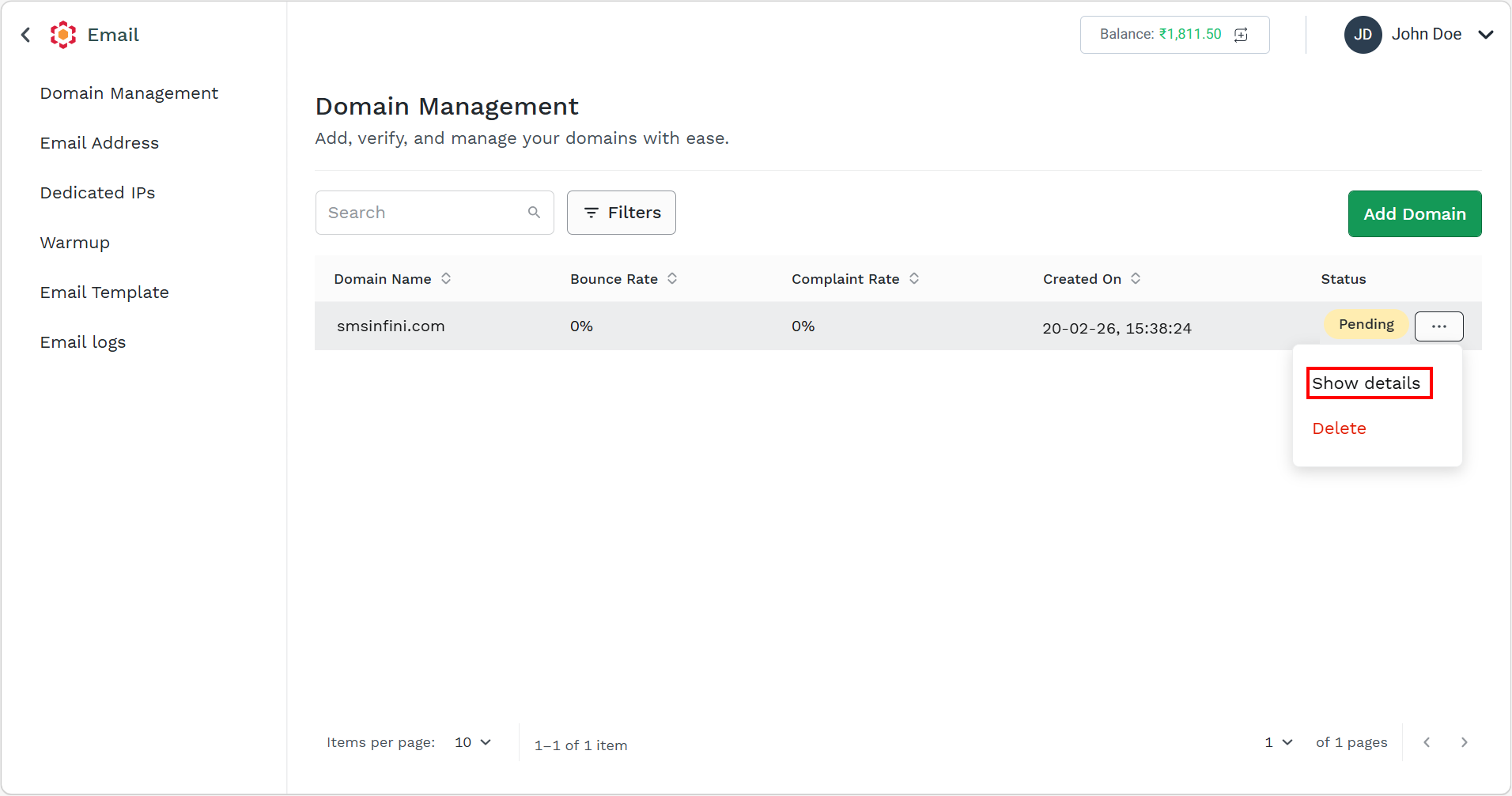
- Hover over the added domain and click the ellipsis (three dots) icon. Select the Show details option.
The Domain Details pane appears on the right side of the page.
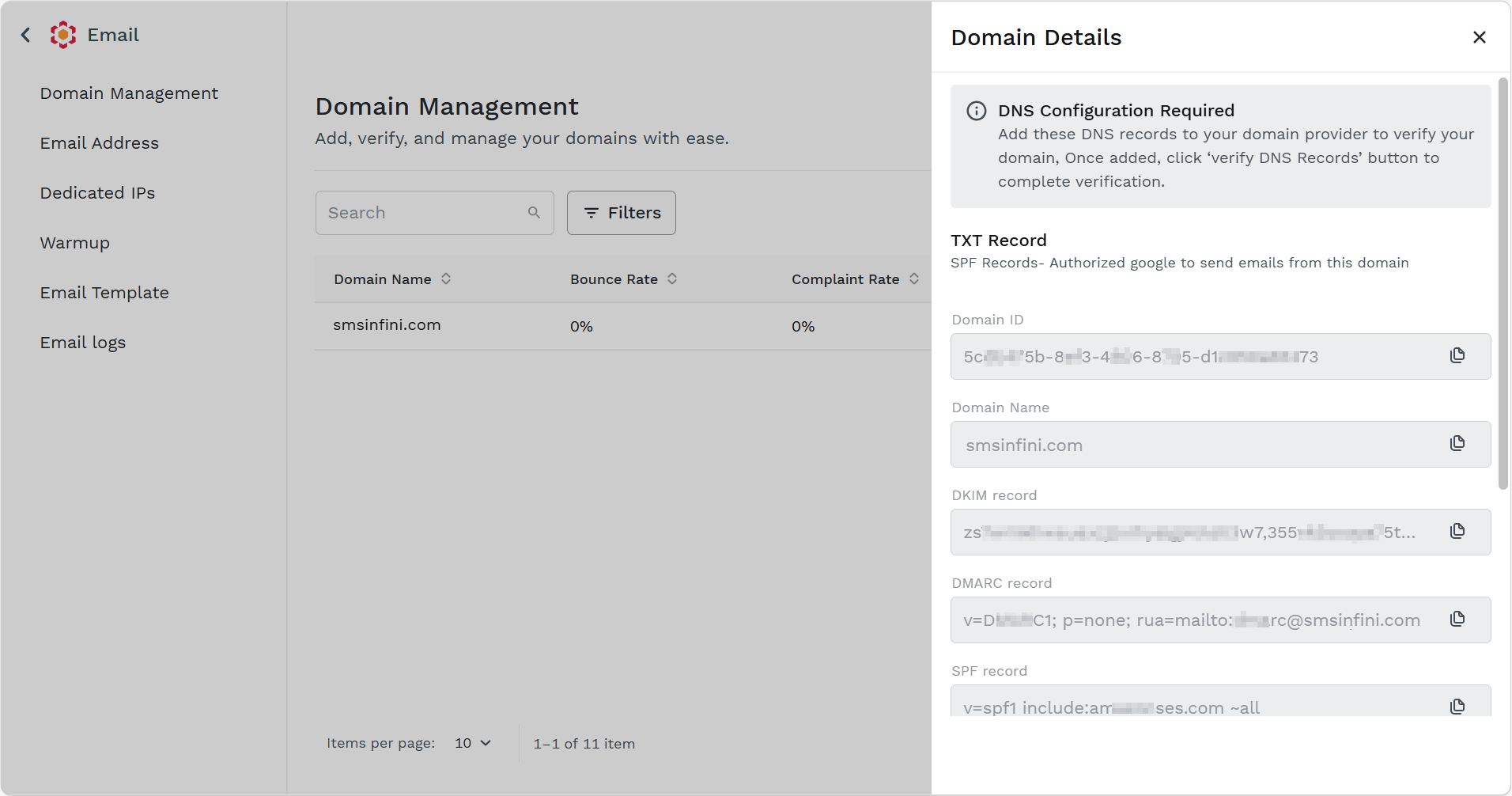
- Copy the details and paste them to your domain.
- Once added, click the Verify DNS Records button in your domain to complete verification.
Note:
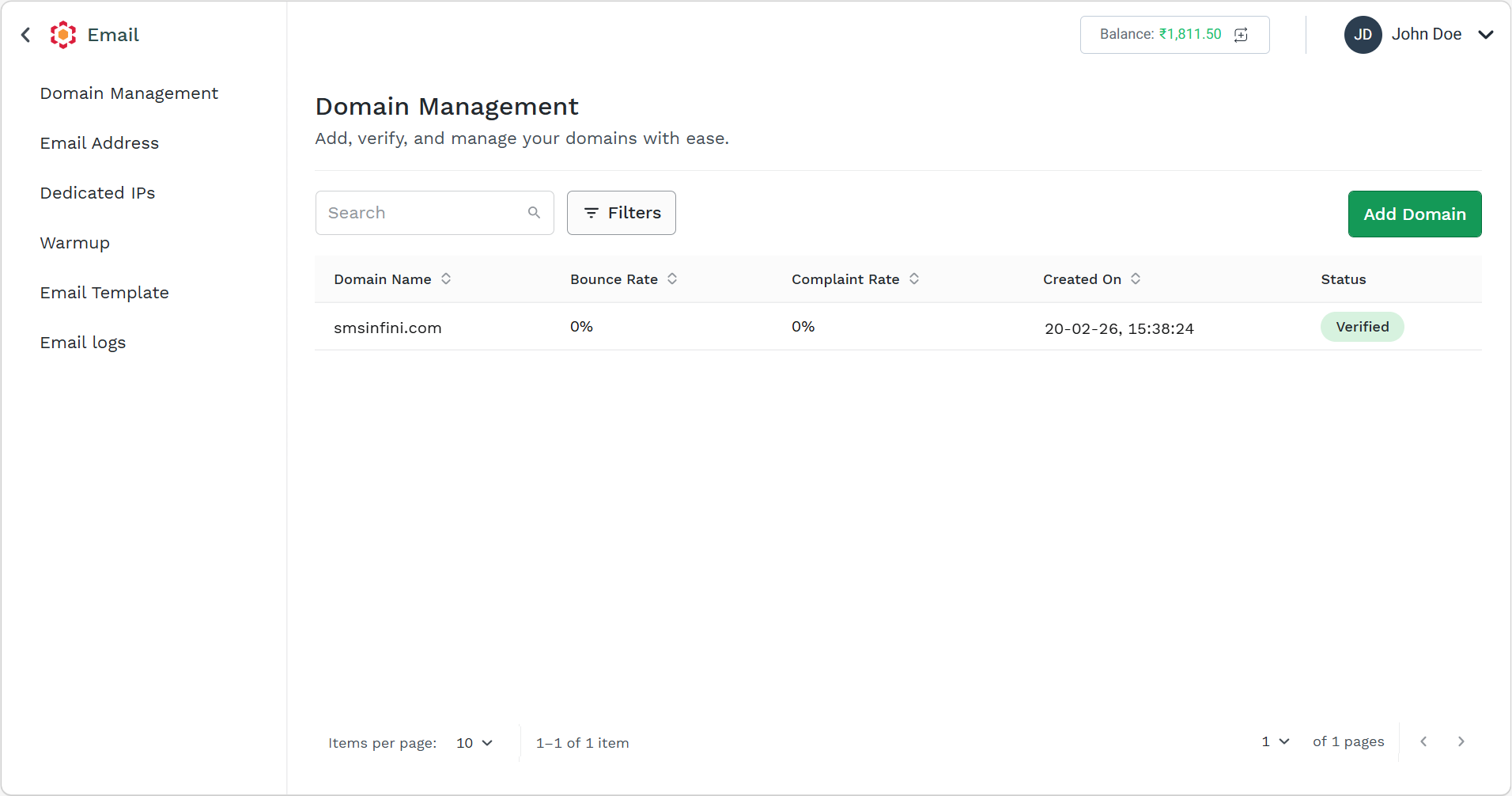
The added domain details will be verified using the verification steps by Kaleyra and after successful verification, the status will change to Verified.
Updated about 2 months ago
Did this page help you?