

RCS Campaign Summary Report
The RCS Campaign Summary Report is a performance overview of a given RCS campaign. RCS Campaign Summary Report consolidates delivery, engagement, and conversion performance of an RCS messaging campaign.
Sample RCS Campaign Summary Report
The following is the sample RCS Campaign summary report:
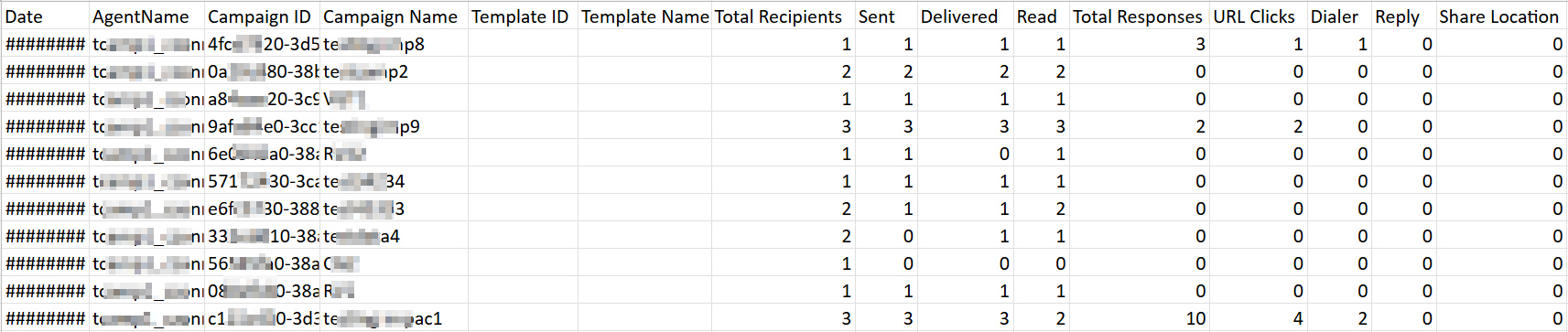
Sample RCS Campaign Summary Report Fields Detail
The following table describes the fields available in the RCS Campaign Summary report:
| Column Field Name | Description | Sample Value |
|---|---|---|
Date | Displays the date to which the data refers to. | 4/22/2026 |
AgentName | RCS agent name to which data refers to in the row. | tcXXXXXlp_nXXXXt |
Campaign ID | Unique Identity (ID) of the RCS campaign generate by Kaleyra platform. | c1XXXX30-3XXb-1XX1-bXXd-a9XXXXXX8e |
Campaign Name | Campaign name launched through Kaleyra. | teXXXXXXac1 |
Template ID | Unique Identifier (ID) of the template used for the campaign. | |
Template Name | Template name used for the campaign. | |
Total Recipients | Total count of recipients of the campaign (Attempted/Queued). | 3 |
Sent | Total count of RCS messages sent to carrier or aggregator for the campaign. | 3 |
Delivered | Total count of RCS messages delivered for the campaign. | 3 |
Read | Total count of RCS messages being read for the campaign. | 2 |
Total Responses Received | Total count of MO messages received as reply to the campaign. | 10 |
URL Clicks | Total count of URL clicks triggered from the campaign. | 4 |
Dialer | Total count of Dialer action triggered from the campaign | 2 |
Reply | Total count of Text Reply triggered from the campaign (Text and Suggested replies). | 0 |
Share Location | Total count of Share Location action triggered from the campaign. | 0 |
View Location | Total count of View Location action triggered from the campaign. | 4 |
Calendar Event | Total count of Calendar event action triggered from the campaign. | 0 |
Unique User Response | Total count of unique users who generated a response for the campaign. | 2 |
User Engagement Ratio | Displays the ratio of unique user interacting with the campaign to total messages sent. not sure please check. | 66.7 |
Delivery Failures | Total count of Sent RCS Messages that failed to be delivered. | 0 |
Generate Campaign Summary Report
You can generate the RCS campaign summary report from the Kaleyra platform.
To generate the RCS campaign summary report, perform the following steps:
- Sign in to your Kaleyra platform.
- On the left navigation bar, click Reports & Logs.
The WhatsApp Overview page appears.
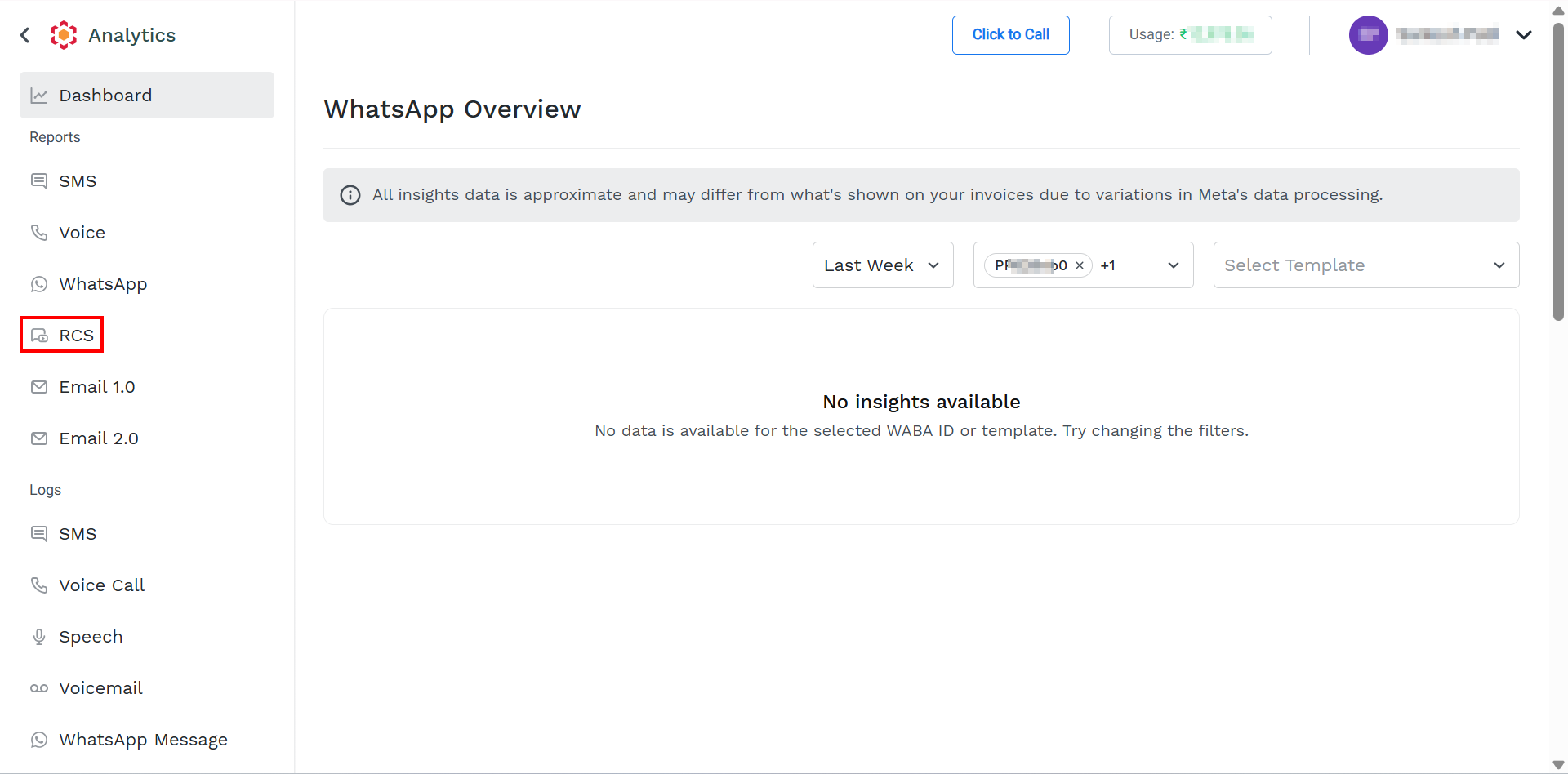
- On the left menu bar, click RCS.
The Reports page appears.
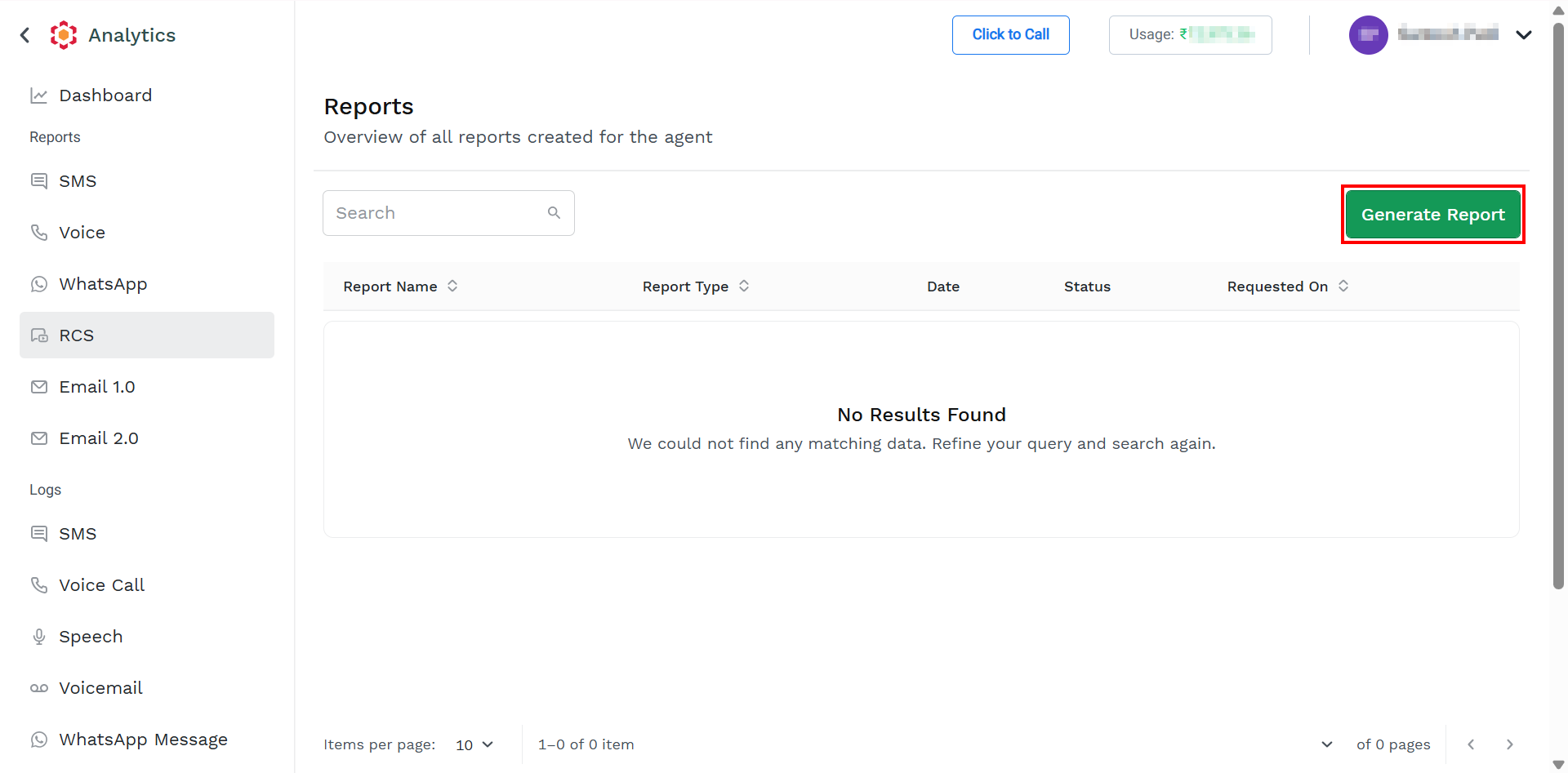
For information on column details, see View Report List.
- On the top-right of the page, click the Generate Report button.
The Generate Report page appears.
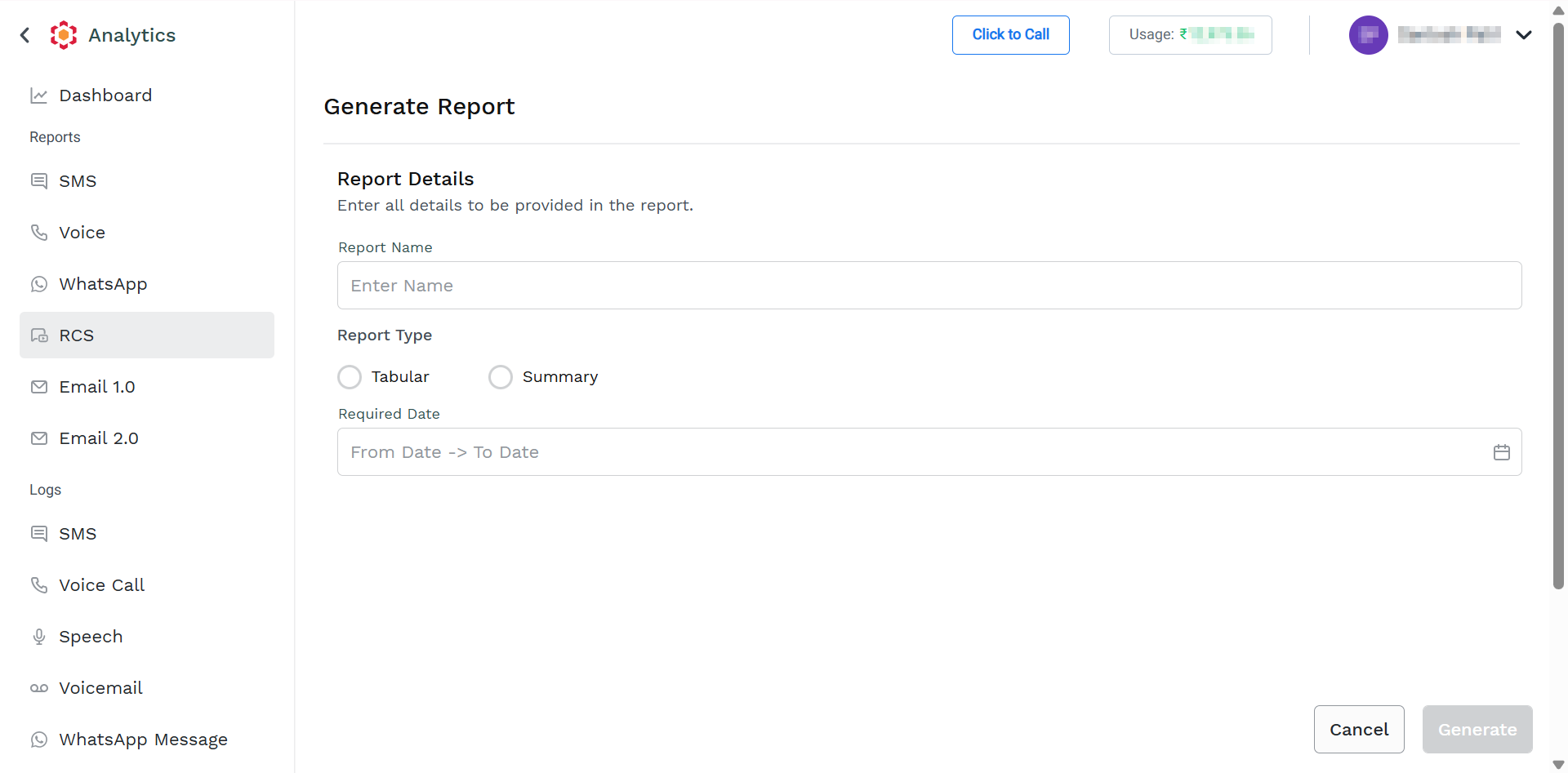
- Perform the following steps:
-
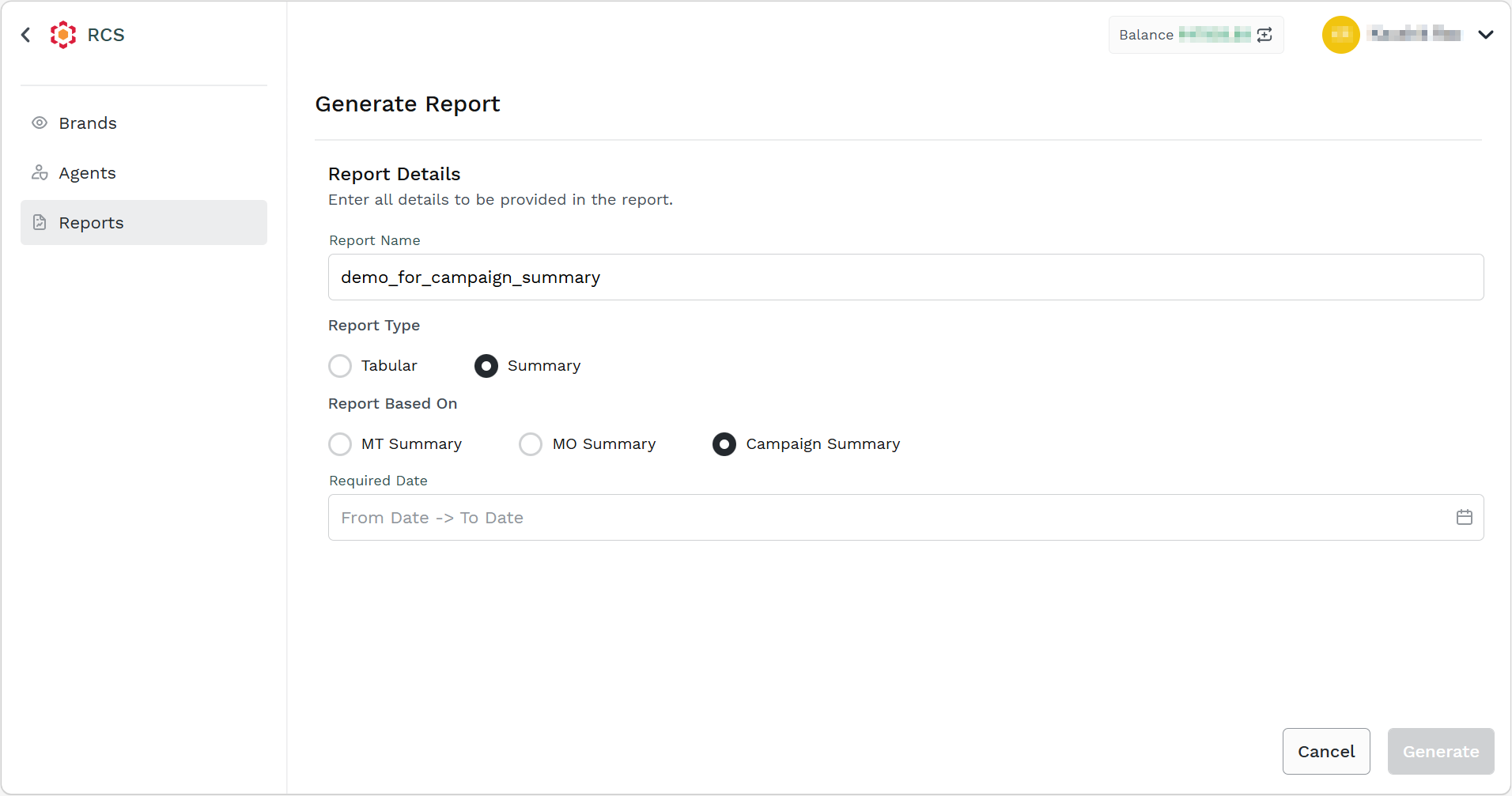
In the Report Name field, enter the name. The report name should be between 3 and 40 characters.
-
From the Report Type, select the Summary option.
-
Select the Campaign Summary option.
-
In the Required Date field, click the From Date -> To Date or the calendar icon on the right side of the Required Date field. Select the from and to dates from the calendar. You can select the date range from the last 6 months to the current date.
-
- Click the Generate button. The confirmation message appears and the request to generate the report is taken in charge by Kaleyra Platform.
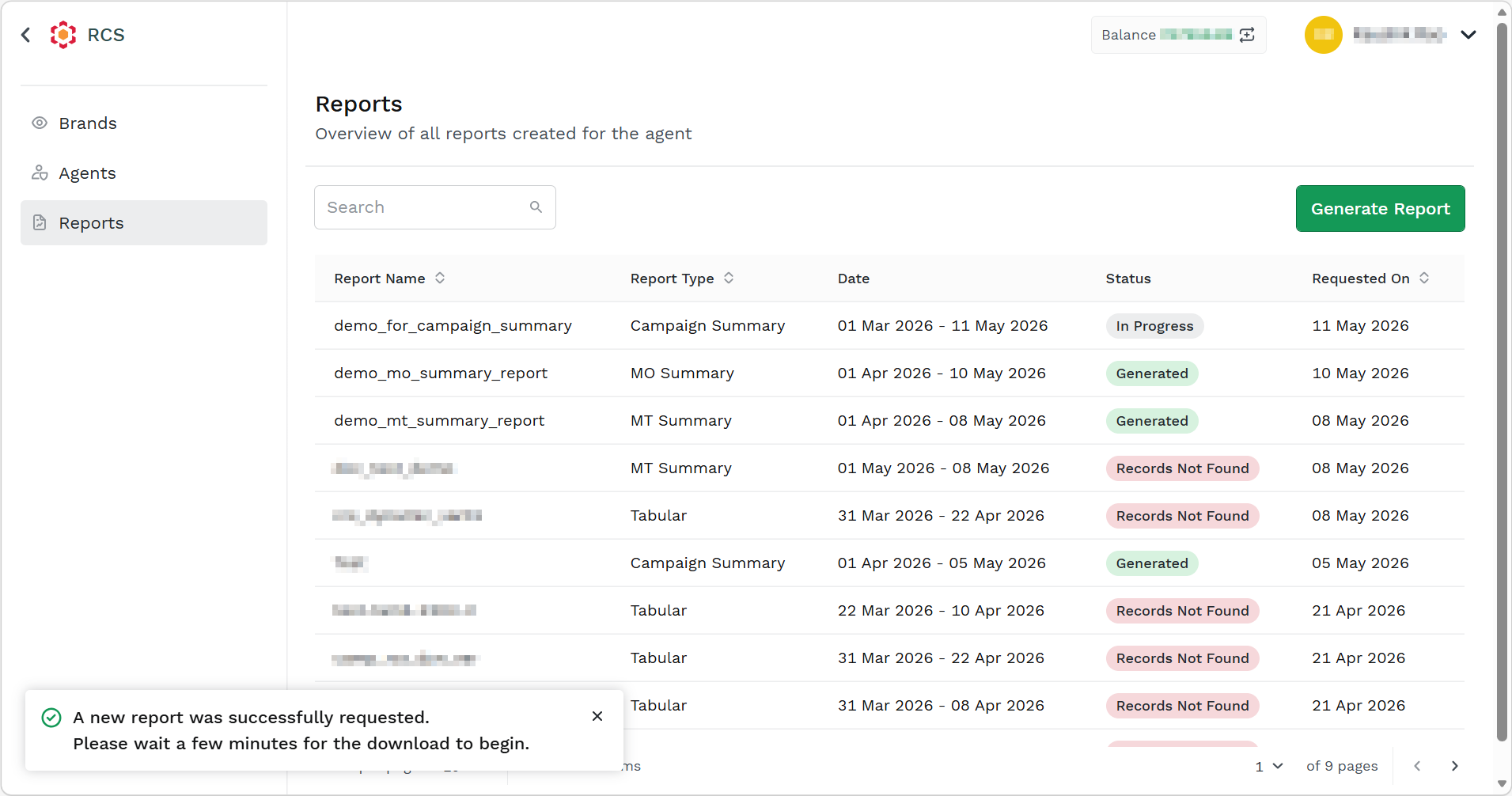
After successfully generating the report. The status of the report changes to Generated.
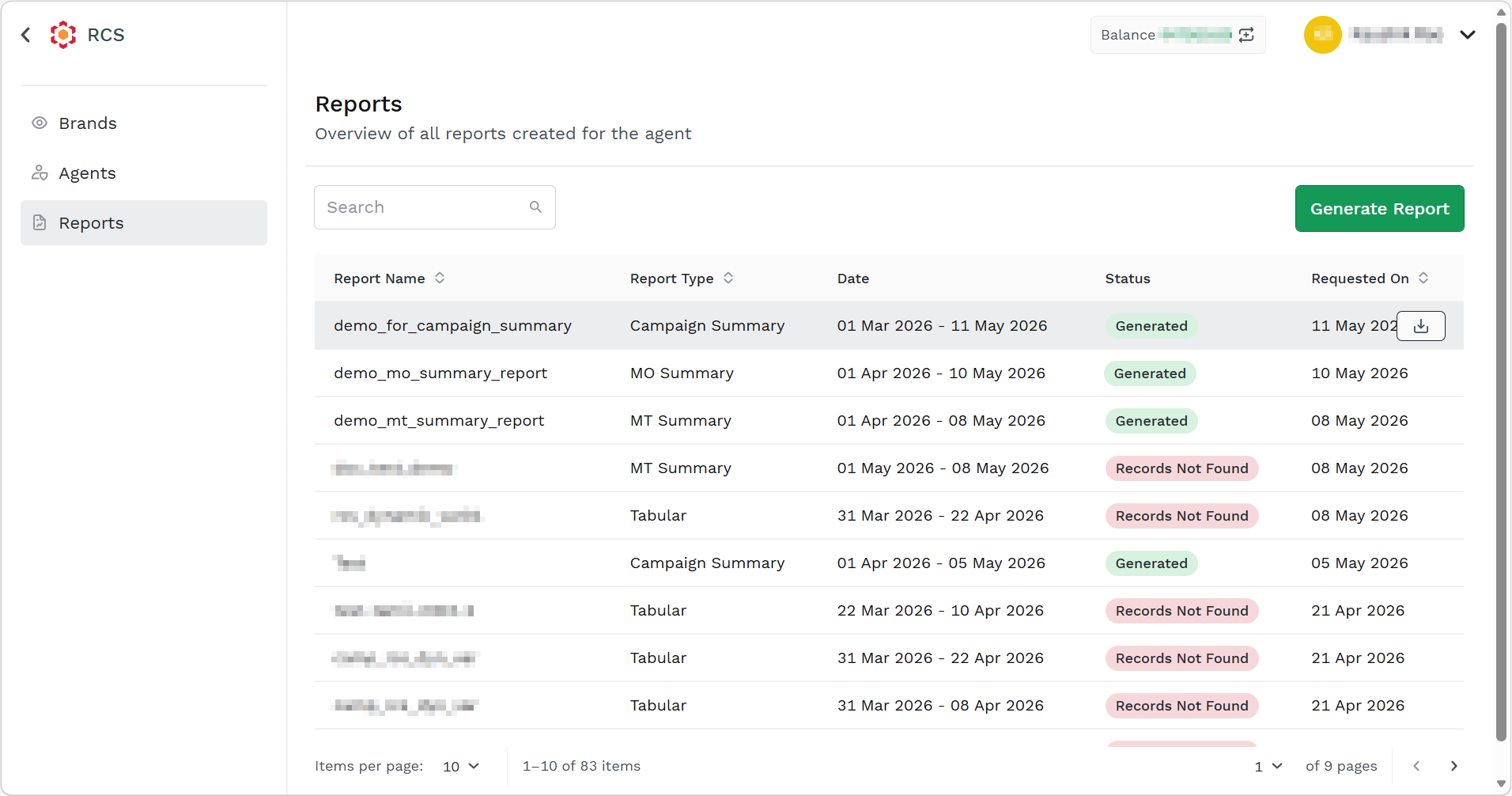
- Hover over the report with status as Generated and click the Download button to download the report. The report gets downloaded in the mapped folder in .csv file.
Updated about 1 month ago