

Search and Filter Agents
The Search and Filter Agents feature allows you to search and filter the agents from the available agents.
The topic contains the following sections:
Search Agents
You can search the agents using the live search based on the name you have provided for the agents.
To search agents, perform the following steps:
- Follow step 1 to step 3 of the Add a New Agent topic.
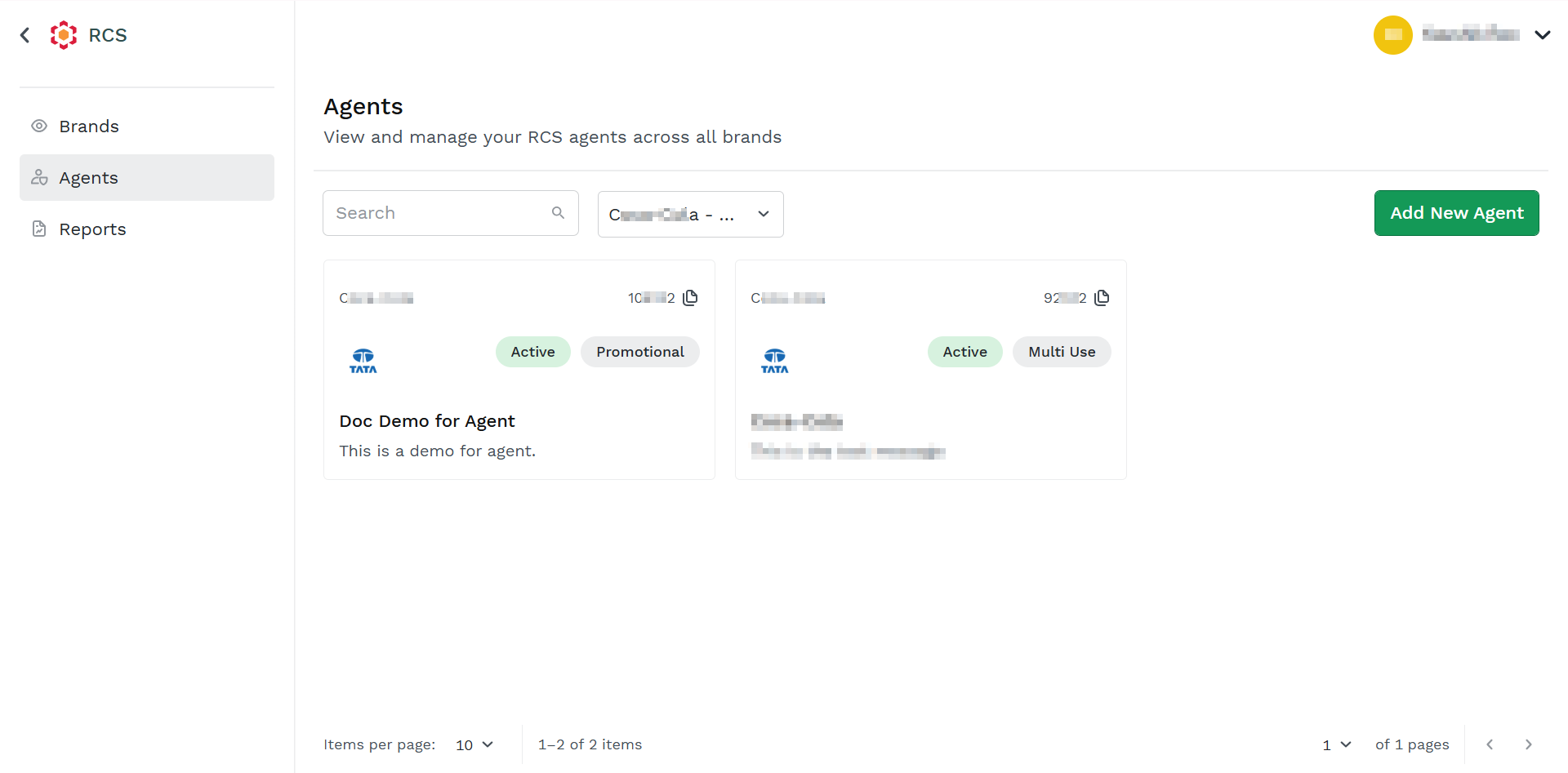
The Agents dashboard page appears.
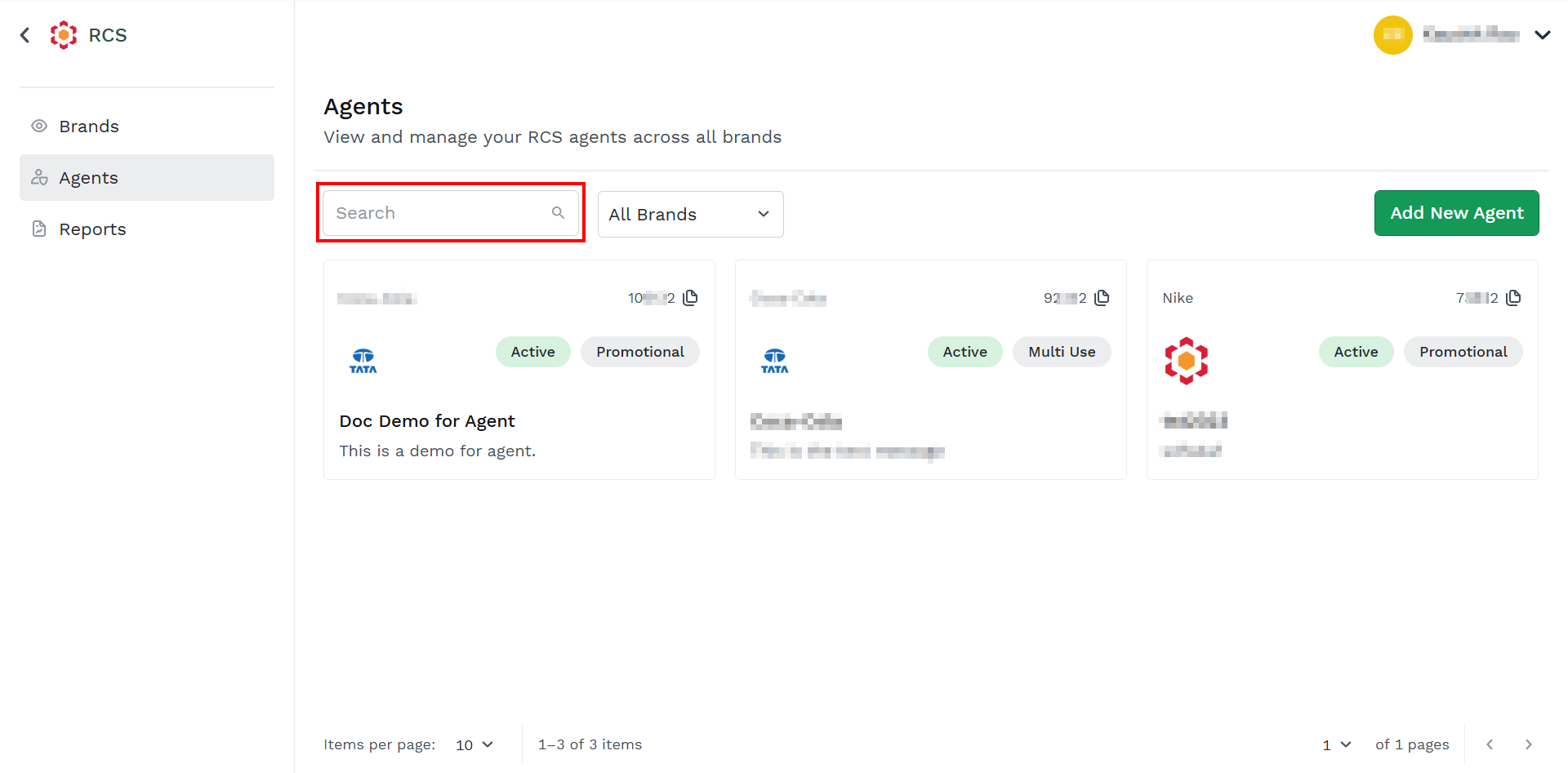
- In the Search field, enter the agent's name.
Based on the entered matched text, the live search result appears.
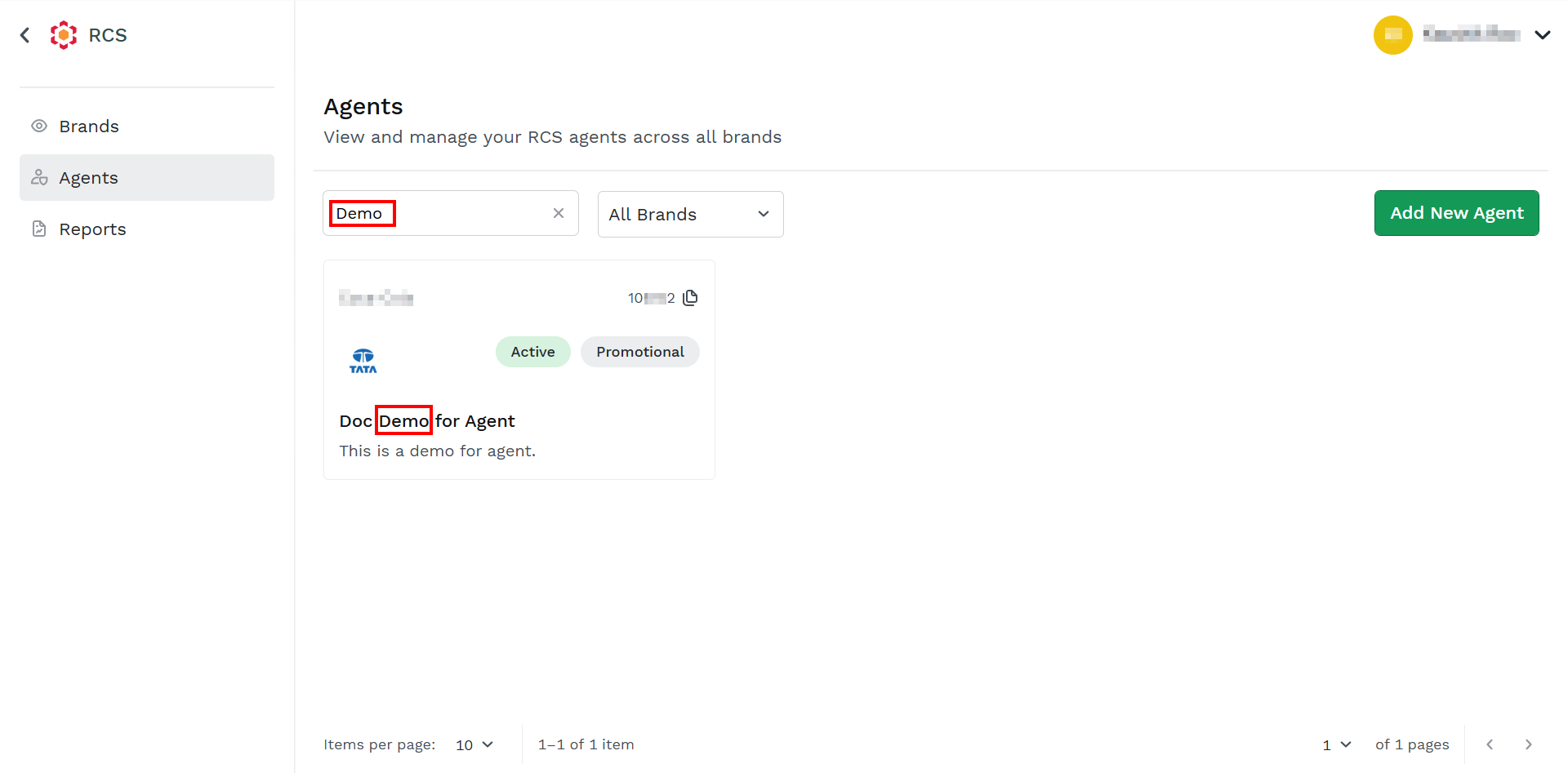
Note:
To clear the filter, click the x icon next to the entered search content.
Filter Agents
You can filter the agents associated with brands from the available agents' cards. By default, the Agents associated with All Brands appears.
To filter the agents, perform the following steps:
- Follow step 1 to step 3 of the Add a New Agent topic.
The Agents dashboard page appears.
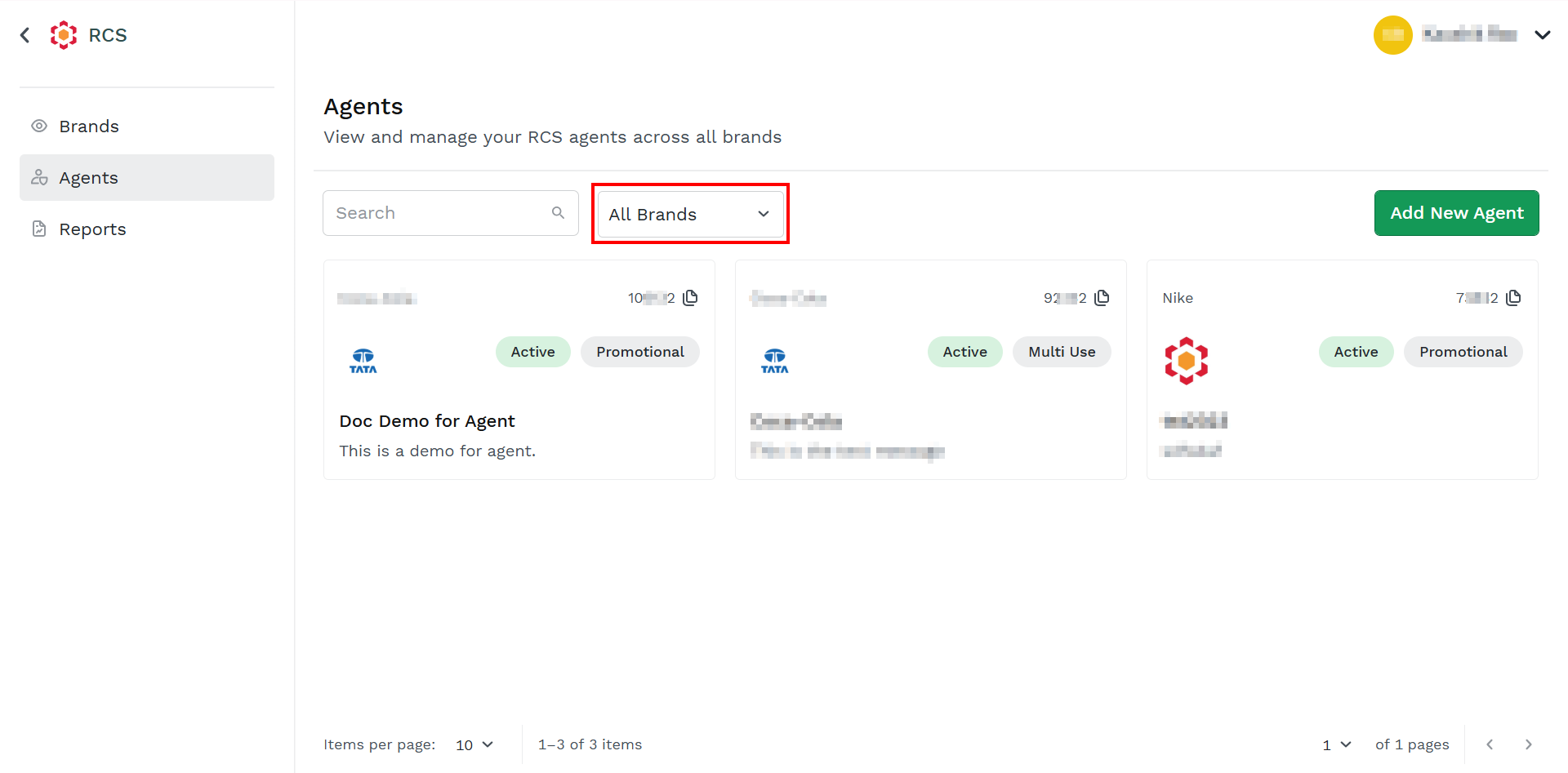
- Click the drop-down next to All Brands.
A list of available brands appears.
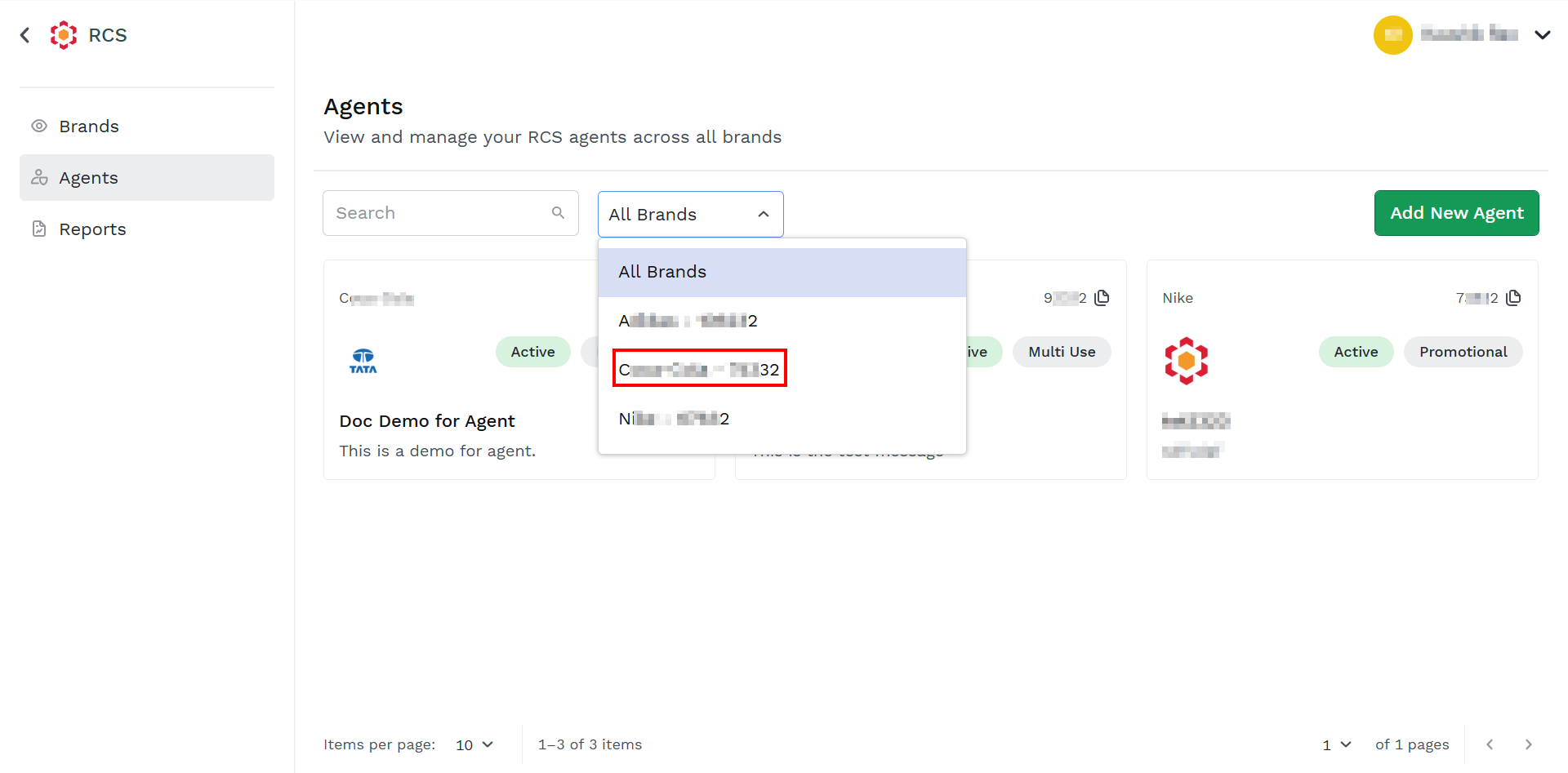
- Select the brand from the list, the agents associated with that brand appears.
Note:
To list all the agents associated with all the brands, select the All Brands option.
Updated about 1 month ago
Did this page help you?