

Agent Dashboard Overview
The Agent dashboard allows you to view and manage all your RCS agents across brands. From the dashboard, you can view the agents associated with brands in cards, create an agent, and search and filter agents.
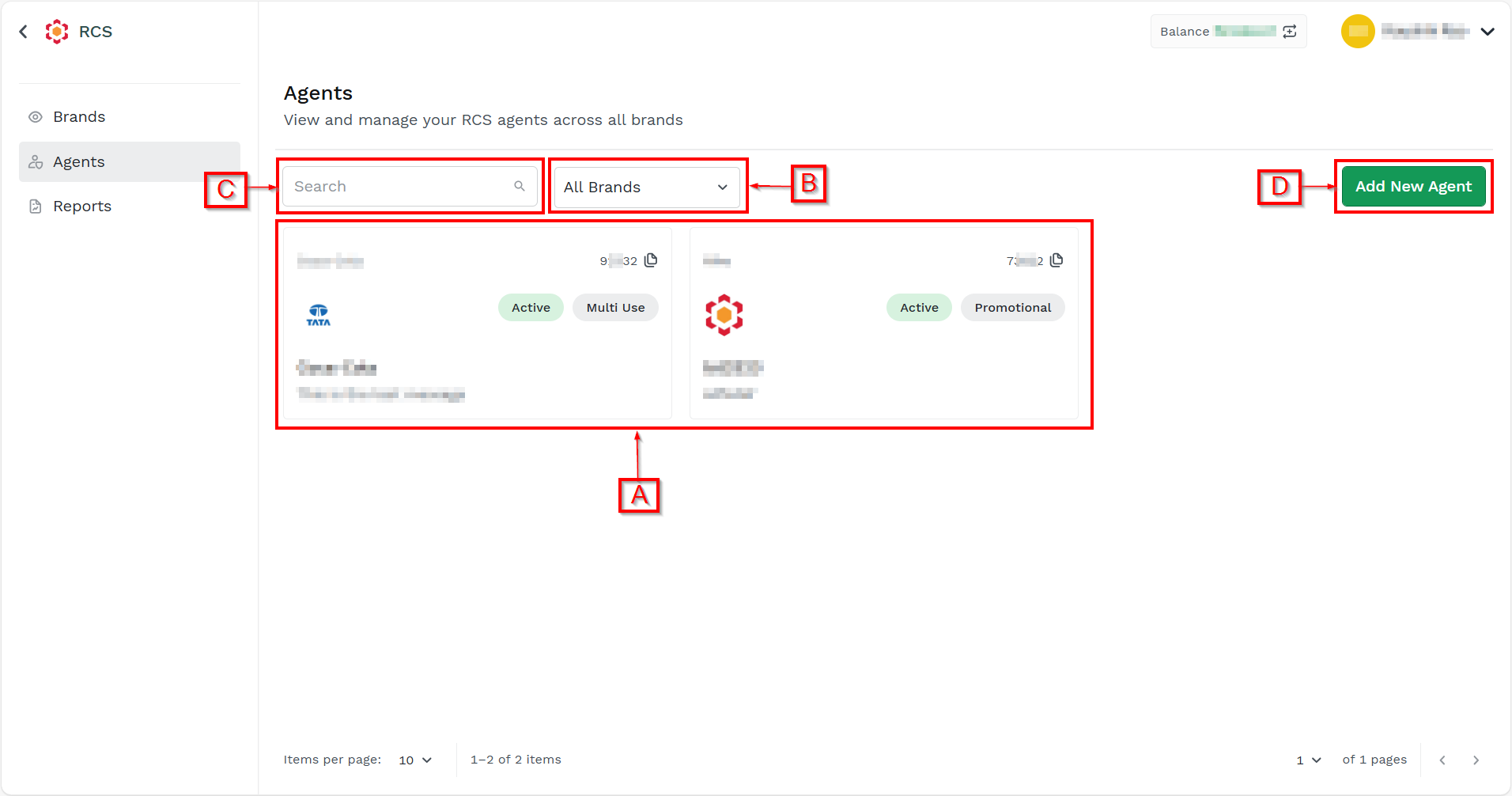
On the dashboard, you have the following options:
- A - View the available agents associated with brands. You can click the agent card to view the agent's details. You have the option to Edit an existing agent.
- B - Filter the agents. For more information, see Filter Agents.
- C - Search agents. For more information, see Search Agents.
- D - Add agents. For more information, see Add a New Agent.
Updated about 2 months ago
Did this page help you?