

SMS Subaccount Blocked Countries Report
The SMS Subaccount Blocked Countries Report allows you to receive automated reports containing information about blocked countries configured for SMS subaccounts, including Subaccount Name, Company ID of Subaccount, Date of Submission, Message ID, MSISDN, Destination Country, Destination Operator, and Status Description.
Sample SMS Subaccount Blocked Countries Report
The following is the sample SMS Subaccount Blocked Countries Report:

The following table describes the fields available in the SMS Subaccount Blocked Countries Report:
| Column Field Name | Description | Example |
|---|---|---|
| Subaccount Name | Displays the name of the SMS subaccount for which the report is generated. | sample_Subaccount_1 |
| Company ID of Subaccount | Displays the unique company ID associated with the SMS subaccount. | 10245 |
| Date of Submission | Displays the date and time when the SMS request was submitted. | 15/05/2026 10:30 AM |
| Message ID | Displays the unique identifier generated for the SMS message request. | MSG123456789 |
| MSISDN | Displays the recipient mobile number to which the SMS was sent. | 91XXXXXXXXXX |
| Destination Country | Displays the destination country of the recipient mobile number. | India |
| Destination Operator | Displays the telecom operator of the recipient mobile number. | Airtel |
| Status Description | Displays the delivery or blocking status description for the SMS request. | Blocked - Country Restricted |
Enable and Configure SMS Subaccount Blocked Countries Report
To enable and configure the SMS Subaccount Blocked Countries Report, perform the following steps:
- Log in to your Kaleyra platform.
- On the top-right of the page, click the User Profile drop-down and then click Settings.
The General Settings page appears.
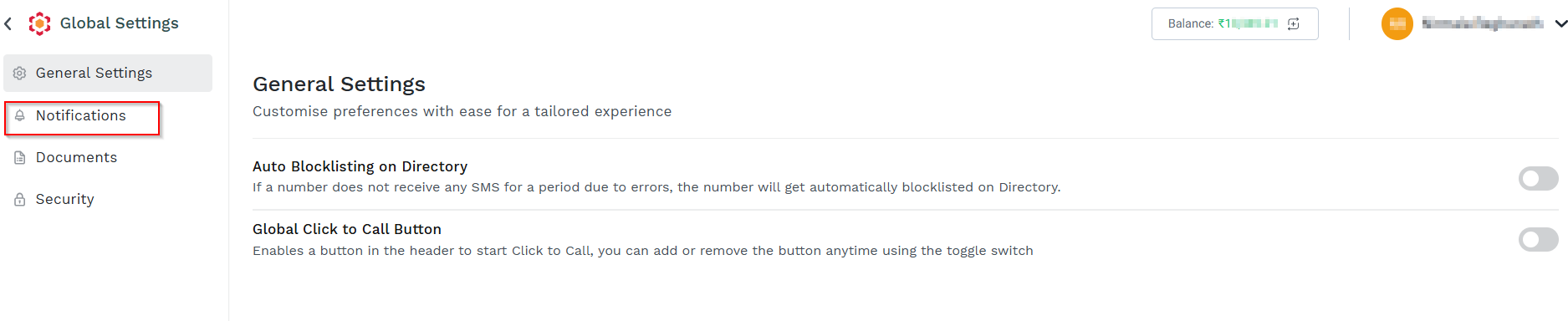
- On the left menu bar, click the Notifications.
The Notifications page appears.
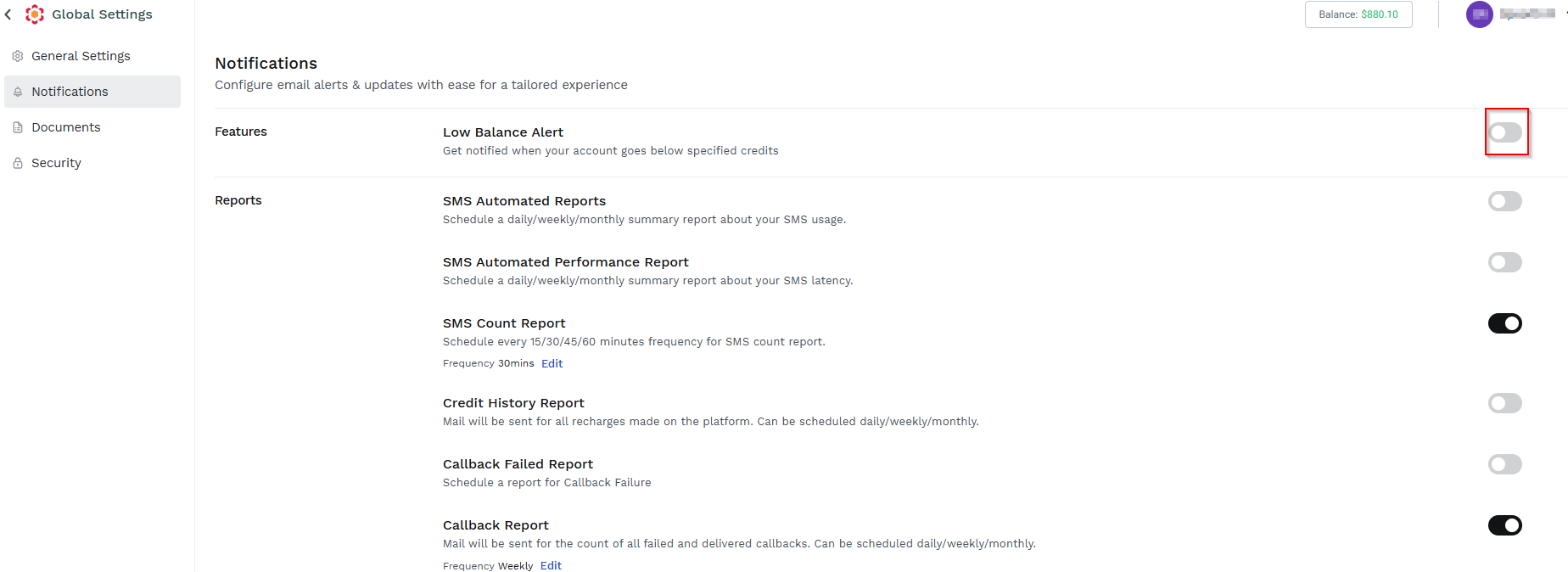
- Scroll down to the SMS Subaccount Blocked Countries Report.
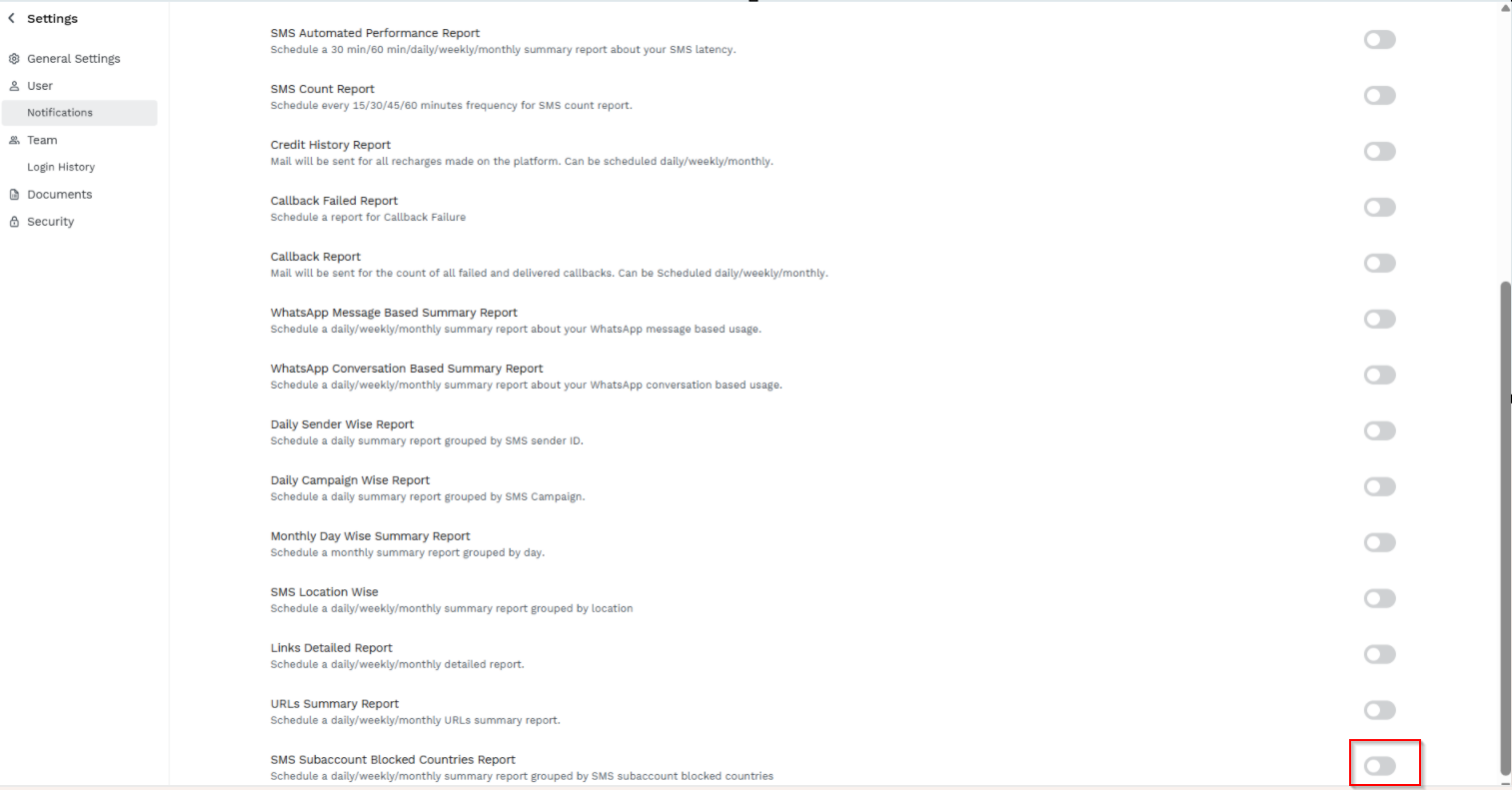
- Toggle SMS Subaccount Blocked Countries Report.
The SMS Subaccount Blocked Countries Report pane appears.
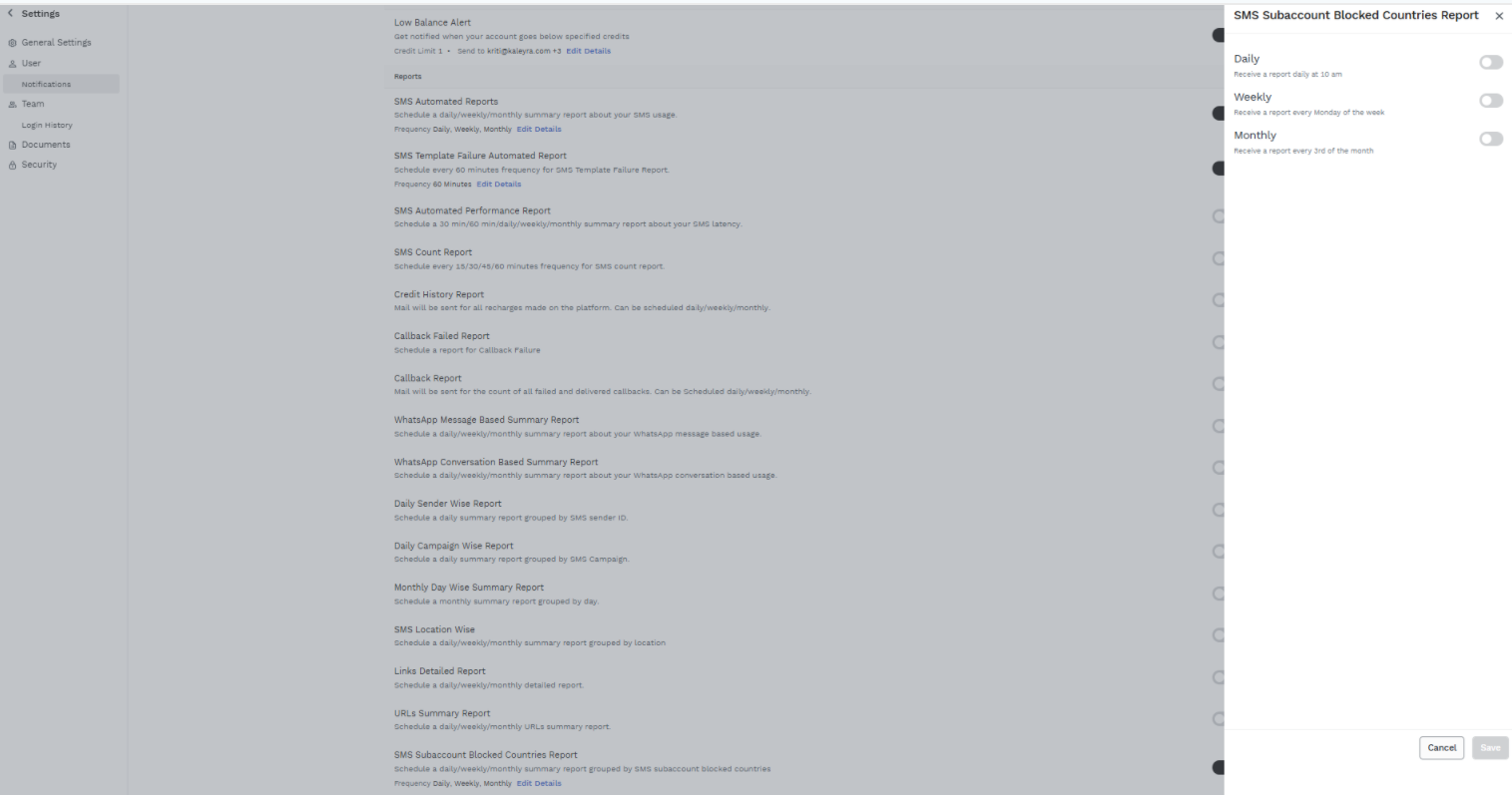
- Select the SMS Subaccount Blocked Countries Report frequencies from the following options:
- Daily - Receive an email notification daily at 10 AM based on the timezone of your kaleyra.io account (you can view and edit your timezone in your profile setting), with a link to download the attached URLs summary report. The reports contain the short URL click details from 12:00 AM to 11:59 PM of the previous day.
- Weekly - Receive an email notification every Monday based on the timezone of your kaleyra.io account (you can view and edit your timezone in your profile setting), with a link to download the attached URLs summary report. The reports contain the short URL click details from the previous Monday to Sunday.
- Monthly - Receive an email notification every third (3rd) of the month based on the timezone of your kaleyra.io account (you can view and edit your timezone in your profile setting), with a link to download the attached URLs summary report. The report contains the short URL click details from the 3rd of the previous month to the 2nd of the current month.
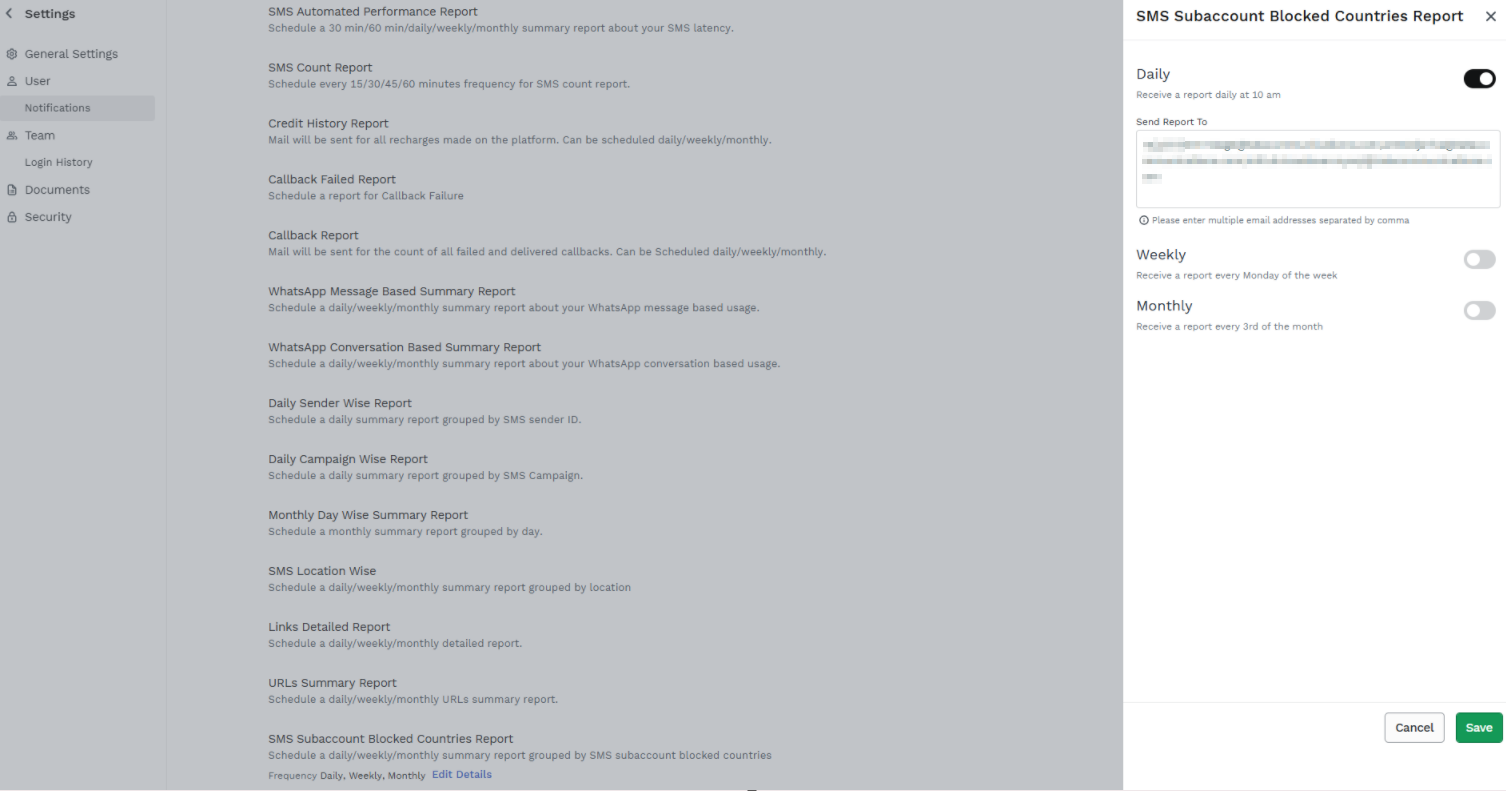
- In the Send Report To field, enter the email addresses to receive the SMS Subaccount Blocked Countries Report.
Notes:
- You can select all the Daily, Weekly, and Monthly options to get the SMS Subaccount Blocked Countries Report for all three frequencies.
- By default, the account owner’s email address is present.
- A minimum of one email address is required to save the SMS Subaccount Blocked Countries Report configuration.
- You can add multiple email addresses separated by a comma. For example - [email protected],[email protected].
- Click Save.
The Request executed successfully message appears.
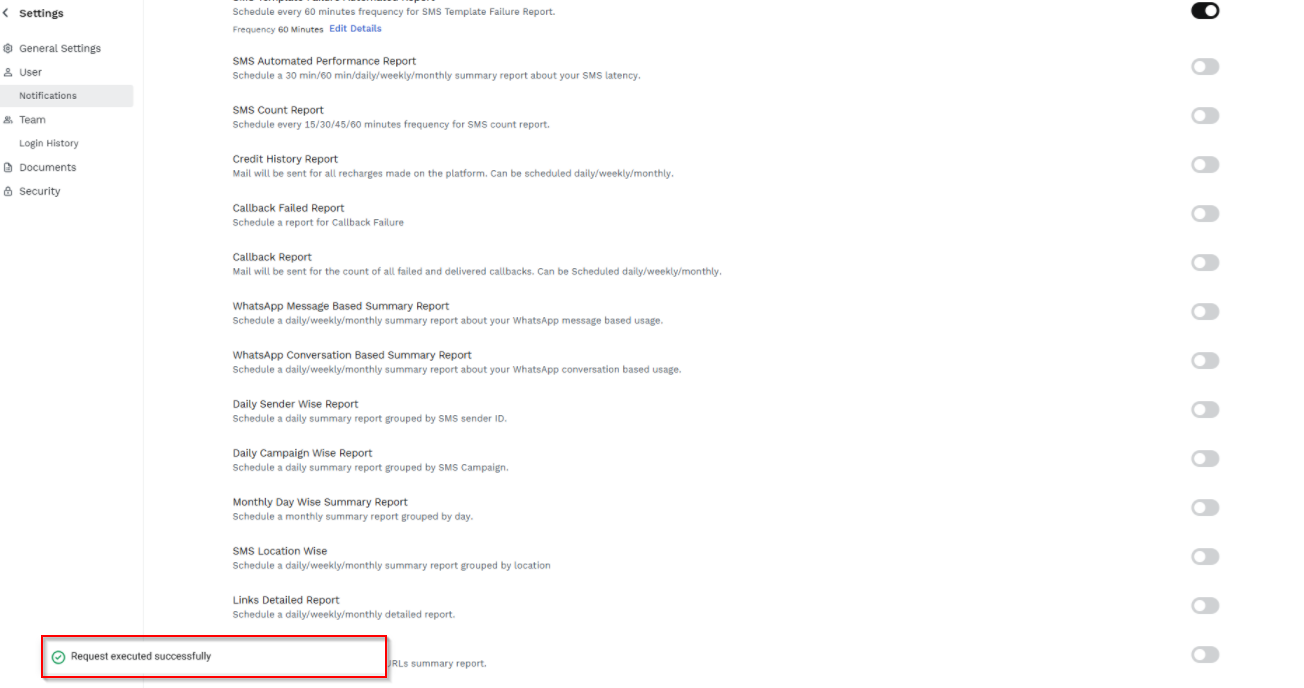
Notes:
- Click Edit Details to modify the SMS Subaccount Blocked Countries Report setting. You can modify the frequencies and email addresses of SMS Subaccount Blocked Countries Report.
- To stop receiving email notifications for the SMS Subaccount Blocked Countries Report, toggle SMS Subaccount Blocked Countries Report and disable it.
- If you disable a previously configured SMS Subaccount Blocked Countries Report, when you re-activate it, the same configuration will be automatically applied.
Updated about 2 months ago
Did this page help you?