

Delete Template
You can delete the created template or approve template from the Kaleyra platform.
To delete the template, perform the following steps:
- Follow step 1 to Step 8 of the RCS Text Template.
The Templates page appears.
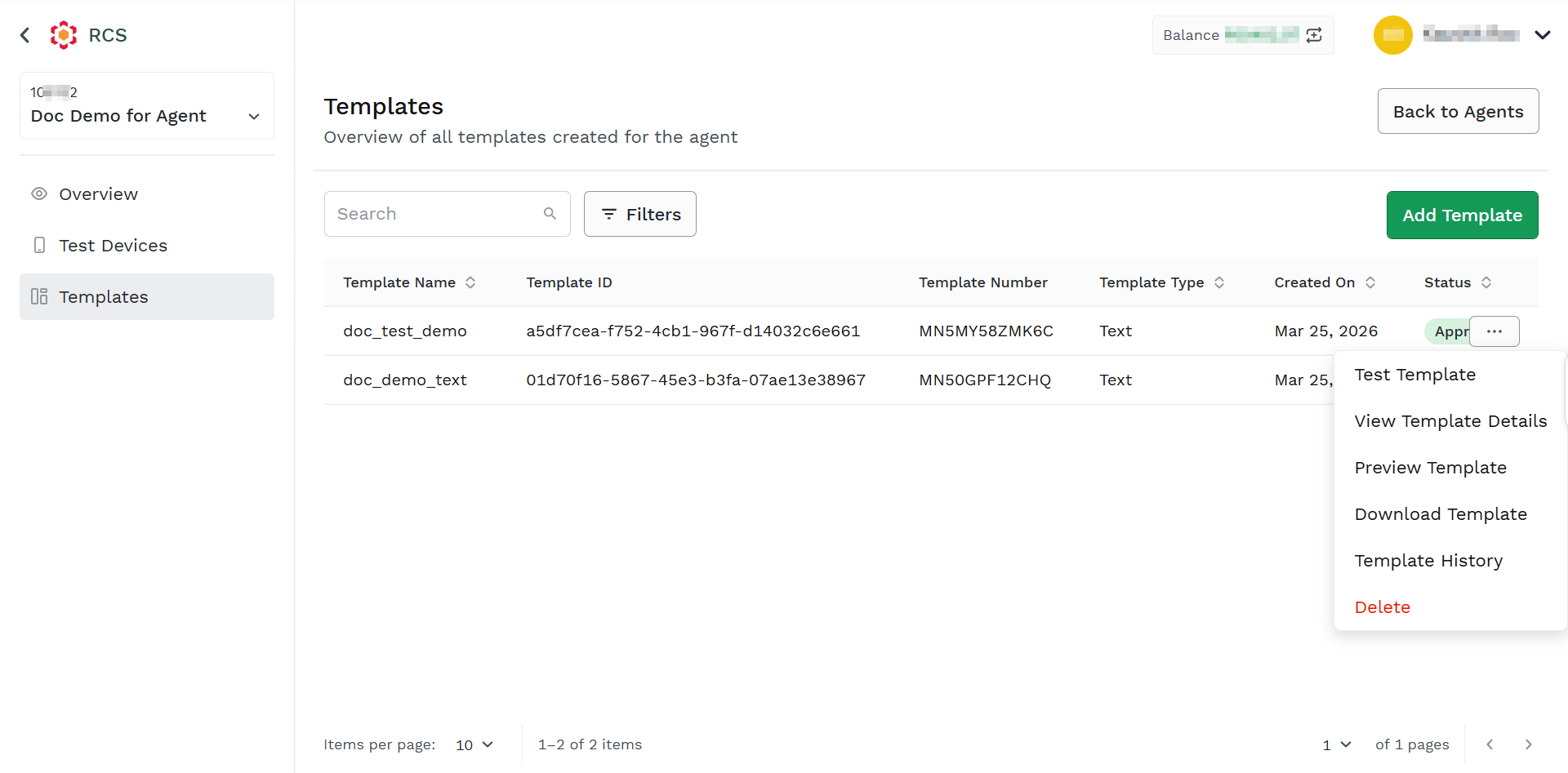
- Hover over the created template, the ellipsis icon appears. Click the ellipsis icon and then select the Delete option.
The confirmation message for the Delete Template pop-up appears.
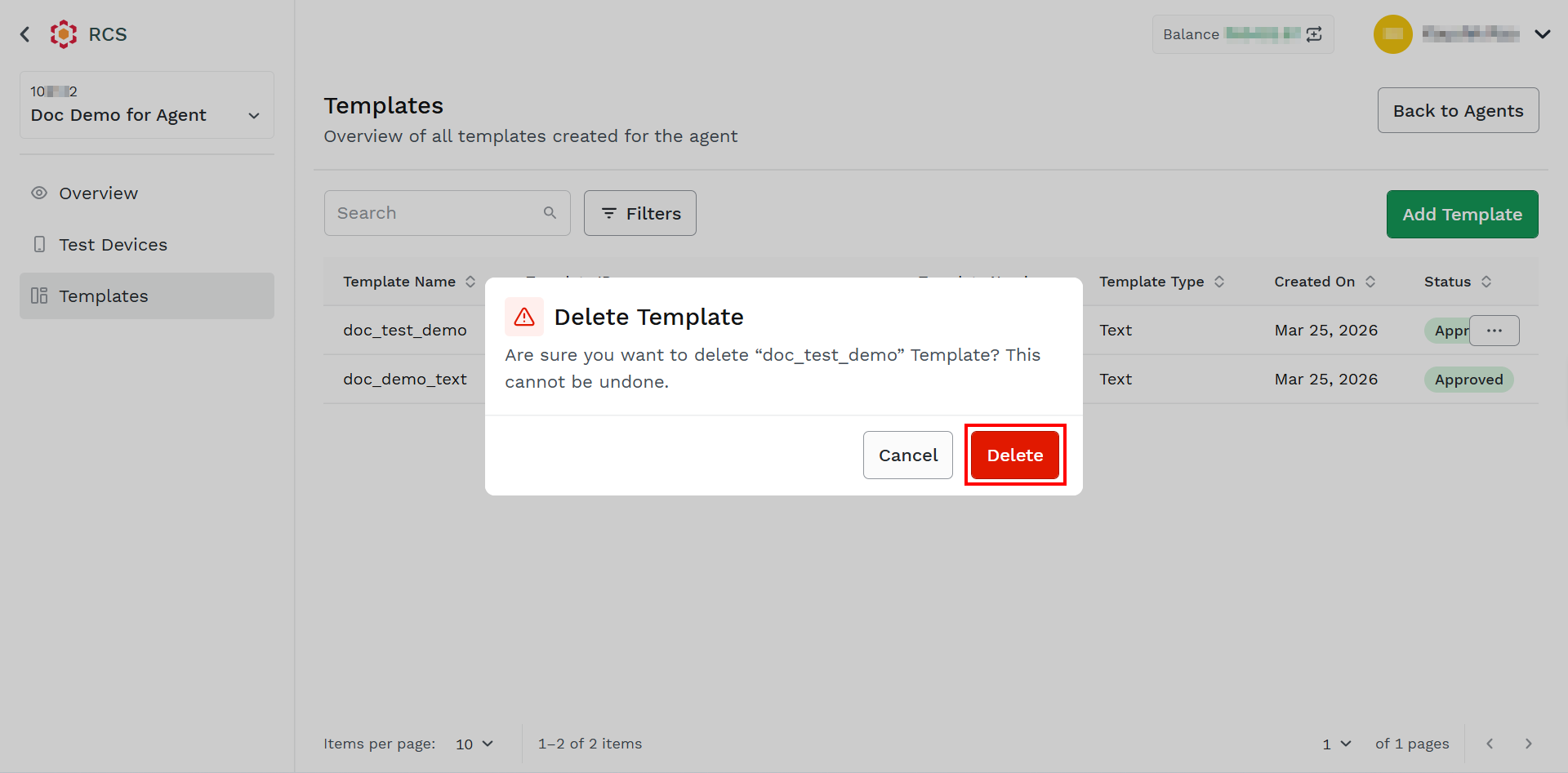
- Click Delete.
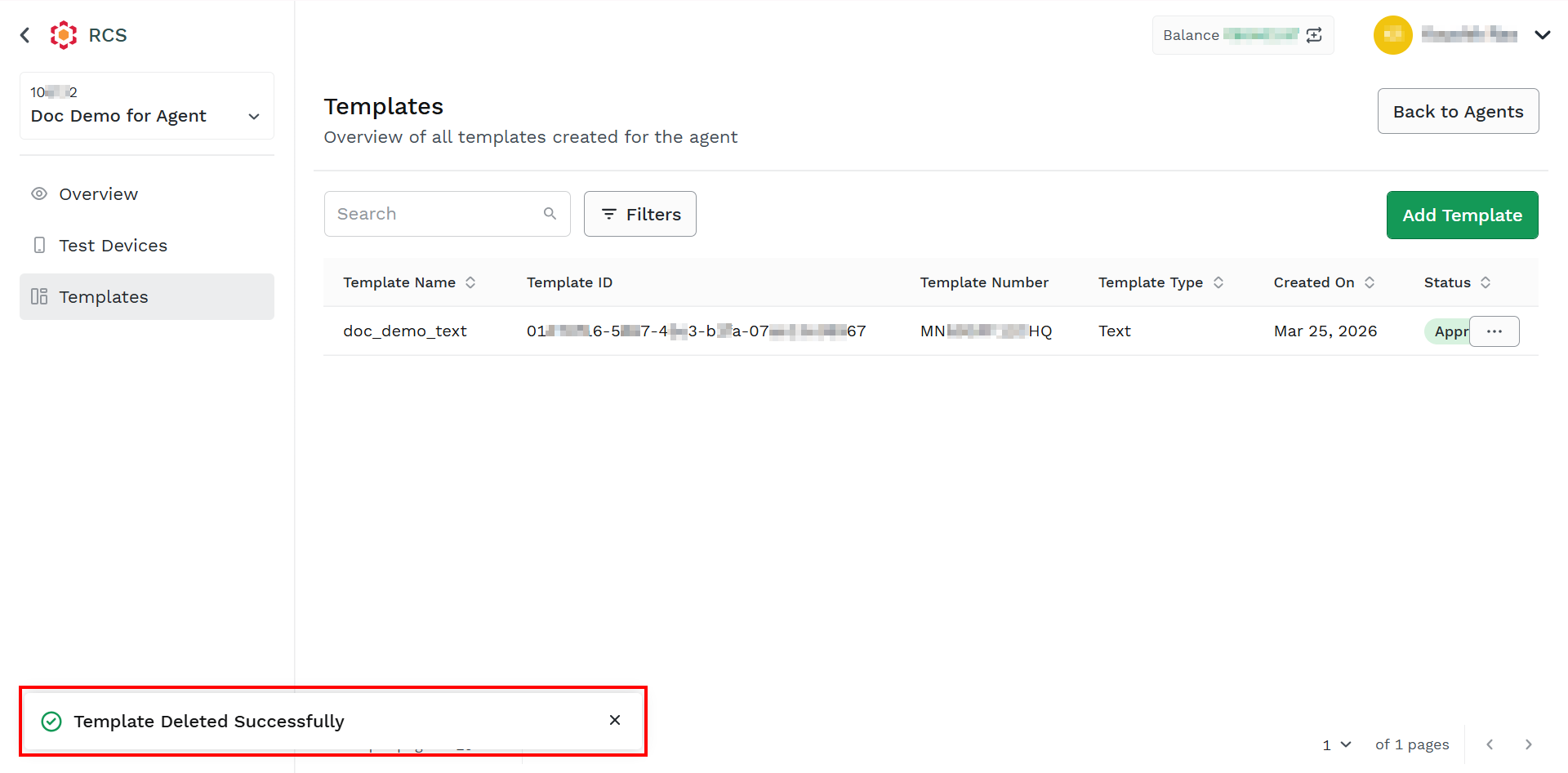
The confirmation message Template Deleted Successfully appears.
Updated about 2 months ago
Did this page help you?