

Disable IP Restriction
You can disable IP restriction. Disabling IP restriction allows you or your team members to log in to your Kaleyra platform from any IP address.
To disable IP restrictions, perform the following steps:
-
Sign in to your Kaleyra platform.
The Channels page appears.
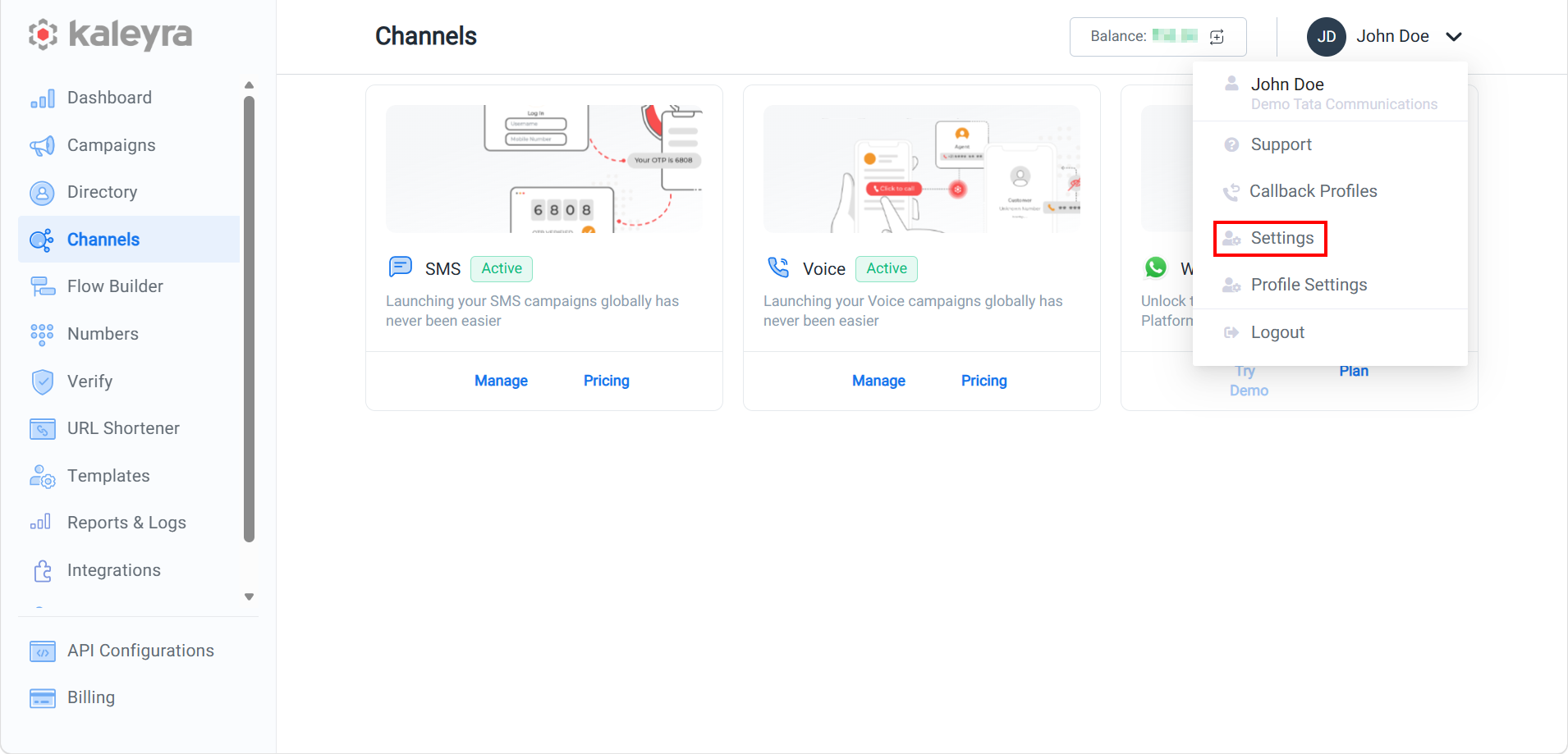
- On the profile settings drop-down list, select the Settings option.
The General Settings page appears.
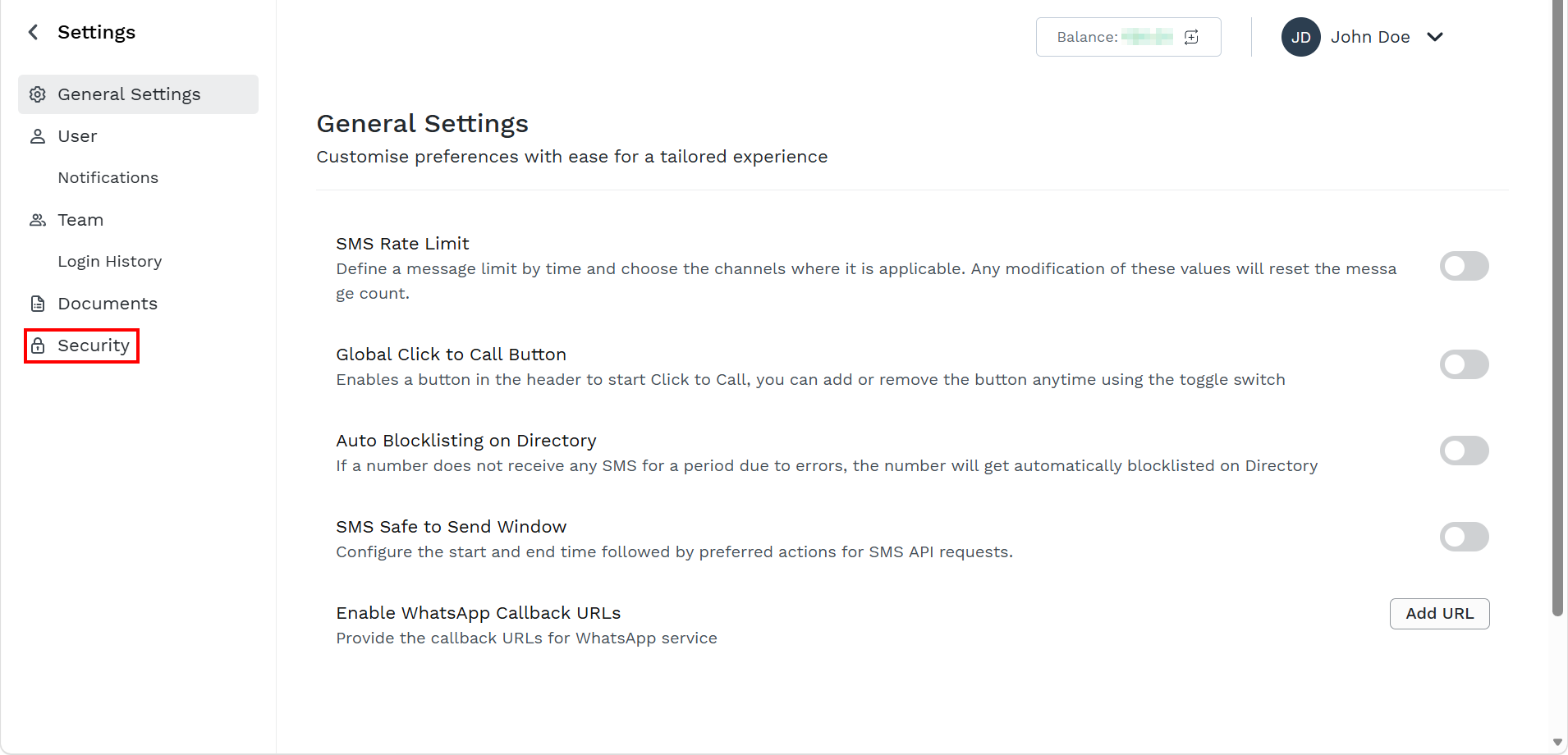
- On the left menu bar, click Security.
The Security page appears.
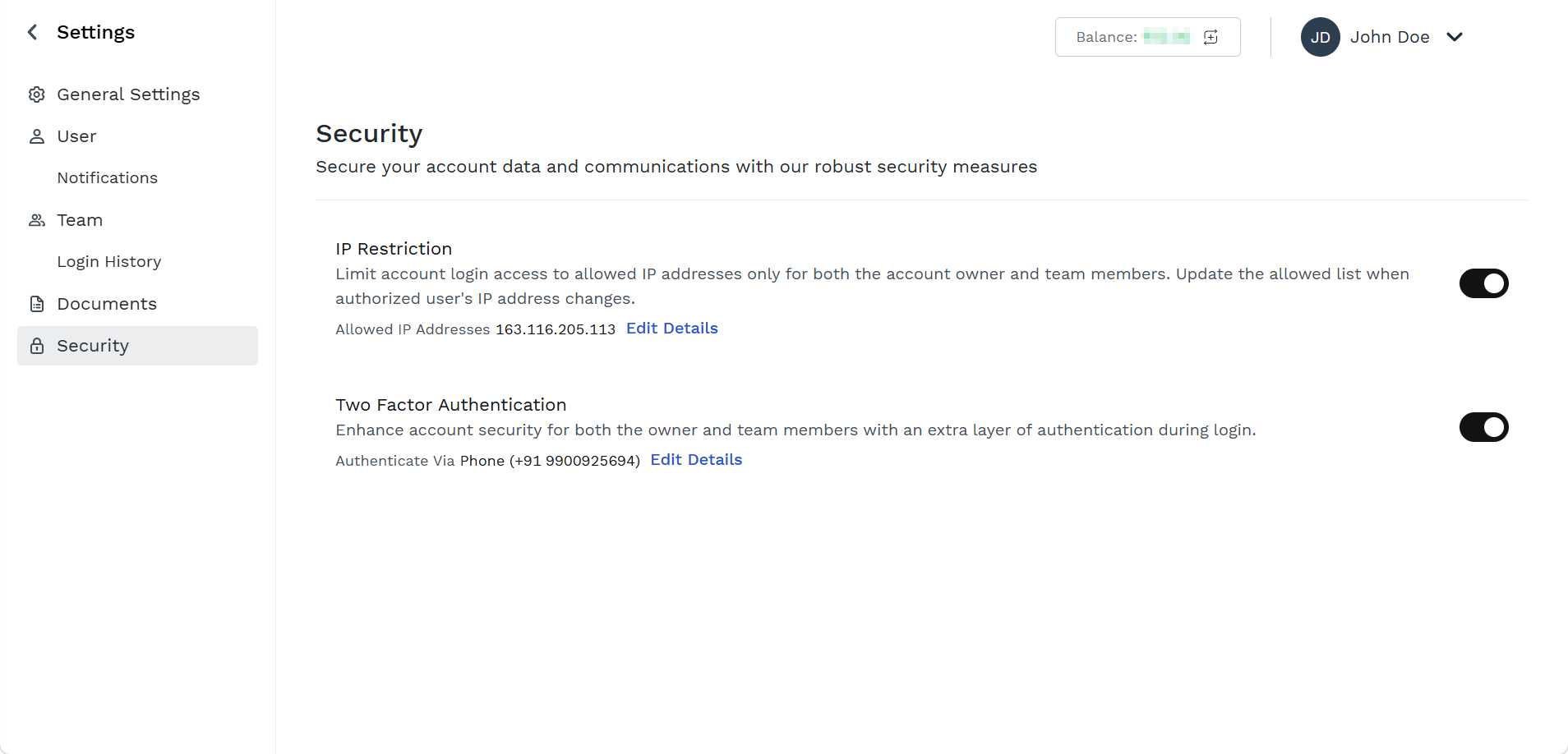
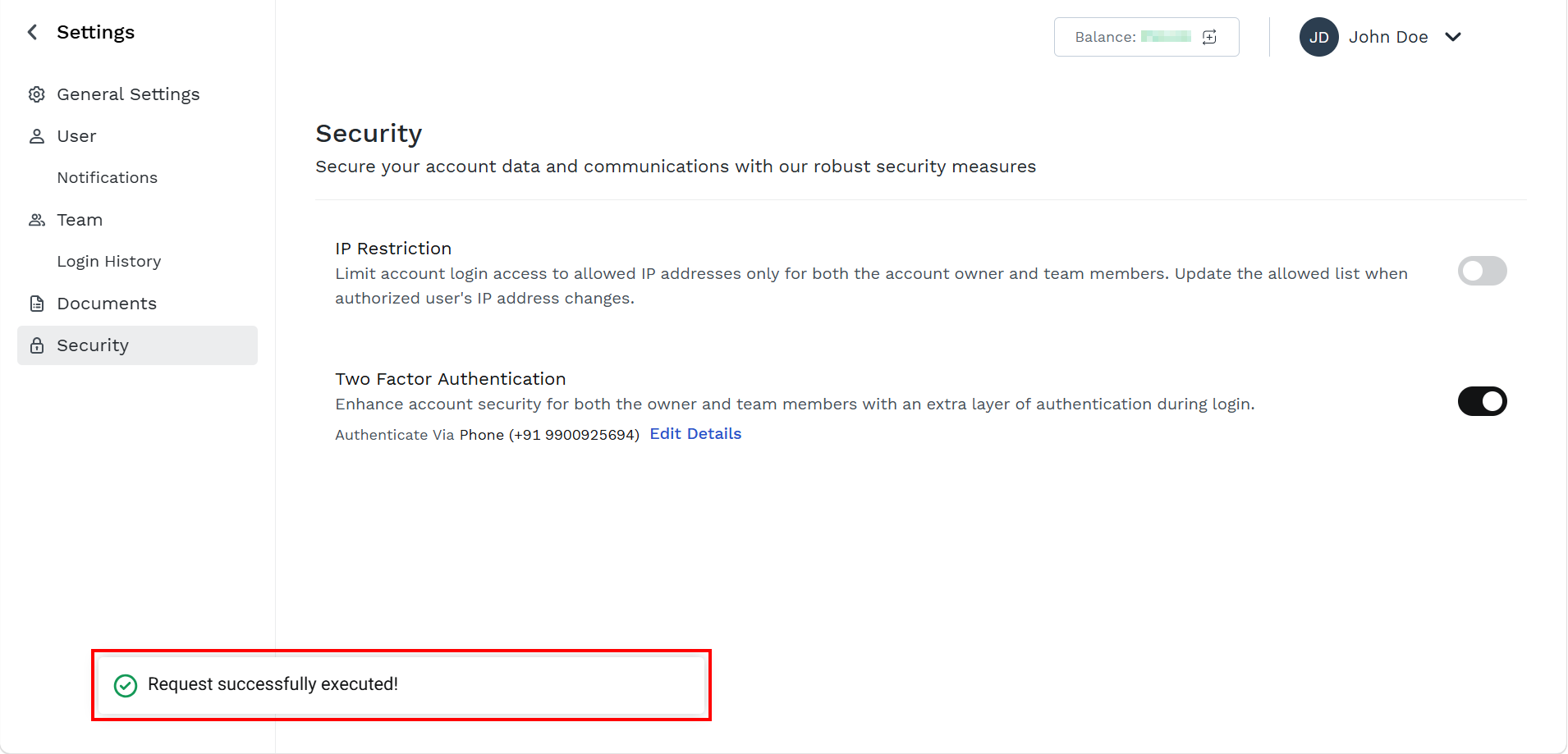
- Toggle IP Restriction to disable the IP restriction.
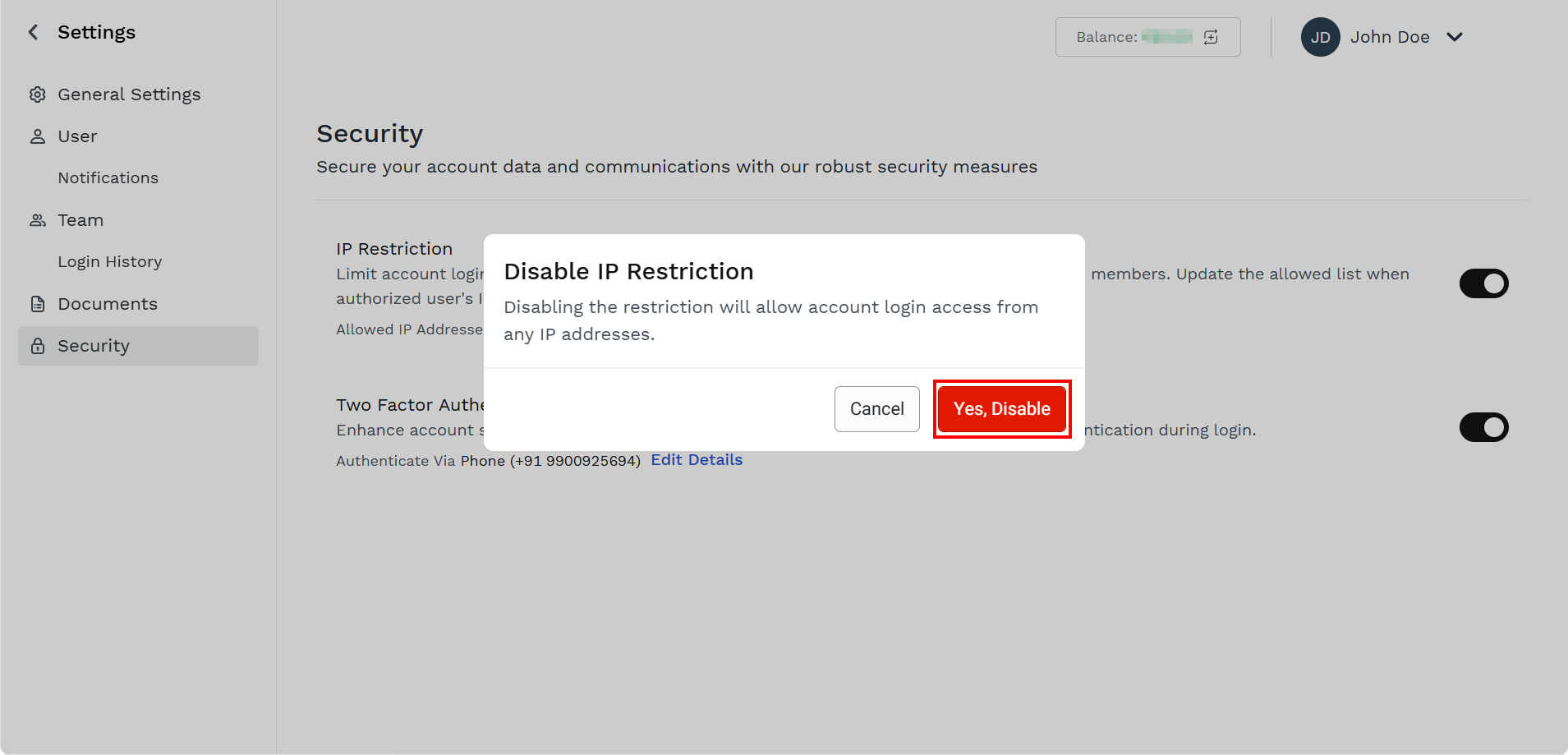
- Click Yes, Disable.
The confirmation Request successfully executed! message appears and IP restriction gets disabled. From now on, any login attempt from any IP address won’t be rejected (any other authentication check will be still in place, like username and password or 2FA).
Updated about 1 month ago
Did this page help you?