

Delete a Test Device
You can delete the test device before or after the verification by the test device user.
To delete the test device number, perform the following steps:
- Follow the step 1 to step 6 of the Add a New Test Device topic.
The Test Device page appears.
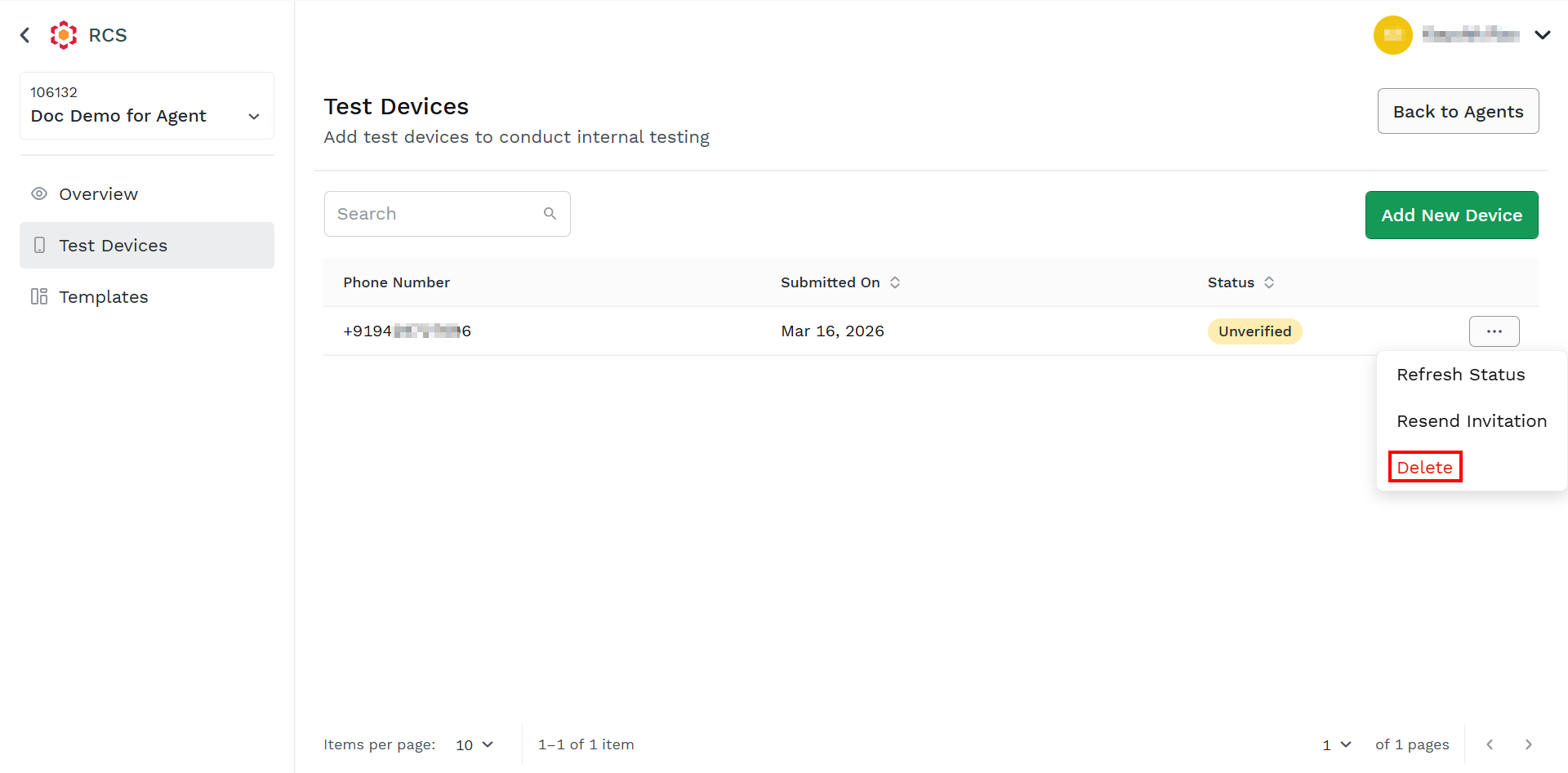
- Hover-over the added device and then click the ellipsis icon. Select the Delete option.
The Delete Device pop-up appears.
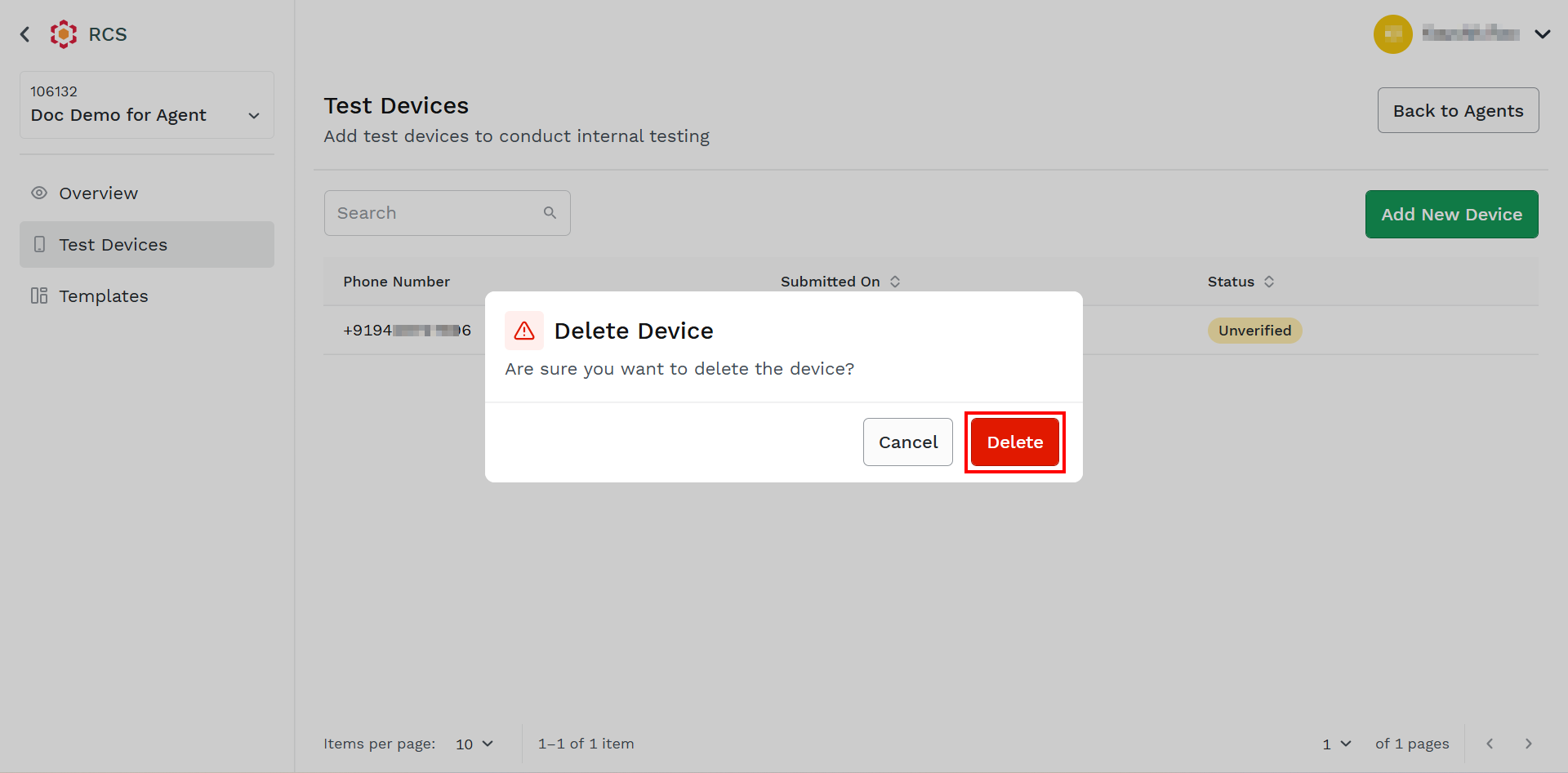
- Click Delete. The test device gets deleted.
Updated about 1 month ago
Did this page help you?