

Add Email Address
You can add "From" or "Sender" email address associated with your domain for smooth and reliable communication. The added email address will be used as sender when sending emails. You can add only one email address at a time.
Note:
It is recommended to add the email address once your domain is verified. If you add an email address before domain verification, it will be in pending status.
To add an email address, perform the following steps:
- Sign in to your Kaleyra platform. The Channels page appears.
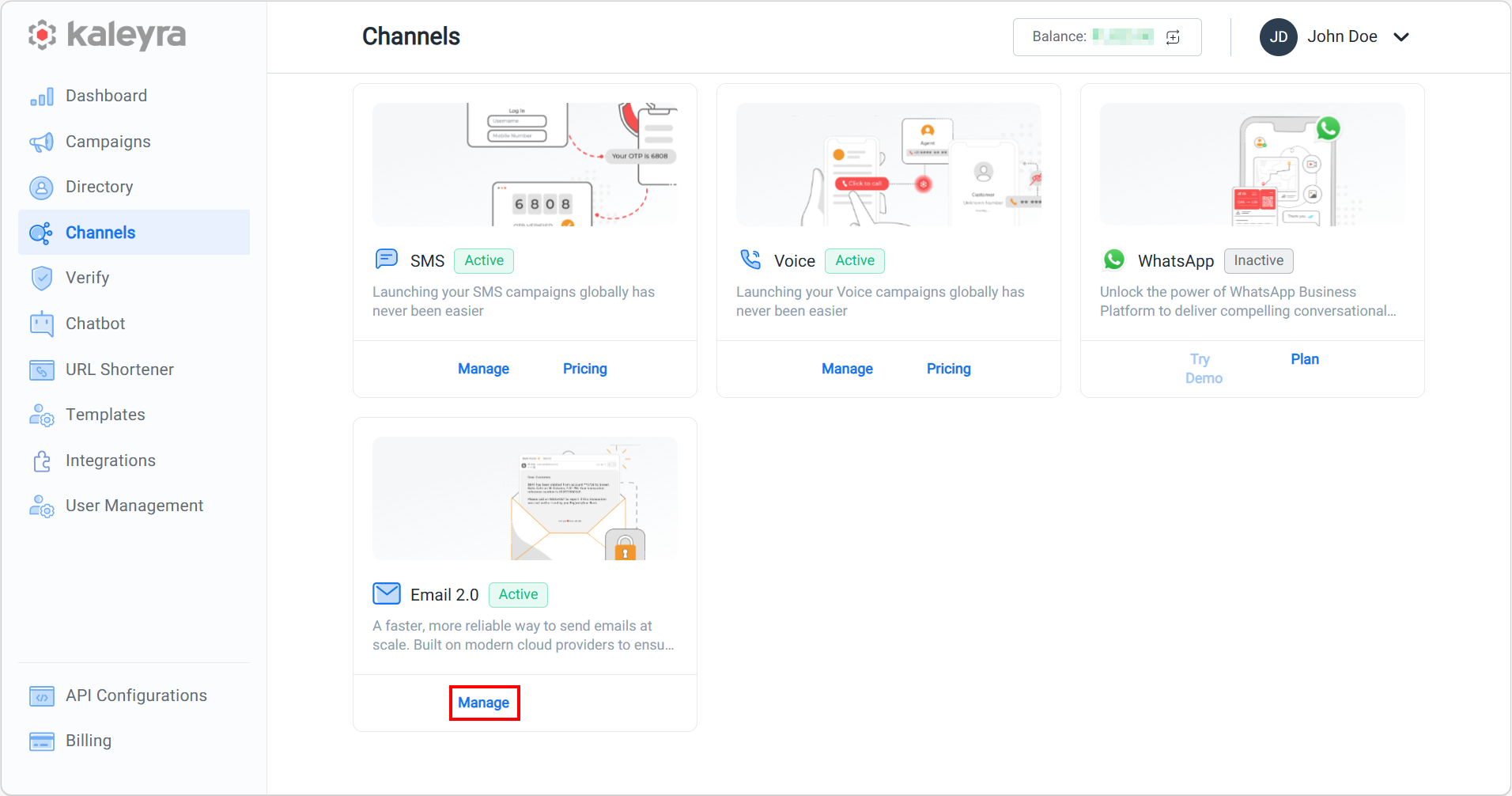
- On the Email 2.0 card, click Manage.
The Domain Management page appears.
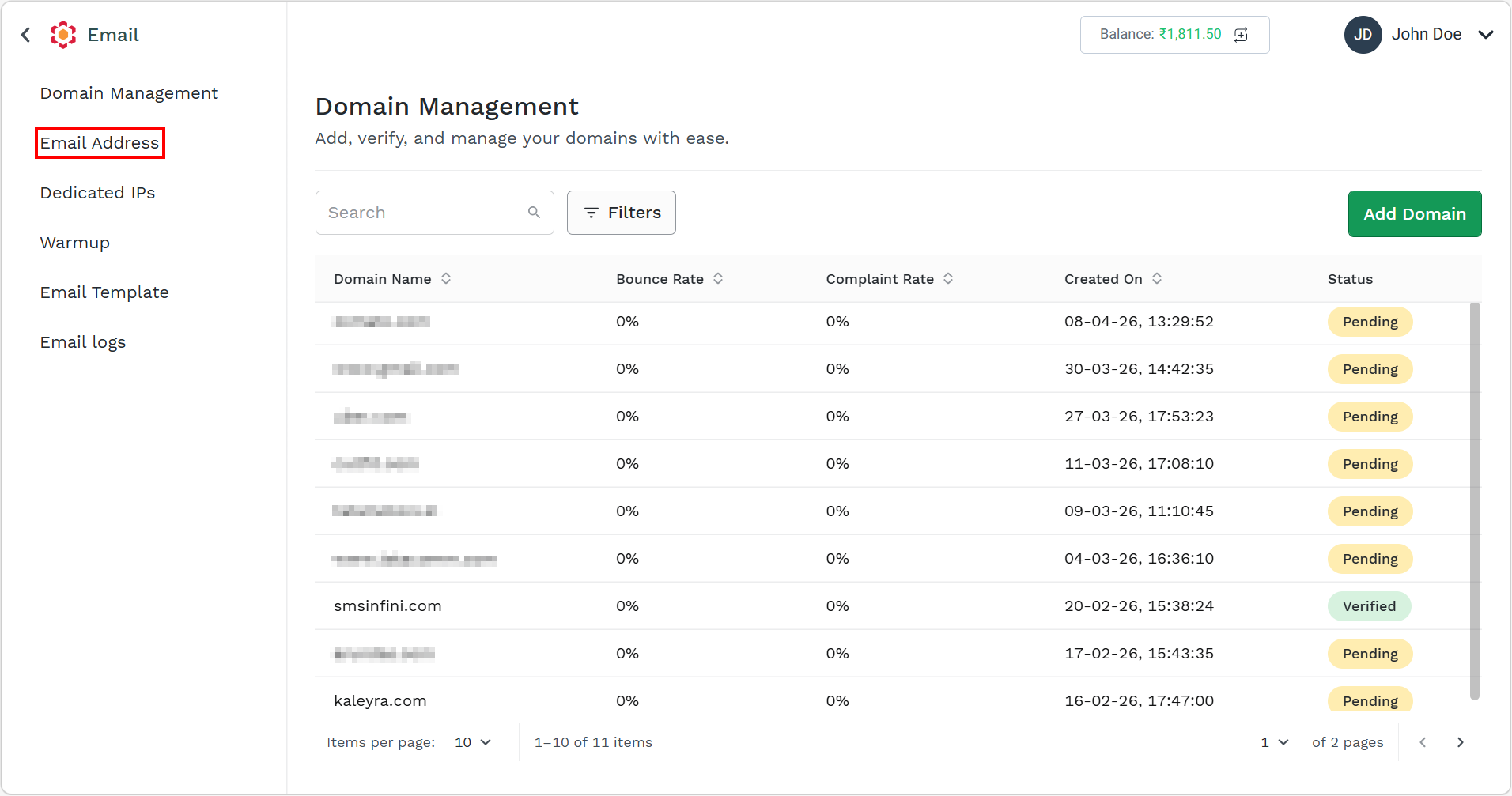
- On the left menu bar, click Email Address.
The Email Address page appears.
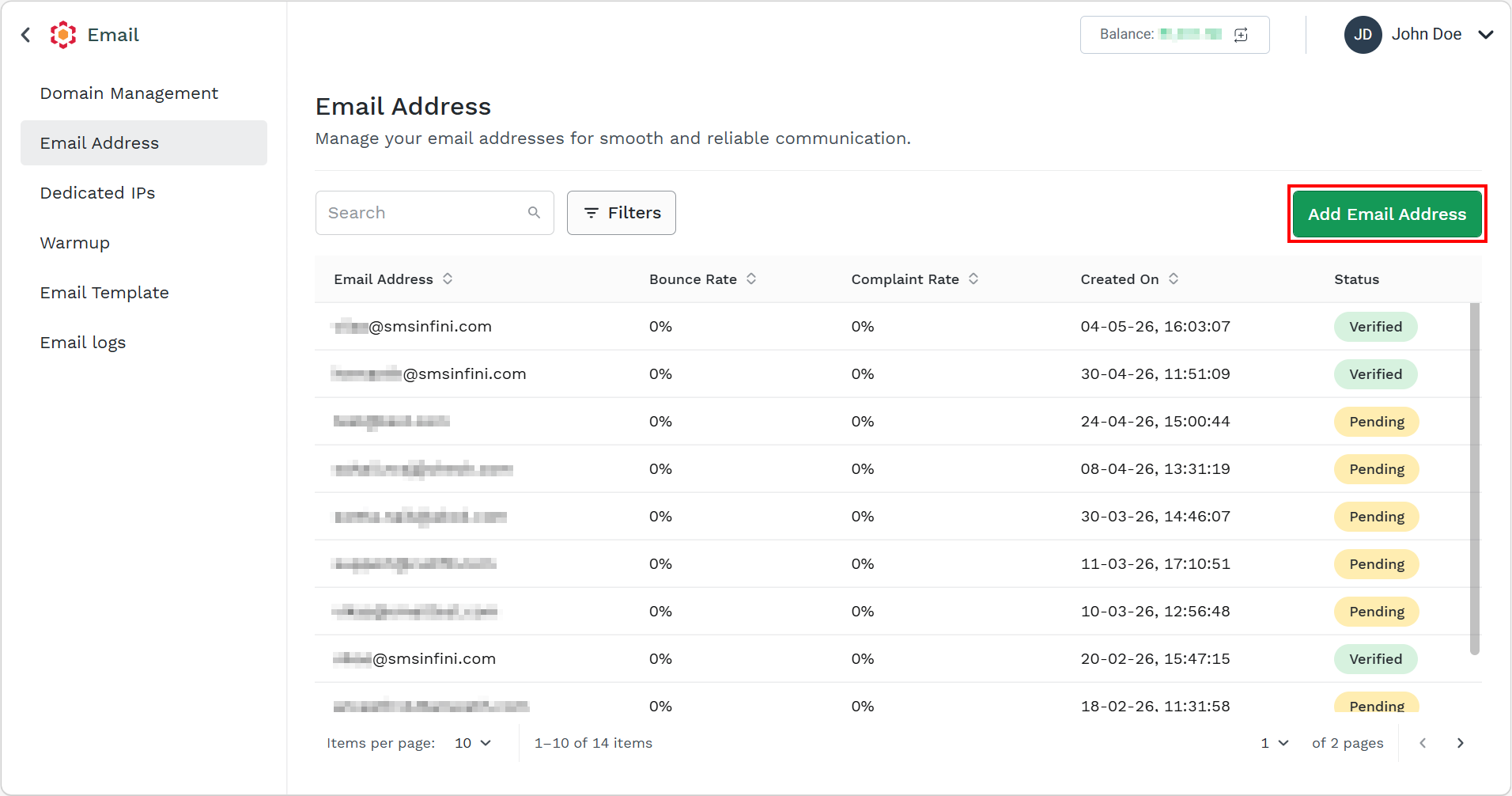
- Click Add Email Address.
The Add Email Address pane appears on the right side of the page.
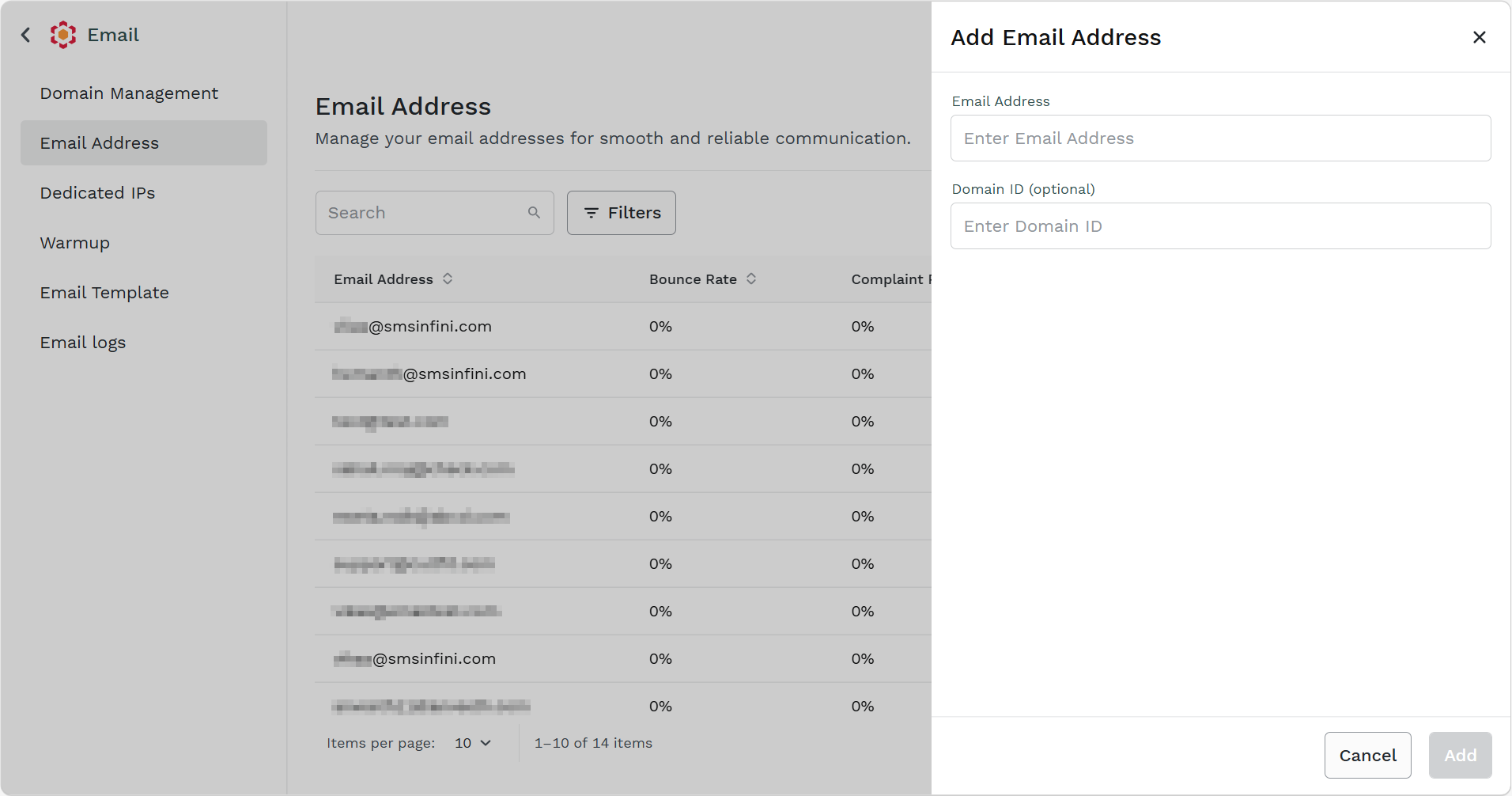
- In the email address field, enter a valid email address with a verified domain.
- (Optional) In the Domain ID field, enter the domain ID.
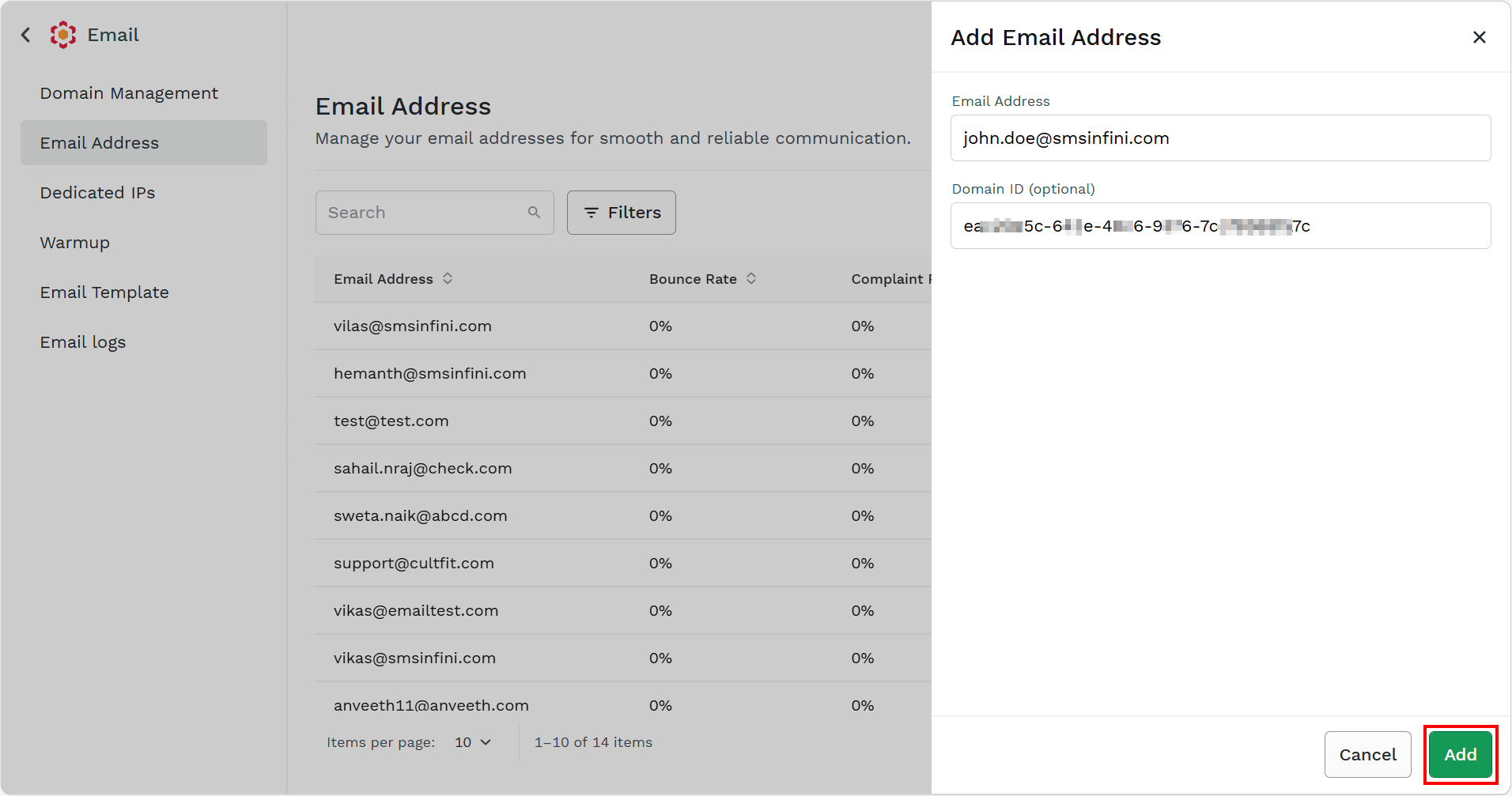
- Click Add.
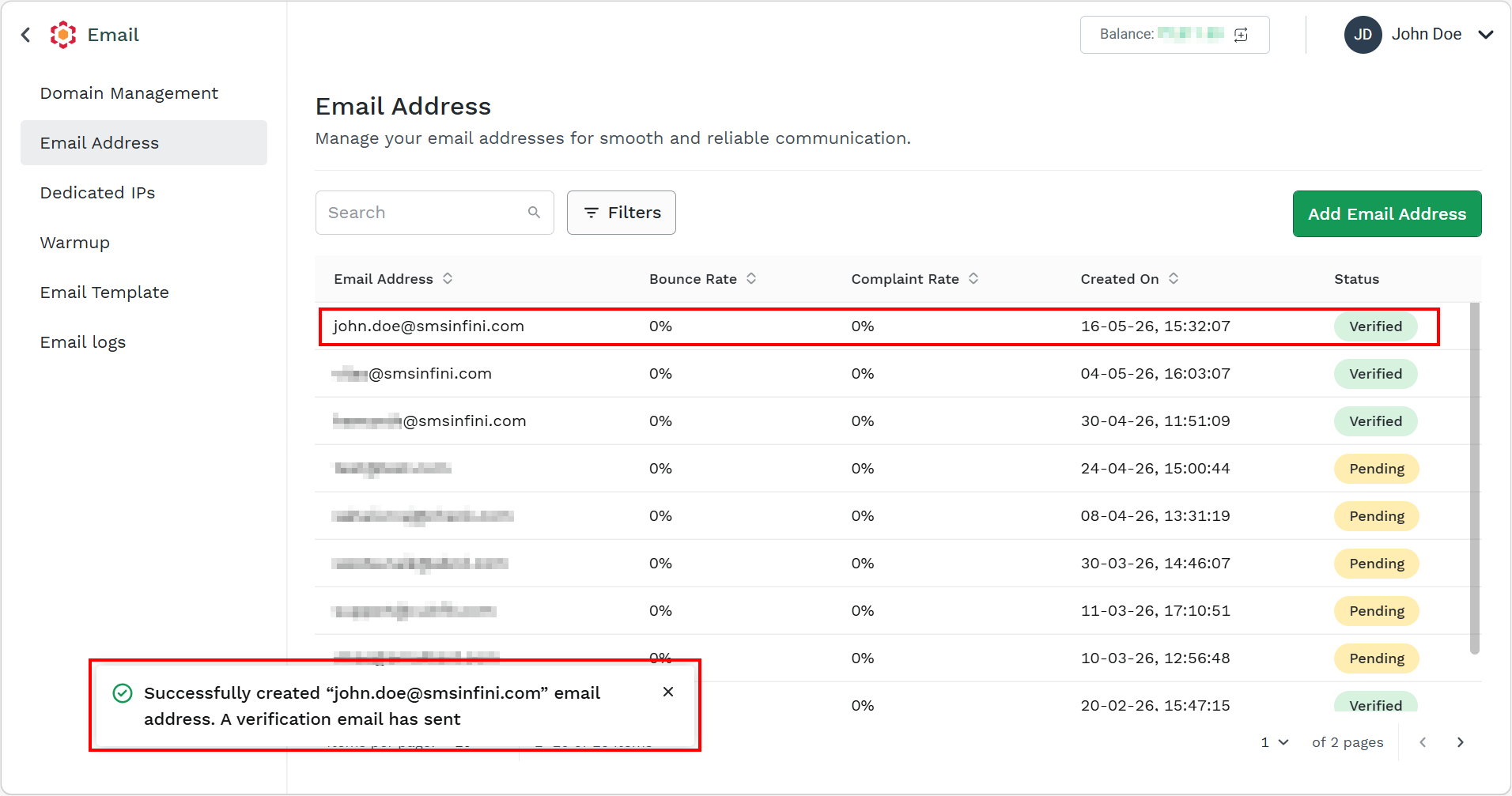
The email address gets successfully added.
Note:
For more information on how to Search, Filter, and Sorting, see Search and Filter Domains.
Updated about 1 month ago
Did this page help you?