

WhatsApp API V1 Configuration for Callback
Disclaimer:
This applies only if you select the option to onboard using WhatsApp API V1.
You can configure a callback profile to receive callbacks for incoming messages and status delivery updates for messages sent through WhatsApp API V1 for a subscribed number associated with a WABA ID.
Prerequisites:
- You must have a callback configured for your account. For more information, see Create Callback Profile for Incoming WhatsApp Messages.
- You must have a WABA ID configured for WhatsApp API V1. For more information, see Adding a new WABA ID.
- You must have a subscribed number for WhatsApp. For more information, see Add a Number.
To configure a callback profile to receive callbacks for incoming messages and status delivery updates, perform the following steps:
- Sign in to your Kaleyra account.
The Channels page appears.
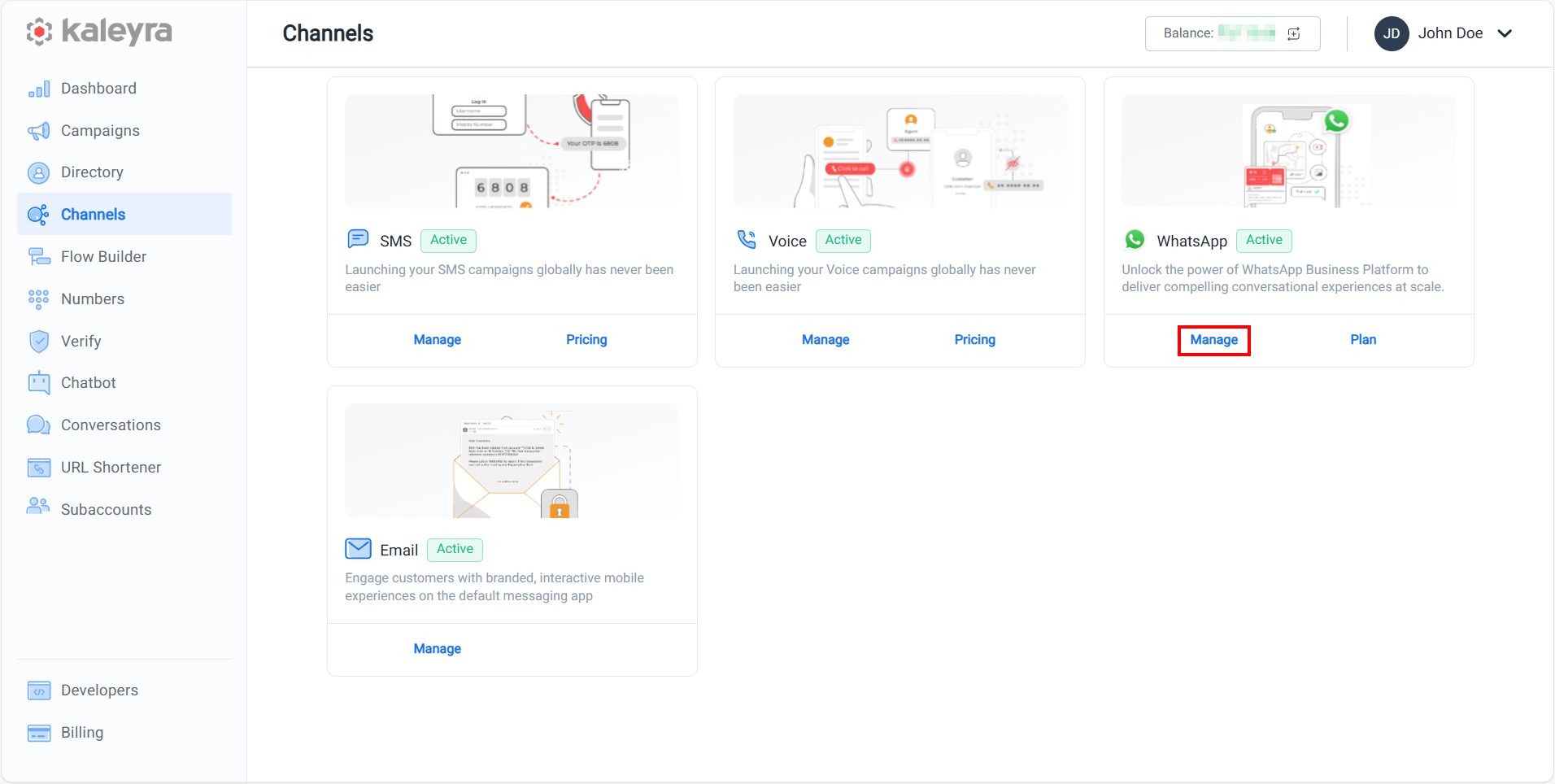
- On the WhatsApp card, click Manage.
The BusinessDetails page appears.
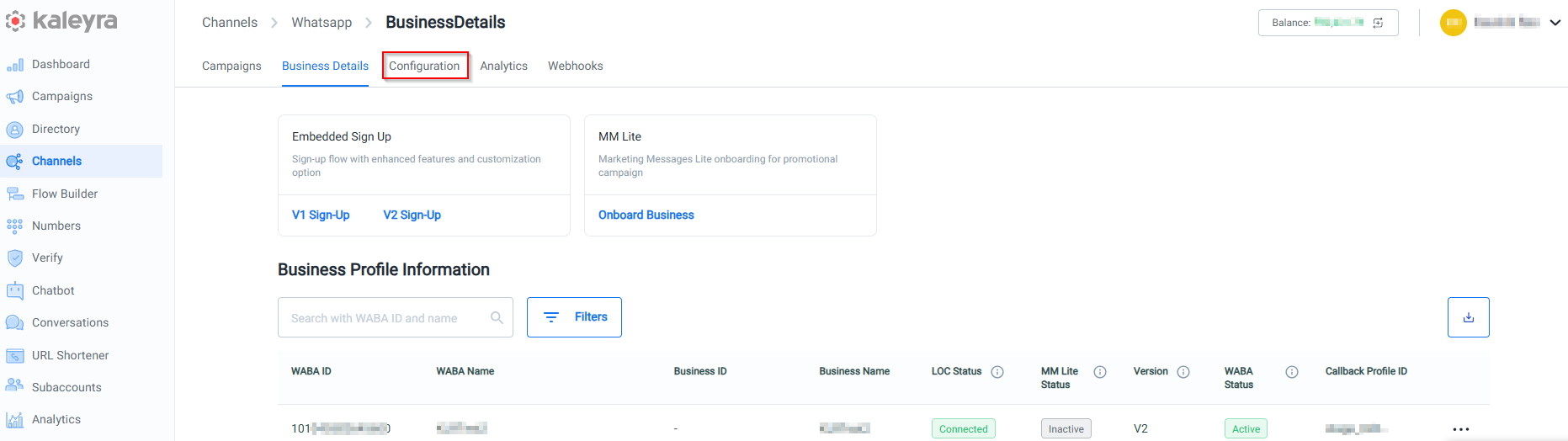
- Click the Configuration tab.
The Configuration details appear.
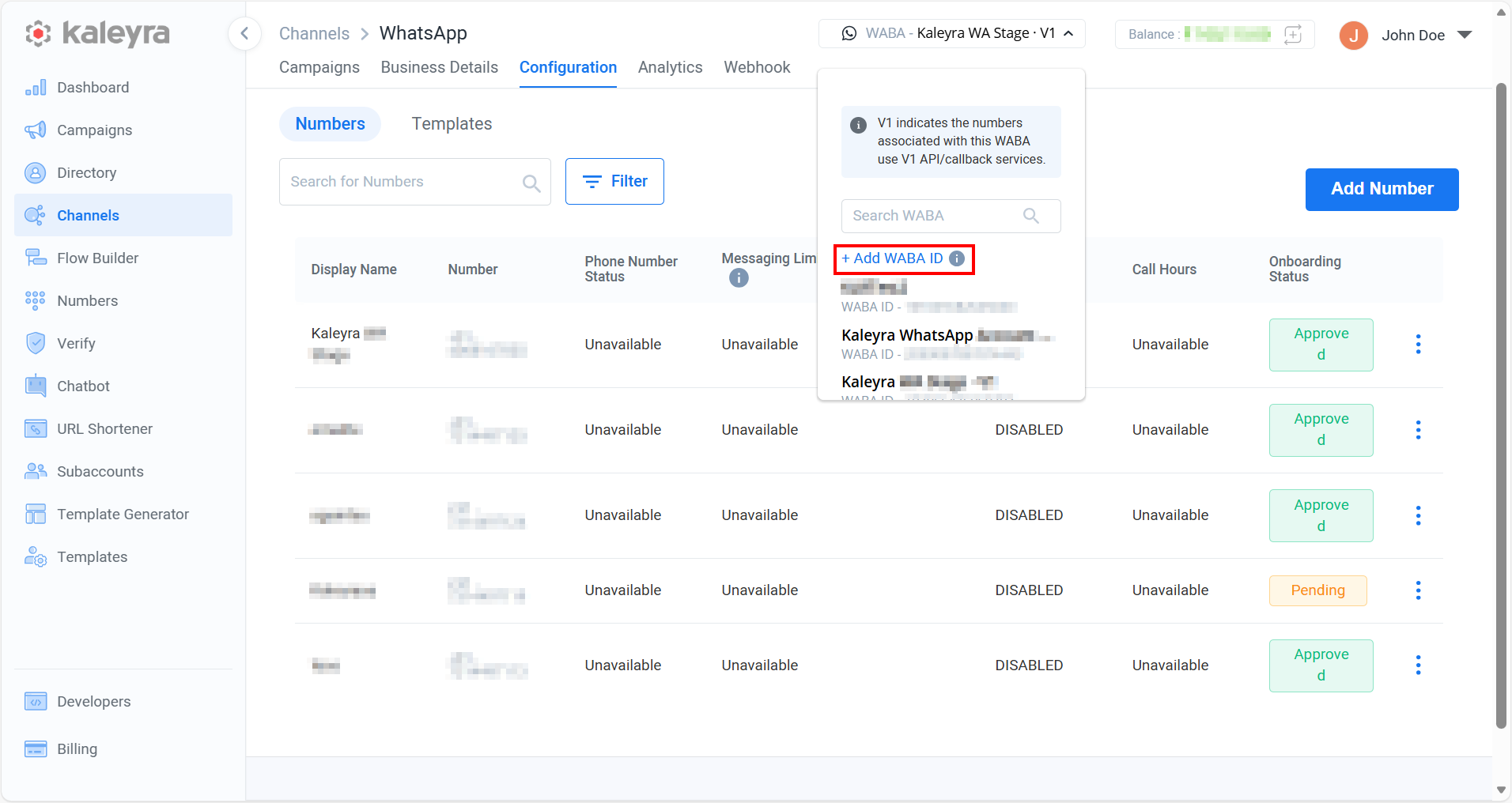
- On the top right-hand side of the page, select from the drop-down list the WABA for which you want to add the callback profile ID. For more information on WABA ID, see Add a new WABA ID.
Note:
If you click +Add WABA ID option, you will be redirected to the Business Details page. For more information, see Add a new WABA ID page.
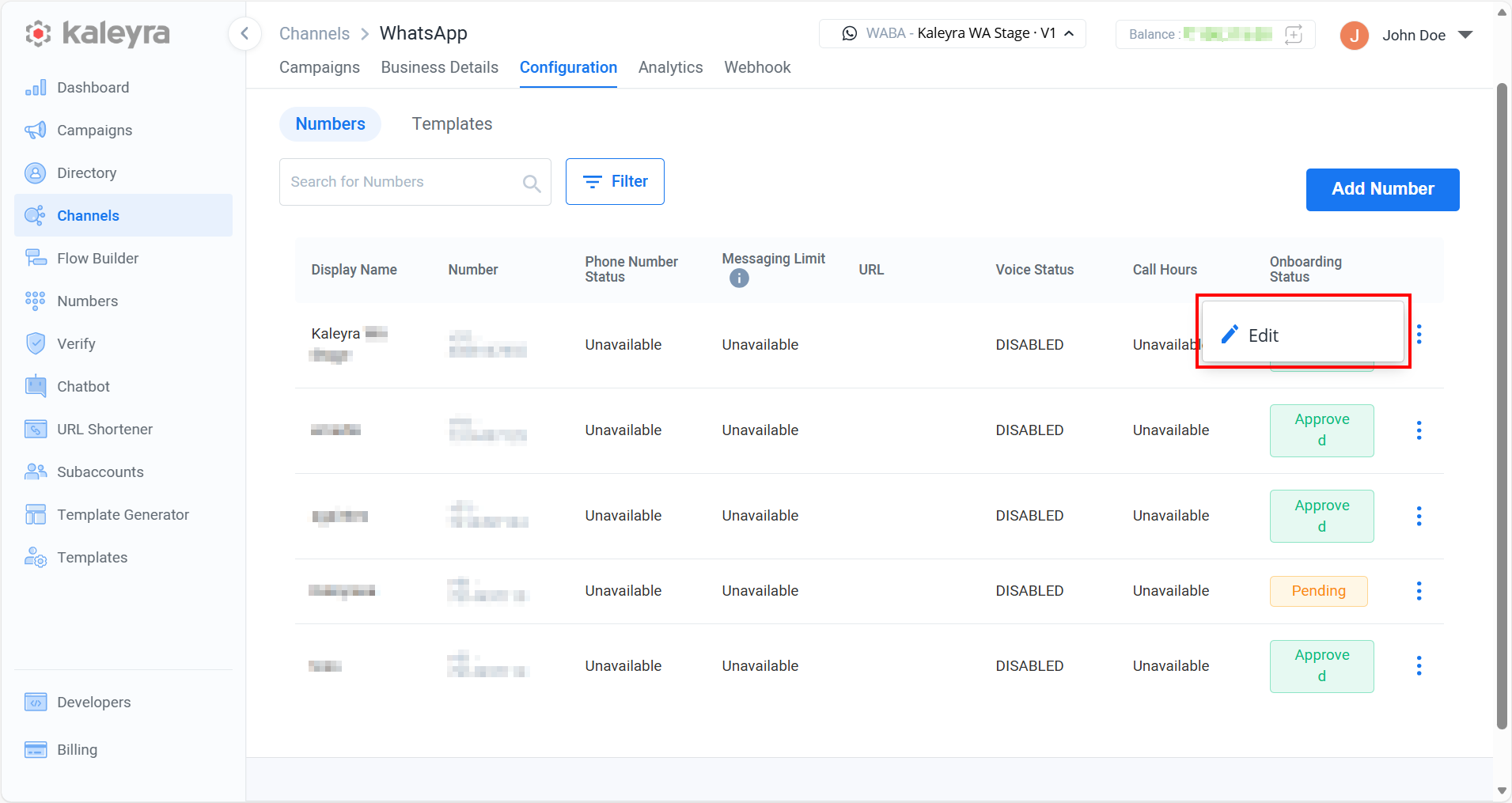
- On the page listing the Business Number belonging to the selected WABA, find the Business Number for which you want to add the Callback Profile Id and click the ellipsis (three dots) icon and then click the Edit option. The Update Details pop-up appears.
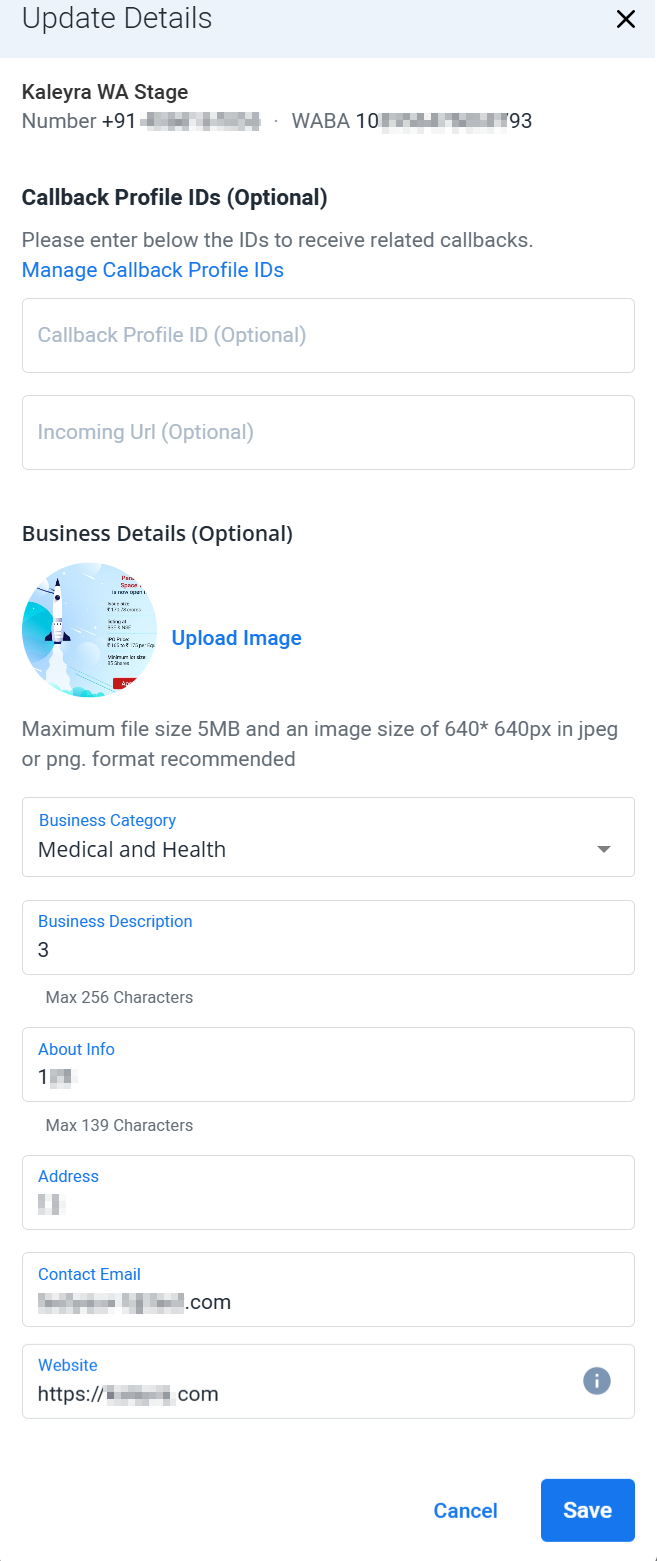
- Enter the following details:
- (Optional) In the Callback Profile ID field, enter the callback profile ID of the Callback Profile you have configured for WhatsApp. Kaleyra will forward all the status updates based on the configuration stored in the callback profile associated with this callback profile ID.
- (Optional) In the Incoming Url field, enter the callback profile ID of the Callback Profile you have configured to receive incoming WhatsApp messages. Kaleyra will forward all incoming WhatsApp messages based on the configuration stored in the callback profile associated with this callback profile ID.
Note:To know more about the other field descriptions, see step 4 of the Add a New Number topic.
- Click Save.
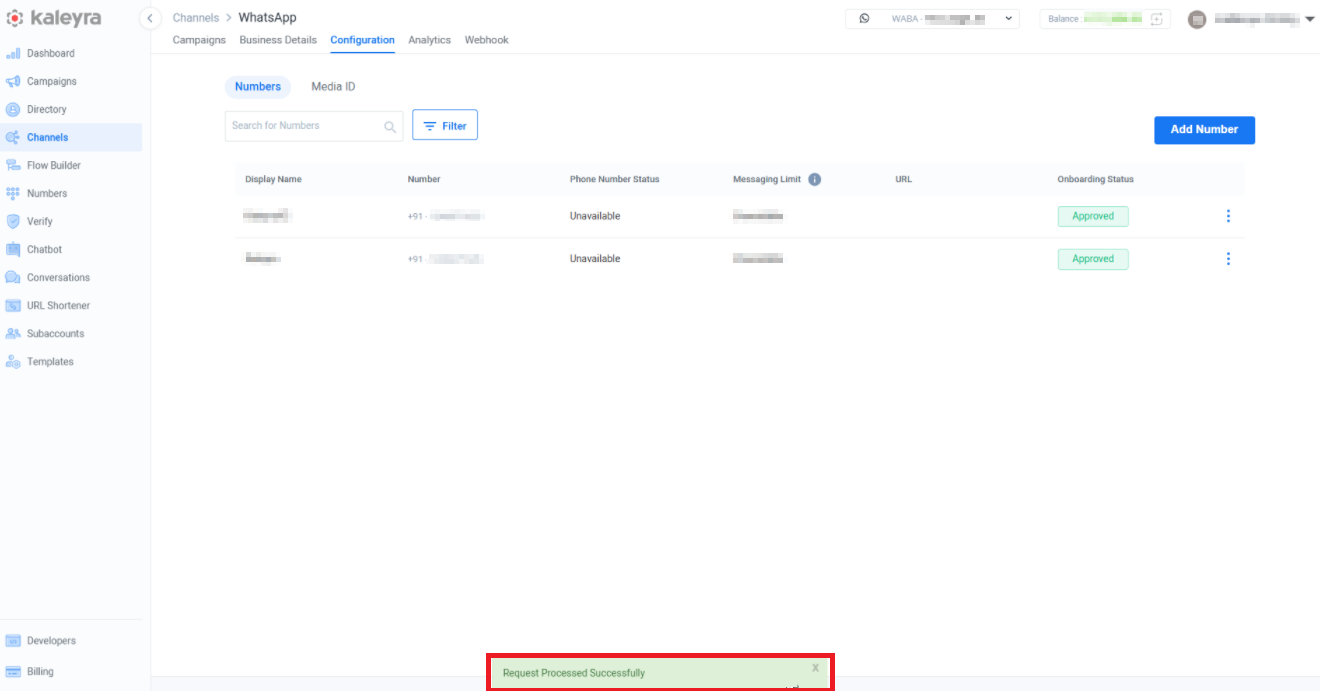
The confirmation message Request Processed Successfully appears.
Updated 20 days ago
Did this page help you?