

Test Template
You can test the template on the configured agent numbers only through approved templates.
To test the template, perform the following steps:
- Follow step 1 to Step 8 of the RCS Text Template.
The Templates page appears.
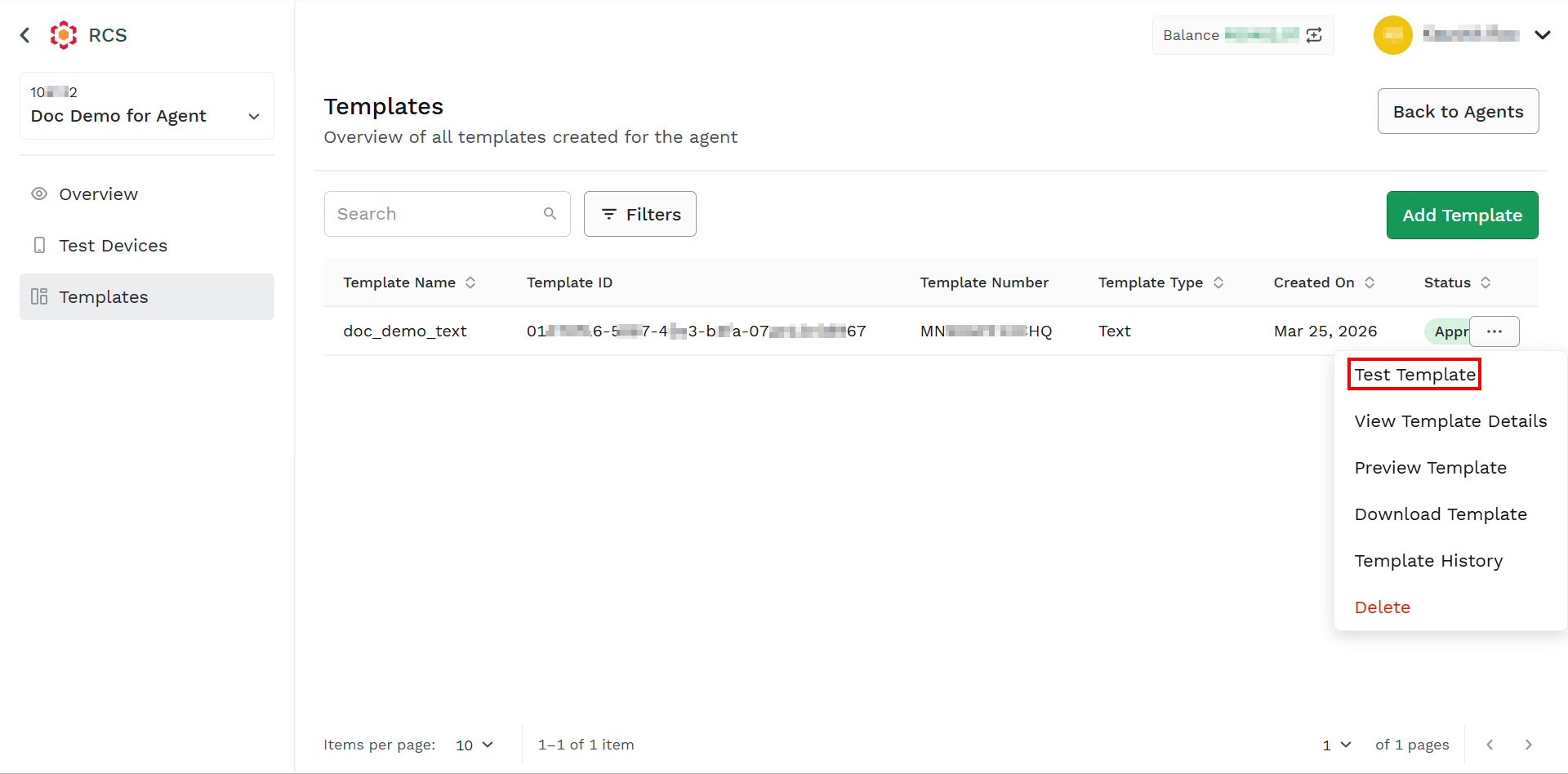
- Hover over the created template, the ellipsis icon appears. Click the ellipsis icon and then select the Test Template option.
The Test Template pane appears on the right side of the page.
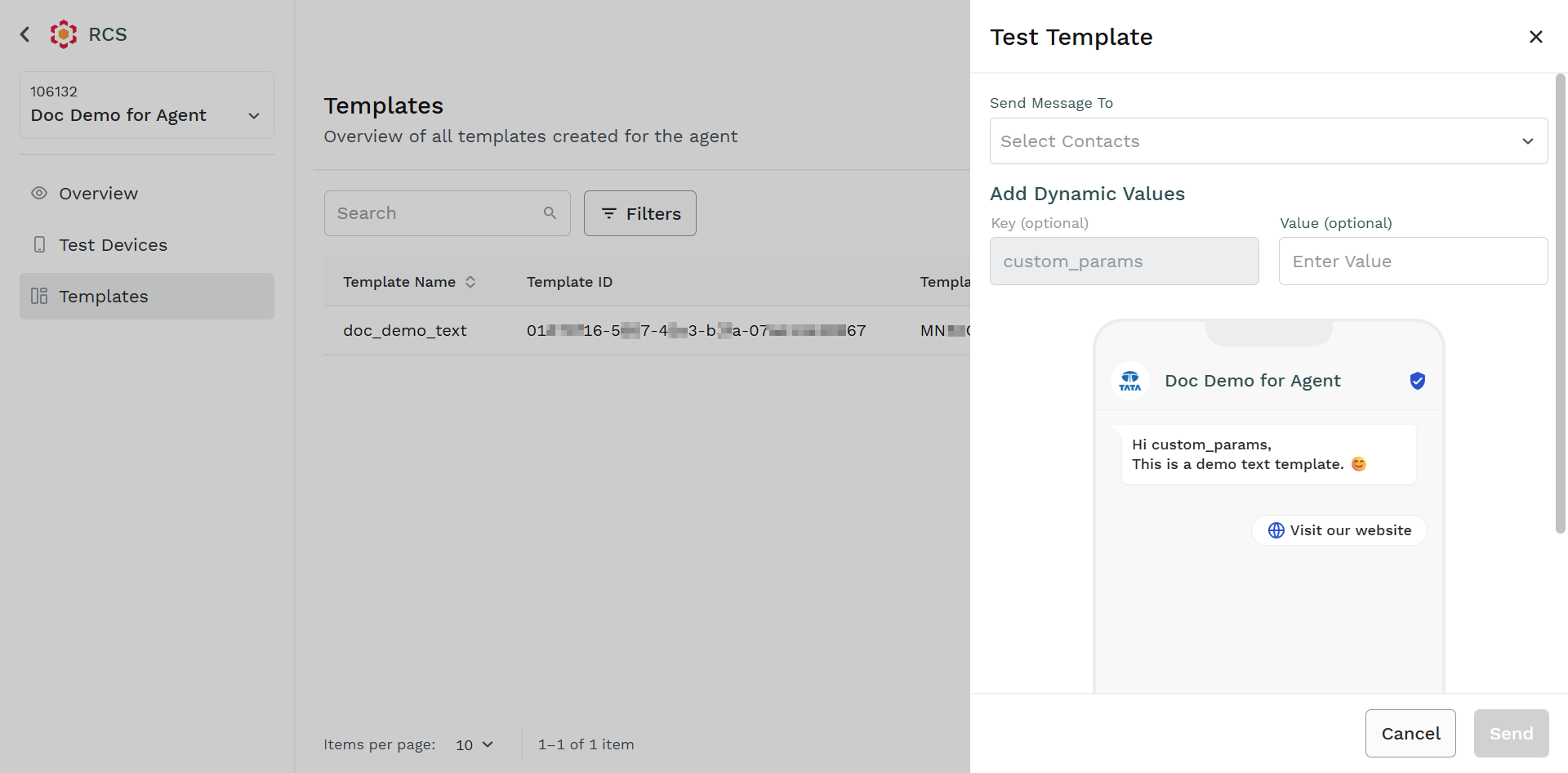
- Perform the following:
- In the Select Contacts field, click the drop-down icon. Select the agent number.
- In the Enter Value field, enter the key-value pair for the added key.
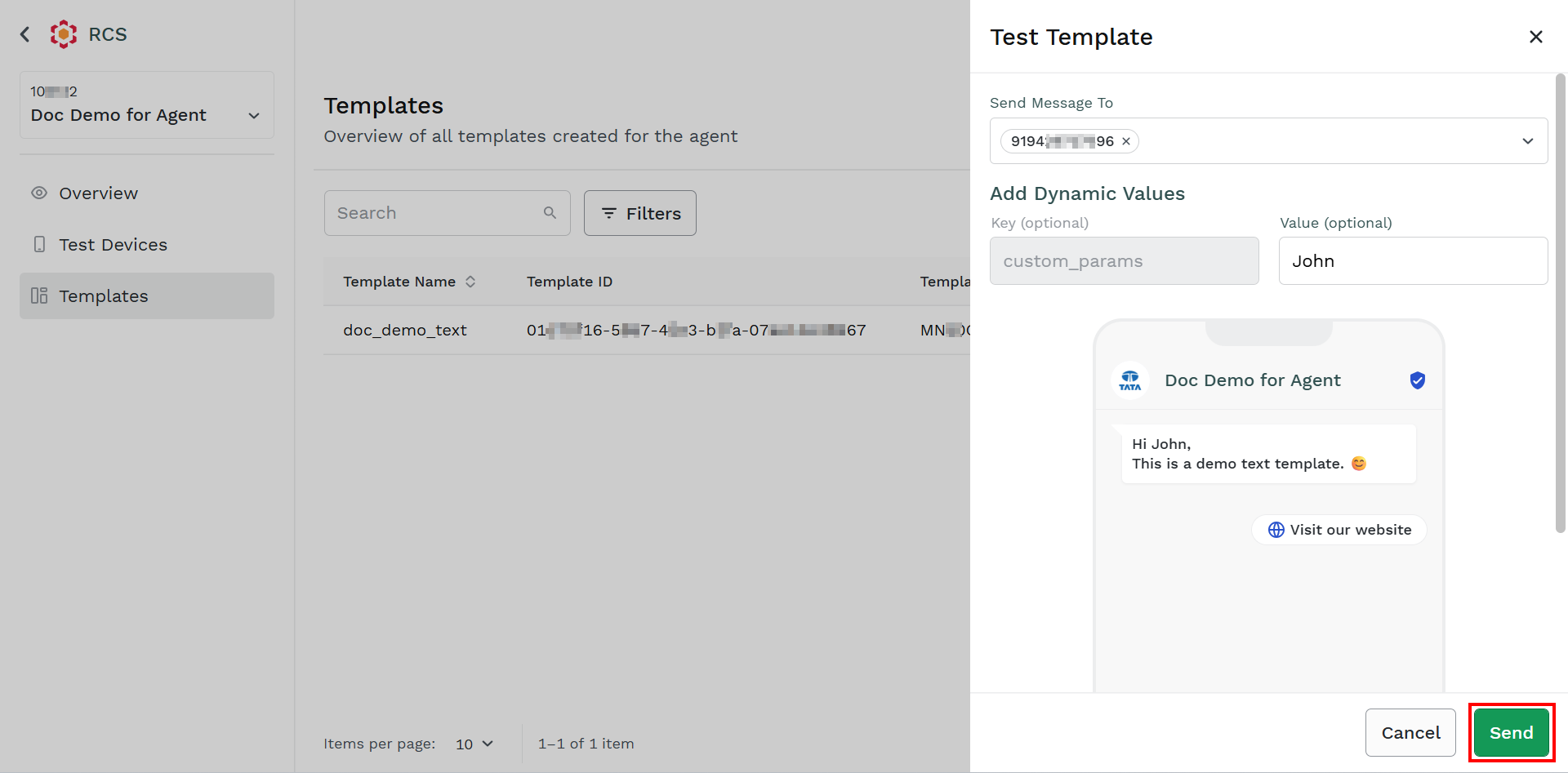
- Click Send.
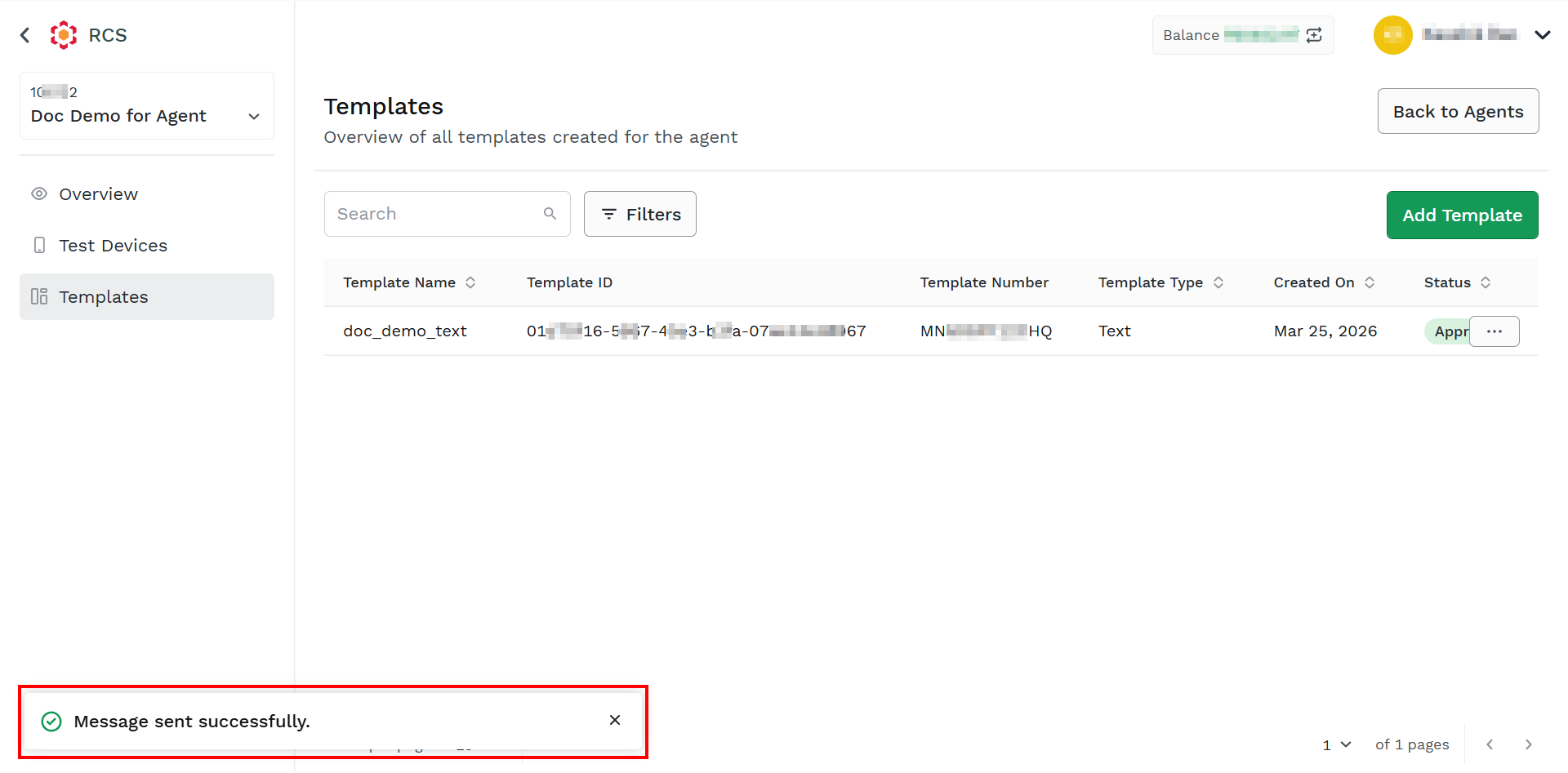
The confirmation message Message sent successfully appears.
Updated about 2 months ago
Did this page help you?