

View Email Template
The View Email Template feature allows you to view the Basic template details information.
To View the Email template, perform the following steps on the Template list page:
-
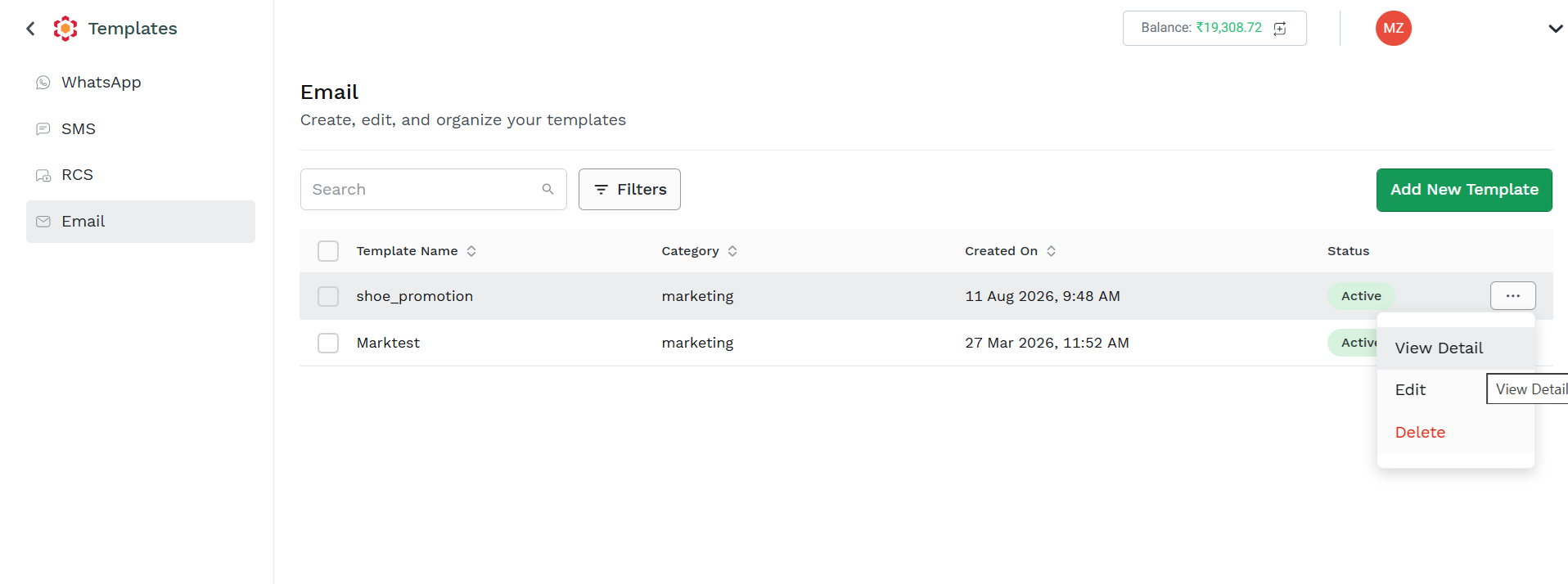
Click the three dots next to the Status column (for example, Approved status is selected) and then click the View Detail option.
The Template details page appears.
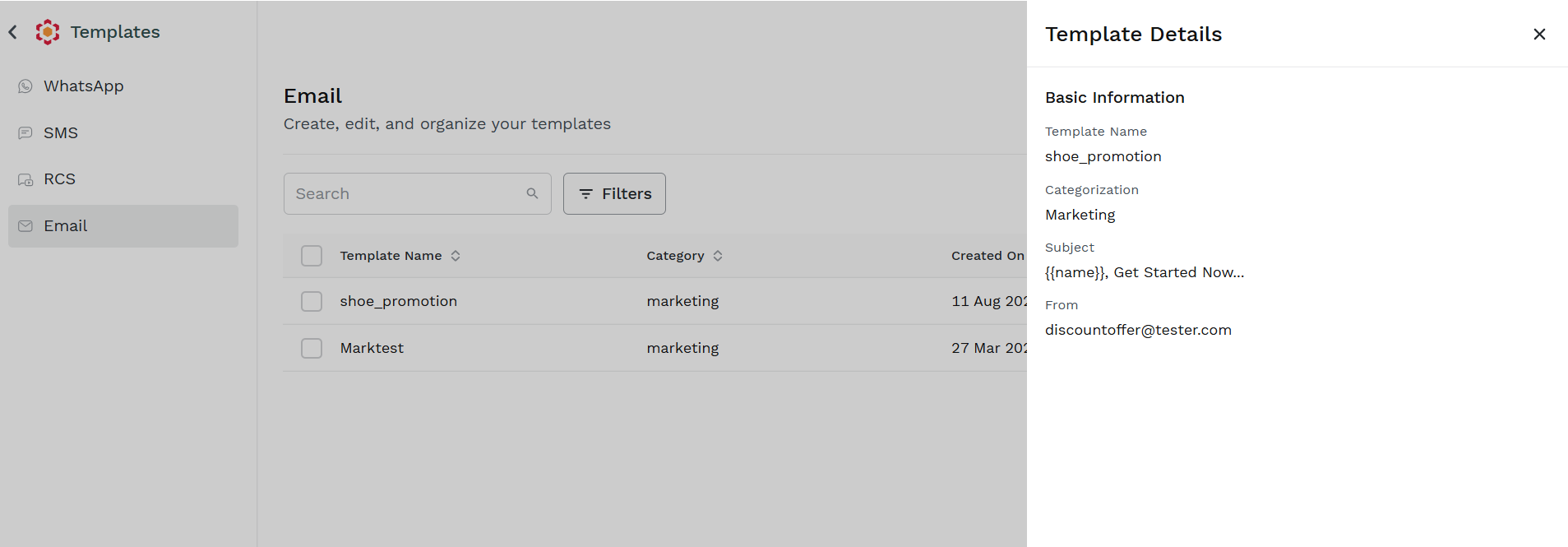
click on the X on the upper right corner to return to the Template List Page
Updated about 5 hours ago
Did this page help you?