

Delete Email Template
The Delete Email Template feature allows you to delete the selected template and also in bulk from the list.
To delete a single SMS template, perform the following steps on the Template list page:
- Click the three dots next to the Status column of the template you want to delete and then click the Delete option.
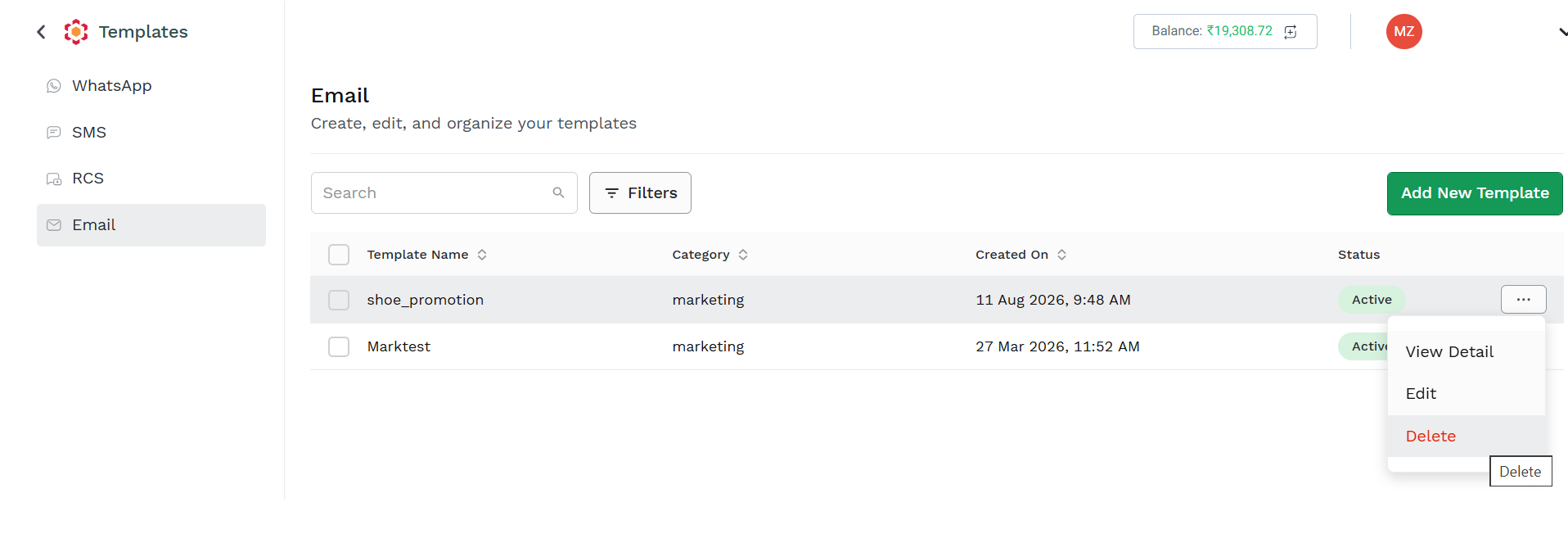
A confirmation pop-up appears.
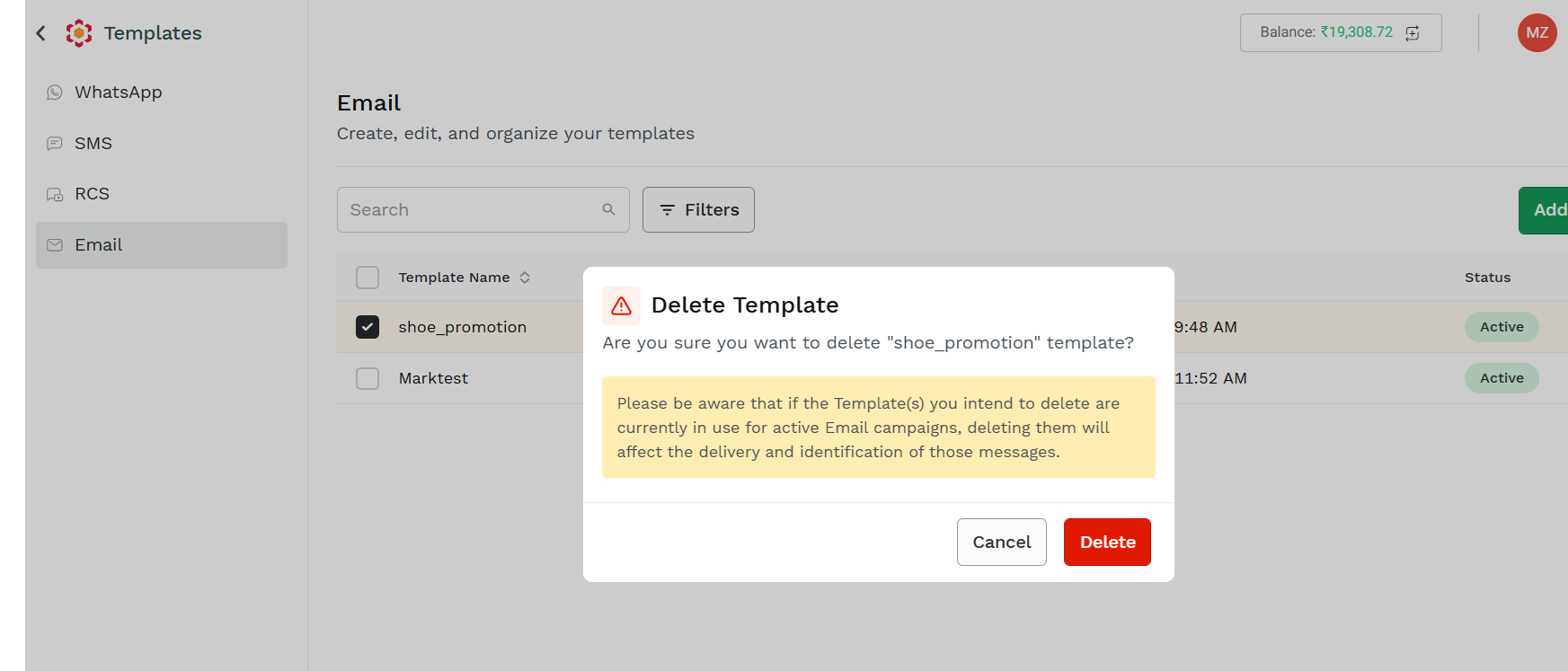
- Click Delete. The selected batch will be deleted.
To delete the Email template in bulk, perform the following steps on the Template list page:
- Select the multiple rows you want to delete and click Delete at the top of the template listing page.
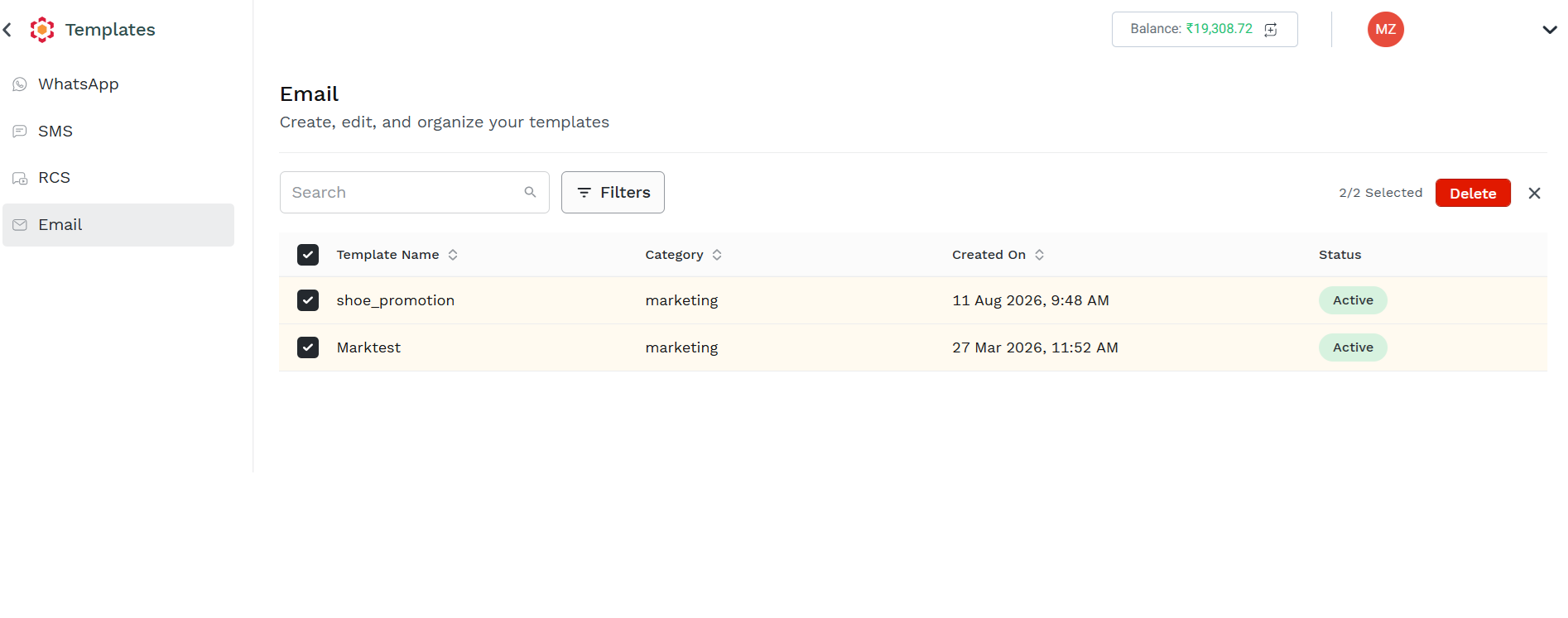
A confirmation pop-up appears.
- Click Delete. The selected batch in bulk will be deleted.
Updated about 5 hours ago
Did this page help you?