

Kaleyra Reference APIs enable you to test the APIs in real time.
To test the Block User API V2, perform the following steps:
- In the URL section (right pane), click the arrow next to Base URL and the list of base URLs appears.
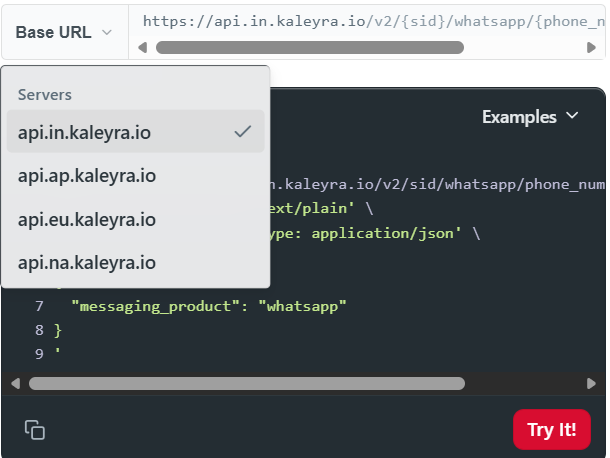
- Select the base URL based on your region.
- In the SID field (left pane), enter the SID from your kaleyra.io account. For more information, see View API Key and SID.
- In the phone_number field, enter the WhatsApp Business Phone Number for which you want to test the Block User feature.
- In the messaging_product field, enter the platform for messaging. By default, it is set to whatsapp.
- In the block_user field, enter the single or multiple JSON containing the user as the key name and the end user phone number to be blocked or unblocked as the value.
- In the user field, enter the phone number of the end user that has to be blocked or unblocked.
- In the api-key field, enter the API key from your kaleyra.io account. For more information, see View API Key and SID.
- In the Content-Type field, you can either enter the content type, or you can select the default content-type.
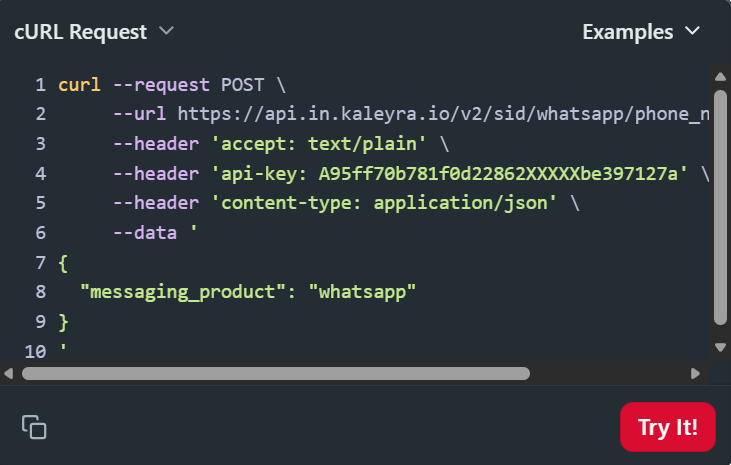
- Click Try It! (right pane). The response appears based on your API request and entered details.